
About Task Tracker
Task Tracker is an MCP server for teams or individuals who manage work in Linear and record time with TrackingTime. It supports natural-language task updates and time-tracking actions through an LLM client.
Key features
- 01Create Linear tasks
- 02Browse projects and tasks
- 03Search tasks by title
- 04Update task status
- 05Start and stop time tracking
- 06Add notes to tracked tasks
Use cases
- 01Creating a task with a project and status
- 02Finding tasks by title or status
- 03Recording time spent on a task
- 04Adding notes to a time entry
MCP support
Exposes Linear task-management and TrackingTime time-tracking operations to MCP clients, including task creation, status updates, time tracking, and notes.
Configuration
Local server config is the same for every client. Copy it into your client’s MCP config file.
We haven’t collected a package or remote endpoint for this server. Follow the instructions in the project README.
Tools
Local servers expose tools only once running on your machine, and the maintainer has not provided a tool list.
Details
From the project READMETask Tracker

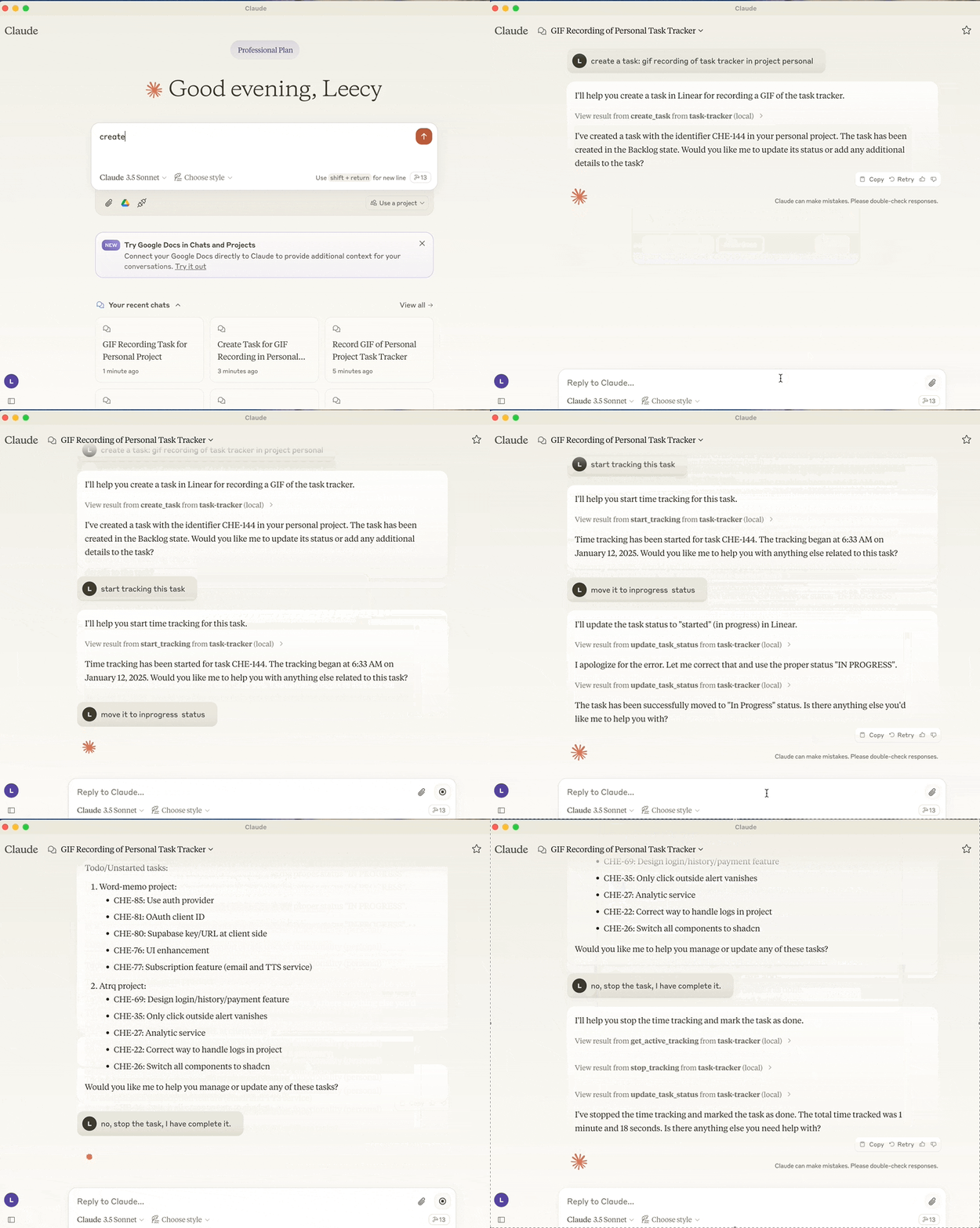
A Model Context Protocol server that integrates Linear task management and TrackingTime time tracking.
Motivation
I've been using Linear for task management and TrackingTime for time tracking for a long time. I found it could be very helpful to use LLM to automate my workflows and tasks. With the benifits of large language models, I can use natural language to create tasks, update task statuses, start and stop time tracking, and more.
If I develop more MCP servers tailored to my own needs, I can make the Claude client an all-in-one workspace for me.
Features
- Integration with Linear API for task management
- Create new task with optional project, description and state assignments
- Set current working team
- Get projects
- View tasks by status (backlog, unstarted, started, done, canceled)
- Search tasks by title
- Update task status
- Integration with TrackingTime for task time tracking
- Start time tracking for tasks
- Stop active time tracking
- View currently active tracked task
- Add notes to tracking task
Setup
- setup the environment, refer to the .env.example file.
sh scripts/setup.shto build the package or run below uv commands directly.
uv build
uv run task-tracker
- setup it in the Claude Desktop:
{
"mcpServers": {
    "task-tracker": {
        "command": "uv",
        "args": [
            "--directory",
            "/path/to/task-tracker",
            "run",
            "task-tracker"
        ]
    }
}
}
Comments
New to MCP?
From what the protocol is to installing your first server, these answers cover most first questions.
An open protocol that defines how AI applications connect to external tools and data in a uniform way. Clients talk to the model; MCP servers provide tools, resources and prompt templates. They exchange standard messages, so one server can be reused by many clients.