
About NZ Open Banking MCP (Akahu)
NZ Open Banking (Akahu) is an MCP server for querying New Zealand bank accounts through Akahu’s open-finance service. It suits people using AI assistants for account and transaction lookups, with read-only defaults and explicit approval before writes.
Key features
- 01Account balances and details
- 02Search and filter transactions
- 03View pending transactions
- 04Refresh accounts with approval
- 05Read-only default and guarded writes
Use cases
- 01Check balances across connected accounts
- 02Find payments to a merchant or person
- 03Compare spending over a date range
MCP support
It exposes 14 tools to MCP clients for reading Akahu account and transaction data, plus guarded account refreshes, transaction issue reports, and name checks. It can run over stdio or as an HTTPS server.
Configuration
Local server config is the same for every client. Copy it into your client’s MCP config file.
uvx nz-openbank-mcpAKAHU_USER_TOKENSecretUser token from https://my.akahu.nz/developers.AKAHU_APP_TOKENSecretApp token from https://my.akahu.nz/developers.AKAHU_READ_ONLYRefuse all write tools when 'true'. Leave as 'true' unless you specifically need refresh/verify/report writes.AKAHU_AUTOMATION_BYPASSSkip per-call consent prompts for safe-to-automate writes (account refresh only). Requires read-only=false.AKAHU_MASK_ACCOUNTSWhen 'true', account numbers show only the bank code, last four digits and suffix. Default 'false' shows them in full. Transaction descriptions are never masked.Local servers need a runtime on your machine (e.g. Node.js 18+). Config file locations differ by client; see your client’s docs.
Tools
14Saved tool list · updated today
This tool takes no parameters.
Details
From the project README
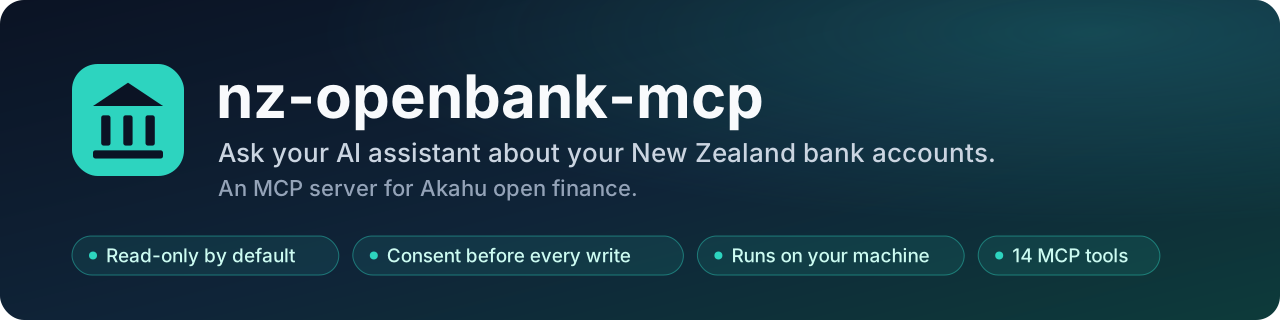







Ask an AI assistant about your New Zealand bank accounts without handing your
banking credentials to anyone new. nz-openbank-mcp is a Model Context
Protocol server that talks to Akahu, the NZ open-finance
service, using a Personal App you create and control. It runs on your own
machine, starts read-only, and asks before anything changes.
Unofficial. Not affiliated with or endorsed by Akahu or any bank.
Try asking
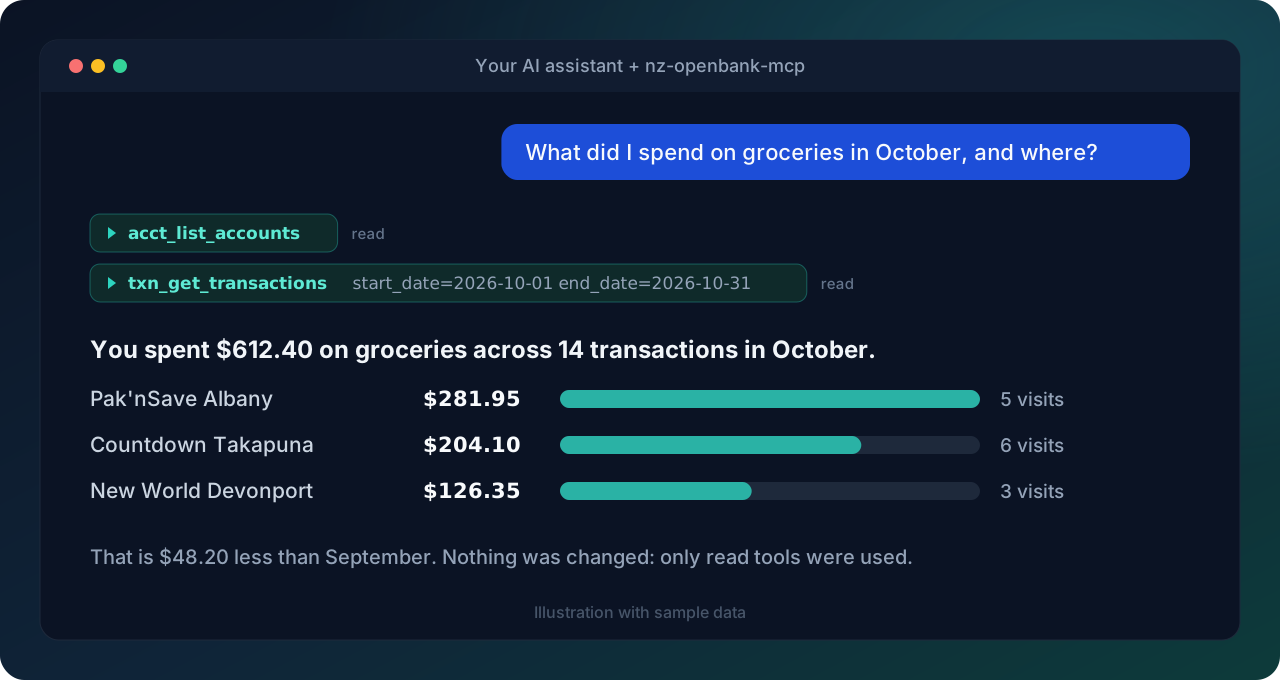
- "What did I spend on groceries last month, and at which shops?"
- "Which subscriptions am I paying for, and how much do they cost per year?"
- "Show my balances across every account."
- "Find every payment to my landlord this year."
- "Anything pending that has not settled yet?"
- "Compare my eating-out spend in September and October."
Why it is safe to try
| Read-only by default | Write tools refuse until you set AKAHU_READ_ONLY=false. |
| Consent per write | With writes on, every write asks you first and shows exactly what will be sent. |
| Local and private | Runs on your machine over stdio and talks only to api.akahu.io. Tokens and transaction contents are never logged. |
| Masked account numbers | Only the bank code, the last four digits and the suffix are shown. |
| Small and tested | Thin wrappers over Akahu endpoints, strict typing, and 100% line and branch test coverage enforced in CI. |
PyPI · Releases · Security policy
What it can do
The server exposes 14 tools. Ten only read; four change something and are off until you turn writes on.
All 14 tools
| Tool | Writes? | Purpose |
|---|---|---|
acct_list_accounts | Every connected account, with masked numbers and balances | |
acct_get_account | One account by id | |
acct_get_account_balance | Just the balance of one account | |
acct_get_pending_transactions | Unsettled transactions for one account | |
txn_get_transactions | Settled transactions, filtered by account, dates, category or amount (default 100) | |
txn_get_transaction | One transaction by id | |
txn_get_transactions_by_ids | Several transactions in one request | |
txn_get_pending_transactions | Unsettled transactions across all accounts | |
txn_search_transactions | Case-insensitive text search over description and merchant; without a start date, the 90 days up to the end date or today (default 50) | |
id_get_me | The Akahu user's profile | |
acct_refresh_all_accounts | yes | Ask Akahu to fetch fresh data for every account |
acct_refresh_account | yes | Ask Akahu to fetch fresh data for one account |
txn_report_transaction_issue | yes | Open a support ticket with Akahu about a transaction |
id_verify_name | yes | Check a name against the account holder; needs an extra scope (see Limits) and may be charged per call |
There are no spending reports, budgets or forecasts built in. The assistant works those out from the transactions, which keeps the server small and easy to audit.
Get your Akahu tokens
- Sign in at my.akahu.nz/developers and create a Personal App.
- Connect the bank accounts you want the assistant to see.
- Copy the App Token (
app_token_...) and User Token (user_token_...).
Treat both like passwords. The install steps below keep them out of project files.
You also need uv. The plugins, the Desktop
Extension and the generic client setup all run the server with uvx, which
fetches the release and a matching Python.
Install
| Where you use it | How | Where the tokens live |
|---|---|---|
| Claude Code | Plugin from this repo's marketplace | OS keychain, prompted at install |
| Claude Desktop | .mcpb Desktop Extension | OS keychain, prompted at install |
| Codex | Plugin from this repo's marketplace | Environment Codex starts in |
| Cursor | Plugin from this repo's marketplace | Cursor plugin settings |
| Grok Build | Plugin from this repo's marketplace | Environment Grok starts in |
| claude.ai, ChatGPT, grok.com | Self-hosted HTTPS server with OAuth | Your server's environment |
| Anything else that speaks MCP | uvx nz-openbank-mcp | Environment of the client |
Every option below starts with AKAHU_READ_ONLY=true and
AKAHU_AUTOMATION_BYPASS=false.
Claude Code
/plugin marketplace add thatskiff33/nz-openbank-mcp
/plugin install nz-openbank-mcp@nz-openbank
Claude Code asks for both tokens and the two safety settings. /mcp should
then list the server as connected. To change a setting later, open /plugin,
pick the plugin and choose Configure options. More detail, including
updates and removal, is in plugin/README.md.
Claude Desktop
Download nz-openbank-mcp-X.Y.Z.mcpb from the
latest release
and open it, or use Settings -> Extensions -> Advanced -> Install
Extension. Desktop shows a form for the tokens and settings. To update,
install the newer .mcpb.
The Claude Code plugin does not work in Claude Desktop, because Desktop cannot collect plugin settings yet.
Codex, Grok Build
Neither host can prompt for a plugin secret, so the tokens come from the environment you start the host in. Read them from your OS secret store rather than writing them into a dotfile:
# macOS
export AKAHU_USER_TOKEN="$(security find-generic-password -s akahu-user-token -w)"
export AKAHU_APP_TOKEN="$(security find-generic-password -s akahu-app-token -w)"
# Linux (libsecret)
export AKAHU_USER_TOKEN="$(secret-tool lookup service akahu-user-token)"
export AKAHU_APP_TOKEN="$(secret-tool lookup service akahu-app-token)"
In Codex, Grok Build and Cursor, an AKAHU_READ_ONLY or
AKAHU_AUTOMATION_BYPASS already set in the environment the host starts in
overrides the safe defaults.
Codex:
codex plugin marketplace add thatskiff33/nz-openbank-mcp
codex plugin add nz-openbank-mcp@nz-openbank
codex mcp list          # shows the akahu server
Codex passes only the four AKAHU_* settings through to the server. Update
with codex plugin marketplace upgrade nz-openbank.
Grok Build:
grok plugin marketplace add thatskiff33/nz-openbank-mcp
grok plugin install nz-openbank-mcp --trust
grok mcp doctor akahu   # should report 14 tools
Grok also loads Claude Code plugins. Install in one of the two, not both, or you get two copies of the server.
Cursor
agent plugin marketplace add https://github.com/thatskiff33/nz-openbank-mcp
Install nz-openbank-mcp from Customize (or /plugins in the Cursor
CLI), then enter the two tokens under Plugins -> Configure. Cursor stores
them, not the repo. Leave the safety settings empty to keep the defaults. The
server shows up as plugin-nz-openbank-mcp-akahu. Settings left unset there
fall back to the environment Cursor started in. To try a local checkout, start
the Cursor CLI with --plugin-dir /path/to/nz-openbank-mcp/plugin.
The Add to Cursor button at the top installs a plain MCP entry instead of
the plugin. It reads AKAHU_USER_TOKEN and AKAHU_APP_TOKEN from the
environment Cursor starts in, so set them as shown for Codex above.
Web connectors (claude.ai, ChatGPT, grok.com)
Web assistants can only reach servers on the public internet. Run the
nz-openbank-mcp-http entrypoint behind HTTPS with OAuth, then add a custom
connector in the assistant (for grok.com, at grok.com/connectors) pointing at
the server's /mcp URL. In OAuth mode this server acts as the OAuth
authorization server, Google confirms who is signing in, and only the Google
accounts or Workspace domains you allow get through. Google never sees your
Akahu tokens.
Setup, the Google client, the redirect allowlist and hardening are covered in
docs/public-https-streamable-http.md,
with a systemd example under deploy/linux-systemd/.
grok.com's connector callback,
https://grok.com/connectors-oauth-exchange-code/, is not in the default
redirect list. NZ_OPENBANK_MCP_ALLOWED_REDIRECT_URIS replaces that list, so
include any default entries you still need alongside it.
Any other MCP client
Point the client at this command and give it the settings as environment variables:
uvx nz-openbank-mcp # or pin: uvx --from nz-openbank-mcp==X.Y.Z nz-openbank-mcp
examples/claude_desktop_config.json
shows the shape most JSON-configured clients expect. To use it with Claude
Desktop instead of the extension, merge it into the config file and restart:
- macOS:
~/Library/Application Support/Claude/claude_desktop_config.json - Windows:
%APPDATA%\Claude\claude_desktop_config.json - Linux:
~/.config/Claude/claude_desktop_config.json
Docker
Each release is also published as a multi-arch image (amd64 and arm64), running as a non-root user with read-only mode on:
docker run -i --rm -e AKAHU_USER_TOKEN -e AKAHU_APP_TOKEN ghcr.io/thatskiff33/nz-openbank-mcp
-e NAME with no value passes the variable through from your shell, so the
tokens stay out of the command line. For a JSON-configured client, use
"command": "docker" with those arguments. For the HTTP server, run
nz-openbank-mcp-http in the image; see the HTTPS guide.
Settings
The server reads settings from its process environment, plus an env file only
when AKAHU_ENV_FILE names one (process values win). It never picks up a
.env file from the working directory.
| Variable | Default | Meaning |
|---|---|---|
AKAHU_USER_TOKEN | (required) | Your User Token |
AKAHU_APP_TOKEN | (required) | Your Personal App's App Token |
AKAHU_READ_ONLY | true | Refuse every write tool |
AKAHU_AUTOMATION_BYPASS | false | Skip the confirmation prompt for the two refresh tools |
AKAHU_REQUEST_TIMEOUT | 10 | Seconds per Akahu request (1 to 120) |
AKAHU_LOG_LEVEL | INFO | DEBUG, INFO, WARNING, ERROR or CRITICAL |
AKAHU_ENV_FILE | (unset) | Absolute path to an env file to load; on Linux and macOS it must be yours (or root's) and not writable by group or others |
AKAHU_BASE_URL | https://api.akahu.io/v1 | Must stay on api.akahu.io unless the next setting is on |
AKAHU_ALLOW_CUSTOM_BASE_URL | false | Allow another API host; honoured only from the process environment, never from an env file |
The server logs a warning at startup when a custom API host is in use. Set
AKAHU_ENV_FILE and AKAHU_ALLOW_CUSTOM_BASE_URL only in your own shell or
host config, never in project files of a repository you cloned.
The HTTP entrypoint has its own NZ_OPENBANK_MCP_* settings, listed in
.env.example and the HTTPS guide.
How writes are guarded
Three checks sit in front of every write tool:
- Read-only switch. With
AKAHU_READ_ONLY=truethe tool refuses before any request leaves your machine. - Confirmation. With writes on, the server asks you to approve each call through your assistant's confirmation prompt. The prompt lists every value that will be sent, such as the full text of a support ticket comment, in quotes with hidden characters made visible. Values over 1,000 characters are refused rather than shortened. Declining or dismissing the prompt cancels the call.
- Narrow bypass.
AKAHU_AUTOMATION_BYPASS=trueskips the prompt only foracct_refresh_all_accountsandacct_refresh_account, which just ask Akahu to re-sync. Each skipped prompt is logged, the startup banner lists these tools, and the server will not start with the bypass on while read-only is also on. Support tickets and name checks always ask.
Limits
Akahu Personal Apps cannot reach app-scoped endpoints, so this server has no tools for categories (transactions carry theirs inline), the list of supported banks, payments or webhooks.
id_verify_name needs a scope you enable for your Personal App at
my.akahu.nz/developers; without it Akahu
answers 403.
Pending transactions have no id, can change before they settle, and are
marked "pending": true.
txn_get_transactions and txn_search_transactions read at most 20 pages
of results from Akahu per call. When a range holds more, the result has
"truncated": true; ask again with a narrower date range.
Reads and account refreshes are tried up to three times on network errors and Akahu server errors. Support tickets and name checks are sent once, because a request that timed out may still have reached Akahu. Rate-limit (429) responses are retried for every request.
Dates and amounts
Dates are New Zealand calendar days (Pacific/Auckland), even though Akahu
stores UTC timestamps. A date-only filter such as start_date=2026-10-18
covers that whole NZ day, at either end of a range; a full ISO 8601 timestamp
is passed to Akahu unchanged, and Akahu reads one without an offset as UTC.
Amounts are formatted in each account's currency, so a USD account shows
-USD 9.99. When an account's currency is unknown, currency is null and
amount has no currency symbol (for example -1,234.50); amount_raw is
the same amount as a plain number, rounded to cents. Other date formats are
rejected.
Privacy
- NZ account numbers are masked to the bank code, the last four account digits and the suffix. In any other format, every digit but the last four is masked.
- Tokens are never logged. Balances and transaction contents are not logged; request paths, which can include Akahu account or transaction ids, are logged with their status.
- By default, over stdio, the server's only network traffic is to
api.akahu.io(plusuvxdownloading the package). HTTP mode adds Google for sign-in. - Account and date filters are sent to Akahu; category and amount filters are applied after the data arrives. Personal Apps have no finer-grained access control, so the token can read everything you connected.
The privacy policy covers who sees what, and the threat model lists each risk with its mitigation and the risks that remain.
Release files (wheel, sdist and .mcpb) carry GitHub build provenance, and
PyPI uploads come from Trusted Publishing. To check a download:
gh attestation verify nz-openbank-mcp-X.Y.Z.mcpb --repo thatskiff33/nz-openbank-mcp
Report vulnerabilities privately through SECURITY.md.
Development
git clone https://github.com/thatskiff33/nz-openbank-mcp.git
cd nz-openbank-mcp
uv sync --extra dev
uv run pytest                 # 100% line and branch coverage is required
uv run ruff check . && uv run mypy src
FASTMCP_ENV_FILE=/dev/null uv run fastmcp dev src/nz_openbank_mcp/server.py
To use a local checkout from Claude Code:
claude mcp add nz-openbank --scope user \
  --env AKAHU_APP_TOKEN=app_token_... --env AKAHU_USER_TOKEN=user_token_... \
  -- uv --directory "$(pwd)" run nz-openbank-mcp
The host plugin manifests are generated. Edit plugin/plugin.base.toml, then
run uv run --no-project python scripts/sync_plugin_manifests.py. Releases
are described in PUBLISHING.md; further operator guides are
in docs/.
Contributions are welcome: see CONTRIBUTING.md, the code of conduct and the changelog. Ask questions in Discussions.
License and disclaimer
Licensed under Apache-2.0; see LICENSE.
Derived from nz-akahu-mcp by
severity1 (Apache-2.0) and substantially modified; see
NOTICE.
Thank you to severity1 for building and open-sourcing the original, which
this project would not exist without.
This software is provided as is. You are responsible for how you use it with your financial data. The maintainers accept no liability for data loss, unauthorised access or financial loss arising from its use.
Comments
New to MCP?
From what the protocol is to installing your first server, these answers cover most first questions.
An open protocol that defines how AI applications connect to external tools and data in a uniform way. Clients talk to the model; MCP servers provide tools, resources and prompt templates. They exchange standard messages, so one server can be reused by many clients.