
About Tibber MCP Server
Tibber MCP Server connects the Tibber API to AI agents for Tibber users querying energy prices, home details, and consumption. It provides hourly consumption data for the last 30 days alongside current, today’s, and tomorrow’s price information.
Key features
- 01Query hourly consumption for the last 30 days
- 02Get current and upcoming energy prices
- 03View home and subscription details
Use cases
- 01Analyze peak consumption hours
- 02Check yesterday’s energy use
- 03Compare today’s and tomorrow’s prices
MCP support
This MCP server exposes tools for querying consumption, prices, and home information. It runs locally and can connect to clients such as Claude Desktop or Roo Code.
Configuration
Local server config is the same for every client. Copy it into your client’s MCP config file.
Tools
Local servers expose tools only once running on your machine, and the maintainer has not provided a tool list.
Details
From the project READMETibber MCP Server
This is a Model Context Protocol (MCP) Server for Tibber, a Norwegian power supplier.
You can run the MCP server locally and access it via different hosts such as Claude Desktop or Roo Code.
For more details, check out my blog post:
Building a Tibber MCP Server: Connect Your AI Agent to Energy Consumption Data
Overview
The Tibber MCP server provides an AI agent with a convenient way to interact with the Tibber API and query information such as current energy prices and your energy consumption data.
Example Queries
Once connected to the MCP server, you can ask questions like:
- "Analyze my power consumption data and present the usual peak hours and any other interesting patterns in an easy-to-read format."
- "When did I use the most power yesterday?"
- "How much power did I consume yesterday at 7 AM?"
- "What is the current energy price?"
- "List the 3 cheapest hours of tomorrow."
- "Is the energy price higher or lower tomorrow?"
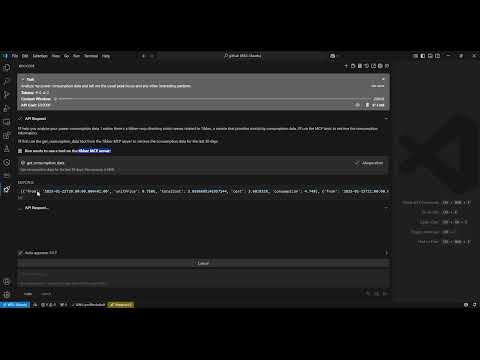
Demo video
Architecture

Requirements
- Python 3.12
- Tibber API token (You can get it from Tibber developer portal)
Installation
-
Install
uv:# On macOS and Linux curl -LsSf https://astral.sh/uv/install.sh | sh# On Windows powershell -ExecutionPolicy ByPass -c "irm https://astral.sh/uv/install.ps1 | iex" -
Clone this repository:
git clone https://github.com/linkcd/tibber-mcp.git cd tibber-mcp -
Set up the Python virtual environment and install dependencies:
uv venv --python 3.12 && source .venv/bin/activate && uv pip install --requirement pyproject.toml
Host Configuration
In Claude Desktop or Roo Code in VS
{
   "mcpServers":{
      "tibber":{
         "command":"uv",
         "args":[
            "--directory",
            "[PATH-TO-ROOT-OF-THE-CLONED-TIBBER-MCP-FOLDER]",
            "run",
            "server.py"
         ],
         "env":{
            "TIBBER_API_TOKEN":"[YOUR-TIBBER-TOKEN]"
         }
      }
   }
}
IMPORTANT: Replace
[YOUR-TIBBER-TOKEN]with your actual token. Never commit actual credentials to version control.
Debug and test the MCP server locally
Run the server locally and run MCP inspector against it
npx @modelcontextprotocol/inspector -e TIBBER_API_TOKEN=[YOUR-TIBBER-TOKEN] python server.py
Available Tools
The server exposes the following tools that LLM can use:
get_consumption_data(): Get the hourly consumption data for the last 30 days, such as time period, total cost, base energy cost, and consumpted kwhget_price_and_home_info(): Get price info (current, today and tomorrow) and home info (owner, address, subscription...)
License
Acknowledgments
Comments
New to MCP?
From what the protocol is to installing your first server, these answers cover most first questions.
An open protocol that defines how AI applications connect to external tools and data in a uniform way. Clients talk to the model; MCP servers provide tools, resources and prompt templates. They exchange standard messages, so one server can be reused by many clients.