
About sysketch
sysketch is an MCP server that lets AI assistants create hand-sketched system design diagrams from short descriptions. It saves SVG or PNG files alongside the description, reducing the need for assistants to generate image data directly.
Key features
- 01Render descriptions or files as SVG/PNG
- 02Choose diagram themes
- 03Browse available icons and logos
- 04Save diagrams with their descriptions
Use cases
- 01Create a system design diagram from a short prompt
- 02Revise a saved diagram by changing its description
MCP support
The MCP server exposes diagram rendering and icon-listing tools to AI clients. Clients can request SVG or PNG output and optionally receive an image preview.
Configuration
Remote servers need no local install. Pick your client, then copy the config or install in one click.
https://sysketch.vercel.app/mcpclaude mcp add --transport http tonys-coding-sysketch https://sysketch.vercel.app/mcp{"mcpServers":{"tonys-coding-sysketch":{"type":"http","url":"https://sysketch.vercel.app/mcp"}}}Open in Cursor{"servers":{"tonys-coding-sysketch":{"type":"http","url":"https://sysketch.vercel.app/mcp"}}}Open in VS Code{"mcpServers":{"tonys-coding-sysketch":{"type":"http","url":"https://sysketch.vercel.app/mcp"}}}{"mcpServers":{"tonys-coding-sysketch":{"serverUrl":"https://sysketch.vercel.app/mcp"}}}Run commands in a terminal; paste JSON into the client’s MCP config and restart. Servers that need sign-in will prompt on first connect.
Tools
Details
From the project READMEsysketch-mcp
Lets Claude, Cursor and other AI assistants draw clean, hand-sketched system design diagrams with sysketch. The assistant writes a short description of your system instead of drawing the image itself, which makes diagrams faster, cheaper and consistent.
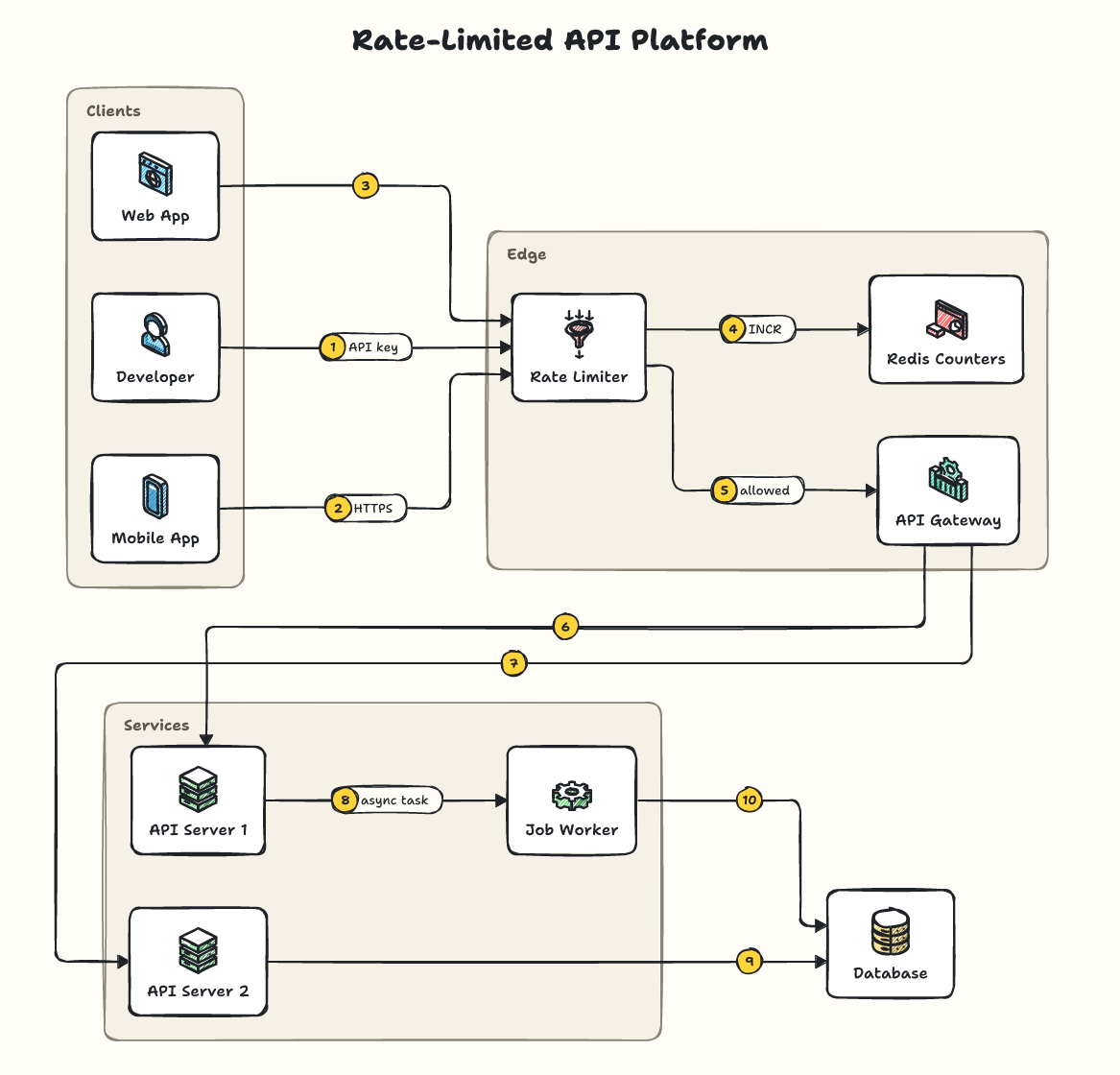
Setup
You need Node.js 20 or newer.
Claude Code: run once in your terminal:
claude mcp add sysketch -- npx -y sysketch-mcp
Claude Desktop, Cursor and other assistants: add this to the assistant's MCP settings, then restart it:
{
  "mcpServers": {
    "sysketch": { "command": "npx", "args": ["-y", "sysketch-mcp"] }
  }
}
Diagrams are saved in the folder your assistant runs the server in (your project, in Claude Code and Cursor). Claude Desktop starts servers outside any project, so there they go to a sysketch folder in your home folder. To choose a folder, add "--dir", "/path/to/folder" to args, or set the SYSKETCH_DIR environment variable.
ChatGPT, Claude on the web, Perplexity and other AI chats: you don't need this package. Add https://sysketch.vercel.app/mcp as a custom connector instead (details).
Use
Ask your assistant, for example:
Use sysketch to draw a ride-sharing system as a PNG.
The diagram is saved in diagrams/ inside that folder, together with its description, so you can ask for changes later: "add a notification service", "use the blueprint theme". Only a one-line summary comes back into the conversation, never the image data.
Measured with Claude Code (Sonnet) on 5 system design requests: 4,352 output tokens with sysketch vs 77,518 when the assistant drew the SVG itself, about 18x fewer (benchmark).
Tools
| Tool | What it does |
|---|---|
render_diagram | Draws a diagram from a description (spec) or a file (file) to .svg or .png, with an optional theme. preview: true returns the image to the assistant (off by default). |
list_icons | Lists the icons and recognized names; logos searches installed official logos. |
The tool definitions add about 450 tokens to each session.
Official logos (optional)
When official logos are installed, product names like s3 or stripe show the real logo. See the logos guide.
More examples, themes and the full spec: github.com/Tonys-Coding/sysketch
MIT License.
Comments
New to MCP?
From what the protocol is to installing your first server, these answers cover most first questions.
An open protocol that defines how AI applications connect to external tools and data in a uniform way. Clients talk to the model; MCP servers provide tools, resources and prompt templates. They exchange standard messages, so one server can be reused by many clients.