
About 🚀 Webhook Tester MCP Server
Webhook Tester MCP Server is a FastMCP server for managing webhook-test.com webhooks. It is suited to developers who need to create and inspect webhook tokens and incoming request payloads through MCP tools.
Key features
- 01Create webhooks
- 02List available webhooks
- 03Fetch webhook details
- 04Inspect incoming payloads
- 05Delete webhooks
Use cases
- 01Create a webhook URL for integration testing
- 02Check which webhooks are available
- 03Inspect requests received by a webhook
- 04Remove a webhook after testing
MCP support
It exposes tools and resources for managing webhook-test.com webhooks and inspecting their incoming requests to MCP clients.
Configuration
Local server config is the same for every client. Copy it into your client’s MCP config file.
We haven’t collected a package or remote endpoint for this server. Follow the instructions in the project README.
Tools
Local servers expose tools only once running on your machine, and the maintainer has not provided a tool list.
Details
From the project README🚀 Webhook Tester MCP Server
A powerful and modular FastMCP server for interacting with webhook-test.com, designed to automate and manage Webhook tokens (URLs), inspect incoming requests, and perform analytics — all without writing custom API integrations.
Built with the FastMCP framework to expose modular tools and resources, this project enables webhook observability and management.
🛎️ Webhooks 101
Webhooks let your app send and receive real-time updates between services. When sending, your app can POST data to a URL whenever something important happens — like a new user signup or a status change. When receiving, your app listens for incoming POST requests from other services and reacts to the events they send. This setup is way more efficient than constant polling and is perfect for triggering actions, syncing data, or keeping systems in sync.
📦 Features & Use Cases
✅ Create new webhooks
✅ List all available webhooks
✅ Fetch webhook's details
✅ Fetch webhook payloads
✅ Delete webhooks
⚙️ Setup
- Clone the repo
- Install dependencies
pip install -r requirements.txt - Configure
.env
🔍 Testing Using Claude
- Configure Claude Desktop to use the local server by editing your claude_desktop_config.json file:
{
    "mcpServers": {
      "webhook-tester-mcp": {
        "command": "fastmcp",
        "args": ["run", "{{fullPath}}\\Webhook-test_mcp\\server.py"]
      }
    }
  }
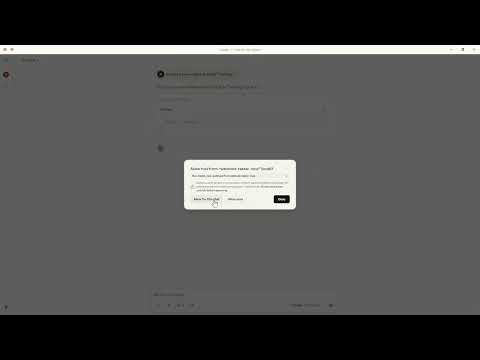
🧪 Demo testing the Server
📄 License
This project is licensed under the MIT License.
Comments
New to MCP?
From what the protocol is to installing your first server, these answers cover most first questions.
An open protocol that defines how AI applications connect to external tools and data in a uniform way. Clients talk to the model; MCP servers provide tools, resources and prompt templates. They exchange standard messages, so one server can be reused by many clients.