
About gitpro
gitpro checks which Git identity, SSH key, and signature a repository should use, matching by remote URL. It is for people who keep work and personal repositories or accounts separate, and explains mismatches without a background service.
Key features
- 01Identity and SSH key selection by remote
- 02Explanations for identity mismatches
- 03Repository scan with suggested fixes
- 04Optional commit and push guards
- 05VS Code and dev container support
Use cases
- 01Check the expected identity in a repository
- 02Find repositories with incorrect identities
- 03Prevent commits or pushes with the wrong identity
MCP support
gitpro provides identity information to AI agents through an MCP server and a Claude Code hook.
Configuration
Local server config is the same for every client. Copy it into your client’s MCP config file.
Tools
14Saved tool list · updated 5d ago
| Parameter | Type | Required | Description |
|---|---|---|---|
| path | string | Yes | a directory inside the git repository (absolute, or relative to the server's directory) |
Details
From the project README
gitpro
The right Git identity, SSH key and signature for every repository.
gitpro.dev · PyPI · VS Code · made by Yantrakar
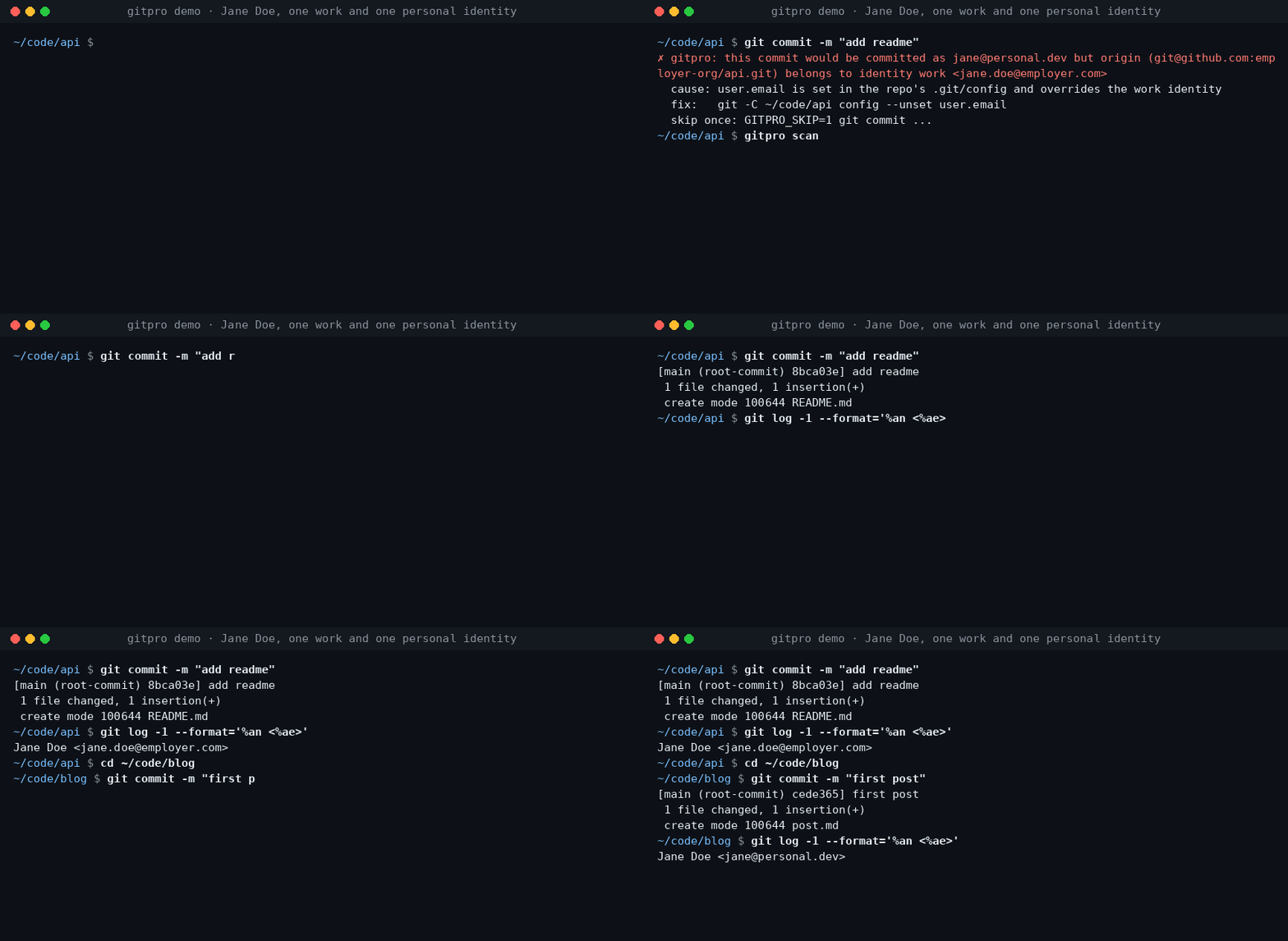
Work on a company repository, commit with your work email. Switch to a personal project, use your personal identity. Gitpro chooses by remote URL, not by where you happened to clone the repository.
Useful when you have more than one GitHub/GitLab account, separate work and personal keys, or keep finding the wrong email on your commits.
Try it
Requires Linux or macOS, Git 2.36+, Python 3.9+ and OpenSSH. Install from PyPI with pipx.
pipx install gitpro
gitpro setup
Setup offers to look through your repos and proposes your identities. Accept, edit or answer the questions yourself; no TOML editing is needed. One preview shows everything, including the commit guard and, with Claude Code, its hook and MCP server. One yes applies it all. Setup never changes your repos.
flowchart LR
  S["gitpro setup"] --> HC{"Config <br/>exists?"}
  HC -->|no| L["Read your repos, <br/>SSH config and <br/>editor recents, <br/>if you agree"]
  L --> Q["Propose <br/>identities; you <br/>accept or edit"]
  Q --> I
  HC -->|yes| I["Inspect config, <br/>Git and SSH files, <br/>keys, guard, <br/>agent hook, MCP"]
  I -->|all current| OK["Nothing <br/>to do"]
  I -->|something to do| PV["One preview, <br/>each part with <br/>its undo"]
  PV --> ASK{"Apply <br/>all?"}
  ASK -->|no| NONE["Nothing <br/>written"]
  ASK -->|yes| AP["Write it, print <br/>the public keys <br/>to register"]
  AP --> NX["Next: <br/>gitpro scan"]
Then:
gitpro why               # inside a repository: the expected identity and anything overriding it
gitpro scan              # repos that need a fix, with the command for each
Already have a config? gitpro setup brings this machine up to date with it.
gitpro setup -n only shows what is left to do. Prefer editing files? The
user guide covers the full TOML format.
What you get
- Work/personal separation: names, emails, SSH keys and signing per host/owner.
- Answers, not guesswork:
gitpro whyexplains mismatches and suggests a fix. - A safety net: optional hooks can block wrong-identity commits and pushes.
- Editor and container support: see your identity in VS Code and carry it into dev containers.
Gitpro generates ordinary Git and SSH configuration; it needs no background service. Changes can be previewed, existing hand-written files are backed up, and key uploads are never part of setup.
Using VS Code?
The extension shows the current identity and helps find repository-level overrides. It runs the same commands as the terminal. Install the extension.
Go further when you need to
AI agents get the same answers through the MCP server and the Claude Code hook: see agent workflows.
| I want to… | Start here |
|---|---|
| Understand matching, SSH keys or signing | Configuration |
| Find wrong identities or forgotten work | Daily use · Finding things |
| Use dev containers | Container setup |
| Configure team policy, CI or AI assistants | Teams and CI · AI assistants |
| Look up a command or undo changes | Command reference · Undo |
| Troubleshoot or contribute | Troubleshooting · Development |
Problems and questions
Run gitpro report to draft an issue with the versions and a redacted gitpro why; it shows
you the draft and opens nothing until you say yes. Or open an issue at github.com/Yantrakar/gitpro/issues.
Report a security problem privately with gitpro report --security, as the
security policy describes, not in a public issue.
License
Comments
New to MCP?
From what the protocol is to installing your first server, these answers cover most first questions.
An open protocol that defines how AI applications connect to external tools and data in a uniform way. Clients talk to the model; MCP servers provide tools, resources and prompt templates. They exchange standard messages, so one server can be reused by many clients.