
how-to-deploy-pocketbase-to-cloud-run
About how-to-deploy-pocketbase-to-cloud-run
A deployment guide for running PocketBase on Google Cloud Run with a mounted Google Cloud Storage bucket. It is for developers setting up a Cloud Run service and covers deployment configuration, storage, and health checks.
Key features
- 01Cloud Run deployment steps
- 02Google Cloud Storage volume mounting
- 03PocketBase directory storage
- 04Health-check endpoint configuration
Use cases
- 01Deploy PocketBase on Google Cloud Run
- 02Keep PocketBase data and hooks on mounted storage
- 03Configure a health check for a Cloud Run service
Install
Copy the command and run it in a terminal.
npx skills add https:/After installing, type/how-to-deploy-pocketbase-to-cloud-runin Claude Code to confirm it loaded.
Details
From the project READMEHow to Deploy PocketBase to Cloud Run
It is now possible to run PocketBase on Google CloudRun because of the recent support for mounting volumes. This is a guide on how to deploy PocketBase on Google Cloud Run.
Features
- Scale to zero
- Infinite storage (and file deletion protection, file versions, and multi region)
pb_data/pb_public/pb_hooksall in the same file system- Backups can be done either by PocketBase or by protecting the bucket
Prerequisites
- Google Cloud project
- Google Cloud Storage bucket
Getting Started
Fork this repository or click "Use this template" to create your own repository.
Steps
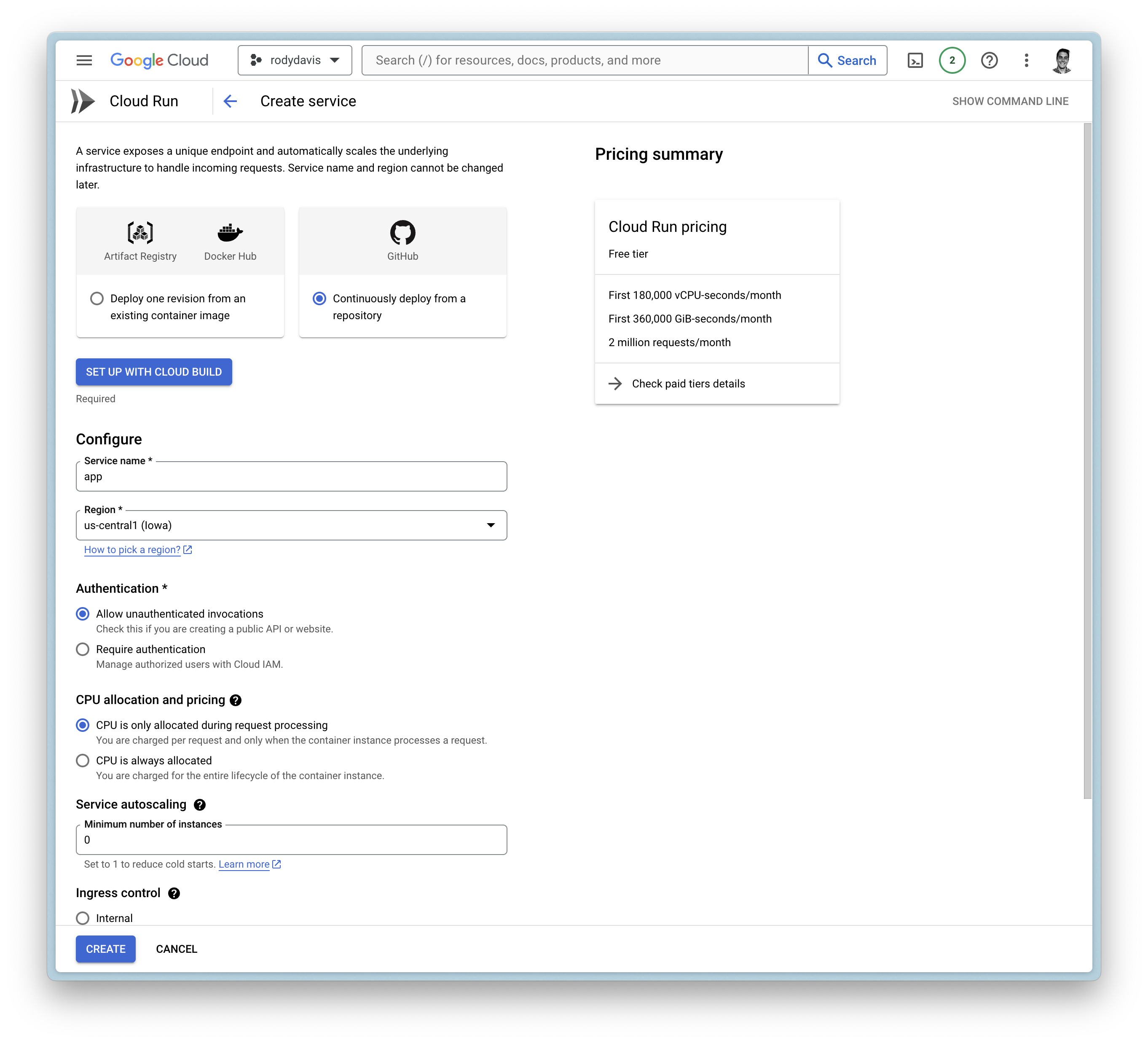
Create a new service
Google Cloud Build
- Setup with Cloud Build
- Repository Provider:
GitHub - Select Repository:
THIS_REPOSITORY_FORK
- Repository Provider:
- Branch:
main - Build Configuration:
Dockerfile
General Settings
- Allow unauthenticated invocations
- CPU is only allocated when the service is handling requests
- Maximum number of requests per container is set to
1000 - Maximum number of containers is set to
1 - Timeout is set to
3600 - Ingress is set to internal and
alltraffic
Container(s), Volumes, Networking, Security
Volumes
- Add volume
- Volume type:
Google Storage bucket - Volume name:
remote-storage (or any name you want) - Bucket:
YOUR_BUCKET_NAME - Read-only:
false
- Volume type:
Container(s)
- Startup CPU boost is
enabled - Volume mount (s)
- Volume name:
remote-storage - Mount path:
/cloud/storage
- Volume name:
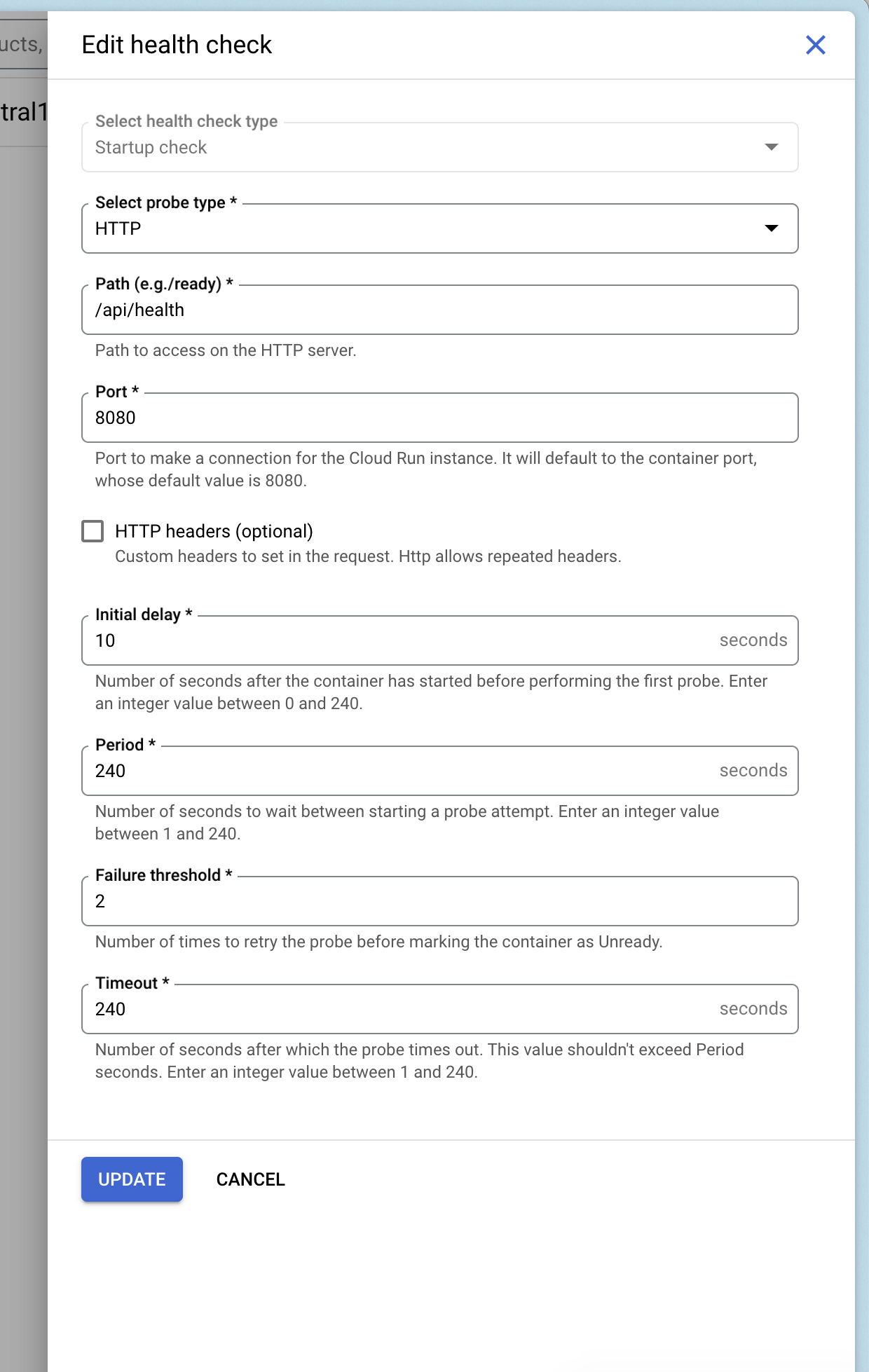
Add Health Checks
You can add a health check to your service that uses Pocketbase's health check endpoint /api/health.
Deploy and Wait
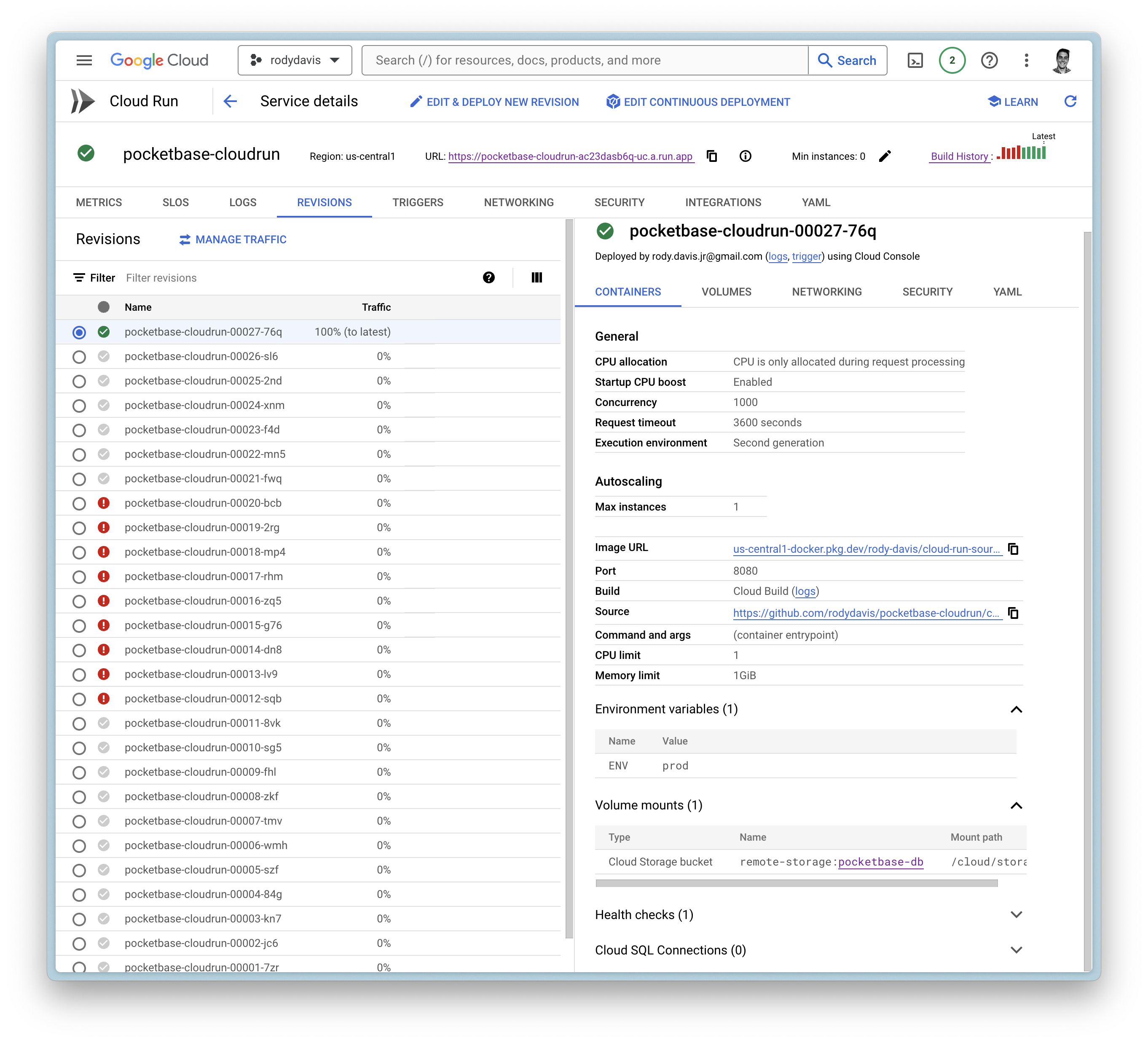
Now create the service and wait for the cloud build to finish.
If everything goes well, you should see the service deployed.
FAQ
What if I have local files that I want to use?
pb_data, pb_public, and pb_hooks are all directories you might use during development.
You can upload these directories to your Google Cloud Storage bucket you created earlier to the root directory.
Can I use a custom domain?
Yes, you can use a custom domain. You can follow the guide on the official documentation.