Skills
98,639 packaged capabilities and playbooks for agents. Install any of them with one command.

Development

API contract design conventions for FastAPI projects with Pydantic v2. Use during the design phase when planning new API endpoints, defining request/response contracts, designing pagination or filtering, standardizing error responses, or planning API versioning. Covers RESTful naming, HTTP method semantics, Pydantic v2 schema naming conventions (XxxCreate/XxxUpdate/XxxResponse), cursor-based pagination, standard error format, and OpenAPI documentation. Does NOT cover implementation details (use python-backend-expert) or system-level architecture (use system-architecture).

Apple on-device machine learning framework reference. Core AI (.aimodel) / Core ML / Create ML / Vision / Natural Language / Speech / Media Intelligence / Music Understanding. AIModel, InferenceFunction, MLModel, MLModelConfiguration, MLMultiArray, MLTensor, MLComputeUnits, MLImageClassifier, MLTextClassifier, MLDataTable, VNCoreMLRequest, VNImageRequestHandler, VNRecognizeTextRequest, RecognizeTextRequest, NLTagger, NLEmbedding, NLLanguageRecognizer, SpeechAnalyzer, SpeechTranscriber, SFSpeechRecognizer, SFSpeechAudioBufferRecognitionRequest, SFTranscription, FaceGroupAnalyzer, MusicUnderstandingSession.

Autonomously improve a real artifact (code, training recipe, agent harness, data pipeline, prompt) against an objective and an evaluator, using Hypothesis Tree Refinement (HTR) from the Arbor paper. Use this whenever someone wants to iteratively optimize something over many experiments without overfitting — e.g. "get my model's eval score up", "improve this agent/harness", "tune this pipeline", "beat the baseline on this benchmark", "run a search over approaches and keep the best", "do an MLE-bench / Kaggle-style optimization", or any long-horizon "make this artifact better and don't just memorize the dev set" task. Trigger it even when the user doesn't say "Arbor" or "hypothesis tree" but describes repeated experiment-and-evaluate loops, branching exploration of competing ideas, or worries about a dev/test gap. Runs Claude itself as the coordinator with subagent executors in isolated git worktrees; for the standalone `arbor` CLI tool see references/arbor-upstream.md.

Handle user interaction with map views including hit testing, feature highlighting, sketching, and event handling. Use when detecting clicks on features, highlighting selections, drawing or editing shapes on the map, or responding to pointer, keyboard, and drag events.


This skill should be used when the user asks to "review architecture", "analyze project structure", "check dependencies", "find circular imports", "analyze code patterns", "understand codebase structure", "map dependencies", "evaluate design patterns", or mentions architectural analysis.

Assembles component outputs from AI Design Components skills into unified, production-ready component systems with validated token integration, proper import chains, and framework-specific scaffolding. Use as the capstone skill after running theming, layout, dashboard, data-viz, or feedback skills to wire components into working React/Next.js, Python, or Rust projects.

AUTOSAR BSW expert. Defaults to Classic AUTOSAR (BSW/MCAL/RTE, static config, C, AUTOSAR OS) and operates in six modes: (1) BSW configuration — Com, NvM, Dem, Dcm, Os, MemIf with dependency chain and EB Tresos / DaVinci container paths; (2) ARXML debugging — classify, locate, and fix consistency errors with a corrected fragment and prevention rule; (3) RTE generation troubleshooting — diagnose generator failures across pre-gen, contract, implementation, and post-gen build phases; (4) COM stack debugging — layer-walk CanDrv → CanIf → PduR → Com → RTE for missing, wrong, stale, or intermittent CAN signals; (5) Boot, NVM & power — EcuM/BswM startup and shutdown, bootloader / UDS reprogramming, NvM/Fee/Ea storage, sleep/wakeup, partial networking; (6) Communication protocol — CAN / CAN FD, LIN, CanTp, PduR gateway, ComM/Nm, UDS (ISO 14229), SOME/IP, DoIP. Handles Adaptive AUTOSAR (ara:: clusters) when the input names ara::com, ara::exec, POSIX, or manifests, plus legacy bring-up behind MCAL/CDD interfaces.

Provides comprehensive guidance for Avue Form component including form configuration, validation, and dynamic forms. Use when the user asks about Avue Form, needs to create dynamic forms, implement form validation, or work with form configurations.

Use when implementing remote or local push notifications, requesting notification permission, managing APNs device tokens, adding notification actions/categories, building service extensions, or debugging push delivery failures. Covers APNs, FCM, Live Activity push transport, broadcast push, communication notifications, Focus interaction.


Expert knowledge for Azure Microsoft Opentelemetry development including configuration. Use when setting sampling, exporters, resource attributes, env vars, or tuning tracing/metrics behavior, and other Azure Microsoft Opentelemetry related development tasks. Not for Azure Monitor (use azure-monitor).
Drive and inspect iOS simulators with the `baguette` CLI: taps, swipes, buttons, typing, screenshots, the accessibility tree, logs, and the conditions an app runs under (location, network, appearance, push, UserDefaults), without opening Xcode. Use when an agent must act on or verify a running simulator — a UI flow, smoke test or demo, checking a code change on screen — or when the user names `baguette`. Not for installing Xcode or merely opening Simulator.app.

Integrates Tambo into existing React apps — detects tech stack, installs @tambo-ai/react, wires TamboProvider, registers components with Zod schemas, and sets up tools/context. Use when adding AI-powered generative UI to an existing codebase. Triggers on "add Tambo", "integrate Tambo", "add AI chat to my app", "add generative UI", or when the user has an existing React/Next.js/Vite project and wants to add AI-powered components. For brand-new projects, use generative-ui instead.



Add bot protection with Turnstile (CAPTCHA alternative). Use when: protecting forms, securing login/signup, preventing spam, migrating from reCAPTCHA, integrating with React/Next.js/Hono, implementing E2E tests, or debugging CSP errors, token validation failures, or error codes 100*/300*/600*.


Audit a codebase for maintenance and modernization. Challenges scope, reviews architecture/quality/tests/performance/dependencies, files deferred work via bd. Language-specific addendums for iOS/Swift, Go, and Web/JS/CSS activate automatically based on what's in the repo. Supports monorepos with mixed stacks.

Deep code problem analysis and root cause localization. Use for analyzing technical issues such as abnormal code behavior, execution flow problems, and configuration errors. When users need to: 1) analyze code execution flow to find the root cause, 2) understand complex code logic and call chains, 3) locate the cause of abnormal behavior, 4) troubleshoot configuration or state issues. Trigger words: 问题定位, 分析问题, 问题分析, 代码分析, 根因分析.



Refactor high-complexity React components in Dify frontend. Use when `pnpm analyze-component --json` shows complexity > 50 or lineCount > 300, when the user asks for code splitting, hook extraction, or complexity reduction, or when `pnpm analyze-component` warns to refactor before testing; avoid for simple/well-structured components, third-party wrappers, or when the user explicitly wants testing without refactoring.


Install and verify the Contentsquare tracking tag in any web project. Use when asked to "add Contentsquare", "install CS tag", "set up Contentsquare analytics", or configure Contentsquare tracking for a web application. Verification runs through `npx @contentsquare/wizard verify`, which drives an embedded Playwright browser — no browser automation MCP required.
Integrate Cartridge Controller into React applications using starknet-react. Use when building React/Next.js web apps with Controller, setting up StarknetConfig provider, using hooks like useConnect/useAccount, or implementing wallet connection components. Covers ControllerConnector setup, provider configuration, and transaction execution patterns.






[Hyper] Use this skill when a build, CI job, or deployment fails with a concrete error and the user asks to diagnose and fix it, including one failing workspace in a monorepo. Do not use it to run a healthy deployment, fix ordinary runtime bugs, design new pipelines, or perform speculative cleanup.







This skill should be used whenever domain modeling is taking place. It provides specialized guidance for type-driven and data-driven design based on Rich Hickey and Scott Wlaschin's principles. The skill helps contextualize current modeling within the existing domain model, identifies inconsistencies, builds ubiquitous language, and creates visualizations (Mermaid, Graphviz/DOT, ASCII diagrams) to communicate domain concepts clearly. Use this skill when designing types, modeling business domains, refactoring domain logic, or ensuring domain consistency across a codebase.




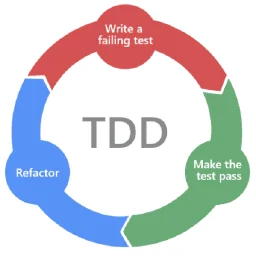
Primary pipeline execution step after /prd-to-issues or for clearly scoped implementation work. Use to build, verify, and commit a concrete slice, delegating to /tdd for backend work and behavior-heavy frontend logic when red-green-refactor will reduce risk. Not for shaping or pre-merge review.
New to MCP?
From what the protocol is to installing your first server, these answers cover most first questions.
An open protocol that defines how AI applications connect to external tools and data in a uniform way. Clients talk to the model; MCP servers provide tools, resources and prompt templates. They exchange standard messages, so one server can be reused by many clients.