
usql について
usql は PostgreSQL、MySQL、SQLite などの複数のデータベースシステムに接続できる統一コマンドラインツールです。対話的なクエリ実行とスクリプト出力をサポートしており、開発者やコーディングエージェントが一貫した環境でデータベース操作を実行できます。
主な機能
- 01PostgreSQL、MySQL、SQLite、MongoDB など複数のデータベースに接続できる
- 02SQL クエリを実行して結果セットを検査する
- 03スクリプトコマンドで自動化されたデータベース処理を実行する
活用シーン
- 01開発中にデータベースの内容を迅速にクエリして探索する
- 02複数のシステムにわたる統一されたデータベースアクセスをコーディングエージェントに提供する
- 03データベーススキーマをデバッグし、データの問題をトラブルシューティングする
インストール
OS またはパッケージマネージャーを選び、コマンドをターミナルで実行します。
インストール後にusql --versionを実行して確認します。
コマンド例
よく使うコマンドを使う順に並べています。
詳細

usql は、PostgreSQL、MySQL、Oracle
Database、SQLite3、Microsoft SQL Server、その他多数のデータベース
(NoSQL や非リレーショナルデータベースを含む)に対応する汎用コマンドラインインターフェースです。
usql は、PostgreSQL の psql をモデルにしたコマンドラインから、SQL および NoSQL データベースを操作できます。usql は、変数、バッククォート、バックスラッシュコマンドなど、psql の主要機能のほとんどをサポートしています。また、複数データベースのサポート、データベース間のコピー、コンテキストに応じた補完、ターミナルグラフィックスなど、psql にはない追加機能も備えています。
PostgreSQL 以外のデータベースでも psql のようなツールを使いたいデータベース管理者や開発者にとって、usql は直感的で使いやすく、他のデータベース用コマンドラインクライアント/ツールに代わる優れた選択肢です。




インストール
usql は、[リリースから][]、[Homebrew から][]、[AUR から][]、[Go から][]、または [Docker から][]インストールできます。
リリースからインストール
- お使いのプラットフォーム向けのリリースをダウンロードします
.tar.bz2または.zipファイルからusqlまたはusql.exeファイルを展開します- 展開した実行ファイルを、
$PATH(Linux/macOS)または%PATH%(Windows)に含まれる場所に移動します
Homebrew からインストール(macOS および Linux)
brew コマンドを通常どおり使用して、xo/xo tapから usql をインストールします。
# install usql with most drivers
$ brew install xo/xo/usql
ODBC データベースのサポートは、--with-odbc インストールフラグで利用できます。
# add xo tap
$ brew tap xo/xo

# install usql with odbc support
$ brew install --with-odbc usql
AUR からインストール(Arch Linux)
yay コマンドを通常どおり使用して、Arch Linux AURから usql をインストールします。
# install usql with most drivers
$ yay -S usql-bin
usql-bin はリリース済みのバイナリをインストールします。ソースからビルドするには、usqlパッケージを使用します。すべてのドライバーをコンパイルするため、かなり時間がかかります。
# build usql with most drivers from source
$ yay -S usql
または、makepkg を使ってビルドし、インストールすることもできます。
$ git clone https://aur.archlinux.org/usql.git && cd usql
$ makepkg -si
Go からインストール
通常の Go の方法で usql をインストールします。
# install latest usql version with base drivers
$ go install github.com/xo/usql@latest

# alternately, install usql with most drivers (see below for info about build tags)
$ go install -tags most github.com/xo/usql@latest
usql のビルドタグについては、以下の説明をご覧ください。
Docker からのインストール
公式コンテナイメージ(docker.io/usql/usql)は
usql チームによって保守されており、Docker、Podman、その他のコンテナ
ランタイムで使用できます。
Docker、Podman、その他のコンテナランタイムを使って usql をインストールします。
# run interactive shell and mount the $PWD/data directory as a volume for use
# within the container
$ docker run --rm -it --volume $(pwd)/data:/data docker.io/usql/usql:latest sqlite3://data/test.db
Trying to pull docker.io/usql/usql:latest...
Getting image source signatures
Copying blob af48168d69d8 done   |
Copying blob efc2b5ad9eec skipped: already exists
Copying config 917ceb411d done   |
Writing manifest to image destination
Connected with driver sqlite3 (SQLite3 3.45.1)
Type "help" for help.

sq:data/test.db=> \q

# run postgres locally
$ docker run --detach --rm --name=postgres --publish=5432:5432 --env=POSTGRES_PASSWORD=P4ssw0rd docker.io/usql/postgres

# connect to local postgres instance
$ docker run --rm --network host -it docker.io/usql/usql:latest postgres://postgres:P4ssw0rd@localhost
Connected with driver postgres (PostgreSQL 16.3 (Debian 16.3-1.pgdg120+1))
Type "help" for help.

pg:postgres@localhost=> \q

# run specific usql version
$ docker run --rm -it docker.io/usql/usql:0.21.5
ビルド
go build または go install を使って usql をそのままビルドすると、ビルドに含まれるのは
PostgreSQL、MySQL、SQLite3、Microsoft SQL
Server、Oracle、CSVQ 用の base ドライバーのみです。
# build/install with base drivers (PostgreSQL, MySQL, SQLite3, Microsoft SQL Server,
# Oracle, CSVQ)
$ go install github.com/xo/usql@main
その他のデータベースは、データベースドライバーのビルドタグを指定することで有効にできます。
# build/install with base, Avatica, and ODBC drivers
$ go install -tags 'avatica odbc' github.com/xo/usql@main
各ビルドタグ <driver> には、そのドライバーを無効にする no_<driver> ビルドタグもあります。
# build/install most drivers, excluding Avatica, Couchbase, and PostgreSQL
$ go install -tags 'most no_avatica no_couchbase no_postgres' github.com/xo/usql@main
ビルドタグ most または all を指定すると、それぞれほとんどの SQL ドライバー、またはすべての SQL ドライバーがビルドに含まれます。
# build/install with most drivers (excludes CGO drivers and problematic drivers)
$ go install -tags most github.com/xo/usql@main

# build/install all drivers (includes CGO drivers and problematic drivers)
$ go install -tags all github.com/xo/usql@main
データベースのサポート
usql は、github.com/xo/dburlでサポートされている、Go 標準ライブラリと互換性のあるすべての SQL ドライバーで動作します。
usql のビルドに含まれるドライバーの一覧は、\drivers コマンドで表示できます。
$ cd $GOPATH/src/github.com/xo/usql

# build excluding the base drivers, and including cassandra and moderncsqlite
$ go build -tags 'no_postgres no_oracle no_sqlserver no_sqlite3 cassandra moderncsqlite'

# show built driver support
$ ./usql -c '\drivers'
Available Drivers:
  cassandra [ca, cass, cql, datastax, scy, scylla]
  memsql (mysql) [me]
  moderncsqlite [mq, sq, file, sqlite, sqlite3, modernsqlite]
  mysql [my, maria, aurora, mariadb, percona]
  tidb (mysql) [ti]
  vitess (mysql) [vt]
上記の例では、usql が mysql、cassandra、moderncsqlite ドライバーのみを使ってビルドされたことが示されています。上記の出力には、usql で利用可能なドライバーに関する情報が表示されています。具体的には、内部ドライバー名、主な URL スキーム、ドライバーで利用可能なスキームのエイリアス([...] で表示)、およびワイヤー互換ドライバーの実際の基盤ドライバー((...) で表示)です。
サポートされているデータベースのスキームとエイリアス
以下は、usql がサポートするGo SQL ドライバーと、対応するデータベース、スキーム/ビルドタグ、およびスキームのエイリアスです。
| データベース | スキーム/タグ | スキームの別名 | ドライバーパッケージ/備考 |
|---|---|---|---|
| Presto | presto | pr, prestodb | [github.com/xo/dbimp/trino][d-presto] |
| PostgreSQL | postgres | pg, pgsql, postgresql | [github.com/jackc/pgx/v5/stdlib][d-postgres] |
| Trino | trino | tr | [github.com/xo/dbimp/trino][d-trino] |
| PostgreSQL PGX | pgx | px | [github.com/jackc/pgx/v5/stdlib][d-pgx] |
| MySQL | mysql | my, maria, aurora, mariadb, percona | [github.com/go-sql-driver/mysql][d-mysql] |
| Microsoft SQL Server | sqlserver | ms, mssql, azuresql | [github.com/microsoft/go-mssqldb][d-sqlserver] |
| Oracle Database | oracle | or, ora, oci, oci8, odpi, odpi-c | [github.com/sijms/go-ora/v3][d-oracle] |
| SQLite3 | sqlite3 | sq, sqlite, file | [github.com/mattn/go-sqlite3][d-sqlite3] † § |
| DuckDB | duckdb | dk, ddb, duck, file | [github.com/duckdb/duckdb-go/v2][d-duckdb] † § |
| ClickHouse | clickhouse | ch | [github.com/xo/dbimp/clickhouse][d-clickhouse] |
| CockroachDB | cockroachdb | cr, cdb, crdb, cockroach | [github.com/jackc/pgx/v5/stdlib][d-cockroachdb] |
| CrateDB | cratedb | ct, crate | [github.com/jackc/pgx/v5/stdlib][d-cratedb] |
| Amazon Redshift | redshift | rs | [github.com/jackc/pgx/v5/stdlib][d-redshift] ¶ |
| SingleStore MemSQL | memsql | me | [github.com/go-sql-driver/mysql][d-memsql] |
| TiDB | tidb | ti | [github.com/go-sql-driver/mysql][d-tidb] |
| Vitess Database | vitess | vt | [github.com/go-sql-driver/mysql][d-vitess] |
| Alibaba MaxCompute | maxcompute | mc | [github.com/aliyun/aliyun-odps-go-sdk/sqldriver][d-maxcompute] ¶ |
| Alibaba Tablestore | ots | ot, tablestore | [github.com/aliyun/aliyun-tablestore-go-sql-driver][d-ots] ¶ |
| Amazon Athena | athena | s3, aws, awsathena | [github.com/xo/dbimp/athena][d-athena] ¶ |
| Apache Avatica | avatica | av, phoenix | [github.com/xo/dbimp/avatica][d-avatica] |
| Apache Drill | drill | dl | [github.com/xo/dbimp/drill][d-drill] |
| Apache Druid | druid | dr | [github.com/xo/dbimp/druid][d-druid] |
| Apache Hive | hive | hi, hive2 | [github.com/beltran/gohive/v2][d-hive] |
| Apache Impala | impala | im | [github.com/sclgo/impala-go][d-impala] |
| Apache Pinot | pinot | pi | [github.com/xo/dbimp/pinot][d-pinot] |
| Apache Solr | solr | so | [github.com/xo/dbimp/solr][d-solr] |
| ArangoDB | arangodb | ar, arango | [github.com/xo/dbimp/arangodb][d-arangodb] |
| Azure Cosmos DB | cosmos | cm | [github.com/xo/dbimp/cosmos][d-cosmos] ¶ |
| Cassandra | cassandra | ca, cql, scy, cass, scylla, datastax | [github.com/xo/cassandra][d-cassandra] |
| ChaiSQL | chai | ci, genji, chaisql | [github.com/chaisql/chai][d-chai] § |
| Couchbase | couchbase | n1, n1ql | [github.com/xo/dbimp/couchbase][d-couchbase] |
| CSVQ | csvq | cs, csv, tsv, json | [github.com/mithrandie/csvq-driver][d-csvq] § |
| Databend | databend | dd, bend | [github.com/xo/dbimp/databend][d-databend] |
| Databricks | databricks | br, brick, bricks, databrick | [github.com/xo/dbimp/databricks][d-databricks] ¶ |
| DynamoDB | dynamodb | dy, dyn, dynamo | [github.com/xo/dbimp/dynamodb][d-dynamodb] |
| Elasticsearch | elasticsearch | es, elastic | [github.com/xo/dbimp/elasticsearch][d-elasticsearch] |
| Exasol | exasol | ex, exa | [github.com/xo/dbimp/exasol][d-exasol] |
| Firebird | firebird | fb, firebirdsql | [github.com/nakagami/firebirdsql][d-firebird] |
| FlightSQL | flightsql | fl, flight | [github.com/apache/arrow-go/v18/arrow/flight/flightsql/driver][d-flightsql] |
| Google BigQuery | bigquery | bq | [github.com/xo/dbimp/bigquery][d-bigquery] ¶ |
| Google Spanner | spanner | sp | [github.com/xo/dbimp/spanner][d-spanner] ¶ |
| InfluxDB | influxdb | in, influx | [github.com/xo/dbimp/influxdb][d-influxdb] |
| InfluxDB InfluxQL | influxql | iq | [github.com/xo/dbimp/influxdb][d-influxql] |
| libSQL | libsql | ls, turso | [github.com/xo/dbimp/libsql][d-libsql] |
| ModernC SQLite3 | moderncsqlite | mq, modernsqlite | [modernc.org/sqlite][d-moderncsqlite] § |
| Neo4j | neo4j | nj, neo, n4j | [github.com/xo/dbimp/neo4j][d-neo4j] |
| ODBC | odbc | od | [github.com/xo/odbc][d-odbc] |
| OpenSearch | opensearch | os, open | [github.com/xo/dbimp/opensearch][d-opensearch] |
| PostgreSQL lib/pq | libpq | pq | [github.com/lib/pq][d-libpq] |
| QuestDB | questdb | qs | [github.com/jackc/pgx/v5/stdlib][d-questdb] |
| rqlite | rqlite | rq | [github.com/xo/dbimp/rqlite][d-rqlite] |
| SAP HANA | saphana | sa, sap, hana, hdb | [github.com/SAP/go-hdb/driver][d-saphana] |
| Snowflake | snowflake | sf | [github.com/xo/dbimp/snowflake][d-snowflake] ¶ |
| SurrealDB | surrealdb | sr, sur, surreal | [github.com/xo/dbimp/surrealdb][d-surrealdb] |
| Vertica | vertica | ve | [github.com/vertica/vertica-sql-go][d-vertica] |
| VoltDB | voltdb | vo, vdb, volt | [github.com/VoltDB/voltdb-client-go/voltdbclient][d-voltdb] |
| YDB | ydb | yd | [github.com/ydb-platform/ydb-go-sdk/v3][d-ydb] |
| Apache H2 | h2 | [github.com/jmrobles/h2go][d-h2] | |
| GizmoSQL | gizmosql | gz, gizmo | [github.com/apache/arrow-go/v18/arrow/flight/flightsql/driver][d-gizmosql] |
| ドライバーなし | no_base | ベースドライバーなし(開発に便利) | |
| ほとんどのドライバー | most | すべての安定版ドライバー | |
| すべてのドライバー | all | 問題のあるドライバーを除くすべてのドライバー | |
| 問題のあるドライバー | bad | 問題のあるドライバー(壊れている/動作しないドライバー) | |
| <TAG>以外 | no_<tag> | <tag>のドライバーを除外 | |
| [d-arangodb]: https://github.com/xo/dbimp | |||
| [d-athena]: https://github.com/xo/dbimp | |||
| [d-avatica]: https://github.com/xo/dbimp | |||
| [d-bigquery]: https://github.com/xo/dbimp | |||
| [d-cassandra]: https://github.com/xo/cassandra | |||
| [d-chai]: https://github.com/chaisql/chai | |||
| [d-clickhouse]: https://github.com/xo/dbimp | |||
| [d-cockroachdb]: https://github.com/jackc/pgx | |||
| [d-cosmos]: https://github.com/xo/dbimp | |||
| [d-couchbase]: https://github.com/xo/dbimp | |||
| [d-cratedb]: https://github.com/jackc/pgx | |||
| [d-csvq]: https://github.com/mithrandie/csvq-driver | |||
| [d-databend]: https://github.com/xo/dbimp | |||
| [d-databricks]: https://github.com/xo/dbimp | |||
| [d-drill]: https://github.com/xo/dbimp | |||
| [d-druid]: https://github.com/xo/dbimp | |||
| [d-duckdb]: https://github.com/duckdb/duckdb-go | |||
| [d-dynamodb]: https://github.com/xo/dbimp | |||
| [d-elasticsearch]: https://github.com/xo/dbimp | |||
| [d-exasol]: https://github.com/xo/dbimp | |||
| [d-firebird]: https://github.com/nakagami/firebirdsql | |||
| [d-flightsql]: https://github.com/apache/arrow-go/tree/main/arrow/flight/flightsql/driver | |||
| [d-gizmosql]: https://github.com/apache/arrow-go/tree/main/arrow/flight/flightsql/driver | |||
| [d-h2]: https://github.com/jmrobles/h2go | |||
| [d-hive]: https://github.com/beltran/gohive | |||
| [d-impala]: https://github.com/sclgo/impala-go | |||
| [d-influxdb]: https://github.com/xo/dbimp | |||
| [d-influxql]: https://github.com/xo/dbimp | |||
| [d-libpq]: https://github.com/lib/pq | |||
| [d-libsql]: https://github.com/xo/dbimp | |||
| [d-maxcompute]: https://github.com/aliyun/aliyun-odps-go-sdk | |||
| [d-memsql]: https://github.com/go-sql-driver/mysql | |||
| [d-moderncsqlite]: https://gitlab.com/cznic/sqlite | |||
| [d-mysql]: https://github.com/go-sql-driver/mysql | |||
| [d-neo4j]: https://github.com/xo/dbimp | |||
| [d-odbc]: https://github.com/xo/odbc | |||
| [d-opensearch]: https://github.com/xo/dbimp | |||
| [d-oracle]: https://github.com/sijms/go-ora | |||
| [d-ots]: https://github.com/aliyun/aliyun-tablestore-go-sql-driver | |||
| [d-pgx]: https://github.com/jackc/pgx | |||
| [d-pinot]: https://github.com/xo/dbimp | |||
| [d-postgres]: https://github.com/jackc/pgx | |||
| [d-presto]: https://github.com/xo/dbimp | |||
| [d-questdb]: https://github.com/jackc/pgx | |||
| [d-redshift]: https://github.com/jackc/pgx | |||
| [d-rqlite]: https://github.com/xo/dbimp | |||
| [d-saphana]: https://github.com/SAP/go-hdb | |||
| [d-snowflake]: https://github.com/xo/dbimp | |||
| [d-solr]: https://github.com/xo/dbimp | |||
| [d-spanner]: https://github.com/xo/dbimp | |||
| [d-sqlite3]: https://github.com/mattn/go-sqlite3 | |||
| [d-sqlserver]: https://github.com/microsoft/go-mssqldb | |||
| [d-surrealdb]: https://github.com/xo/dbimp | |||
| [d-tidb]: https://github.com/go-sql-driver/mysql | |||
| [d-trino]: https://github.com/xo/dbimp | |||
| [d-vertica]: https://github.com/vertica/vertica-sql-go | |||
| [d-vitess]: https://github.com/go-sql-driver/mysql | |||
| [d-voltdb]: https://github.com/VoltDB/voltdb-client-go | |||
| [d-ydb]: https://github.com/ydb-platform/ydb-go-sdk |
† CGO が必要
§ サーバーを実行せずに使用できる組み込み型
¶ 自分で実行できるサーバーが不要なホステッドサービス
上記のプロトコルスキーム/エイリアスは、コマンドラインから、または
\connect および \copy コマンドを使ってデータベースに接続する際に、
いずれも組み合わせて使用できます。
# connect to a vitess database:
$ usql vt://user:pass@host:3306/mydatabase

$ usql
(not connected)=> \c vitess://user:pass@host:3306/mydatabase

$ usql
(not connected)=> \copy csvq://. pg://localhost/ 'select * ....' 'myTable'
usql で使用する DSN/URL の構築について詳しくは、データベースへの接続に関する以下のセクションを参照してください。
使用方法
[インストール][]後、usql は次のように使用できます。
# connect to a postgres database
$ usql postgres://booktest@localhost/booktest

# connect to an oracle database
$ usql oracle://user:pass@host/oracle.sid

# connect to a postgres database and run the commands contained in script.sql
$ usql pg://localhost/ -f script.sql
コマンドラインオプション
サポートされているコマンドラインオプション:
$ usql --help
usql, the universal command-line interface for SQL databases

Usage:
  usql [flags]... [DSN]

Arguments:
  DSN   database url or connection name

Flags:
  -c, --command COMMAND                     run only single command (SQL or internal) and exit
  -f, --file FILE                           execute commands from file and exit
  -w, --no-password                         never prompt for password
  -X, --no-init                             do not execute initialization scripts (aliases: --no-rc --no-psqlrc --no-usqlrc)
  -o, --out FILE                            output file
  -W, --password                            force password prompt (should happen automatically)
  -1, --single-transaction                  execute as a single transaction (if non-interactive)
  -v, --set NAME=VALUE                      set script variable NAME to VALUE (see \set command, aliases: --var --variable)
      --uset NAME=VALUE                     set setting NAME of usql to VALUE (see \uset command)
  -N, --cset NAME=DSN                       set named connection NAME to DSN (see \cset command)
  -P, --pset VAR=ARG                        set printing option VAR to ARG (see \pset command)
  -F, --field-separator FIELD-SEPARATOR     field separator for unaligned and CSV output (default "|" and ",")
  -R, --record-separator RECORD-SEPARATOR   record separator for unaligned and CSV output (default \n)
  -T, --table-attr TABLE-ATTR               set HTML table tag attributes (e.g., width, border)
  -A, --no-align                            unaligned table output mode
  -H, --html                                HTML table output mode
  -t, --tuples-only                         print rows only
  -x, --expanded                            turn on expanded table output
  -z, --field-separator-zero                set field separator for unaligned and CSV output to zero byte
  -0, --record-separator-zero               set record separator for unaligned and CSV output to zero byte
  -J, --json                                JSON output mode
  -C, --csv                                 CSV output mode
  -G, --vertical                            vertical output mode
  -q, --quiet                               run quietly (no messages, only query output)
      --config string                       config file
  -V, --version                             output version information, then exit
  -?, --help                                show this help, then exit
データベースへの接続
usql はURLを解析し、結果の接続文字列をデータベースドライバーに渡して、データベース接続を開きます。データベース接続文字列(「データソース名」または DSN とも呼ばれます)の解析規則は URL と同じで、コマンドラインから usql に渡すことも、\connect、\c、\copy コマンドに渡すこともできます。
データベース接続は、\cset コマンドまたは設定ファイル config.yamlで定義できます。
データベース接続文字列
データベース接続文字列は次のようになります。
  driver+transport://user:pass@host/dbname?opt1=a&opt2=b
  driver:/path/to/file
  /path/to/file
  name
上記の各項目は次のとおりです。
| コンポーネント | 説明 |
|---|---|
driver | ドライバーのスキーム名またはスキームの別名 |
transport | tcp、udp、unix、またはドライバー名 (ODBC および ADODB の場合) |
user | ユーザー名 |
pass | パスワード |
host | ホスト名 |
dbname ± | データベース名、インスタンス、またはサービス名/ID |
?opt1=a&... | 追加のデータベースドライバーオプション(利用可能なオプションについては、該当する SQL ドライバーを参照してください) |
/path/to/file | ディスク上のパス |
name | \csetまたはconfig.yamlで設定された接続名 |
ドライバーの別名
usql は、dburl パッケージと同じドライバー名と別名をサポートしています。データベースには、少なくとも 1 つ以上の別名があります。サポートされているすべての別名については、dburl のスキームに関するドキュメントを参照してください。
短縮形の別名
すべてのデータベースドライバーには 2 文字の短縮形があり、通常はデータベースドライバー名の最初の 2 文字です。たとえば、postgres は pg、mysql は my、sqlserver は ms、oracle は or、sqlite3 は sq です。
ドライバーオプションの指定
ドライバーオプションは、?opt1=a&opt2=b の形式で、標準的な URL クエリオプションとして指定します。利用可能なオプションについては、該当するデータベースドライバーのドキュメントを参照してください。
ディスク上のパス
URL に driver: スキームがない場合、usql はそれがディスク上のパスかどうかを確認します。パスが存在する場合、usql は適切なデータベースドライバーを使ってそのパスを開こうとします。
パスが Unix ドメインソケットの場合、usql は MySQL ドライバーで開こうとします。パスがディレクトリの場合、usql は PostgreSQL ドライバーで開こうとします。最後に、パスが通常のファイルの場合、usql は SQLite3 または DuckDB ドライバーで開こうとします。
ドライバーのデフォルト値
URL と同様に、URL のほとんどの項目は省略可能で、多くの項目を省略できます。usql は、可能な場合、デフォルト値を使って接続を試みます。
# connect to postgres using the local $USER and the unix domain socket in /var/run/postgresql
$ usql pg://
詳細については、データベースドライバーに関するドキュメントを参照してください。
接続例
以下は、usql を使用してデータベースに接続するための接続文字列と、その他の接続方法の例です。
# connect to a postgres database
$ usql pg://user:pass@host/dbname
$ usql pgsql://user:pass@host/dbname
$ usql postgres://user:pass@host:port/dbname
$ usql pg://
$ usql /var/run/postgresql
$ usql pg://user:pass@host/dbname?sslmode=disable # Connect without SSL

# connect to a mysql database
$ usql my://user:pass@host/dbname
$ usql mysql://user:pass@host:port/dbname
$ usql my://
$ usql /var/run/mysqld/mysqld.sock

# connect to a sqlserver database
$ usql sqlserver://user:pass@host/instancename/dbname
$ usql ms://user:pass@host/dbname
$ usql ms://user:pass@host/instancename/dbname
$ usql mssql://user:pass@host:port/dbname
$ usql ms://

# connect to a sqlserver database using Windows domain authentication
$ runas /user:ACME\wiley /netonly "usql mssql://host/dbname/"

# connect to a oracle database
$ usql or://user:pass@host/sid
$ usql oracle://user:pass@host:port/sid
$ usql or://

# connect to a cassandra database
$ usql ca://user:pass@host/keyspace
$ usql cassandra://host/keyspace
$ usql cassandra://host/
$ usql ca://

# connect to an alibaba maxcompute project over https, or over http with tls=false:
$ usql "mc://accessid:[email protected]/api?project=myproject"
$ usql "mc://accessid:accesskey@host/api?project=myproject&tls=false"

# Note: the project option is required. The curr_project and scheme options of
# the previous maxcompute driver no longer work, and any option the driver does
# not recognize is sent to the server as an SQL hint.

# connect to a sqlite database that exists on disk
$ usql dbname.sqlite3

# Note: when connecting to a SQLite database, if the "driver://" or
# "driver:" scheme/alias is omitted, the file must already exist on disk.
#
# if the file does not yet exist, the URL must incorporate file:, sq:, sqlite3:,
# or any other recognized sqlite3 driver alias to force usql to create a new,
# empty database at the specified path:
$ usql sq://path/to/dbname.sqlite3
$ usql sqlite3://path/to/dbname.sqlite3
$ usql file:/path/to/dbname.sqlite3

# connect to a named connection in $HOME/.config/usql/config.yaml
$ cat $HOME/.config/usql/config.yaml
connections:
  my_named_connection: sqlserver://user:pass@localhost/
$ usql my_named_connection

# connect with ODBC driver (needs the ODBC driver manager of the system)
$ cat /etc/odbcinst.ini
[PostgreSQL ANSI]
Description=PostgreSQL ODBC driver (ANSI version)
Driver=psqlodbca.so
Setup=libodbcpsqlS.so
Debug=0
CommLog=1
UsageCount=1

# connect to a postgres database using the odbc config above
$ usql odbc+PostgreSQL+ANSI://user:pass@localhost/dbname?TraceFile=/path/to/trace.log
接続名の定義については、接続変数のセクションを参照してください。
クエリとコマンドの実行
対話型インタープリターはクエリとバックスラッシュメタ(\)コマンドを読み取り、クエリを接続先のデータベースに送信します。
$ usql sqlite://example.sqlite3
Connected with driver sqlite3 (SQLite3 3.17.0)
Type "help" for help.

sq:example.sqlite3=> create table test (test_id int, name string);
CREATE TABLE
sq:example.sqlite3=> insert into test (test_id, name) values (1, 'hello');
INSERT 1
sq:example.sqlite3=> select * from test;
  test_id | name
+---------+-------+
        1 | hello
(1 rows)

sq:example.sqlite3=> select * from test
sq:example.sqlite3-> \p
select * from test
sq:example.sqlite3-> \g
  test_id | name
+---------+-------+
        1 | hello
(1 rows)

sq:example.sqlite3=> \c postgres://booktest@localhost
error: pq: 28P01: password authentication failed for user "booktest"
Enter password:
Connected with driver postgres (PostgreSQL 9.6.6)
pg:booktest@localhost=> select * from authors;
  author_id |      name
+-----------+----------------+
          1 | Unknown Master
          2 | blah
          3 | foobar
(3 rows)

pg:booktest@localhost=>
コマンドには1つ以上のパラメーターを指定します。パラメーターは'または"で囲むことができ、バッククォートで囲むこともできます。
バックスラッシュコマンド
usqlは、クエリの解釈方法や出力形式を変更し、対話型フローを変更するために、バックスラッシュ(\)メタコマンドをクエリの間に挿入して実行できます。
(not connected)=> \c postgres://user:pass@localhost
pg:user@localhost=> select * from my_table \G
使用可能なバックスラッシュメタコマンドは、\?で表示できます。
$ usql
Type "help" for help.

(not connected)=> \?
General
  \q                                quit usql
  \quit                             alias for \q
  \copyright                        show usage and distribution terms for usql
  \drivers                          show database drivers available to usql

Help
  \? [commands]                     show help on usql's meta (backslash) commands
  \? options                        show help on usql command-line options
  \? variables                      show help on special usql variables

Connection
  \c DSN or \c NAME                 connect to dsn or named database connection
  \c DRIVER PARAMS...               connect to database with driver and parameters
  \connect                          alias for \c
  \Z                                close (disconnect) database connection
  \disconnect                       alias for \Z
  \password [USER]                  change password for user
  \passwd                           alias for \password
  \conninfo                         display information about the current database connection

Query Execute
  \g [(OPTIONS)] [FILE] or ;        execute query (and send results to file or |pipe)
  \go                               alias for \g
  \G [(OPTIONS)] [FILE]             as \g, but forces vertical output mode
  \ego                              alias for \G
  \gx [(OPTIONS)] [FILE]            as \g, but forces expanded output mode
  \gexec                            execute query and execute each value of the result
  \gset [PREFIX]                    execute query and store results in usql variables
  \bind [PARAM]...                  set query parameters
  \timing [on|off]                  toggle timing of commands

Query View
  \crosstab [(OPTIONS)] [COLUMNS]   execute query and display results in crosstab
  \crosstabview                     alias for \crosstab
  \xtab                             alias for \crosstab
  \chart CHART [(OPTIONS)]          execute query and display results as a chart
  \watch [(OPTIONS)] [INTERVAL]     execute query every specified interval

Query Buffer
  \e [-raw|-exec] [FILE] [LINE]     edit the query buffer, raw (non-interpolated) buffer, the
                                    exec buffer, or a file with external editor
  \edit                             alias for \e
  \p [-raw|-exec]                   show the contents of the query buffer, the raw
                                    (non-interpolated) buffer or the exec buffer
  \print                            alias for \p
  \raw                              alias for \p
  \exec                             alias for \p
  \w [-raw|-exec] FILE              write the contents of the query buffer, raw
                                    (non-interpolated) buffer, or exec buffer to file
  \write                            alias for \w
  \r                                reset (clear) the query buffer
  \reset                            alias for \r

Informational
  \d[S+] [NAME]                     list tables, views, and sequences or describe table, view,
                                    sequence, or index
  \da[S+] [PATTERN]                 list aggregates
  \df[S+] [PATTERN]                 list functions
  \di[S+] [PATTERN]                 list indexes
  \dm[S+] [PATTERN]                 list materialized views
  \dn[S+] [PATTERN]                 list schemas
  \dp[S] [PATTERN]                  list table, view, and sequence access privileges
  \ds[S+] [PATTERN]                 list sequences
  \dt[S+] [PATTERN]                 list tables
  \dv[S+] [PATTERN]                 list views
  \l[+]                             list databases
  \ss[+] [TABLE|QUERY] [k]          show stats for a table or a query

Variables
  \set [NAME [VALUE]]               set script variable, or show all script variables if no
                                    parameters
  \uset [NAME [VALUE]]              set a setting of usql, show it if there is no value, or show
                                    all settings if no parameters
  \unset NAME                       unset (delete) script variable
  \pset [NAME [VALUE]]              set table print formatting option, or show all print
                                    formatting options if no parameters
  \a                                toggle between unaligned and aligned output mode
  \C [TITLE]                        set table title, or unset if none
  \f [SEPARATOR]                    show or set field separator for unaligned query output
  \H                                toggle HTML output mode
  \T [ATTRIBUTES]                   set HTML <table> tag attributes, or unset if none
  \t [on|off]                       show only rows
  \x [on|off|auto]                  toggle expanded output
  \cset [NAME [URL]]                set named connection, or show all named connections if no
                                    parameters
  \cset NAME DRIVER PARAMS...       set named connection for driver and parameters
  \prompt [-TYPE] VAR [PROMPT]      prompt user to set application variable

Input/Output
  \echo [-n] [MESSAGE]...           write message to standard output (-n for no newline)
  \qecho [-n] [MESSAGE]...          write message to \o output stream (-n for no newline)
  \warn [-n] [MESSAGE]...           write message to standard error (-n for no newline)
  \o [FILE]                         send all query results to file or |pipe
  \out                              alias for \o
  \copy SRC DST QUERY TABLE         copy results of query from source database into table on
                                    destination database
  \copy SRC DST QUERY TABLE(A,...)  copy results of query from source database into table's
                                    columns on destination database

Control/Conditional
  \i FILE                           execute commands from file
  \include                          alias for \i
  \ir FILE                          as \i, but relative to location of current script
  \include_relative                 alias for \ir
  \if EXPR                          begin conditional block
  \elif EXPR                        alternative within current conditional block
  \else                             final alternative within current conditional block
  \endif                            end conditional block

Transaction
  \begin [-read-only [ISOLATION]]   begin transaction, with optional isolation level
  \commit                           commit current transaction
  \rollback                         rollback (abort) current transaction
  \abort                            alias for \rollback

Operating System/Environment
  \! [COMMAND]                      execute command in shell or start interactive shell
  \cd [DIR]                         change the current working directory
  \getenv VARNAME ENVVAR            fetch environment variable
  \setenv NAME [VALUE]              set or unset environment variable
コマンドに渡すパラメーターはバッククォートで囲むことができます。
機能と互換性
usqlの機能、動作、およびpsqlとの互換性の概要です。
usqlプロジェクトの目標は、psqlの中核となる機能と動作をできるだけ多くサポートし、可能な限り高い互換性を実現することです。貢献をいつでも歓迎しています!
設定
usqlは初期化時に、標準のYAML設定ファイルconfig.yamlを読み込みます。Windowsでは%AppData%/usql/config.yaml、macOSでは$HOME/Library/Application Support/usql/config.yaml、Linuxおよびその他のUnixシステムでは通常$HOME/.config/usql/config.yamlにあります。
connections:
名前付き接続DSNは、connections:の下に文字列またはマップとして定義できます。
connections:
  my_couchbase_conn: couchbase://Administrator:P4ssw0rd@localhost
  my_clickhouse_conn: clickhouse://clickhouse:P4ssw0rd@localhost
  my_oracle_conn:
    protocol: oracle
    username: system
    password: P4ssw0rd
    hostname: localhost
    port: 1521
    database: free
定義したconnections:は、コマンドラインで\connect、\c、\copy、およびその他のコマンドから使用できます。
$ usql my_oracle_conn
Connected with driver oracle (Oracle Database 23.0.0.0.0)
Type "help" for help.

or:system@localhost/free=>
init:
初期化スクリプトは、文字列としてinit:に定義できます。
init: |
  \echo welcome to the jungle `date`
  \uset syntax_hl_style paraiso-dark
  \uset prompt1 '\033[32m%S%M%/%R%#\033[0m '
init:スクリプトは、環境変数やその他の設定を指定するためによく使用されます。コマンドラインで--no-init / -Xフラグを使用すると無効にできます。このスクリプトは、-c / --command / -f / --fileフラグより前、また対話型インタープリターの起動前に実行されます。
その他のオプション
使用可能な設定オプションの概要については、_samples/config.yamlを参照してください。
変数
usqlには、独自のスクリプト変数、接続変数、表示形式変数、および設定があります。これらはそれぞれ\set、\cset、\pset、\usetで設定します。\setはスクリプト専用です。pagerなどの設定は変数ではないため、\set pager lessを実行すると、\usetを使うように指示するエラーが表示されます。
ランタイム変数
スクリプト変数は、\setおよび\unsetコマンドで管理します。
(not connected)=> \unset FOO
(not connected)=> \set FOO bar
スクリプト変数は、\setで表示できます。
(not connected)=> \set
FOO = 'bar'
変数の展開
スクリプト変数NAMEを\setで設定すると、:NAME、:'NAME'、および:"NAME"がクエリバッファー内で展開されます。
pg:booktest@localhost=> \set FOO bar
pg:booktest@localhost=> select * from authors where name = :'FOO';
  author_id | name
+-----------+------+
          7 | bar
(1 rows)
ランタイム変数を:'NAME'または:"NAME"として使用すると、展開された値はそれぞれ'または"で囲まれます。
pg:booktest@localhost=> \set TBLNAME authors
pg:booktest@localhost=> \set COLNAME name
pg:booktest@localhost=> \set FOO bar
pg:booktest@localhost=> select * from :TBLNAME where :"COLNAME" = :'FOO'
クエリバッファーと展開された値は\pおよび\printで表示できます。また、未加工のクエリバッファーは\rawで表示できます。
pg:booktest@localhost-> \p
select * from authors where "name" = 'bar'
pg:booktest@localhost-> \raw
select * from :TBLNAME where :"COLNAME" = :'FOO'
注
ほかの文字列に含まれる変数は展開されません。
pg:booktest@localhost=> select ':FOO';
  ?column?
+----------+
  :FOO
(1 rows)

pg:booktest@localhost=> \p
select ':FOO';
##### 接続変数
接続変数はランタイム変数と同様に機能し、\cset で管理します。接続変数は \c、\connect、\copy、またはその他のコマンドで使用できます。
(not connected)=> \cset my_conn postgres://user:pass@localhost
(not connected)=> \c my_conn
Connected with driver postgres (PostgreSQL 16.2 (Debian 16.2-1.pgdg120+2))
pg:postgres@localhost=>
接続変数はクエリに展開されません。永続的な接続変数の定義については、設定のセクションを参照してください。
接続変数は \cset で表示できます。
(not connected)=> \cset
my_conn = 'postgres://user:pass@localhost'
表示形式(印刷)変数
表示形式変数は \pset およびその他のコマンドで設定できます。
(not connected)=> \pset time Kitchen
Time display is "Kitchen" ("3:04PM").
(not connected)=> \a
Output format is unaligned.
表示形式変数は \pset で表示できます。
(not connected)=> \pset
time                     Kitchen
設定
ページャー、エディター、プロンプト、on_error_stop など、usql の設定は \pset と同様に機能する \uset コマンドで管理します。引数を指定しない場合はすべての設定が表示され、名前を指定するとその設定が表示され、名前と値を指定すると設定されます。値は、ほかのメタコマンドで引数を読み取るのと同じ方法で読み取られます。引用符で囲むことができ、:name は展開され、バッククォートでコマンドを実行できます。
(not connected)=> \uset pager "less -R"
pager is "less -R"
(not connected)=> \uset on_error_stop on
on_error_stop is on
(not connected)=> \uset
echo_hidden           off
editor                ""
on_error_stop         on
pager                 "less -R"
prompt1               "%S%N%m%/%R%# "
...
設定はコマンドラインで --uset NAME=VALUE を指定して設定することもできます。また、-q は --uset quiet=on と同じです。環境変数 USQL_PAGER、PAGER、USQL_EDITOR、EDITOR、VISUAL、USQL_SSLMODE、USQL_SHOW_HOST_INFORMATION、USQL_TERM_GRAPHICS は、それぞれの設定の初期値になります。
\? variables コマンドを使用すると、ヘルプ情報を表示し、usql が認識する変数と設定を一覧表示できます。
(not connected)=> \? variables
バッククォート
バックスラッシュ(\)メタコマンドでは、パラメーターにバッククォートを使用できます。
(not connected)=> \echo Welcome `echo $USER` -- 'currently:' "(" `date` ")"
Welcome ken -- currently: ( Wed Jun 13 12:10:27 WIB 2018 )
(not connected)=>
バッククォートで囲まれたパラメーターは、記述どおりにユーザーの SHELL に渡され、\set と組み合わせることもできます。
pg:booktest@localhost=> \set MYVAR `date`
pg:booktest@localhost=> \set
MYVAR = 'Wed Jun 13 12:17:11 WIB 2018'
pg:booktest@localhost=> \echo :MYVAR
Wed Jun 13 12:17:11 WIB 2018
pg:booktest@localhost=>
データベース間のコピー
usql には、ソースデータベースの DSN からデータを読み取り、宛先データベースの DSN に書き込む \copy コマンドがあります。
(not connected)=> \cset PGDSN postgres://user:pass@localhost
(not connected)=> \cset MYDSN mysql://user:pass@localhost
(not connected)=> \copy PGDSN MYDSN 'select book_id, author_id from books' 'books(id, author_id)'
上記のとおり、\copy コマンドはデータベースへの接続を必要とせず、現在開いているデータベース接続や状態を変更することもありません。
ソースおよび宛先データベースには、有効な URL または DSN 名を使用できます。
(not connected)=> \cset MYDSN mysql://user:pass@localhost
(not connected)=> \copy postgres://user:pass@localhost MYDSN 'select book_id, author_id from books' 'books(id, author_id)'
注
usqlの\copyはpsqlの\copyとは異なり、同じようには機能しません。
コピーのパラメーター
\copy コマンドには、2 つのパラメーター形式があります。
\copy SRC DST QUERY TABLE
\copy SRC DST QUERY TABLE(COL1, COL2, ..., COLN)
内容は次のとおりです。
SRC- 接続先となるソースデータベースの URLで、QUERYを実行する場所ですDST- 接続先となる宛先データベースの URLで、宛先のTABLEが存在する場所ですQUERY-SRC接続で実行するクエリです。その結果がTABLEにコピーされますTABLE- 宛先テーブル名です。後ろに、(COL1, COL2, ..., COLN)形式の省略可能な SQL 風の列リストを指定できます(COL1, COL2, ..., COLN)- 1 列目から N 列目までの宛先列名のリストです
\copy のパラメーターには、変数、展開、引用符に関する通常のルールが適用されます。
引用符
スペースを含む場合、QUERY と TABLE は必ず引用符で囲む必要があります。
$ usql
(not connected)=> echo :SOURCE_DSN :DESTINATION_DSN
pg://postgres:P4ssw0rd@localhost/ mysql://localhost
(not connected)=> \copy :SOURCE_DSN :DESTINATION_DSN 'select * from mySourceTable' 'myDestination(colA, colB)'
COPY 2
列数
QUERY が返す列数は、TABLE 式で定義された列数と同じでなければなりません。
$ usql
(not connected)=> \copy csvq:. sq:test.db 'select * from authors' authors
error: failed to prepare insert query: 2 values for 1 columns
(not connected)=> \copy csvq:. sq:test.db 'select name from authors' authors(name)
COPY 2
データ型の互換性とキャスト
\copy コマンドは、データ型の変換を一切試みません。
QUERY が TABLE の列で想定されるものとは異なるデータ型の列を返す場合、QUERY でソースデータベースの変換/キャスト機能を使用して、TABLE の列で扱えるデータ型にキャストできます。
$ usql
(not connected)=> \copy postgres://user:pass@localhost mysql://user:pass@localhost 'SELECT uuid_column::TEXT FROM myPgTable' myMyTable
COPY 1
CSV からのデータのインポート
\copy コマンドでは、csvq ドライバーを使用して CSV(またはほかのデータベース)からデータをインポートできます。
$ cat authors.csv
author_id,name
1,Isaac Asimov
2,Stephen King
$ cat books.csv
book_id,author_id,title
1,1,I Robot
2,2,Carrie
3,2,Cujo
$ usql
(not connected)=> -- setting variables to make connections easier
(not connected)=> \set SOURCE_DSN csvq://.
(not connected)=> \set DESTINATION_DSN sqlite3:booktest.db
(not connected)=> -- connecting to the destination and creating the schema
(not connected)=> \c :DESTINATION_DSN
Connected with driver sqlite3 (SQLite3 3.38.5)
(sq:booktest.db)=> create table authors (author_id integer, name text);
CREATE TABLE
(sq:booktest.db)=> create table books (book_id integer not null primary key autoincrement, author_id integer, title text);
CREATE TABLE
(sq:booktest.db)=> -- adding an extra row to books prior to copying
(sq:booktest.db)=> insert into books (author_id, title) values (1, 'Foundation');
INSERT 1
(sq:booktest.db)=> -- disconnecting to demonstrate that \copy opens new database connections
(sq:booktest.db)=> \disconnect
(not connected)=> -- copying data from SOURCE -> DESTINATION
(not connected)=> \copy :SOURCE_DSN :DESTINATION_DSN 'select * from authors' authors
COPY 2
(not connected)=> \copy :SOURCE_DSN :DESTINATION_DSN 'select author_id, title from books' 'books(author_id, title)'
COPY 3
(not connected)=> \c :DESTINATION_DSN
Connected with driver sqlite3 (SQLite3 3.38.5)
(sq:booktest.db)=> select * from authors;
 author_id |     name
-----------+--------------
         1 | Isaac Asimov
         2 | Stephen King
(2 rows)

sq:booktest.db=> select * from books;
 book_id | author_id |   title
---------+-----------+------------
       1 |         1 | Foundation
       2 |         1 | I Robot
       3 |         2 | Carrie
       4 |         2 | Cujo
(4 rows)
注
大規模なデータセット(> 1GiB)をあるデータベースから別のデータベースにインポートする場合は、データベース固有のクライアントやツールを使用することをお勧めします。
###### 接続の再利用とコピー
\copy コマンド(およびすべての usql コマンド)は変数に対応しています。
スクリプトを作成する場合や、複数のソース/宛先に対して複数回の \copy 操作を行う場合は、スクリプト内または$HOME/.usqlrc RC スクリプトで接続変数を \set することをお勧めします。
同様に、パスワードを$HOME/.usqlpass パスワードファイルに保存すると、スクリプトに含めずに簡単に再利用できます。
例:
$ cat $HOME/.usqlpass
postgres:*:*:*:postgres:P4ssw0rd
oracle:*:*:*:system:P4ssw0rd
$ usql
Type "help" for help.

(not connected)=> \set pglocal postgres://postgres@localhost:49153?sslmode=disable
(not connected)=> \set orlocal oracle://system@localhost:1521/orasid
(not connected)=> \copy :pglocal :orlocal 'select staff_id, first_name from staff' 'staff(staff_id, first_name)'
COPY 18
構文ハイライト
インタラクティブ入力は、入力中にハイライト表示されます。usql はtransitの文法で入力を解析し、各ステートメントの SQL は接続先の方言の文法で解析します。色は、Chroma のスタイルを備えた transit のスタイルによって決まります。ハイライトを制御する設定は次のとおりです。
| 設定 | デフォルト | 値 | 説明 |
|---|---|---|---|
syntax_hl | true | true or false | ハイライトのオン/オフを切り替えます |
syntax_hl_format | dependent on terminal support | noop、terminal、terminal256、terminal16m | 色数:なし、16、256、24 ビット |
syntax_hl_override_bg | true | true or false | スタイルではなく、端末の背景を維持します |
syntax_hl_style | monokai | スタイル名 | スタイル名 |
これらは \uset で設定します。色に対応していない端末、または NO_COLOR 変数が設定されている場合、デフォルトでハイライトはオフになります。
$ usql
(not connected)=> \uset syntax_hl_style dracula
syntax_hl_style is dracula
(not connected)=> \uset syntax_hl off
syntax_hl is false
コンテキスト補完
インタラクティブシェルの使用中に <Tab> キーを押すと、usql でコンテキスト補完を利用できます。たとえば、PostgreSQL データベースでは <Tab> を押すと、SELECT クエリの一部を補完できます。
$ usql
Connected with driver postgres (PostgreSQL 14.4 (Debian 14.4-1.pgdg110+1))
Type "help" for help.

pg:postgres@=> select * f<Tab>
fetch            from             full outer join
または、データベースに接続しているときに、バックスラッシュコマンドを補完できます。
$ usql my://
Connected with driver mysql (10.8.3-MariaDB-1:10.8.3+maria~jammy)
Type "help" for help.

my:root@=> \g<Tab>
\g     \gexec \gset  \gx
すべてのコマンド、コンテキスト、データベースが補完に対応しているわけではありません。改善に協力するには、下記の貢献に関するセクションをご覧ください。
コマンド補完は <Control-C> でキャンセルできます。
時刻の書式設定
一部のデータベースでは、書式設定に対応した時刻/日付列を利用できます。デフォルトでは、usql は時刻/日付列を RFC3339Nano 形式で書式設定します。形式は \pset time FORMAT で設定できます。
$ usql pg://
Connected with driver postgres (PostgreSQL 13.2 (Debian 13.2-1.pgdg100+1))
Type "help" for help.

pg:postgres@=> \pset
time                     RFC3339Nano
pg:postgres@=> select now();
             now
-----------------------------
 2021-05-01T22:21:44.710385Z
(1 row)

pg:postgres@=> \pset time Kitchen
Time display is "Kitchen" ("3:04PM").
pg:postgres@=> select now();
   now
---------
 10:22PM
(1 row)

pg:postgres@=>
usql の時刻形式では、Go がサポートする時刻形式を使用できます。また、上記の Kitchen のような標準 Go 定数名も使用できます。利用可能な時刻定数の概要については、下記の時刻定数をご覧ください。
時定数
usql で使用できる時定数の名前、対応する時刻形式の値、および表示例は次のとおりです。
| 定数 | 形式 | 表示 ↓ |
|---|---|---|
| ANSIC | Mon Jan _2 15:04:05 2006 | Wed Aug 3 20:12:48 2022 |
| UnixDate | Mon Jan _2 15:04:05 MST 2006 | Wed Aug 3 20:12:48 UTC 2022 |
| RubyDate | Mon Jan 02 15:04:05 -0700 2006 | Wed Aug 03 20:12:48 +0000 2022 |
| RFC822 | 02 Jan 06 15:04 MST | 03 Aug 22 20:12 UTC |
| RFC822Z | 02 Jan 06 15:04 -0700 | 03 Aug 22 20:12 +0000 |
| RFC850 | Monday, 02-Jan-06 15:04:05 MST | Wednesday, 03-Aug-22 20:12:48 UTC |
| RFC1123 | Mon, 02 Jan 2006 15:04:05 MST | Wed, 03 Aug 2022 20:12:48 UTC |
| RFC1123Z | Mon, 02 Jan 2006 15:04:05 -0700 | Wed, 03 Aug 2022 20:12:48 +0000 |
| RFC3339 | 2006-01-02T15:04:05Z07:00 | 2022-08-03T20:12:48Z |
| RFC3339Nano | 2006-01-02T15:04:05.999999999Z07:00 | 2022-08-03T20:12:48.693257Z |
| Kitchen | 3:04PM | 8:12PM |
| Stamp | Jan _2 15:04:05 | Aug 3 20:12:48 |
| StampMilli | Jan _2 15:04:05.000 | Aug 3 20:12:48.693 |
| StampMicro | Jan _2 15:04:05.000000 | Aug 3 20:12:48.693257 |
| StampNano | Jan _2 15:04:05.000000000 | Aug 3 20:12:48.693257000 |
↓ タイムスタンプ 2022-08-03T20:12:48.693257Z を使用して生成
ホスト接続情報
デフォルトでは、usql はデータベースに接続すると接続情報を表示します。一部のデータベースや接続では、これが機能しません。無効にするには、環境変数 USQL_SHOW_HOST_INFORMATION を false に設定します。
$ export USQL_SHOW_HOST_INFORMATION=false
$ usql pg://booktest@localhost
Type "help" for help.

pg:booktest@=>
show_host_information は usql の設定であり、\uset で設定します。また、コマンドラインから --uset を使って渡すこともできます。
$ usql --uset show_host_information=false pg://
Type "help" for help.

pg:booktest@=> \uset show_host_information true
pg:booktest@=> \connect pg://
Connected with driver postgres (PostgreSQL 9.6.9)
pg:booktest@=>
ターミナルグラフィックス
usql は、github.com/kenshaw/rasterm パッケージを使用して、Kitty、iTerm、およびSixelに対応したターミナルでターミナルグラフィックスをサポートします。ターミナルグラフィックスは、対話型シェルの使用時のみ利用できます。
検出とサポート
usql は、USQL_TERM_GRAPHICS、TERM_GRAPHICS および各種ターミナル固有のその他の環境変数を使用して、ターミナルグラフィックスが利用可能かどうかの検出を試みます。
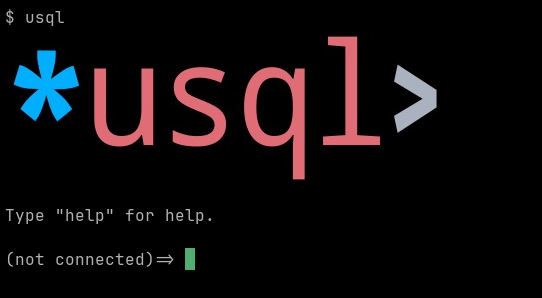
サポートが利用可能な場合、対話型セッションの開始時にロゴが表示されます。
チャートとグラフ
\chart コマンドを使うと、ターミナルに直接チャートを表示できます。

詳細については、\chart メタコマンドのセクションを参照してください。
チャートはデフォルトのビルドには含まれません。レンダラーは JavaScript エンジンで Apache ECharts を実行し、SVG レンダラーで結果をラスタライズします。これらを合わせるとバイナリのサイズが約 12 MiB 増加するため、charts ビルドタグの背後にあります。含めるには -tags charts または -tags all を指定してビルドしてください。チャートレンダラーを含まないビルドでは、チャートレンダラーがないことを示すメッセージが表示されます。
ターミナルグラフィックスの有効化/無効化
環境変数 USQL_TERM_GRAPHICS または TERM_GRAPHICS を設定すると、ターミナルグラフィックスを強制的に有効または無効にできます。
# disable
$ USQL_TERM_GRAPHICS=none usql

# force iterm graphics
$ TERM_GRAPHICS=iterm usql
| 変数 | デフォルト | 値 | 説明 |
|---|---|---|---|
TERM_GRAPHICS | `` | ``, kitty, iterm, sixel, none | ターミナルグラフィックスを有効/無効にします |
グラフィックスに対応したターミナル
以下のターミナルで usql の動作確認を行っています。
-
WezTerm は、Windows、macOS、Linux など多くのプラットフォームに対応したクロスプラットフォームターミナルで、iTerm グラフィックスをサポートしています
-
kitty は、Linux、macOS、および各種 BSD 用ターミナルで、Kitty グラフィックスをサポートしています
-
foot は、Sixel グラフィックスをサポートする Linux 用 Wayland ターミナル(およびその他の Wayland ホスト用ターミナル)です
Sixel グラフィックスに対応したその他のターミナルは、Are We Sixel Yet? のウェブサイトに掲載されています。
パスワード
usql は、起動時にユーザーの HOME ディレクトリにある .usqlpass ファイルからデータベースのパスワードを読み込めます。
$ cat $HOME/.usqlpass
# format is:
# protocol:host:port:dbname:user:pass
postgres:*:*:*:booktest:booktest
$ usql pg://
Connected with driver postgres (PostgreSQL 9.6.9)
Type "help" for help.

pg:booktest@=>
サンプルについては、_samples/usqlpass を参照してください。
各フィールドが * または URL の値と一致する場合、そのエントリはその URL に適用されます。エントリによって、URL に指定されたユーザーが置き換えられることはありません。また、あるデータベース用のエントリは、そのデータベースにのみ適用されます。プロトコルは同じデータベースのすべてのスキームに一致するため、postgres: のエントリは pg://、pgx://、pq:// にも適用されます。他のデータベースのプロトコルのみを使用するデータベースは、それ自体が独立したデータベースです。そのため、CockroachDB、CrateDB、Redshift にはそれぞれ独自のエントリが必要であり、TiDB、SingleStore、Vitess も同様です。mysql: のエントリは tidb:// には適用されません。
.usqlpass の機能は廃止されませんが、接続名を定義する方法、できれば config.yaml ファイルを使用することを推奨します。
注
.usqlpassファイルは、他のユーザーが読み取れないようにする必要があります。アクセス権を0600に設定してください。
chmod 0600 ~/.usqlpass
実行時設定(RC)ファイル
usql は、ユーザーの HOME ディレクトリにある .usqlrc 実行時設定(RC)ファイルを実行できます。
$ cat $HOME/.usqlrc
\echo WELCOME TO THE JUNGLE `date`
\uset syntax_hl_style paraiso-dark

-- set color prompt (default is prompt is "%S%m%/%R%#" )
\uset prompt1 "\033[32m%S%m%/%R%#\033[0m"
$ usql
WELCOME TO THE JUNGLE Thu Jun 14 02:36:53 WIB 2018
Type "help" for help.

(not connected)=> \uset syntax_hl_style
syntax_hl_style is "paraiso-dark"
(not connected)=>
サンプルについては、_samples/usqlrc を参照してください。
.usqlrc ファイルは、コマンドラインで -f / --file を指定して渡したファイルと同じ方法で、起動時に読み込まれます。一般的には、起動時の環境変数や設定の指定に使用します。
起動時にコマンドラインで -X または --no-init を渡すと、RC ファイルの実行を一時的に無効にできます。
$ usql --no-init pg://
.usqlrc の機能は廃止されませんが、 config.yaml ファイルで init スクリプトを設定することを推奨します。
追加情報
以下は、usql に関連する補足情報およびその他の情報です。
リリースビルド
リリースビルドは、most ビルドタグと追加の SQLite3 ビルドタグ(build.sh を参照)を使用してビルドされます。
macOS
macOS では、sqlite3 ドライバーのライブラリ依存関係の扱い上、推奨されるインストール方法は brew によるインストールです。usql の実行時に以下(または類似の)エラーが発生した場合:
$ usql
dyld: Library not loaded: /usr/local/opt/icu4c/lib/libicuuc.68.dylib
  Referenced from: /Users/user/.local/bin/usql
  Reason: image not found
Abort trap: 6
不足しているライブラリ依存関係は、brew を使用して icu4c をインストールすることで解決できます。
$ brew install icu4c
Running `brew update --auto-update`...
==> Downloading ...
...

$ usql
(not connected)=>
Couchbase FAQ
エラー 17007 でトランザクションのコミットに失敗するのはなぜですか?
サーバーが、トランザクションで要求された耐久性を満たせませんでした。デフォルトでは、トランザクションは majority を要求しますが、単一ノードのサーバーではこれを満たせません。usql は、指定しない限り耐久性を変更しません。ローカル開発サーバーなどの単一ノードサーバーでは、URL に durability_level=none を設定してください。
$ usql "couchbase://user:pass@localhost/?durability_level=none"
その他の値は majority、majorityAndPersistActive、persistToMajority です。
トランザクションがサーバーのデフォルトより長く開いたままになるのはなぜですか?
サーバーはデフォルトで 15 秒後にトランザクションを終了しますが、人が入力するには短すぎます。URL に txtimeout が設定されていない場合、usql は txtimeout=30m を設定します。別の値を選ぶには、URL に設定してください。
$ usql "couchbase://user:pass@localhost/?txtimeout=2m"
貢献
usqlは現在開発中で、近日中の1.0リリースを目指しています。
よく書かれたPRはいつでも歓迎です。GitHubのイシュートラッカーには、help wantedのラベルが付いた未対応の課題が多数あります。貢献に関する技術的な詳細は、CONTRIBUTING.mdをご覧ください。