
Unified MCP Client Library について
Unified MCP Client Libraryは、MCPサーバー、インタラクティブアプリ、エージェントのワークフローを構築する開発者向けのTypeScriptフレームワークとツール群です。型付きツールやReact Viewsに加え、Inspector、CLIでのデバッグ、デプロイ手順を備えています。
主な機能
- 01TypeScriptのMCPサーバーを構築
- 02型付きツールとZodスキーマを利用
- 03React Viewsをツールに連携
- 04InspectorとCLIでデバッグ
- 05プロジェクトの作成とデプロイ
活用シーン
- 01インタラクティブなMCPアプリを作成
- 02ツール入力を確認してMCPサーバーを呼び出す
- 03CLIでツールをテストしViewを撮影
- 04開発中にChatGPTやClaudeでローカルサーバーをテスト
MCP 対応
MCPサーバーを構築するフレームワークであり、@mcp-use/clientによるサーバー接続機能も提供します。Inspector、CLIクライアント、トンネルツールでサーバーの確認、呼び出し、テストを行えます。
詳細

MCP のための TypeScript フレームワーク
MCP サーバー、ChatGPT プラグイン、Claude コネクターを構築、テスト、公開できます
完全な型付け、ネイティブ View と MCP Apps のサポート、組み込み Inspector、そして優れたエージェント体験を備えています。




メモ
v1 から移行しますか?エージェントに任せましょう:
Migrate this mcp-use project to v2 following
https://docs.mcp-use.com/v2/typescript/server/migration
はじめに
エージェントで始める
Build an MCP server: https://mcp-use.com/prompt.md
コードで始める
npx -y create-mcp-use-app@latest
生成されたプロジェクトで npm run dev を実行 · http://localhost:3000/mcp/inspector を開く
MCP の公開に必要なすべて
完全な型付けZod スキーマがツールから構造化された結果、View のプロパティ、ツール呼び出しまで引き継がれます。 |
ネイティブ ViewReact View をツールに直接バインドすれば、カスタム拡張機能の配線なしでインタラクティブなアプリを公開できます。 |
エージェント優先、ヘッドレス対応エージェントを通じて、スキャフォールドの作成、呼び出し、検査、スクリーンショットの撮影、デプロイができます。 |
組み込みデバッグツールブラウザー上、または CLI を使ったヘッドレス環境でツールと View を検査できます。 |
クイックスタート
スキャフォールドには、サーバー、TypeScript の設定、開発用スクリプト、Inspector、React View のパイプラインが用意されています。一度起動すると、MCP エンドポイントには接続 URL とセットアップ手順を含む、クライアント向けのランディングページも表示されます。
index.ts を次のような View にバインドされたツールに置き換えます。
|
ツールにビューを追加する
views/weather-card/view.tsx を作成します。ディレクトリ名は、ツールの view.name と一致します。
|
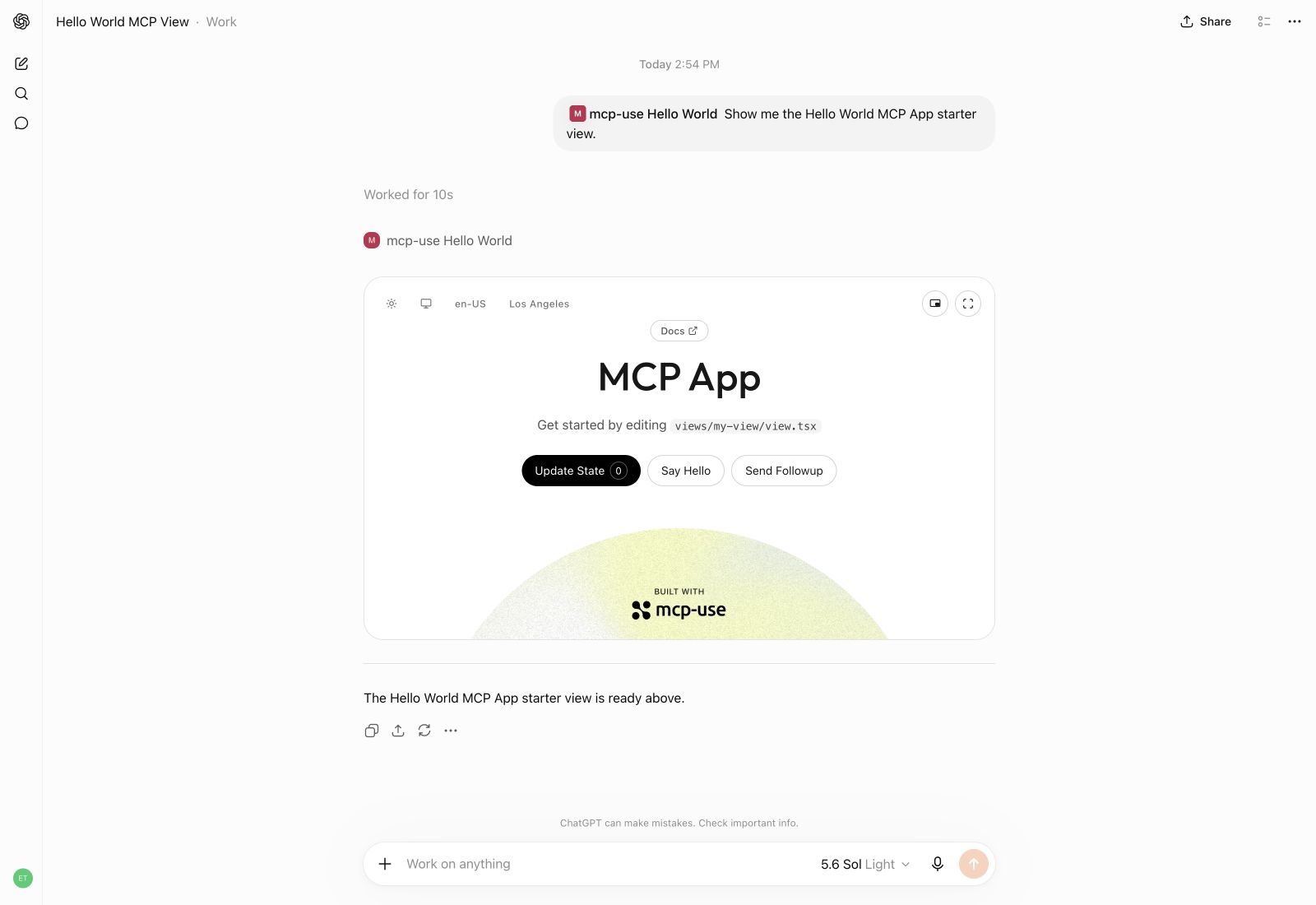
mcp-use を使って、ChatGPT 内にインタラクティブな UI 体験を構築できます。
ChatGPT プラグイン拡張機能を作成する
ユーザーが会話と並べて開ける、インタラクティブなビューを備えた ChatGPT プラグイン拡張機能を構築します。useModelContext を使うと、話題にする本や探索する分析データなど、ビューのコンテンツを会話に追加できます。
|
Little Bookshop
https://github.com/user-attachments/assets/2f9b56c1-f149-430e-b5b6-a258c08491e6
Manufact Analytics
https://github.com/user-attachments/assets/e488c66e-8f65-4930-8e08-711bdf12ec6e
ビルド
本番ビルドを作成します。
npm run build
検査
開発モードを起動し、MCP エンドポイントを http://localhost:3000/mcp で提供します。Inspector は http://localhost:3000/mcp/inspector で自動的に利用できます。
npm run dev
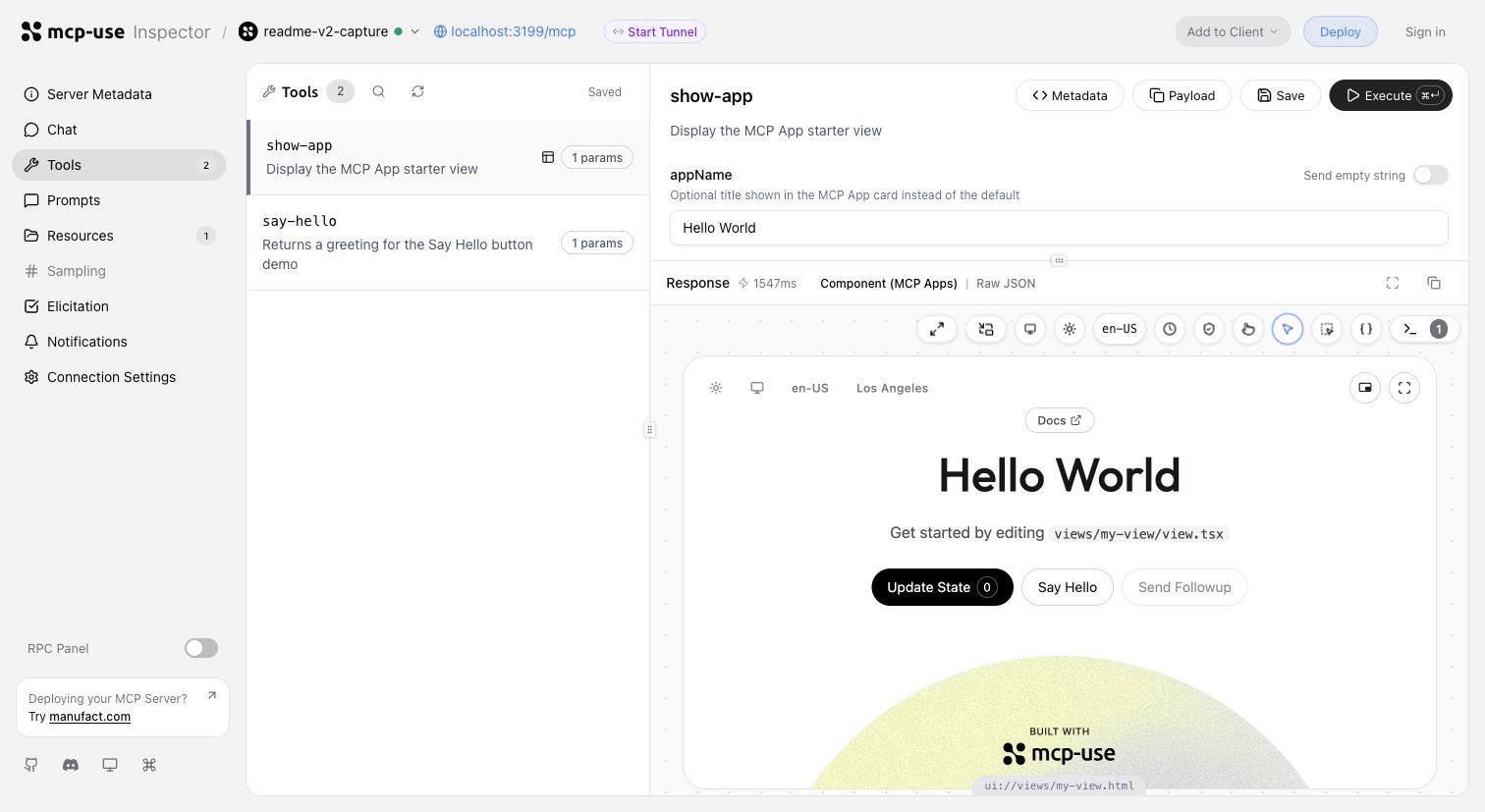
同じ開発サイクルで、ツールの呼び出し、入力の検証、インタラクティブなビューの検査ができます。
Inspector の UI からトンネルを開始するか、mcp-use dev --tunnel を実行すると、ローカルの MCP サーバー用の公開 URL が取得できます。デプロイ前に ChatGPT や Claude でテストできます。トンネルの詳細を見る →
ターミナルから同じサーバーをヘッドレスで検査し、代表的なツールを呼び出して、ビューのスクリーンショットを取得します。
npm install --save-dev @mcp-use/client
npx mcp-use client connect local http://localhost:3000/mcp
npx mcp-use client local tools list
npx mcp-use client local tools call get-weather city=Tokyo
npx mcp-use screenshot \
  --server local \
  --tool get-weather \
  city=Tokyo \
  --output weather-card.png
デプロイ
Manufact にデプロイすると、オブザーバビリティ、分析、評価、提出準備状況、Git ベースのプレビュー環境を無料で利用できます。
npm run deploy
自分で実行したい場合は、セルフホスティングガイド →をご覧ください。
mcp-use の比較
mcp-use は公式の TypeScript SDK v2 を基盤とし、ファーストクラスのビュー、型付きのツールと UI の連携、最適化されたステートレスランタイム、Inspector、スクリーンショットによる検証、エージェントを優先した CLI ワークフロー、デプロイ機能を追加しています。
block-beta
  columns 7

  metric["Metric"] mcp["mcp-use v2"] fastmcp["FastMCP TS"] official["Official SDK v2*"] xmcp["xmcp"] skybridge["Skybridge"] handler["mcp-handler"]

  speed["Speed"] speedMcp["10,982 ops/s"] speedFast["6,628 ops/s"] speedOfficial["8,050 ops/s"] speedXmcp["6,585 ops/s"] speedSkybridge["8,116 ops/s"] speedHandler["6,324 ops/s"]
  install["MCP App<br/>dev stack"] installMcp["74.4 MiB"] installFast["122.5 MiB"] installOfficial["99.0 MiB"] installXmcp["121.9 MiB"] installSkybridge["137.5 MiB"] installHandler["388.0 MiB"]
  packages["Installed<br/>packages"] packagesMcp["51"] packagesFast["180"] packagesOfficial["119"] packagesXmcp["171"] packagesSkybridge["300"] packagesHandler["130"]
  views["Views"] viewsMcp["✅"] viewsFast["✅"] viewsOfficial["◐ Extension"] viewsXmcp["✅"] viewsSkybridge["✅"] viewsHandler["❌"]
  nativeViews["Native Views<br/>on MCP 2026"] nativeViewsMcp["✅"] nativeViewsFast["✅"] nativeViewsOfficial["❌"] nativeViewsXmcp["❌"] nativeViewsSkybridge["❌"] nativeViewsHandler["❌"]
  oauth["One-line<br/>OAuth adapters"] oauthMcp["✅"] oauthFast["◐ Provider/proxy"] oauthOfficial["◐ Primitives"] oauthXmcp["✅"] oauthSkybridge["✅"] oauthHandler["❌"]
  protocol["MCP 2026<br/>protocol"] protocolMcp["✅"] protocolFast["✅"] protocolOfficial["✅"] protocolXmcp["❌"] protocolSkybridge["❌"] protocolHandler["❌"]
  screenshot["Built-in View<br/>screenshot CLI"] screenshotMcp["✅"] screenshotFast["❌"] screenshotOfficial["❌"] screenshotXmcp["❌"] screenshotSkybridge["❌"] screenshotHandler["❌"]
  tunnel["Built-in<br/>tunneling"] tunnelMcp["✅"] tunnelFast["❌"] tunnelOfficial["❌"] tunnelXmcp["❌"] tunnelSkybridge["✅"] tunnelHandler["❌"]
  inspector["Built-in<br/>Inspector"] inspectorMcp["✅"] inspectorFast["✅"] inspectorOfficial["❌"] inspectorXmcp["❌"] inspectorSkybridge["◐ Limited"] inspectorHandler["❌"]

  classDef metricLabel fill:#6e76811a,font-weight:bold
  classDef brand fill:#2ea04333,stroke:#2da44e,stroke-width:3px,font-weight:bold
  classDef header fill:#6e76811a,font-weight:bold
  classDef value fill:#6e76810f,stroke-width:1px
  classDef leader fill:#2ea0432e,stroke:#2da44e,stroke-width:2px,font-weight:bold
  classDef partial fill:#bb80092e,stroke:#bf8700,stroke-width:2px,font-weight:bold
  classDef unavailable fill:#6e76810f,opacity:0.72

  class metric,speed,install,packages,views,nativeViews,oauth,protocol,screenshot,tunnel,inspector metricLabel
  class mcp brand
  class fastmcp,official,xmcp,skybridge,handler header
  class speedFast,speedOfficial,speedXmcp,speedSkybridge,speedHandler,installFast,installOfficial,installXmcp,installSkybridge,installHandler,packagesFast,packagesOfficial,packagesXmcp,packagesSkybridge,packagesHandler value
  class speedMcp,installMcp,packagesMcp,viewsMcp,viewsFast,viewsXmcp,viewsSkybridge,nativeViewsMcp,nativeViewsFast,oauthMcp,oauthXmcp,oauthSkybridge,protocolMcp,protocolFast,protocolOfficial,screenshotMcp,tunnelMcp,tunnelSkybridge,inspectorMcp,inspectorFast leader
  class oauthFast,viewsOfficial,oauthOfficial,inspectorSkybridge partial
  class viewsHandler,nativeViewsOfficial,nativeViewsXmcp,nativeViewsSkybridge,nativeViewsHandler,oauthHandler,protocolXmcp,protocolSkybridge,protocolHandler,screenshotFast,screenshotOfficial,screenshotXmcp,screenshotSkybridge,screenshotHandler,tunnelFast,tunnelOfficial,tunnelXmcp,tunnelHandler,inspectorOfficial,inspectorXmcp,inspectorHandler unavailable
* MCP Apps 対応スタックのために、@modelcontextprotocol/ext-apps、Vite、zod が含まれます。
インストールの比較では、カスタム React MCP アプリ開発スタックを対象にしています。そのため FastMCP には、より限定的なサーバー側コンポーネントのワークフローだけでなく、Apps 拡張機能、React、Vite React プラグイン、Vite、TypeScript、zod が含まれます。サイズは、必須の peer dependencies を含め、通常の npm install 後における node_modules の実際のディスク使用量です。
例
MCP アプリをリミックスして、ソースを確認したり、出発点としてデプロイしたりできます。
| プレビュー | アプリ | 実演内容 |
|---|---|---|
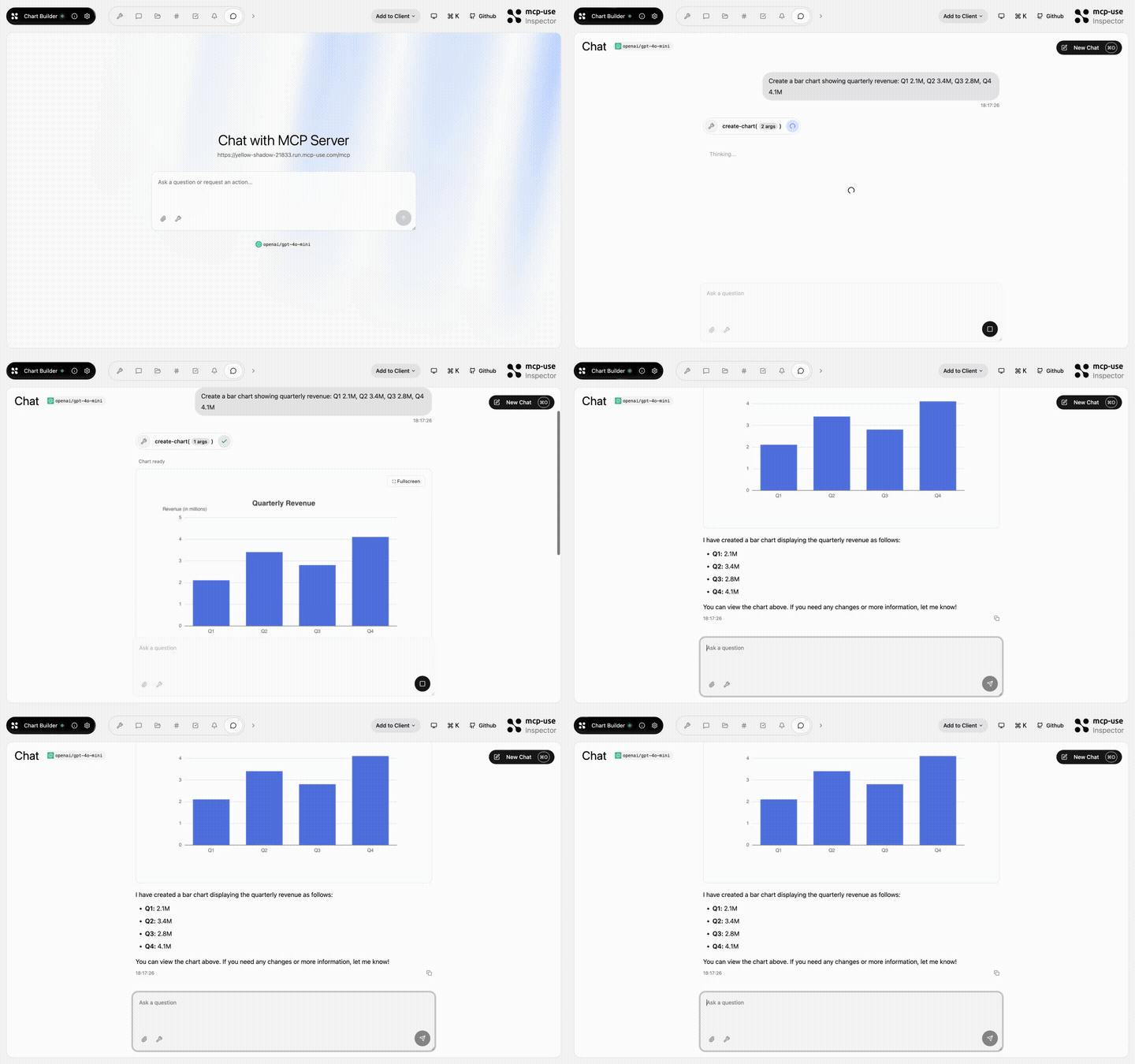 | Chart Builder | 構造化データをインタラクティブなチャートとして表示 · デモを開く |
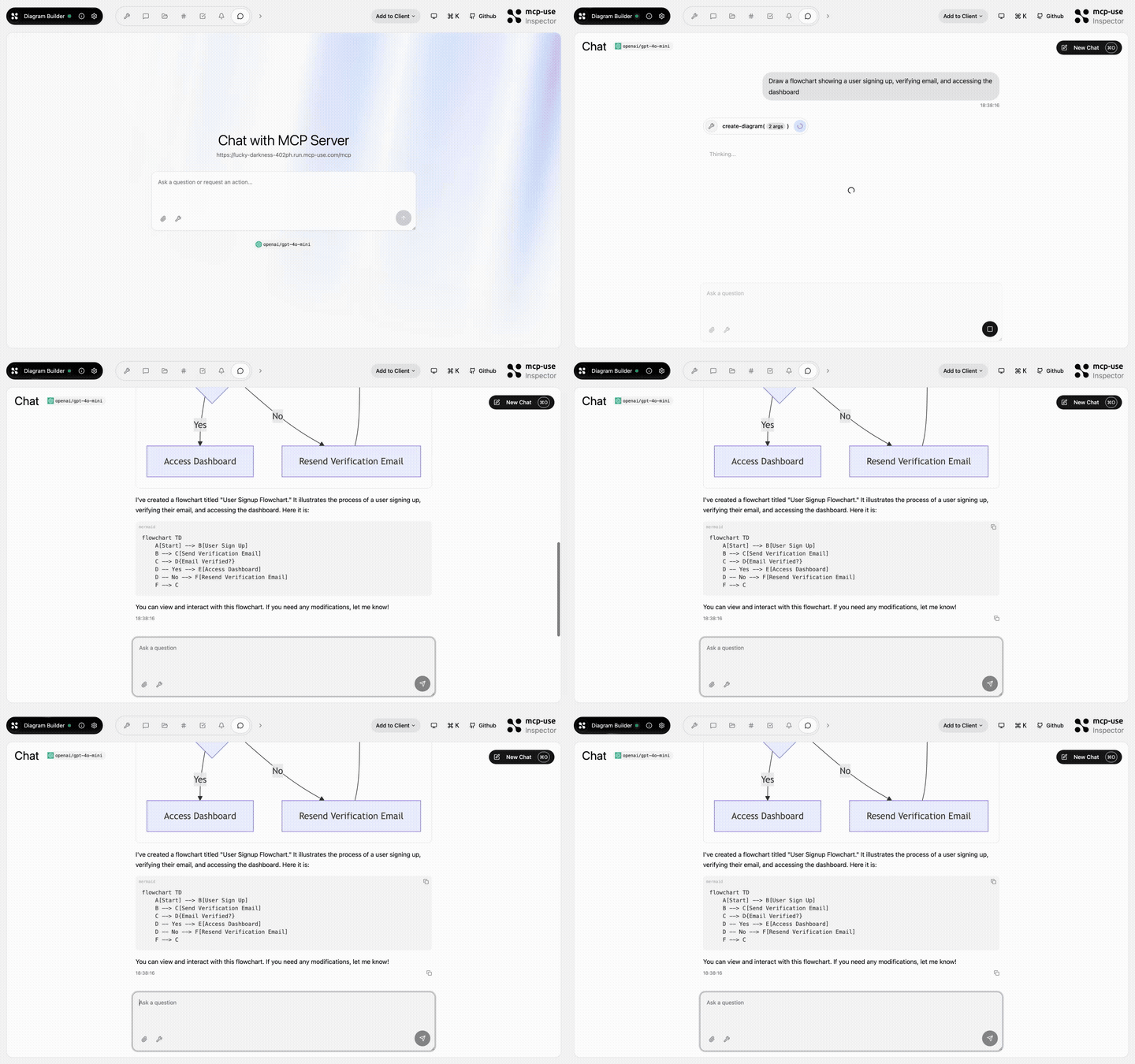 | Diagram Builder | MCP ツールを使った図の作成と編集 · デモを開く |
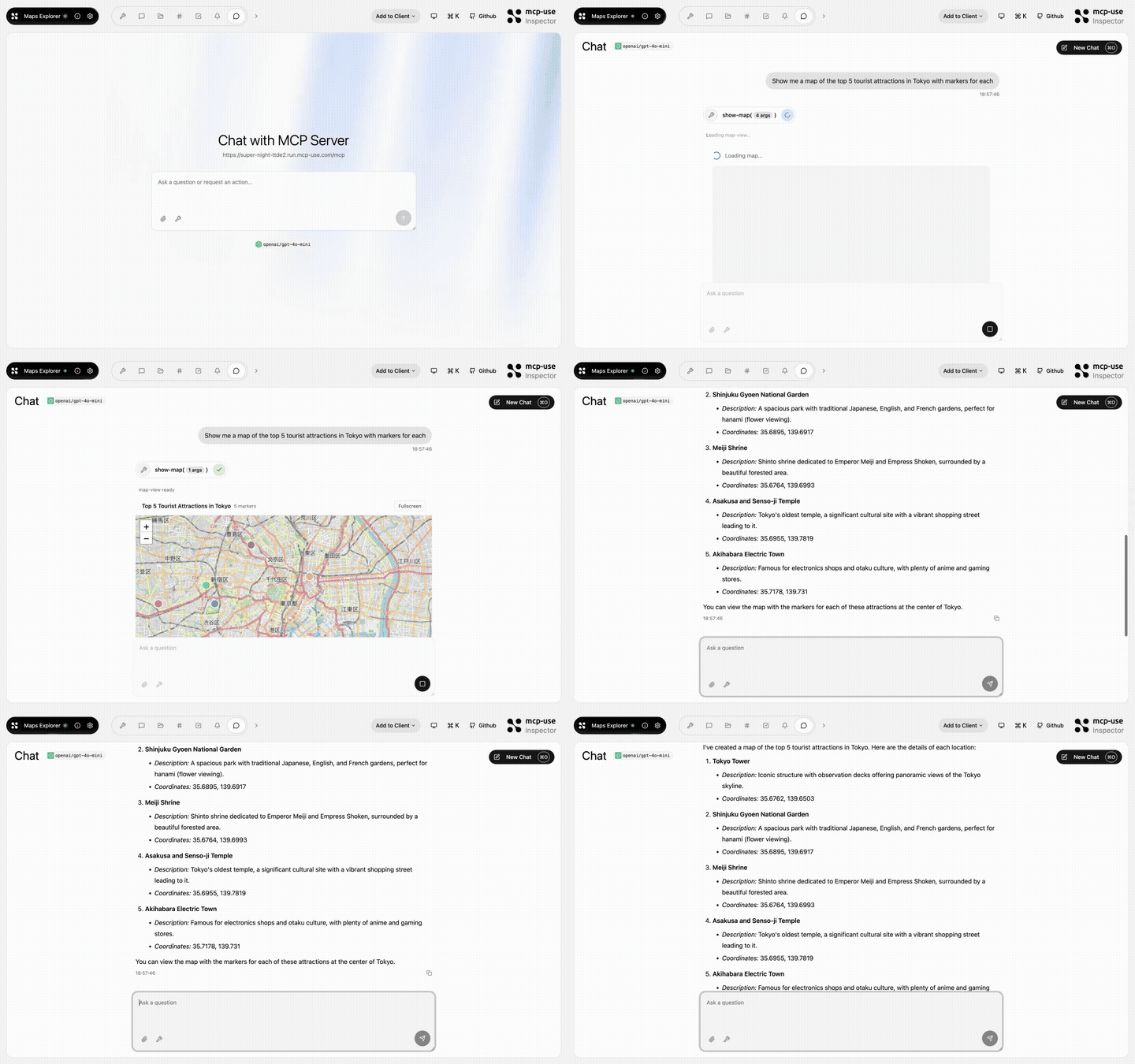 | Maps Explorer | 検索、詳細ツール、インタラクティブな地図ビュー · デモを開く |
エコシステム
| パッケージ | 用途 |
|---|---|
mcp-use | TypeScript v2 サーバーフレームワーク、React ビュー、CLI |
@mcp-use/client | Node.js、ブラウザー、React、サンドボックスから MCP サーバーに接続 |
@mcp-use/agent | MCP クライアント上にモデル駆動型エージェントを構築 |
@mcp-use/inspector | MCP サーバーとアプリを検査、デバッグ |
@mcp-use/tunnel | 管理されたリレーを通じて、ローカルの HTTP、WebSocket、MCP サーバーを公開 |
create-mcp-use-app | サーバーとインタラクティブアプリのひな形を作成 |
mcp-use for Python | Python の MCP サーバー、クライアント、エージェントを構築 |
プロトコル準拠


貢献者
Pietro、Luigi、Enrico、そして mcp-use コミュニティによって開発されています。
コメント
AI アプリケーションが外部のツールやデータソースに統一的な方法で接続するためのオープンなプロトコルです。クライアントはモデルとの対話を担い、MCP サーバーはツール・リソース・プロンプトテンプレートを提供します。標準メッセージでやり取りするため、1 つのサーバーを複数のクライアントで再利用できます。