
GitHub CI/CD MCP Server について
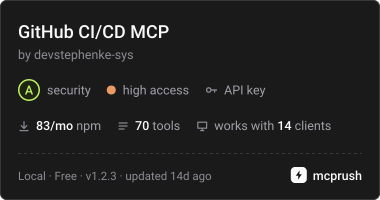
GitHub CI/CD MCP Serverは、CI/CDやDevOps作業向けに、GitHub RESTとGraphQLのワークフローをMCPツールとして提供します。リポジトリ操作、Actions、デプロイ、管理、課金、ローカルgit操作を扱います。
主な機能
- 01リポジトリ、コミット、ブランチの管理
- 02プルリクエストとIssueの作成・レビュー
- 03GitHub Actionsのワークフローと実行の制御
- 04デプロイ、リリース、Webhookの管理
- 05課金情報とGitHub GraphQLの照会
- 06ローカルgit操作
活用シーン
- 01MCPクライアントからプルリクエストを確認・更新
- 02GitHub Actionsの実行状況の確認や再実行
- 03リリースとデプロイの管理
- 04ローカルgitと併用したリポジトリ作業
MCP 対応
GitHub REST、GraphQL、ローカルgitの操作を、CursorやClaude DesktopなどのMCPクライアントにツールとして提供します。環境変数で渡すGitHubトークンを使って認証します。
設定
ローカルサーバーの設定はどのクライアントでも共通です。コピーしてクライアントの MCP 設定ファイルに貼り付けてください。
npx -y @kinus/github-cicd-mcpGITHUB_TOKENシークレットGitHub personal access token for authenticationGITHUB_HOSTGitHub Enterprise hostname (optional, defaults to github.com)GITHUB_API_URLGitHub Enterprise REST API base URL (optional)GITHUB_GRAPHQL_URLGitHub Enterprise GraphQL endpoint (optional)ローカルサーバーにはマシン上の実行環境(Node.js 18 以上など)が必要です。設定ファイルの場所はクライアントごとに異なります。
ツール
70掲載時のツール一覧 · 2 週間前に更新
このツールにパラメーターはありません。
詳細
github-cicd-mcp
Model Context Protocol 向け GitHub CI/CD MCP サーバー。


GitHub REST と GraphQL 向けの Model Context Protocol (MCP) サーバーです。Cursor、Claude Desktop、その他の MCP クライアントでの CI/CD および DevOps ワークフロー向けに構築されています。
AI エージェントに、エディターを離れることなく、リポジトリ、コミット、プルリクエスト、イシュー、GitHub Actions、デプロイ、課金、リリース、ブランチ保護、Webhook、ローカルの git を管理するためのツールを提供します。
インストール
npm / npx(推奨)
{
  "mcpServers": {
    "github-cicd": {
      "command": "npx",
      "args": ["-y", "@kinus/github-cicd-mcp"],
      "env": {
        "GITHUB_TOKEN": "${env:GITHUB_TOKEN}"
      }
    }
  }
}
システム環境で GITHUB_TOKEN(または GH_TOKEN)を設定するか、${env:GITHUB_TOKEN} をクライアントがサポートするシークレット参照に置き換えてください。
ソースから
git clone https://github.com/devstephenke-sys/Github-Free-MCPs.git
cd Github-Free-MCPs
npm install
npm run build
MCP の実行先として node /absolute/path/to/github-cicd-mcp/dist/index.js を指定してください。
認証
個人アクセストークンを作成してください。
| 必要な機能 | スコープ/権限 |
|---|---|
| リポジトリ、PR、コミット、イシュー | repo またはきめ細かな Contents、Pull requests、Issues |
| Actions | workflow |
| 組織の課金 | read:org +組織の課金ロール |
| 管理者(ブランチ保護、Webhook) | リポジトリ/組織の管理者アクセス |
トークンをコミットしないでください。環境変数のみを使用してください。
⚠️ セキュリティ:SECURITY.md でセキュリティポリシーとベストプラクティスを確認してください。
最近のセキュリティ更新(v1.2.3):重大なセキュリティ脆弱性(CVE-2026-102828、CVE-2026-102826、CVE-2026-102827、CVE-2026-6951)に対処するため、simple-git を v4.0.2 に更新しました。
ツール一覧
コア機能とリポジトリ
github_get_authenticated_user、github_get_rate_limit、github_create_repository、github_get_repository、github_list_repositories、github_create_branch、github_fork_repository
コミットと CI ステータス
github_list_commits、github_get_commit、github_compare_commits、github_create_commit、github_get_combined_status、github_list_check_runs_for_ref
プルリクエスト
github_create_pull_request、github_list_pull_requests、github_get_pull_request、github_merge_pull_request、github_update_pull_request、github_list_pull_request_files、github_create_pull_request_review
イシュー
github_create_issue、github_list_issues、github_get_issue、github_update_issue、github_add_issue_comment、github_list_issue_comments
リリースとタグ
github_list_releases、github_get_release_by_tag、github_create_release、github_list_tags、github_create_tag
ブランチと保護
github_list_branches、github_get_branch、github_get_branch_protection、github_update_branch_protection、github_delete_branch_protection
GitHub Actions
github_list_workflows、github_list_workflow_runs、github_get_workflow_run、github_list_workflow_jobs、github_rerun_workflow、github_cancel_workflow_run、github_dispatch_workflow、github_list_actions_secrets、github_list_actions_variables、github_list_workflow_run_artifacts、github_download_workflow_artifact
デプロイ(CD)
github_list_deployments、github_create_deployment、github_create_deployment_status、github_list_environments
課金
github_get_user_billing_actions、github_get_org_billing_actions、github_get_org_billing_overview、github_get_org_billing_usage_report
Webhook とアクセス
github_list_webhooks、github_create_webhook、github_delete_webhook、github_list_collaborators、github_add_collaborator、github_list_teams
GraphQL
github_graphql_query、github_graphql_mutation、github_graphql_repository_overview
ローカル Git
git_status、git_commit、git_push、git_pull、git_log、git_clone
GitHub Enterprise
GITHUB_HOST— ホスト名(github.com以外の場合)GITHUB_API_URL— REST のベース URL。例:https://github.example.com/api/v3GITHUB_GRAPHQL_URL— GraphQL エンドポイントの上書き設定
開発
npm install
npm run build
npm run verify
独自のフォークを公開する
以下については RELEASING.md を参照してください。
- 公開 GitHub リポジトリの設定
- npm への公開(
npm publish --access public) - GitHub リリースと、任意の MCP ディレクトリへの掲載
ライセンス
コメント
AI アプリケーションが外部のツールやデータソースに統一的な方法で接続するためのオープンなプロトコルです。クライアントはモデルとの対話を担い、MCP サーバーはツール・リソース・プロンプトテンプレートを提供します。標準メッセージでやり取りするため、1 つのサーバーを複数のクライアントで再利用できます。