
Lazycow Studio について
Lazycow Studioのパッケージは、ローカルのスタジオで写真や動画から短いリールや旅行動画を作成、計画、投稿するためのものです。投稿前には人による承認が必要です。
主な機能
- 01リールの作成とリミックス
- 02承認済みリールの計画と投稿
- 03アイデアやイベントの調査
- 04パフォーマンス概要の確認
- 05スタジオのインストールと操作
- 06Node.js APIとCLI
活用シーン
- 01未編集の素材からリールを作成
- 02SNSアカウントへの投稿を計画
- 03動画用の場所やイベントを調査
MCP 対応
MCPサーバーは、リール作成、調査、計画、承認済みリールの投稿など、ローカルのLazycow Studioを操作するツールを公開します。エージェントはリールを承認できず、アカウントの秘密情報はスタジオ内に保持されます。
設定
ローカルサーバーの設定はどのクライアントでも共通です。コピーしてクライアントの MCP 設定ファイルに貼り付けてください。
npx -y lazycowSTUDIO_PORTThe studio's port (default: the studio's .env, else 4317)STUDIO_API_TOKENシークレットThe studio's API token, only if you set one (default: read from the studio's .env)LAZYCOW_DIRThe studio folder, if it is not where the double-click setup put itローカルサーバーにはマシン上の実行環境(Node.js 18 以上など)が必要です。設定ファイルの場所はクライアントごとに異なります。
ツール
ローカルサーバーのツールはマシン上で起動して初めて取得できます。メンテナーはまだツール一覧を提供していません。
README(原文)English
プロジェクトの README よりこの README の日本語訳はまだありません。以下は英語の原文です。日本語の紹介はページ上部をご覧ください。
lazycow
Lazycow Studio from the command line, from your AI agent and from your code.
Lazycow Studio turns the photos and videos you never edited into short vertical reels and YouTube trip films. It runs on your own computer, and a person approves every post. This package connects to it in three ways:
| You want to… | Run |
|---|---|
| Install the studio (no terminal skills needed after this line) | npx lazycow install |
| Let Claude Code, Claude Desktop or Cursor drive it | claude mcp add lazycow -- npx -y lazycow mcp |
| Script it from Node | import { createClient } from "lazycow" |
Approving a reel stays a person's job in the studio. Agents and scripts can make, plan and post approved reels. They cannot approve.
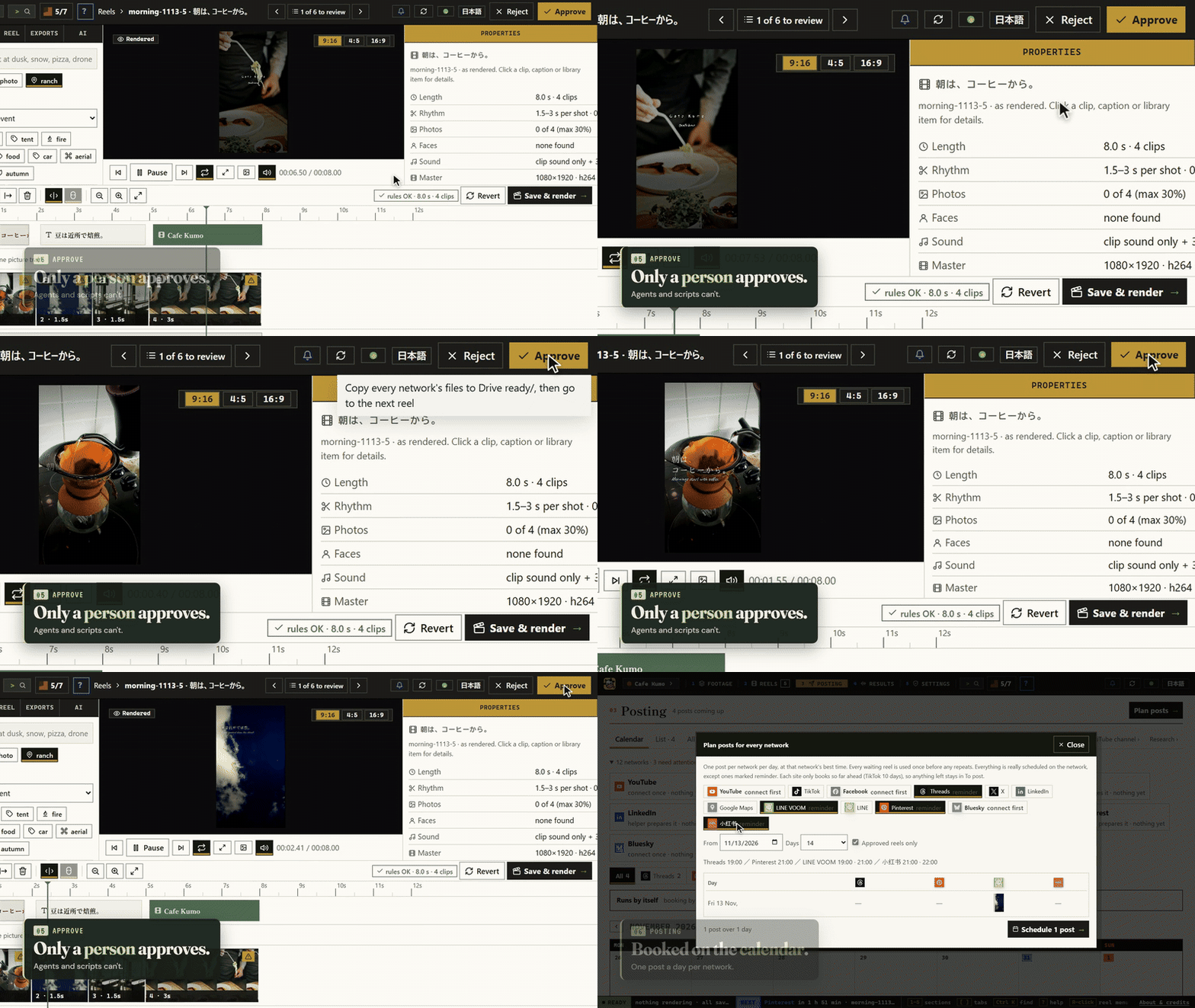
Watch the 40-second demo · See the studio's pages
Install the studio
npx lazycow install
It downloads this version's release zip from GitHub, checks it against the SHA-256 built into the package, unpacks it to ~/Lazycow Studio, and starts the double-click setup. The setup installs Node, Python and ffmpeg for Lazycow only, in about 10 minutes. Options: --dir <empty folder>, --yes (take every suggestion).
Prefer to click? Download the zip from Releases, unzip it, read README.TXT, and double-click Start Lazycow.
Connect an AI agent (MCP)
Claude Code:
claude mcp add lazycow -- npx -y lazycow mcp
Claude Desktop or Cursor (claude_desktop_config.json / .cursor/mcp.json):
{
  "mcpServers": {
    "lazycow": { "command": "npx", "args": ["-y", "lazycow", "mcp"] }
  }
}
The server finds the studio by itself: STUDIO_PORT and STUDIO_API_TOKEN when set, else the .env in LAZYCOW_DIR, else the folder the setup recorded. So your agent config never holds a copy of the token.
The 27 tools ("reads" change nothing; "spends" means paid AI, priced first and kept inside the studio's limits):
| Area | Tools |
|---|---|
| The studio | studio_status, list_projects, switch_project, read_log (reads, except switching) |
| Reels | list_reels, reel_details, list_themes (reads); make_reels, make_reel, remix_reel (render in the background) |
| Jobs | job_status, cancel_job |
| Posting | list_posts, list_accounts (reads); plan_post, publish_reel, schedule_reel (approved reels only) |
| Research | research_ideas, research_events, research_page, research_site_check, research_links (reads the web through the studio; suggestions, never posted) |
| AI assist | ai_estimate, ai_review (reads); ai_run (spends, never changes an approved reel) |
| Results | perf_summary, perf_suggest (reads) |
Every tool, its inputs and examples: docs/mcp.md.
Each tool answers with a plain sentence and the data, and the same data as structuredContent for programs (a list
arrives as { "items": [...] }). Account secrets never leave the studio.
Listed in the official MCP Registry as io.github.kensaurus/lazycow.
Use the API from code
import { createClient } from "lazycow";

const studio = createClient();            // or createClient({ port: 4318, token: "..." })
const health = await studio.health();
const { reels } = await studio.overview();
const anything = await studio.request("GET", "/api/posts");
Every route is in the studio's OpenAPI document. Errors are StudioError with status, path and body. Types are included.
From a shell:
npx lazycow status
npx lazycow api GET /api/posts
npx lazycow open
Requirements
Node 20 or newer. The studio itself runs on Windows 10/11 and macOS 14+ (Apple silicon); Linux works from source.
Credits and licence
Made by kensaurus (Kenji Sakuramoto, kensaur.us). Apache-2.0: if you redistribute it or build on it, keep the NOTICE file, and please keep the line "Based on Lazycow Studio by kensaurus". "Lazycow" and the sleepy-cow icon are trademarks of kensaurus LLC (TRADEMARKS.md).
Like it? Support Lazycow: supporters get their feature requests looked at first.
コメント
AI アプリケーションが外部のツールやデータソースに統一的な方法で接続するためのオープンなプロトコルです。クライアントはモデルとの対話を担い、MCP サーバーはツール・リソース・プロンプトテンプレートを提供します。標準メッセージでやり取りするため、1 つのサーバーを複数のクライアントで再利用できます。