
drawspec について
drawspecは、意味を表すJSON記述から座標指定なしで図を生成します。LLMや、検証を行いながら多様な種類の図を安定した形式で出力したい制作者向けです。SVG、PNG、プレーンテキストに対応します。
主な機能
- 01座標指定不要のJSON図表記述
- 0230種類以上の図表
- 03JSONフィールドを示す検証エラー
- 04SVG、PNG、プレーンテキスト出力
- 05TOMLまたはCSSによるテーマ設定
活用シーン
- 01JSON仕様からフローチャートを生成
- 02モデルが作成した図表記述を検証
- 03要素の位置指定なしでシーケンス図を作成
- 04ターミナルやコードブロック用のテキスト図を出力
MCP 対応
オプションのdrawspec-mcpパッケージは、図表の種類一覧、例とスキーマの取得、文書の検証、図のレンダリングを行うツールを公開します。検証エラーはクライアントが扱える構造化データで返されます。
設定
ローカルサーバーの設定はどのクライアントでも共通です。コピーしてクライアントの MCP 設定ファイルに貼り付けてください。
ツール
5掲載時のツール一覧 · 1 週間前に更新
このツールにパラメーターはありません。
詳細
 drawspec




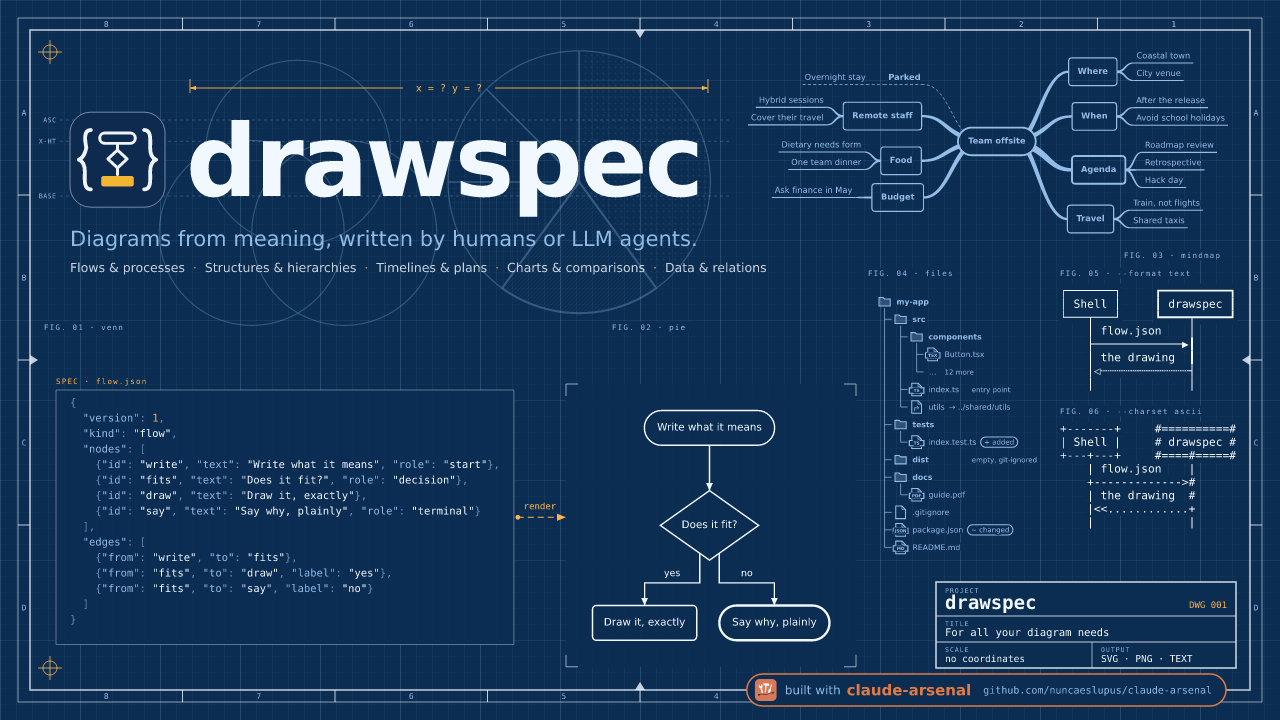
JSON の記述から図を作成 — 座標を指定しないので、配置を間違えることもありません。 図が「何を意味するか」を指定します。ボックス、矢印、ラベル、そしてそれぞれの役割です。drawspec が位置、サイズ、経路、色をすべて決め、整った SVG、PNG、またはプレーンテキストの図を描画します。
まず言語モデル向けに作られています。SVG を手書きする LLM は内容を正しく書けても、配置を間違えます。ボックスを外れる矢印、はみ出すテキスト、途中で止まる線などです。drawspec のドキュメントには、間違えやすい x、y、フォントサイズがありません。こうしたフィールドは拒否され、間違いがあれば正確なフィールドを示すエラーが返されるので、モデルは修正して再試行できます。
pip install drawspec
drawspec render diagram.json -o diagram.svg
例
次のように記述します:
{
  "$schema": "https://nuncaeslupus.github.io/drawspec/schema/drawspec-v1.schema.json",
  "version": 1,
  "kind": "flow",
  "title": "The nightly import",
  "description": "The vendor's export is fetched, checked and loaded into staging before it replaces the live table; a timeout and a deadlock are each retried in place.",
  "nodes": [
    {"id": "fetch", "text": "Fetch the vendor's export", "role": "start"},
    {"id": "check", "text": "Do the row counts match?", "role": "decision"},
    {"id": "load", "text": "Load into staging"},
    {"id": "page", "text": "Page the data owner", "role": "terminal"},
    {"id": "swap", "text": "Swap staging into live", "role": "terminal"}
  ],
  "edges": [
    {"from": "fetch", "to": "fetch", "label": "timed out: retry"},
    {"from": "fetch", "to": "check"},
    {"from": "check", "to": "load", "label": "yes"},
    {"from": "check", "to": "page", "label": "no"},
    {"from": "load", "to": "load", "label": "deadlock: retry"},
    {"from": "load", "to": "swap"}
  ]
}
drawspec が次のように描画します:

同じドキュメントを、ターミナル、コミットメッセージ、コードブロックで使えるテキストとして出力できます
(--format text --charset ascii):
             *---------------------------*
             | Fetch the vendor's export +-+ timed out: retry
             |                           |<+
             *-------------+-------------*
                           |
                           v
                       +--------------------------+
                       < Do the row counts match? >
                       ++-------------------+-----+
                        | yes               | no
                   +----+                   |
                   v                        v
+-------------------+                      .---------------------.
| Load into staging +-+ deadlock: retry    ( Page the data owner )
|                   |<+                    '---------------------'
+---------+---------+
          |
          v
       .------------------------.
       ( Swap staging into live )
       '------------------------'
シーケンス図も同じように作成できます。参加者とメッセージを順に指定すれば、アクティベーションバー、矢印、間隔は drawspec が調整します:
{
  "version": 1,
  "kind": "sequence",
  "title": "Resolving a name the first time",
  "caption": "Nothing is cached yet, so the resolver walks the hierarchy from the top.",
  "participants": [
    {"id": "laptop", "text": "Laptop"},
    {"id": "resolver", "text": "Recursive resolver", "role": "emphasis"},
    {"id": "root", "text": "Root server"},
    {"id": "tld", "text": "`.org` server"},
    {"id": "auth", "text": "Authoritative server"}
  ],
  "messages": [
    {"from": "laptop", "to": "resolver", "text": "where is `wiki.example.org`?"},
    {"from": "resolver", "to": "root", "text": "where is `wiki.example.org`?"},
    {"from": "root", "to": "resolver", "text": "ask the `.org` servers", "role": "weak"},
    {"from": "resolver", "to": "tld", "text": "where is `wiki.example.org`?"},
    {"from": "tld", "to": "resolver", "text": "ask `ns1.example.org`", "role": "weak"},
    {"from": "resolver", "to": "auth", "text": "where is `wiki.example.org`?"},
    {"from": "auth", "to": "resolver", "text": "`203.0.113.7`", "role": "weak"},
    {"from": "resolver", "to": "resolver", "text": "cache it for the TTL", "note": "the next lookup stops here"},
    {"from": "resolver", "to": "laptop", "text": "`203.0.113.7`", "role": "weak"}
  ]
}

30 種類以上の図
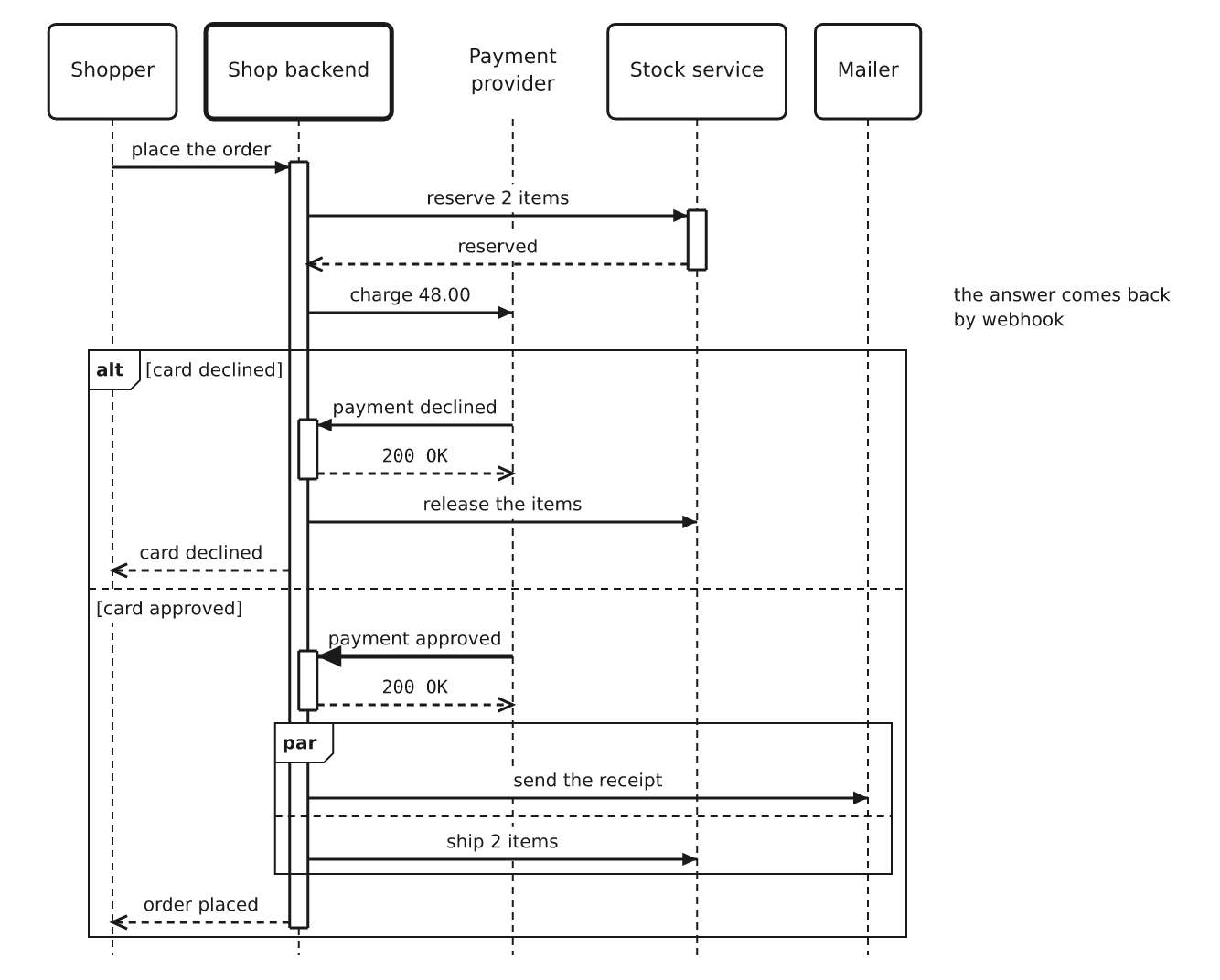
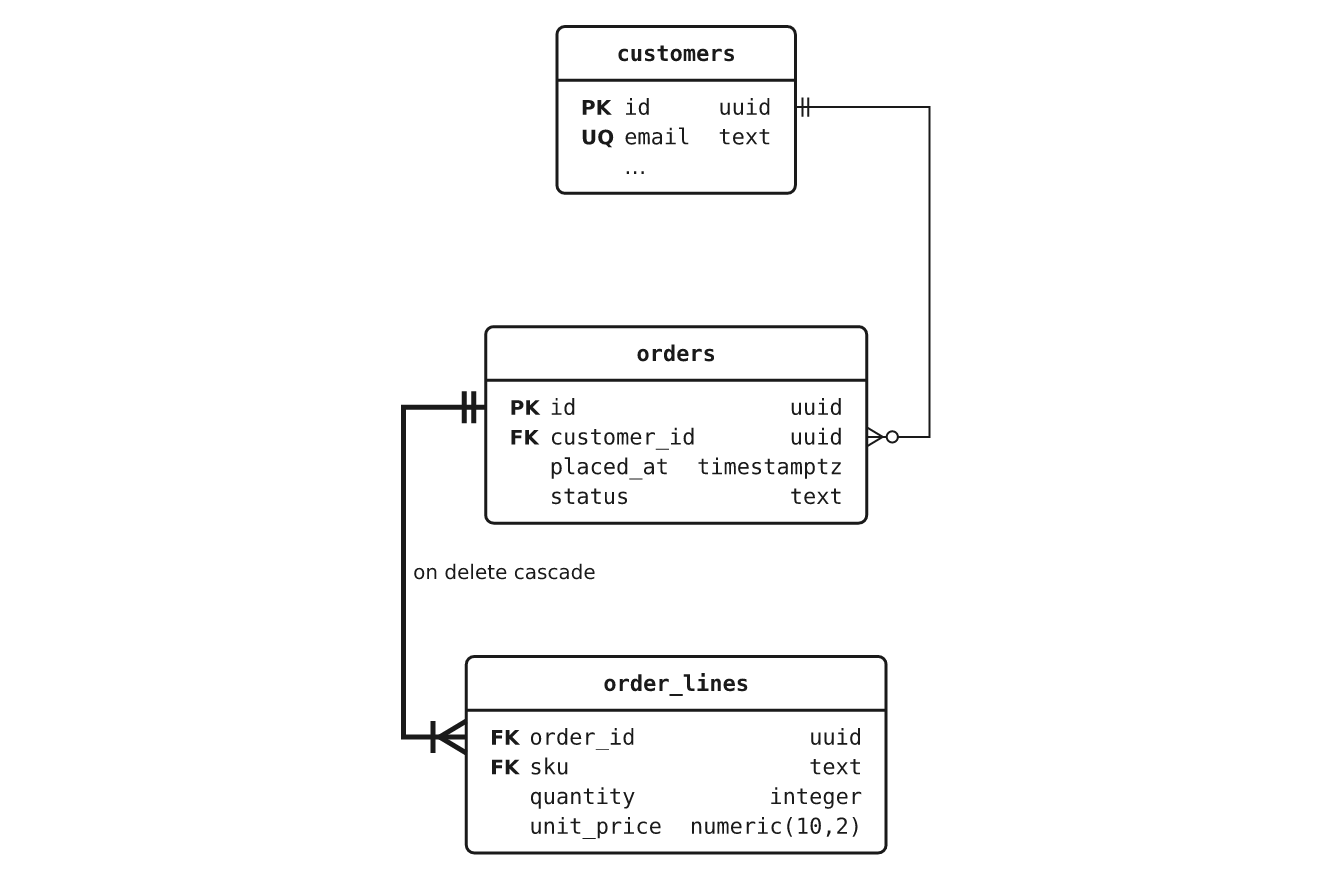
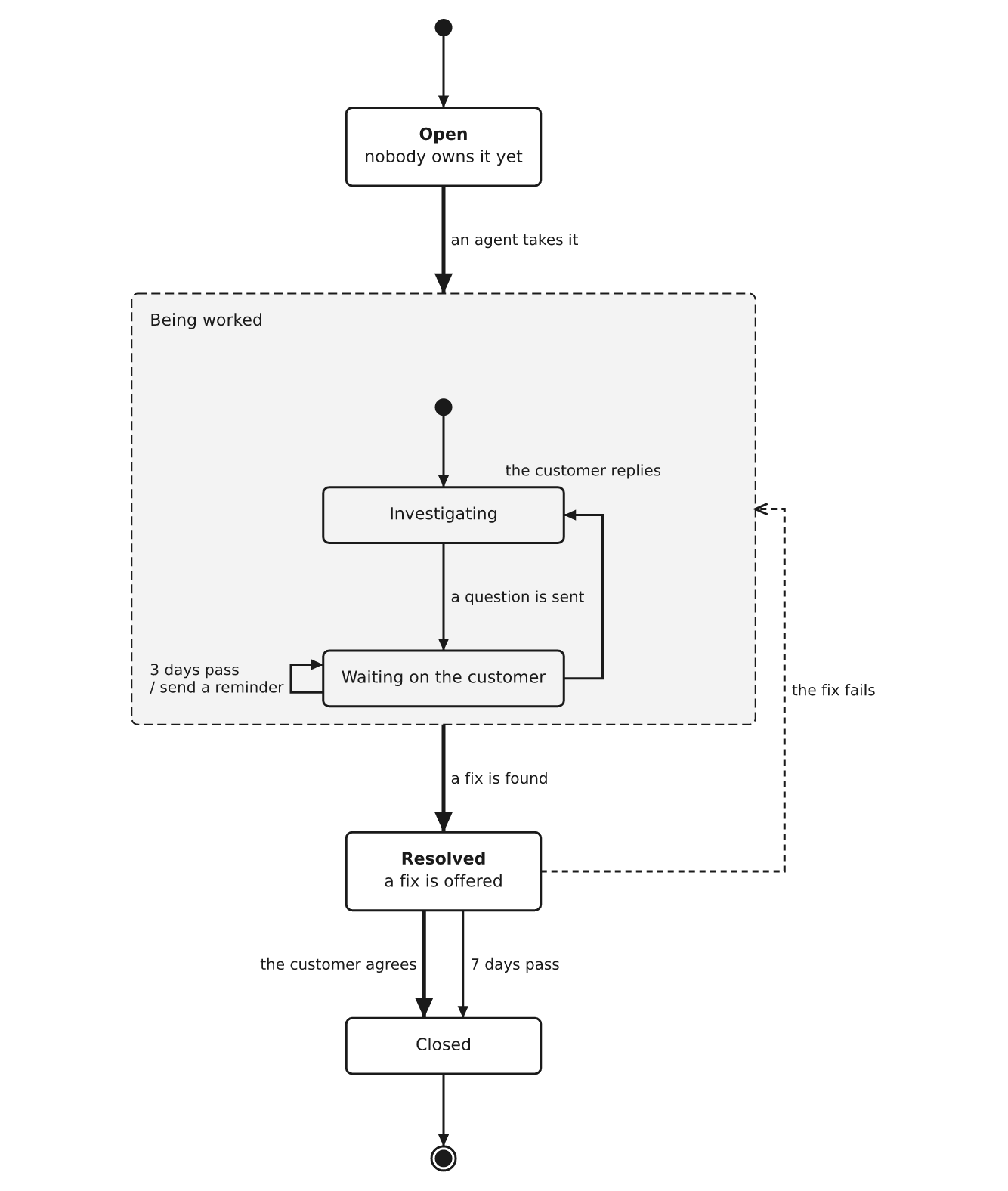
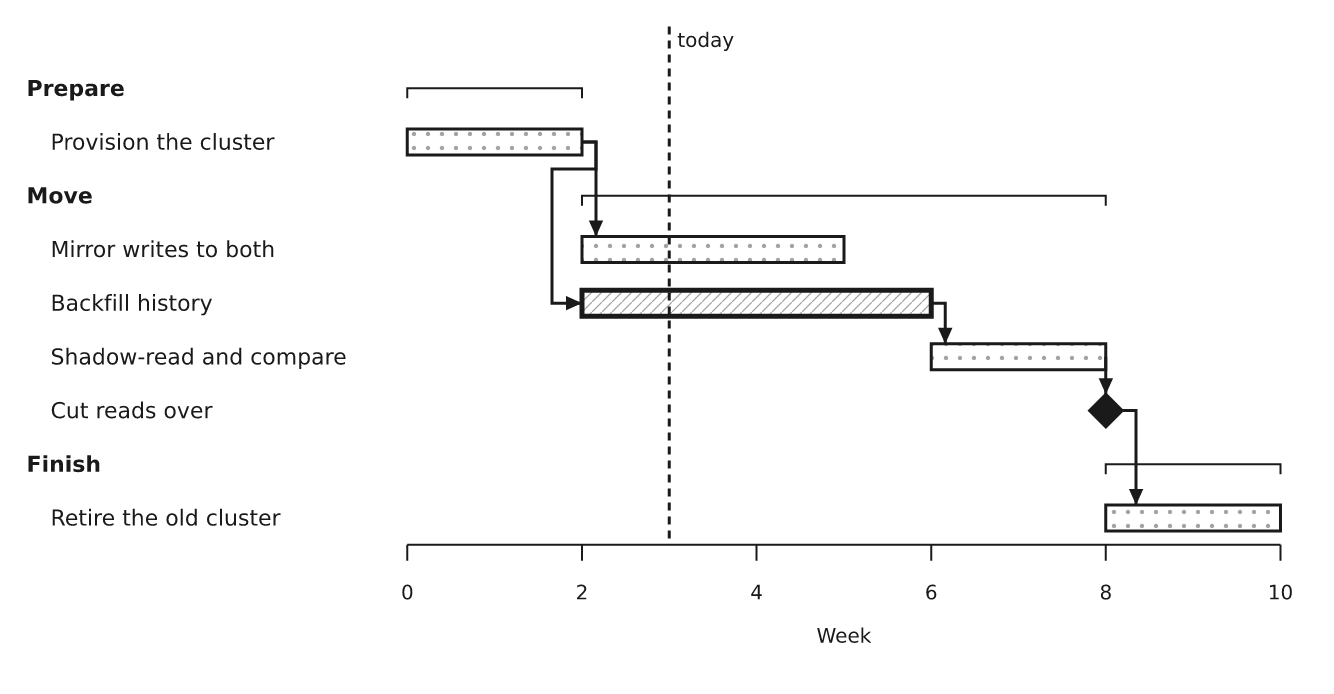
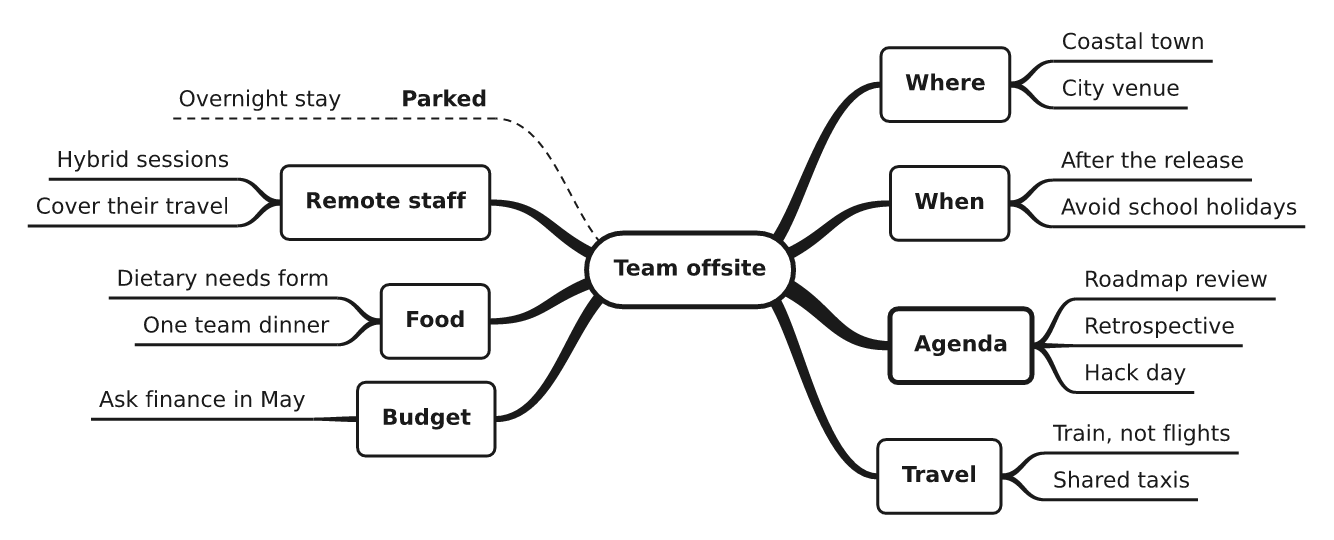
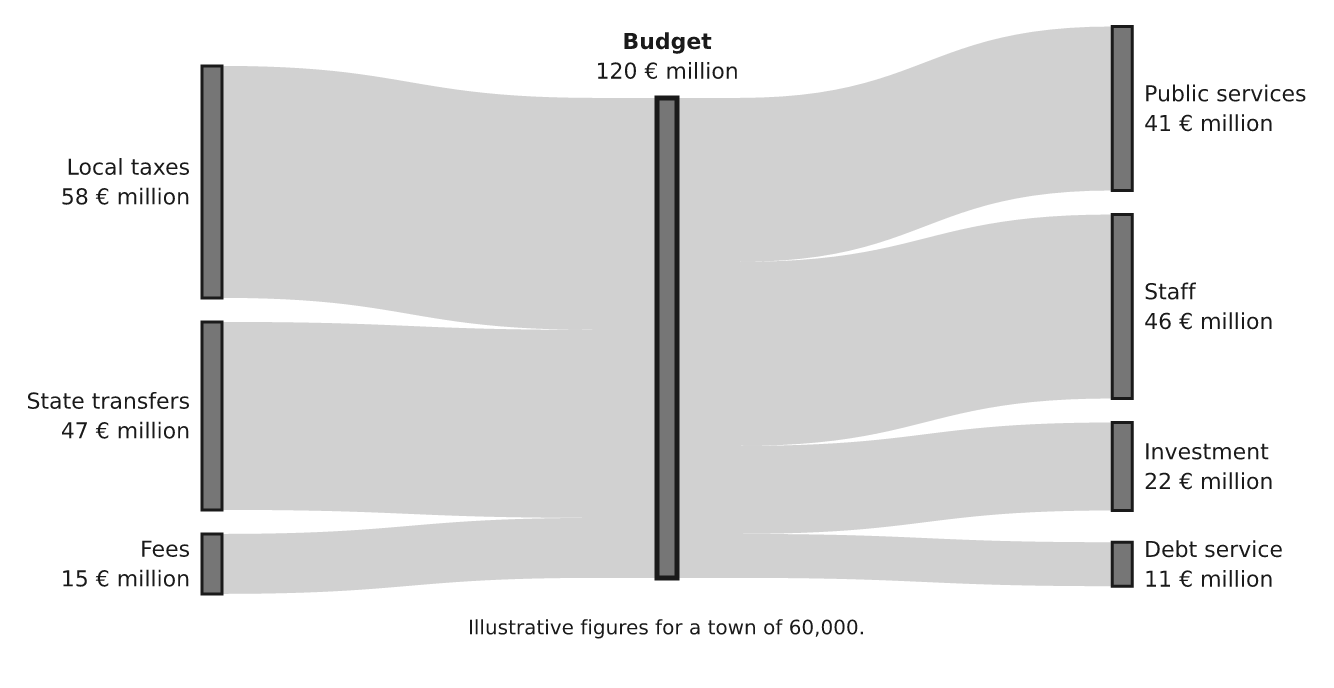
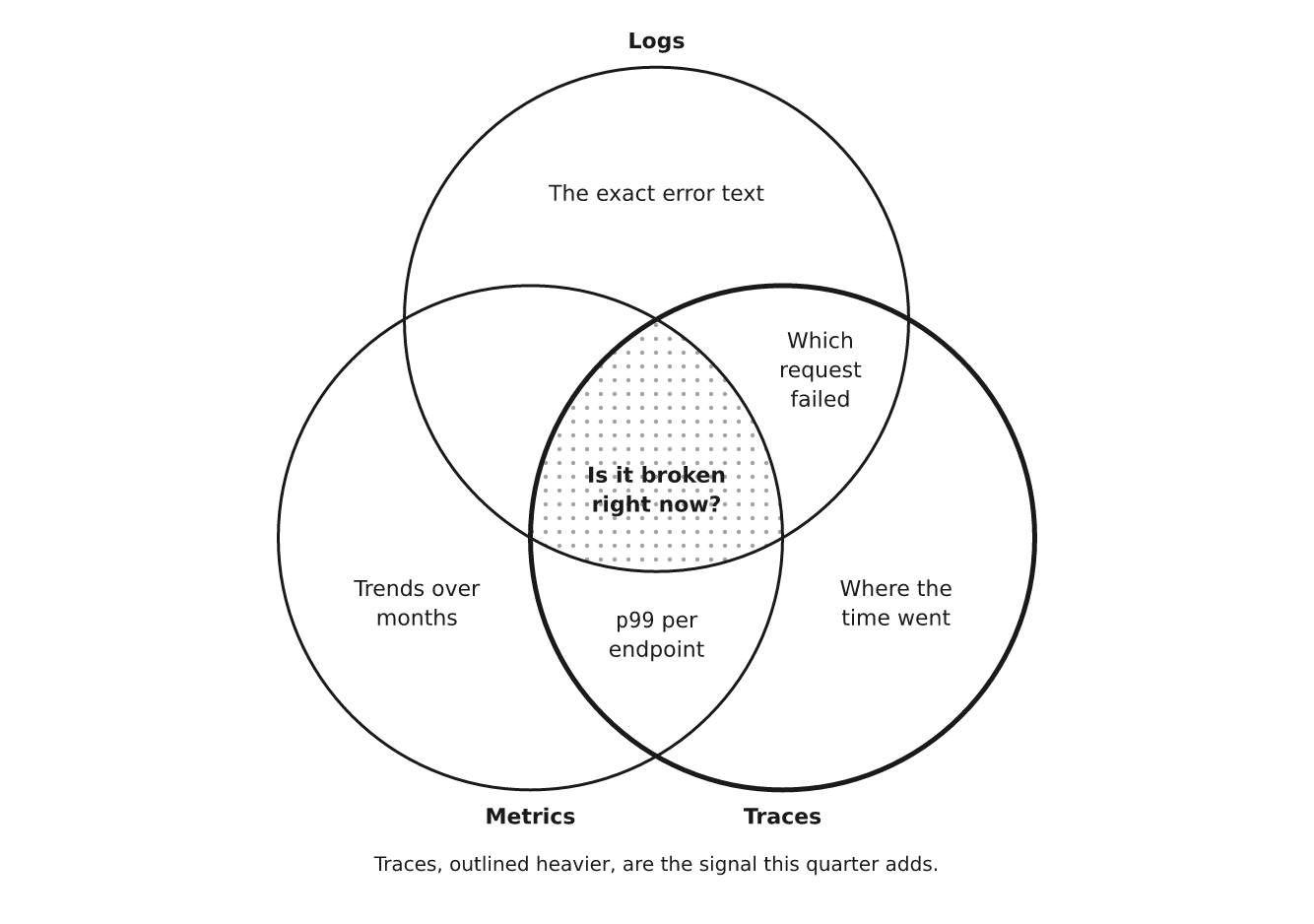
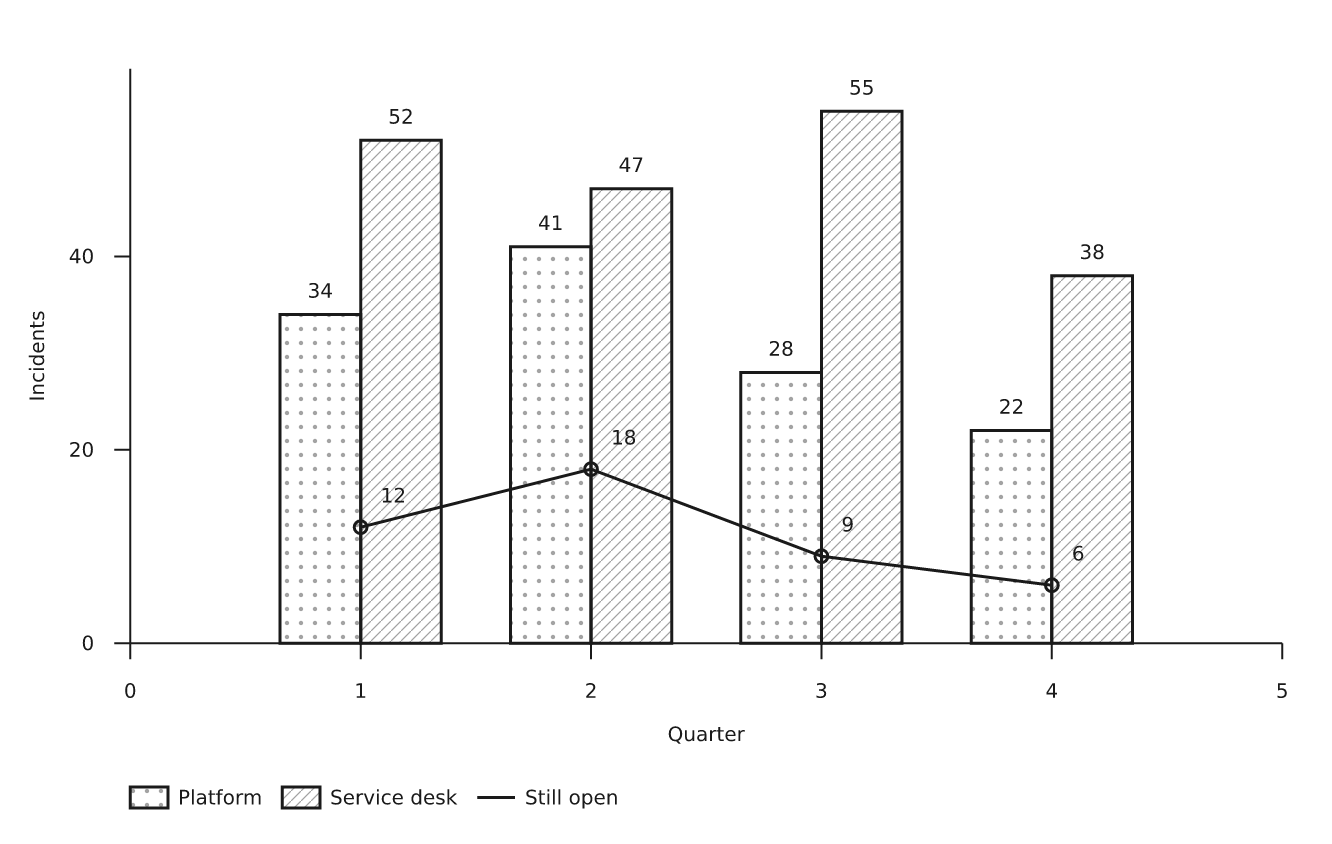
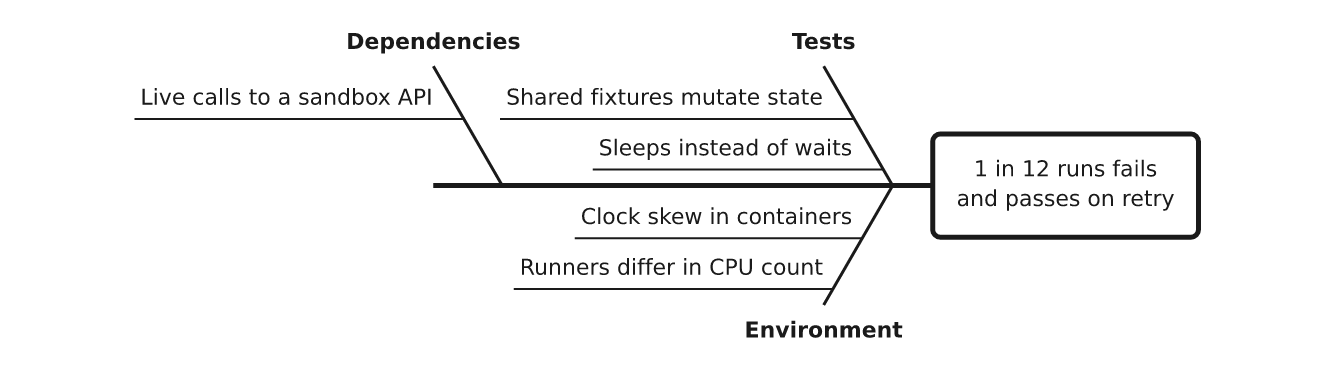
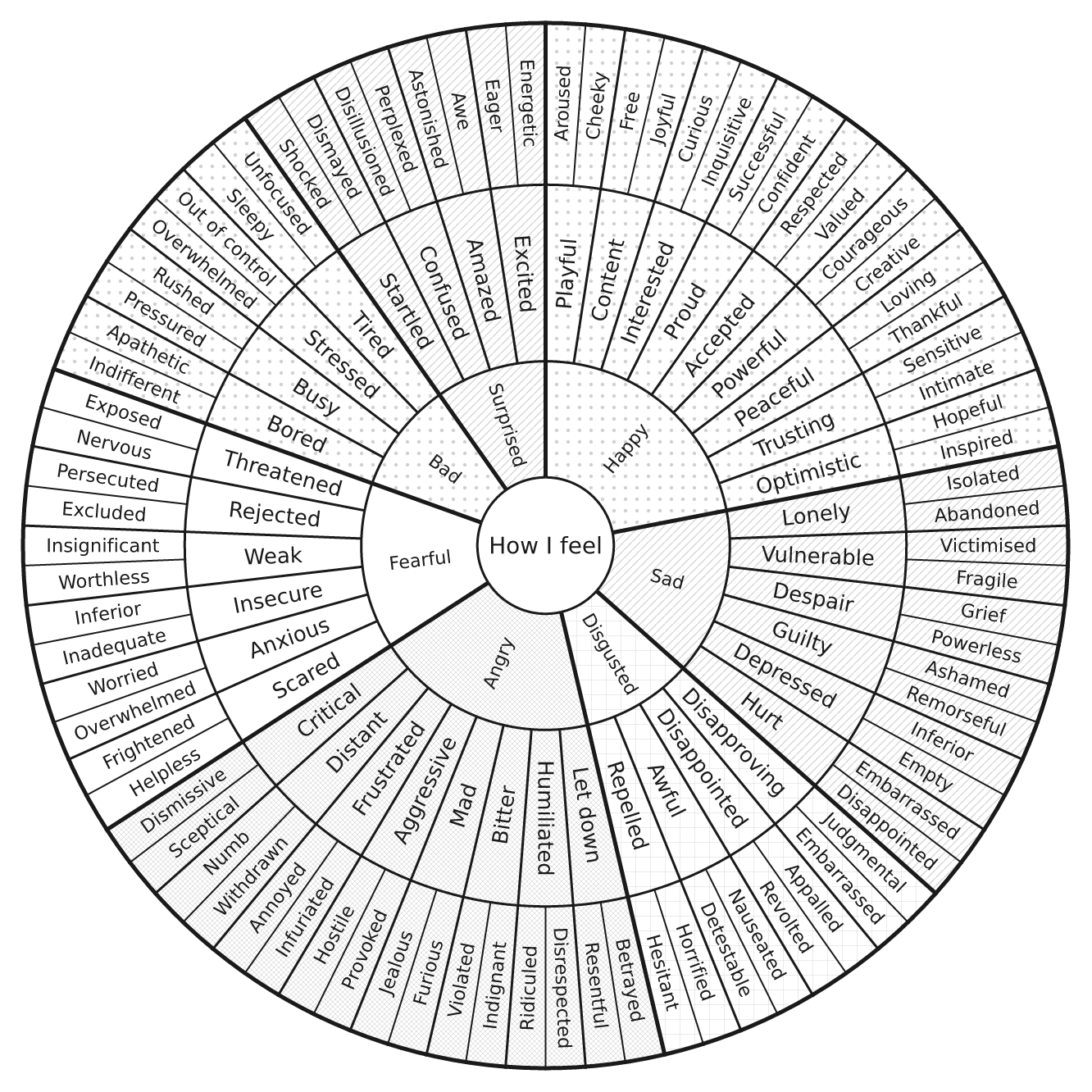
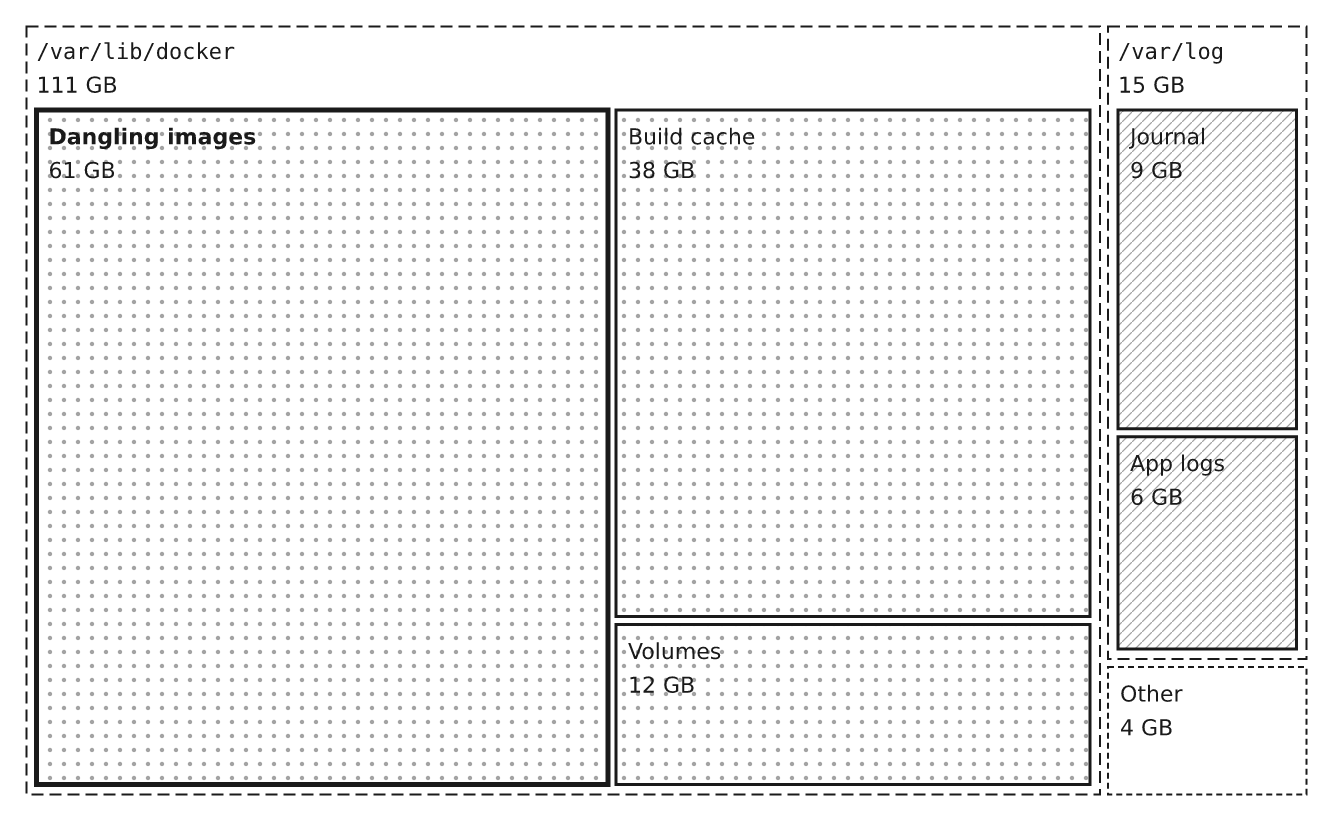
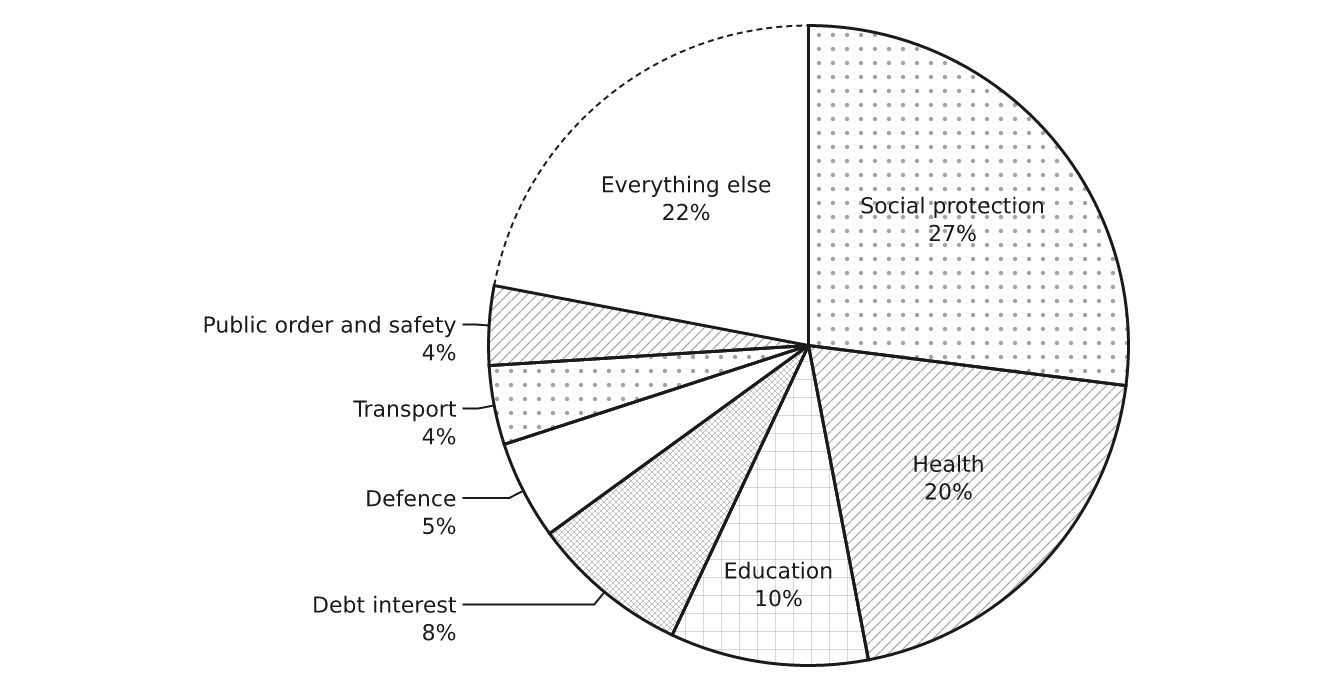
フローチャート、シーケンス図、ステートマシン、ER 図、クラス図、ガントチャート、スイムレーン、マインドマップ、タイムライン、ベン図、サンキーダイアグラム、ツリーマップ、円グラフ、棒グラフ、カンバンボード、特性要因図、家系図、ファイルツリーなど、あらゆる図をひとつの形式で作成できます。図をクリックすると拡大表示され、種類の名前をクリックするとソースを確認できます。コードはすべてここにあります。
sequence | entities | states |
|---|---|---|
 |
 |
 |
gantt | mindmap | sankey |
 |
 |
 |
venn | chart | fishbone |
 |
 |
 |
sunburst | treemap | pie |
 |
 |
 |
全種類の一覧:flow · tree · cycle · stack · timeline · columns ·
matrix · pyramid · rings · funnel · chart · quadrant · scatter ·
curve · files · states · sequence · lanes · entities · gantt ·
board · fishbone · venn · journey · treemap · sankey · numberline ·
barmodel · waterfall · pie · mindmap · argument · familytree ·
meter · rag · clock · sunburst。それぞれに docs/reference のサンプルがあり、
ギャラリー
(docs/gallery/index.html)ではすべてを描画します。
LLM からの利用
- MCP サーバー —
pip install 'drawspec[mcp]'を実行するとdrawspec-mcpが追加され、次のツールを利用できます。list_kinds、get_example、get_schema、validate_document、およびrender_document。間違いがあると、モデルが対処できるデータとして返されます。{"pointer": "/edges/0/to", "message": …}。 ガイドを参照してください。 AGENTS.md— モデルが一度に読み通せるように、形式全体を1ページにまとめています。どの種類が適しているか、サイズ制限、役割、具体例、各エラーの意味を説明しています。llms.txtにその一覧があります。- エージェントスキル —
skills/drawspec/をスキルディレクトリにコピーしてください。 - JSON Schema — エディターや構造化出力の呼び出しで、入力中に補完やエラーを表示するには、ドキュメントの先頭に
"$schema": "https://nuncaeslupus.github.io/drawspec/schema/drawspec-v1.schema.json"を指定してください。
一般的な流れ:モデルが種類を選び、JSON を記述し、validate_document を呼び出して、報告された内容を修正し、描画します。
得られるもの
| 記述する内容 | drawspec が決定する内容 |
|---|---|
| ノード、エッジ、ラベル | 座標、ボックスのサイズ、キャンバスのサイズ |
ノードごとの意味的な役割(start、decision、emphasis…) | 形状、フォント、色、線の太さ |
| 図の種類 | レイアウト、エッジの経路、矢印の先端、ラベルの配置 |
- SVG は Markdown や HTML にインラインで貼り付けられます。ページのテキスト色を引き継ぎ、グローバルスタイルや衝突する ID を含まず、色だけに依存しないため、ダークモードやグレースケール印刷でも機能します。
--variant dark=<theme>を指定すると、prefers-color-schemeに従うダークバージョンが追加されます。 - 明るい背景、暗い背景、または透明な背景の PNG(
pip install 'drawspec[png]')。 - フロー、状態機械、シーケンス、ガントチャート、ファイルツリーなど、多くの種類に対応した プレーンテキスト(罫線文字または ASCII)。
- テーマ:TOML ファイルを1つ変更するだけで、プロジェクト内のすべての図に反映されます。
drawspec theme from site.cssを実行すると、CSS またはデザイントークンからテーマを作成できます。 - 読みやすさを重視した設計:種類ごとにサイズの上限があります。 上限を超えると、drawspec は密な図を描くのではなく、図を分割するよう求めます。
コマンドライン
drawspec render diagram.json -o diagram.svg          # or to stdout
drawspec render diagram.json -o diagram.png          # needs drawspec[png]; --background dark, --scale 3
drawspec render diagram.json --theme blueprint -o sheet.png
drawspec render diagram.json --format text           # 80 columns; --charset ascii
drawspec validate diagram.json                       # every error, by JSON pointer
drawspec theme from site.css -o house.toml           # a theme from your CSS
drawspec schema --out drawspec-v1.schema.json        # for editor completion
対象外のもの
- グラフレイアウトエンジンではありません。 ノードが100個あるグラフには Graphviz を使用してください。
- プロット用ライブラリではありません。
chartはすでに分かっているいくつかの数値を示すだけです。統計、日付、対数目盛、インタラクティブ機能はありません。 - 描画プログラムではありません。 フロアプランや地図など、要点が物の「位置」にあるものは、座標を使わない形式には適しません。
ドキュメント
| ページ | 内容 |
|---|---|
| ガイド | インストール、最初の図の作成、種類の選択、埋め込み、CI での検証、テーマ |
| ドキュメント形式 | すべての種類のすべてのフィールドと、拒否されるすべてのフィールドおよびその理由 |
| コマンドライン | すべてのコマンド、オプション、終了コード |
| テーマ | すべてのテーマキーとそのデフォルト値 |
| AGENTS.md | 言語モデル向けに形式を1ページで解説 |
リファレンスはコードから生成され(make docs)、内容に差異があるとテストが失敗します。
開発
make sync     # install with dev extras
make lint     # ruff + strict mypy
make test     # pytest
make gallery  # render every reference document into docs/gallery
make readme   # redraw the README's example images in docs/readme
make docs     # regenerate the format, CLI and theme references
make schema   # regenerate the published JSON Schema
ライブラリは src/drawspec/ に、サンプルは docs/reference/ に、テストは
tests/ にあります。docs/brief.md と corpus/ には、元の設計概要とその根拠となった
資料が含まれています。.claude/ と claude-arsenal/ は開発用ツールであり、
パッケージには影響しません。
関連プロジェクト
claude-arsenal を使って構築されています。 これは仕様主導の Claude Code ワークフローで、そのスキルは drawspec を使って図を描画します。 同じ作者によるプロジェクト:
- integral-job-search — Claude Code での会話を通じて進める、候補者中心の求職活動です。
- literary-critic — LLM が小説の原稿全体をインデックス化、分析し、プロの編集者のように助言できるようにします。
- doc-control — AI エージェントが変更履歴として Word 文書を編集するための決定論的なツールです(開発中)。
ライセンス
MIT — LICENSE を参照してください。
コメント
AI アプリケーションが外部のツールやデータソースに統一的な方法で接続するためのオープンなプロトコルです。クライアントはモデルとの対話を担い、MCP サーバーはツール・リソース・プロンプトテンプレートを提供します。標準メッセージでやり取りするため、1 つのサーバーを複数のクライアントで再利用できます。