
GitHub Issue MCP について
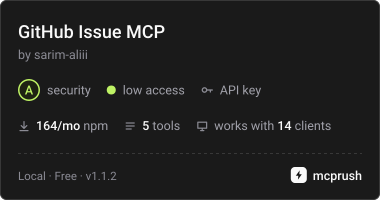
GitHub Issue MCPはGoogle Geminiを使い、バグ報告を構造化されたGitHub Issueにまとめ、意味的な重複を確認します。AIの分析とGitHubへの書き込みを分離し、作成前に人の承認を求めます。
主な機能
- 01構造化されたGitHub Issueの生成
- 02重複候補の検索と意味分析
- 03Issueとリポジトリラベルの取得
- 04Issueの追加情報の収集
- 05Issue作成前の承認要求
- 06ワークフロー段階ごとのツール制限
活用シーン
- 01バグ報告からIssueの下書きを作成
- 02報告されたバグが既存か確認
- 03公開前に作成予定のIssueを確認
MCP 対応
MCPサーバーはIssue生成、重複確認、Issueとラベルの取得、Issue作成のツールを公開します。stdioで通信し、人の明示的な承認後にクライアントが作成操作を実行します。
設定
ローカルサーバーの設定はどのクライアントでも共通です。コピーしてクライアントの MCP 設定ファイルに貼り付けてください。
npx -y github-issue-mcpGITHUB_TOKENシークレットGitHub personal access token used to access the configured repository.GITHUB_OWNERGitHub repository owner or organization.GITHUB_REPOGitHub repository name.GEMINI_API_KEYシークレットGoogle Gemini API key used for AI-powered issue generation and semantic duplicate analysis.ローカルサーバーにはマシン上の実行環境(Node.js 18 以上など)が必要です。設定ファイルの場所はクライアントごとに異なります。
ツール
5掲載時のツール一覧 · 2 週間前に更新
| パラメーター | 型 | 必須 | 説明 |
|---|---|---|---|
| type | enum | はい | GitHub issue のタイプbug | feature | task |
| labels | array | いいえ | リポジトリで使用可能な GitHub ラベルから選択したラベル |
| description | string | はい | 問題またはリクエストの簡潔な自然言語による説明 |
| environment | string | いいえ | ブラウザー、オペレーティングシステム、アプリケーションのバージョンなど |
| actualBehavior | string | いいえ | 実際の動作 |
| expectedBehavior | string | いいえ | 期待される動作 |
| additionalContext | string | いいえ | ログ、スクリーンショット、関連情報、その他の有用なコンテキスト |
| reproductionSteps | string | いいえ | 問題を再現するために必要な手順 |
詳細
GitHub Issue MCP アシスタント



Model Context Protocol(MCP)、Google Gemini、TypeScript、および GitHub REST API で構築された、AI を活用した GitHub Issue 管理システムです。
GitHub Issue MCP は、短い自然言語のバグ報告を構造化された GitHub Issue に変換します。Issue を作成する前に、既存の重複 Issue がないかをインテリジェントに確認します。
このプロジェクトは、Gemini が推論して MCP ツールを使用できる一方で、GitHub への永続的な書き込み操作はアプリケーションとユーザーによって明示的に制御される、管理された エージェント型ワークフロー を実証します。
MCP サーバーは再利用可能な npm パッケージとしても提供されており、他の Node.js アプリケーションに組み込んだり、MCP stdio サーバーとして直接起動したりできます。
✨ 特長
- 🤖 Google Gemini を使用した AI による Issue 生成
- 🔍 重複 Issue の検出
- 🧠 キーワードの照合だけに頼らない 意味的な重複分析
- 📝 Issue の追加情報を対話形式で収集
- 🏷️ リポジトリのラベル取得と検証
- 👤 Issue 作成前の人による承認
- 🔐 自律型 AI エージェントが GitHub Issue を直接作成するのを防止
- 🔄 Gemini API の一時的なエラーに対する自動再試行
- 🚦 不要な再試行を行わずに Gemini の日次クォータを検出
- ⚙️ Gemini モデルと再試行動作を設定可能
- 🧪 包括的な単体テスト、ワークフローテスト、統合テスト
- 📦 再利用可能な MCP サーバーアーキテクチャ
- 🔌 公開済みの npm パッケージ
- 🚀 実行可能な
github-issue-mcpMCP CLI - 🌐 公式 MCP Registry に公開
- 🛡️ フェーズによって制限される AI ツールアクセス
- 🔗 AI による推論と外部の GitHub 操作を分離
📦 インストール
npm からインストール
npm install github-issue-mcp

The package is available on npm as:

github-issue-mcp

Current release:

v1.1.2
🚀 Quick Start
Run as an MCP server

The package exposes an executable MCP server CLI.

npx -y github-issue-mcp

The server communicates using MCP over stdio.

This is the recommended approach when configuring the server in an MCP-compatible client.

🔌 MCP Client Configuration

GitHub Issue MCP can be used with any MCP-compatible client that supports stdio servers.

Using npx

The simplest configuration uses the published npm package:

{
  "mcpServers": {
    "github-issue-mcp": {
      "command": "npx",
      "args": [
        "-y",
        "github-issue-mcp"
      ],
      "env": {
        "GITHUB_TOKEN": "YOUR_GITHUB_TOKEN",
        "GITHUB_OWNER": "YOUR_GITHUB_OWNER",
        "GITHUB_REPO": "YOUR_GITHUB_REPO",
        "GEMINI_API_KEY": "YOUR_GEMINI_API_KEY"
      }
    }
  }
}

The MCP client starts:

npx -y github-issue-mcp

and communicates with the server over stdio.

⚙️ Configuration

Create a .env file when running the project locally.

GITHUB_TOKEN=your_github_token
GITHUB_OWNER=your_github_username
GITHUB_REPO=your_repository


GEMINI_API_KEY=your_gemini_api_key


GEMINI_MODEL=gemini-3.6-flash
GEMINI_MAX_RETRIES=3
GEMINI_RETRY_BASE_DELAY=1000


DEBUG=false
Environment variables
Variable	Required	Description	Default
GITHUB_TOKEN	Yes	GitHub API authentication token	Required
GITHUB_OWNER	Yes	GitHub repository owner or organization	Required
GITHUB_REPO	Yes	GitHub repository name	Required
GEMINI_API_KEY	Yes	Google Gemini API key	Required
GEMINI_MODEL	No	Gemini model used by the AI client	gemini-3.6-flash
GEMINI_MAX_RETRIES	No	Maximum number of Gemini retries	3
GEMINI_RETRY_BASE_DELAY	No	Base retry delay in milliseconds	1000
DEBUG	No	Enables debug behavior/logging	false

Never commit .env, GitHub tokens, or Gemini API keys to Git.

🧩 MCP Tools

The MCP server exposes the following tools:

Tool	Purpose
generate_issue	Generate a structured GitHub issue
create_github_issue	Create an issue on GitHub
list_github_issues	Retrieve open repository issues
list_github_labels	Retrieve repository labels
check_duplicate_issue	Find likely duplicate issue candidates
generate_issue

Generates a structured issue from supplied information.

Inputs
description
reproductionSteps
expectedBehavior
actualBehavior
environment
additionalContext
Example output
{
  "title": "Bug: Login button does not work",
  "body": "## Description\n\nLogin button does not work...",
  "labels": ["bug"]
}
check_duplicate_issue

Retrieves likely duplicate candidates from the repository.

The tool performs inexpensive lexical candidate ranking against existing open issues.

The similarity score is not treated as proof of duplication.

Gemini performs the final semantic analysis.

This keeps the expensive AI reasoning focused on a small candidate set rather than every issue in the repository.

list_github_issues

Retrieves open GitHub issues while filtering out pull requests.

list_github_labels

Retrieves labels available in the repository.

create_github_issue

Creates the final GitHub issue.

This tool is intentionally not exposed to the autonomous Gemini agent.

It is invoked directly by the client only after explicit human approval.

🏗️ Architecture
                         ┌──────────────────┐
                         │      User        │
                         └────────┬─────────┘
                                  │
                                  ▼
                         ┌──────────────────┐
                         │    CLI Client    │
                         └────────┬─────────┘
                                  │
                                  ▼
                    ┌──────────────────────────┐
                    │       MCP Client         │
                    └────────────┬─────────────┘
                                 │
                                 ▼
                    ┌──────────────────────────┐
                    │       MCP Server         │
                    └────────────┬─────────────┘
                                 │
              ┌──────────────────┼──────────────────┐
              │                  │                  │
              ▼                  ▼                  ▼
       Duplicate Check     Issue Generation    GitHub Tools
              │                  │                  │
              ▼                  ▼                  ▼
       Candidate Issues    Proposed Issue      GitHub REST API
              │                  │
              ▼                  ▼
       Gemini Semantic      Human Approval
          Analysis              │
              │                  │
         ┌────┴────┐        ┌────┴────┐
         │         │        │         │
        Yes        No       No       Yes
         │         │        │         │
         ▼         ▼        ▼         ▼
        Stop    Continue   Stop   Create Issue
🔑 Core Design Principle

The most important architectural decision is:

Gemini does not have autonomous access to the GitHub write operation.

The workflow is intentionally divided into controlled phases.

Phase 1
Duplicate Detection
        │
        ▼
Semantic Analysis
        │
        ▼
Phase 2
Collect Details
        │
        ▼
Phase 3
Issue Generation
        │
        ▼
Phase 4
Human Approval
        │
        ▼
Phase 5
GitHub Creation

This provides a clear human-in-the-loop safety boundary around persistent external side effects.

🔄 Workflow

The complete workflow is:

1. User describes an issue
              │
              ▼
2. Retrieve duplicate candidates
              │
              ▼
3. Gemini performs semantic analysis
              │
       ┌──────┴──────┐
       │             │
    Duplicate      No duplicate
       │             │
       ▼             ▼
      Stop    4. Collect additional details
                     │
                     ▼
             5. Gemini generates
                structured issue
                     │
                     ▼
             6. Display proposed issue
                     │
                     ▼
             7. Ask user for approval
                     │
              ┌──────┴──────┐
              │             │
             No            Yes
              │             │
              ▼             ▼
             Stop    8. Client creates
                       GitHub issue
🔍 Duplicate Detection

Duplicate detection is deliberately split into two stages.

Stage 1 — Candidate Retrieval

The MCP tool performs inexpensive lexical similarity/ranking against existing open issues.

For example:

User:


"The search results page crashes when I apply multiple filters."


                    │
                    ▼


          check_duplicate_issue


                    │
                    ▼


Candidate #8


"The search results page crashes
when I apply multiple filters."


Similarity: 0.21

The similarity score is only used to identify potentially relevant candidates.

It is not considered proof of duplication.

Stage 2 — Semantic Analysis

Gemini receives the candidate issues and determines whether any candidate describes the same underlying problem.

Example:

{
  "isDuplicate": true,
  "duplicateIssue": {
    "number": 8,
    "title": "Bug: The search results page crashes when I apply multiple filters.",
    "url": "https://github.com/example/repository/issues/8"
  },
  "reason": "The candidate describes the exact same underlying problem."
}

This prevents unrelated issues from being incorrectly classified as duplicates merely because they share common words such as:

login
page
button
crash
issue
🤖 Agent Workflow

The Gemini agent supports controlled multi-step tool execution.

Available MCP tools are restricted according to the current workflow phase.

Phase 1 — Duplicate Detection

Gemini receives:

check_duplicate_issue

The agent can use this tool to retrieve candidate issues.

It cannot use:

generate_issue
create_github_issue

during this phase.

Phase 3 — Issue Generation

Gemini receives:

list_github_labels
generate_issue

This allows the agent to inspect repository labels and generate the proposed issue.

It still cannot create the GitHub issue.

Phase 5 — Issue Creation

The autonomous Gemini agent does not receive:

create_github_issue

Instead, the application directly invokes the tool after explicit human approval.

🔐 Security Model

The project uses multiple layers to prevent unintended GitHub writes.

1. Phase-Based Tool Exposure

Available tools are restricted depending on the current workflow phase.

Duplicate Phase
      │
      └── check_duplicate_issue
Generate Phase
      │
      ├── list_github_labels
      └── generate_issue
Creation Phase
      │
      └── create_github_issue
             (client-controlled)
2. Autonomous Write Protection

The Gemini agent cannot directly invoke:

create_github_issue

Even if the model attempts to request the tool, the agent workflow rejects the operation.

3. Human Approval

The proposed issue is displayed to the user before creation.

Example:

================================
PROPOSED GITHUB ISSUE
================================


Title:
Bug: Login button does not work with valid credentials.


Labels:
bug


Body:


## Description


Login button does not work with valid credentials.


## Steps to Reproduce


Open login page → enter valid credentials → click Login.


## Expected Behavior


User should be redirected to the dashboard.


## Actual Behavior


Nothing happens after clicking Login.


Create this issue on GitHub? [y/N]:

Only explicit approval proceeds to the GitHub write operation.

👤 Human-in-the-Loop Creation

Issue creation is intentionally controlled by the application.

Gemini
   │
   ▼
Generate Proposed Issue
   │
   ▼
CLI Displays Issue
   │
   ▼
User Approval
   │
   ├── No ──► Stop
   │
   └── Yes
         │
         ▼
Client invokes create_github_issue
         │
         ▼
GitHub

Creating a GitHub issue is a persistent external side effect.

Therefore, the AI proposes the action while the user controls the final write operation.

🔄 Gemini Error Handling

The Gemini client includes retry handling for temporary API failures.

HTTP 429

The system distinguishes between temporary rate-limit errors and exhausted daily quotas.

Temporary 429 errors are retried according to the configured retry policy.

Daily quota exhaustion is detected separately and is not repeatedly retried because additional requests cannot succeed until the quota resets or a different Gemini project/model is used.

HTTP 5xx

Temporary Gemini server-side failures are retried automatically.

Examples include:

500
502
503
504
Retry Configuration

Retry behavior can be configured through environment variables:

GEMINI_MAX_RETRIES=3
GEMINI_RETRY_BASE_DELAY=1000

The retry delay increases between attempts.

Invalid JSON

If an MCP tool expected to return JSON produces malformed output, the agent reports a clear error.

Examples:

generate_issue returned invalid JSON.

or:

check_duplicate_issue returned invalid JSON.

This keeps failures localized and easier to diagnose.

📚 Use as a Library

GitHub Issue MCP is designed to be embedded into another Node.js application.

Create an MCP server
import {
  createGitHubIssueMcpServer
} from "github-issue-mcp/server";


const server = createGitHubIssueMcpServer({
  name: "my-github-issue-server",
  version: "1.0.0"
});

The server factory has no dependency on a specific transport, allowing the MCP server to be reused by different hosts and transports.

Start a stdio server
import {
  startStdioServer
} from "github-issue-mcp/server/stdio";


await startStdioServer();
Start the executable CLI
npx -y github-issue-mcp

The executable starts the reusable MCP server using the stdio transport.

📦 Package Exports

The npm package exposes the following public entry points:

github-issue-mcp
github-issue-mcp/server
github-issue-mcp/server/stdio
Server factory
import {
  createGitHubIssueMcpServer
} from "github-issue-mcp/server";
Stdio server
import {
  startStdioServer
} from "github-issue-mcp/server/stdio";
CLI
npx -y github-issue-mcp
🌐 MCP Registry

GitHub Issue MCP is published to the official MCP Registry.

Registry identifier:

io.github.sarim-aliii/github-issue-mcp

npm package:

github-issue-mcp

Current release:

v1.1.2

The Registry publication allows MCP-compatible ecosystems to discover the server using its official registry identity.

🧪 Testing

The project uses Vitest for automated testing.

The current test suite contains:

12 test files
47 tests
47 passing

Tests cover multiple layers of the application.

GitHub API Tests
tests/github/issues.test.ts

Validates:

GitHub issue retrieval
Pull-request filtering
Label retrieval
Label validation
Empty label handling
GitHub issue creation
GitHub API error handling
MCP Tool Tests
tests/tools/mcp-tools.test.ts

Validates:

MCP tool registration
MCP tool invocation
Tool argument handling
MCP error responses
Issue Generation Tests
tests/tools/generate-issue.test.ts

Validates:

Bug issue generation
Optional field handling
Fallback placeholders
Structured issue output
Duplicate Detection Tests
tests/tools/check-duplicate.test.ts

Validates:

Candidate retrieval
Similarity ranking
Candidate limiting
Duplicate detection behavior
Gemini Agent Tests
tests/client/agent.test.ts

Validates:

Gemini request handling
Temporary 429 retry behavior
Temporary 5xx retry behavior
Daily quota handling
Maximum retry behavior
Non-retryable errors
Agent Workflow Tests
tests/client/agent-workflow.test.ts

Validates:

Duplicate-check phase restrictions
Issue-generation phase restrictions
Label lookup
Structured issue generation
Autonomous creation protection
Malformed MCP responses
Workflow Tests
tests/client/workflow.test.ts

Validates:

Duplicate workflow termination
Successful issue generation and creation
Approval rejection
Missing generated issue handling
Configuration Tests
tests/client/config.test.ts

Validates:

Default Gemini configuration
Environment-variable configuration
MCP Integration Tests
tests/integration/mcp-server.test.ts

Validates:

MCP server startup
MCP connection behavior
MCP tool availability
Package API Integration Tests
tests/integration/package-api.test.ts

Validates the public npm package API and ensures the published package exposes the expected reusable server interfaces.

Issue Creation Safety Tests

The integration suite also validates that the issue creation boundary remains client-controlled and that the autonomous agent cannot bypass the intended approval flow.

▶️ Run Tests

Run the complete test suite:

npm test

Run TypeScript validation:

npm run typecheck

Build the project:

npm run build

Expected current result:

Test Files  12 passed (12)
Tests       47 passed (47)
📊 Test Coverage

The current suite validates:

✓ GitHub API interactions
✓ Issue listing
✓ Pull-request filtering
✓ Label retrieval
✓ Label validation
✓ Issue creation
✓ GitHub API error handling
✓ MCP tool registration
✓ MCP tool invocation
✓ Issue generation
✓ Duplicate candidate retrieval
✓ Lexical candidate ranking
✓ Semantic duplicate workflow
✓ Gemini retries
✓ Gemini 429 handling
✓ Gemini 5xx handling
✓ Gemini quota handling
✓ Malformed JSON handling
✓ Agent phase restrictions
✓ Human-controlled write boundary
✓ Workflow orchestration
✓ Approval handling
✓ MCP integration
✓ Package API
✓ Configuration defaults
✓ Environment-based configuration
🧪 Consumer Integration Testing

The project also validates installation from the built npm package in a clean consumer project.

The tested flow is:

Build package
      │
      ▼
npm pack
      │
      ▼
Install package in clean project
      │
      ▼
Import public API
      │
      ▼
Create MCP server
      │
      ▼
Start stdio server
      │
      ▼
Connect with MCP Client
      │
      ▼
Discover tools

The published package has been tested using:

npm install github-issue-mcp

and the executable:

npx github-issue-mcp

The consumer integration verifies that the expected MCP tools are available.

🛠️ Tech Stack
Language
TypeScript
Node.js
AI
Google Gemini
@google/genai
MCP
@modelcontextprotocol/sdk
Validation
Zod
CLI
Inquirer
Testing
Vitest
GitHub
GitHub REST API
📁 Project Structure
github-issue-mcp/
│   │   ├── agent.ts
│   │   ├── ai-client.ts
│   │   ├── approval.ts
│   │   ├── cli.ts
│   │   ├── config.ts
│   │   ├── index.ts
│   │   ├── issue-details.ts
│   │   ├── logger.ts
│   │   ├── tool-adapter.ts
│   │   └── workflow.ts
│   │
│   ├── github/
│   │   ├── client.ts
│   │   └── issues.ts
│   │
│   ├── server/
│   │   ├── cli.ts
│   │   ├── create-server.ts
│   │   ├── index.ts
│   │   └── stdio.ts
│   │
│   ├── tools/
│   │   ├── check-duplicate.ts
│   │   ├── create-issue.ts
│   │   ├── generate-issue.ts
│   │   ├── list-issues.ts
│   │   └── list-labels.ts
│   │
│   ├── types/
│   │   └── issue.ts
│   │
│   └── index.ts
│
├── examples/
│   ├── basic-server/
│   │   └── index.mjs
│   │
│   ├── stdio-client/
│   │   └── index.mjs
│   │
│   └── README.md
│
├── tests/
│   ├── client/
│   │   ├── agent.test.ts
│   │   ├── agent-workflow.test.ts
│   │   ├── config.test.ts
│   │   └── workflow.test.ts
│   │
│   ├── github/
│   │   └── issues.test.ts
│   │
│   ├── integration/
│   │   ├── issue-creation-safety.test.ts
│   │   ├── mcp-server.test.ts
│   │   └── package-api.test.ts
│   │
│   ├── server/
│   │   └── create-server.test.ts
│   │
│   └── tools/
│       ├── check-duplicate.test.ts
│       ├── generate-issue.test.ts
│       └── mcp-tools.test.ts
│
├── .env.example
├── .gitignore
├── package.json
├── server.json
├── tsconfig.json
└── README.md
⚙️ Local Development Setup
1. Clone the repository
git clone https://github.com/sarim-aliii/github-issue-mcp.git
cd github-issue-mcp
2. Install dependencies
npm install
3. Configure environment variables

Create a .env file:

GITHUB_TOKEN=your_github_token
GITHUB_OWNER=your_github_username
GITHUB_REPO=your_repository


GEMINI_API_KEY=your_gemini_api_key


GEMINI_MODEL=gemini-3.6-flash
GEMINI_MAX_RETRIES=3
GEMINI_RETRY_BASE_DELAY=1000


DEBUG=false

Never commit .env to Git.

▶️ Running the Assistant

The original interactive client can be started with:

npx tsx src/client/index.ts

The assistant will ask for a short issue description.

Example:

✔ Describe your issue:
The export button on the reports page does nothing when clicked.

The assistant will then:

1. Connect to the MCP server
2. Discover available MCP tools
3. Search for possible duplicates
4. Analyze candidates semantically
5. Stop if a duplicate exists
6. Ask for additional details
7. Generate a structured issue
8. Display the proposed issue
9. Ask for human confirmation
10. Create the issue if approved
💡 Example
Input
The export button on the reports page does nothing when clicked.
Additional Information
Reproduction
Open the reports page, select a report, and click Export.
Expected
The selected report should be downloaded as a CSV file.
Actual
Nothing happens after clicking Export.
Environment
Chrome 126, Windows 11, App v2.4.1.
Additional context
The issue occurs consistently.
Generated Issue
## Description


The export button on the reports page does nothing when clicked.


## Steps to Reproduce


Open the reports page, select a report, and click Export.


## Expected Behavior


The selected report should be downloaded as a CSV file.


## Actual Behavior


Nothing happens after clicking the Export button.


## Environment


Chrome 126, Windows 11, App v2.4.1.


## Additional Context


The issue occurs consistently.

The user then sees:

Create this issue on GitHub? [y/N]:

Only an explicit approval creates the issue.

🧠 Design Decisions
Why MCP?

MCP provides a standardized interface between the AI agent and external capabilities.

Instead of embedding GitHub API logic directly into the Gemini workflow, GitHub operations are exposed as MCP tools.

                 Gemini
                    │
                    │ MCP
                    ▼
              GitHub Tools
                    │
                    ▼
             GitHub REST API

This keeps the AI layer separated from external-service logic and makes the tools reusable.

Why separate duplicate retrieval and semantic analysis?

The candidate retrieval process is inexpensive and deterministic enough to narrow the search space.

Gemini then performs the more expensive semantic reasoning only on relevant candidates.

All Open Issues
      │
      ▼
Lexical Candidate Ranking
      │
      ▼
Small Candidate Set
      │
      ▼
Gemini Semantic Analysis
      │
      ▼
Duplicate / Not Duplicate

This is more efficient than asking an LLM to reason over every issue in a repository.

Why require human approval?

Creating a GitHub issue is a persistent external side effect.

The system therefore separates:

AI Reasoning

from:

External Write Operation

The AI proposes the issue while the user controls the final action.

Why restrict tools by phase?

Different workflow stages require different capabilities.

Giving the model access to every tool at every stage increases the possibility of unintended behavior.

Instead:

Duplicate Phase
       │
       ▼
check_duplicate_issue
Generate Phase
       │
       ├── list_github_labels
       └── generate_issue
Creation Phase
       │
       ▼
create_github_issue
(client controlled)

This makes the agent's permissions explicit and easier to reason about.

🛡️ Reliability

The project includes explicit handling for temporary Gemini failures.

Temporary 429
     │
     ▼
Retry according to policy
Temporary 5xx
     │
     ▼
Retry according to policy
Daily quota exhausted
     │
     ▼
Stop immediately

This avoids wasting retry attempts when a daily quota cannot be recovered through another request.

🚧 Future Improvements

Potential future improvements include:

More sophisticated duplicate-ranking algorithms
GitHub issue comments
Issue updates
Issue assignment
Milestone support
GitHub Projects integration
Pull-request creation
Automatic issue categorization
Repository-specific issue templates
Support for multiple GitHub repositories
Persistent conversation context
Streaming Gemini responses
More comprehensive end-to-end integration tests
Structured logging and observability
Metrics for agent/tool execution
Repository-specific issue policies
Additional MCP transports
🎯 Project Goals

This project demonstrates how to combine:

LLM Reasoning
      +
MCP Tool Calling
      +
External APIs
      +
Structured Validation
      +
Semantic Duplicate Detection
      +
Human Approval
      +
Automated Testing

The main goal is not simply to generate GitHub issues with AI.

The goal is to demonstrate a controlled agentic workflow where:

The model can reason
The model can use tools
Tool access is restricted by workflow phase
GitHub operations are isolated behind MCP
Duplicate detection combines deterministic retrieval with AI reasoning
Persistent writes require explicit human approval
Temporary AI failures are handled automatically
The MCP server can be reused independently of the interactive client
The package can be consumed by other Node.js applications
The package can be launched directly as an MCP stdio server
The workflow is covered by automated tests
📌 Current Status
Project
Functional
Package
github-issue-mcp
v1.1.2
MCP Registry
io.github.sarim-aliii/github-issue-mcp
TypeScript
✓ Typecheck passing
✓ Build passing
Tests
✓ 12 test files
✓ 47 tests
✓ 47 passing
Core Workflow
✓ MCP server
✓ MCP client
✓ Gemini integration
✓ Duplicate candidate retrieval
✓ Semantic duplicate analysis
✓ Issue generation
✓ Label retrieval
✓ Human approval
✓ GitHub issue creation
Reusable Package
✓ npm package
✓ Public server factory
✓ Public stdio server API
✓ Executable MCP CLI
✓ Consumer integration test
✓ Package API integration test
Safety
✓ Phase-restricted Gemini tools
✓ Autonomous write protection
✓ Client-controlled GitHub creation
✓ Human approval boundary
Reliability
✓ Gemini 429 retry handling
✓ Gemini 5xx retry handling
✓ Daily quota detection
✓ Configurable retry policy
✓ Invalid JSON handling
📄 License

This project is intended as a demonstration and reusable implementation of an AI-powered, MCP-based GitHub issue management workflow.

See the repository license for licensing terms.

🔗 Links

Repository:

https://github.com/sarim-aliii/github-issue-mcp

npm:

https://www.npmjs.com/package/github-issue-mcp

MCP Registry:

https://registry.modelcontextprotocol.io/
コメント
AI アプリケーションが外部のツールやデータソースに統一的な方法で接続するためのオープンなプロトコルです。クライアントはモデルとの対話を担い、MCP サーバーはツール・リソース・プロンプトテンプレートを提供します。標準メッセージでやり取りするため、1 つのサーバーを複数のクライアントで再利用できます。