
🧠 Ultimate MCP Server について
Ultimate MCP Server は、複数プロバイダーへの LLM 委譲、ブラウザー自動化、ドキュメント処理、ベクトル操作、認知メモリーなど多くの機能を AI エージェントに提供する MCP ベースのサーバーです。複数のツールを組み合わせて使うエージェントの開発者を対象とし、コスト、性能、品質のバランスを重視して設計されています。
主な機能
- 01コストを考慮したマルチプロバイダー LLM 委譲
- 02Playwright によるブラウザー自動化
- 03ワーキング、エピソード、セマンティック、手続き記憶の認知メモリー
- 04ドキュメントのチャンク分割、要約、構造化抽出
- 05許可ディレクトリで境界を定めたファイルシステム操作
- 06Excel スプレッドシートの自動化
活用シーン
- 01要約や抽出タスクを低コストのモデルへ委譲する
- 02エージェントの複数ステップにわたる状態とコンテキストを保持する
- 03Web 調査を自動化し、結果をレポートにまとめる
MCP 対応
本プロジェクトは MCP サーバーであり、そのツールや機能を標準的な MCP ツールとして公開し、Claude などの MCP クライアントから呼び出せるようにします。
設定
ローカルサーバーの設定はどのクライアントでも共通です。コピーしてクライアントの MCP 設定ファイルに貼り付けてください。
このサーバーのパッケージやリモートエンドポイントはまだ取得できていません。プロジェクトの README の手順に従ってください。
ツール
ローカルサーバーのツールはマシン上で起動して初めて取得できます。メンテナーはまだツール一覧を提供していません。
詳細
🧠 Ultimate MCP Server



認知能力の拡張、ツールの使用、インテリジェントなオーケストレーションのための、数十もの強力な機能を高度な AI エージェントに提供する包括的な Model Context Protocol(MCP)サーバー
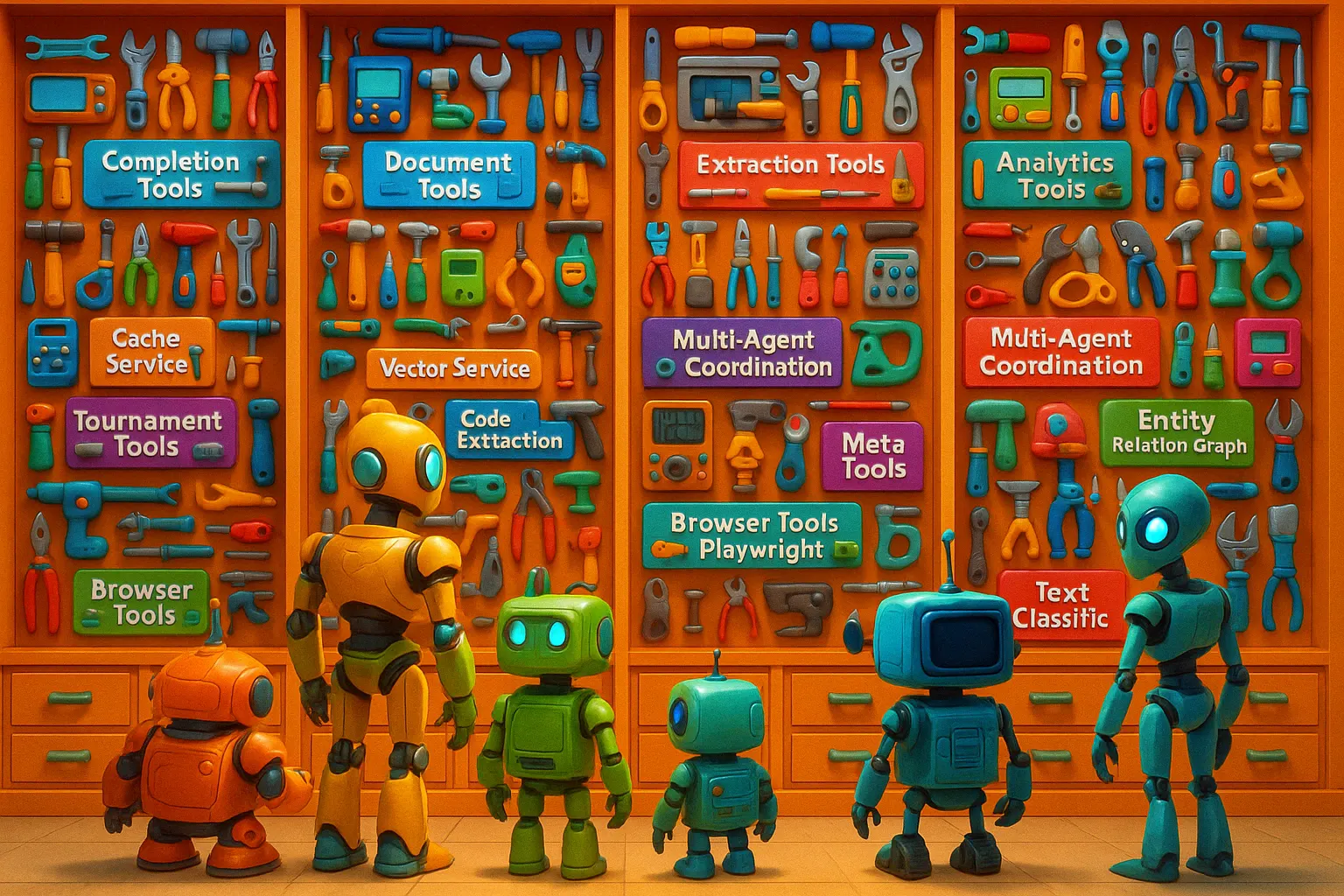
🤖 Ultimate MCP Server とは?
Ultimate MCP Server は、完全な AI エージェント用オペレーティングシステムとして機能する、包括的な MCP ネイティブシステムです。Model Context Protocol を通じて数十もの強力な機能を公開し、高度な AI エージェントが豊富なツール、認知システム、専門サービスのエコシステムを利用できるようにします。
高度なモデル(例:Claude 3.7 Sonnet)から費用対効果の高いモデル(例:Gemini Flash 2.0 Lite)へのインテリジェントなタスク委任も備えていますが、これは幅広い機能の一側面にすぎません。このサーバーは複数の LLM プロバイダーへの統一されたアクセスを提供しながら、コスト、パフォーマンス、品質を最適化します。
このシステムには、統合された認知メモリシステム、ブラウザー自動化、Excel 操作、データベース連携、ドキュメント処理、コマンドラインユーティリティ、動的な API 統合、OCR 機能、ベクトル操作、エンティティ関係グラフ、SQL データベース連携、音声文字起こしなど、さまざまな機能が備わっています。これらの機能によって、AI エージェントは単なる会話インターフェースから、デジタル環境全体で複雑な複数ステップの操作を実行できる強力な自律システムへと変わります。

---## 🎯 ビジョン:完全な AI エージェント用オペレーティングシステム
Ultimate MCP Server は、その中核において、デジタル環境での AI エージェントの動作を根本から変えるものです。AI 向けの包括的なオペレーティングシステムとして、次の機能を提供します。
- 🧠 永続的なメモリ、推論、コンテキスト認識を可能にする統一された認知アーキテクチャ
- ⚙️ ウェブ閲覧、ドキュメント処理、データ分析など、幅広い分野にわたる数十もの専用ツールへのシームレスなアクセス
- 💻 ファイルシステム操作、データベース連携、コマンドラインユーティリティのためのシステムレベル機能への直接アクセス
- 🔄 複雑な複数ステップのタスクのオーケストレーションと実行を可能にする、動的なワークフロー機能
- 🌐 コスト、品質、パフォーマンスを最適化した、さまざまな LLM プロバイダーとのインテリジェントな統合
- 🚀 AI 機能を強化する高度なベクトル操作、ナレッジグラフ、検索拡張生成
このアプローチは、高度なオペレーティングシステムがアプリケーションにハードウェア、サービス、リソースへのアクセスを提供する仕組みに似ています。ただし、AI エージェントの能力を拡張し、本来備わっている能力を超える強力な新機能を提供することを目的に設計されています。
🔌 MCP ネイティブアーキテクチャ
このサーバーは、Model Context Protocol(MCP) のみを基盤として構築されているため、Claude のような AI エージェントと連携することを前提に設計されています。すべての機能は標準化された MCP ツールを通じて公開され、エージェントから直接呼び出せます。これにより、AI エージェントと、機能、サービス、外部システムから成る包括的なエコシステムとの間に、シームレスな統合レイヤーが実現します。
🧬 主なユースケース:AI エージェントの機能拡張とエコシステム
Ultimate MCP Server は、Claude 3.7 Sonnet のような AI エージェントを、デジタル環境全体で高度な操作を実行できる自律システムへと変革します。
                        interacts with
┌─────────────┐ ────────────────────────► ┌───────────────────┐         ┌──────────────┐
│ Claude 3.7  │                           │   Ultimate MCP     │ ───────►│ LLM Providers│
│   (Agent)   │ ◄──────────────────────── │     Server        │ ◄───────│ External     │
└─────────────┘      returns results      └───────────────────┘         │ Systems      │
                                                │                        └──────────────┘
                                                ▼
                      ┌─────────────────────────────────────────────┐
                      │ Cognitive Memory Systems                    │
                      │ Web & Data: Browser, DB, RAG, Vector Search │
                      │ Documents: Excel, OCR, PDF, Filesystem      │
                      │ Analysis: Entity Graphs, Classification     │
                      │ Integration: APIs, CLI, Audio, Multimedia   │
                      └─────────────────────────────────────────────┘
ワークフローの例:
- AI エージェントが、標準機能を超える複数の能力を必要とする複雑なタスクを受け取ります
- エージェントは Ultimate MCP Server を使用し、必要に応じて専門的なツールやサービスにアクセスします
- エージェントは認知メモリシステムを活用して、操作中の状態とコンテキストを維持できます
- 調査、データ分析、ドキュメント作成、マルチメディア処理といった複雑なタスクが可能になります
- エージェントは、さまざまなツールを高度な手順で組み合わせた複数ステップのワークフローをオーケストレーションできます
- 結果は標準の MCP 形式で返されるため、エージェントは結果を理解して扱うことができます
- 適切なタスクをより効率的なモデルに委任することで、コストを最適化できることも重要なメリットです
この統合により、AI エージェントはリソースをインテリジェントに活用しながら、複雑なプロジェクトを自律的に完了できるようになります。適切な場面で専門的なツールや費用対効果の高いモデルを使用することで、API コストを 70~90%削減できる可能性もあります。
💡 Ultimate MCP Server を使用する理由
🧰 包括的な AI エージェントツールキット
高度な AI エージェントが幅広いツールエコシステムにアクセスできる、統合ハブです。
- 🌐 (Playwright 統合により) 複雑なウェブ自動化タスクを実行します。
- 📊 Excel スプレッドシートを深く統合して操作・分析します。
- 🧠 エージェントの状態を永続的に保持する、豊富な認知メモリシステムにアクセスします。
- 💾 ファイルシステムを安全に操作します。
- 🗄️ SQL 操作を通じてデータベースを操作します。
- 🖼️ OCR 機能でドキュメントを処理します。
- 🔍 高度なベクトル検索とRAG操作を実行します。
- 🏷️ 専門的なテキスト処理と分類を利用します。
- ⌨️ ripgrep、awk、sed、jq などのコマンドラインツールを活用します。
- 🔌 外部のREST APIを動的に統合します。
- ✨ 自己発見、最適化、ドキュメントの改善にメタツールを使用します。
💵 コストの最適化
高度なモデルの API コストは高額になることがあります。Ultimate MCP Server は、以下の方法でコスト削減を支援します。
- 📉 適切なタスクをより安価なモデルに振り分けます(例:1K トークンあたり $0.01 と $0.15)。
- ⚡ 高度なキャッシュ(完全一致、セマンティック、タスク認識型)を実装し、API の重複呼び出しを回避します。
- 💰 プロバイダー間のコストを追跡・最適化します。
- 🧭 コストを考慮したタスクの振り分けを可能にします。
- 🛠️ 定型処理を、LLM を使用しない専門ツール(ファイルシステム、CLI ユーティリティなど)で処理します。
🌐 プロバイダーの抽象化
統一インターフェースでプロバイダーへの依存を回避できます。
- 🔗 OpenAI、Anthropic(Claude)、Google(Gemini)、xAI(Grok)、DeepSeek、OpenRouter、およびローカルの OpenAI 互換サーバー(Ollama、llama.cpp、mistral.rs、vLLM、LM Studio)向けの標準 API を提供します。
- 🏠 無料のローカル推論:設定可能な単一の
localプロバイダーが、base_urlを介して任意の OpenAI 互換ローカルサーバーと通信します。コストは**$0**として計上されるため、コストオプティマイザーは委任する作業にローカルサーバーを優先します。 - ⚙️ パラメーター処理とレスポンス形式を統一します。
- 🔄 アプリケーションコードを変更せずにプロバイダーを切り替えられます。
- 🛡️ フォールバック機構により、プロバイダー固有の障害や制限から保護します。
📑 包括的なドキュメントおよびデータ処理
ドキュメントやデータを効率的に処理できます。
- ✂️ ドキュメントを意味的にまとまりのあるチャンクに分割します。
- 🚀 複数のモデルを使ってチャンクを並列処理します。
- 📊 非構造化テキストから構造化データ(JSON、表、キーと値)を抽出します。
- ✍️ 大量のテキストから要約やインサイトを生成します。
- 🔁 形式を変換します(HTML から Markdown へ、ドキュメントから構造化データへ)。
- 👁️ 画像や PDF に OCR を適用し、オプションで LLM による拡張処理も行います。
🚀 主な機能
🔌 MCP プロトコル統合
- ネイティブ MCP サーバー:Model Context Protocol を基盤としており、AI エージェントとシームレスに統合できます。
- MCP ツールフレームワーク:すべての機能を、明確なスキーマを備えた標準化 MCP ツールとして公開します。
- ツールの合成:依存関係を使用して、ワークフロー内でツールを組み合わせられます。
- ツールの検出:エージェント向けに、動的な一覧表示と機能の検出をサポートします。
🤖 インテリジェントなタスク委任
- タスクのルーティング:タスクを分析し、適切なモデルまたは専門ツールに振り分けます。
- プロバイダーの選択:タスクの要件、コスト、品質、速度に関する優先設定に基づいて、プロバイダー/モデルを選択します。
- コストとパフォーマンスのバランス調整:委任戦略を最適化します。
- 委任の追跡:委任の傾向、コスト、結果を監視します(Analytics を使用)。
🌍 プロバイダー統合
- 複数プロバイダーのサポート:OpenAI、Anthropic、Google、DeepSeek、xAI(Grok)、OpenRouter、および単一の設定可能な
localプロバイダーを介したローカルの OpenAI 互換サーバー(Ollama、llama.cpp、mistral.rs、vLLM、LM Studio)を、第一級のサポート対象としています。拡張可能なアーキテクチャです。 - 無料のローカル推論:
localプロバイダーのコストは**$0**として計上されるため、対応可能なローカルモデルが設定されていれば、インテリジェントな委任/コスト最適化レイヤーが、コスト重視のタスク(要約、抽出、簡単な Q&A、書式設定)をお使いのハードウェアに振り分けます。 - モデル管理:さまざまなモデルの能力、コンテキストウィンドウ、料金を管理します。自動選択とフォールバックの仕組みを備えています。
💾 高度なキャッシュ
- マルチレベルキャッシュ:完全一致、意味的類似性、タスク対応の各戦略を備えています。
- 永続キャッシュ:ディスクベースの永続化(例:DiskCache)と、高速なメモリ内アクセスレイヤーを備えています。
- キャッシュ分析:キャッシュヒット率と推定コスト削減額を追跡します。
📄 ドキュメントツール
- スマートなチャンク分割:トークンベース、意味的境界の検出、構造分析の各手法に対応しています。オーバーラップを設定できます。
- ドキュメント操作:要約(段落、箇条書き)、エンティティ抽出、質問生成、バッチ処理に対応しています。
📁 セキュアなファイルシステム操作
- パス管理:堅牢な検証、正規化、シンボリックリンクのセキュリティチェック、許可ディレクトリの設定に対応しています。
- ファイル操作:エンコーディング処理を伴う読み取り/書き込み、スマートなテキスト編集/置換、メタデータの取得に対応しています。
- ディレクトリ操作:作成、一覧表示、ツリー表示、安全な移動/コピーに対応しています。
- 検索機能:パターンマッチングとフィルタリングによる再帰検索に対応しています。
- セキュリティ重視:ディレクトリトラバーサルを防止し、境界を強制するように設計されています。
✨ 自律型ツールドキュメント改善機能
- 自動改善:MCP ツールのドキュメント(docstring、スキーマ、例)を体系的に分析、テスト、改善します。
- エージェントシミュレーション:LLM エージェントの視点から曖昧さを特定します。
- 適応型テスト:スキーマを考慮したテストケースを生成し、実行します。
- 失敗分析:LLM アンサンブルを使用して、ドキュメントの弱点を診断します。
- 反復的な改善:ドキュメントの品質を継続的に向上させます。
- (詳しくは専用のセクションを参照してください)
🌐 Playwright によるブラウザー自動化
- 完全な制御:ページ遷移、クリック、入力、データのスクレイピング、スクリーンショット、PDF、ファイルのアップロード/ダウンロード、JS の実行に対応しています。
- 調査:複数の検索エンジンで検索を自動化し、構造化データを抽出して、サイトを監視します。
- 情報の統合:複数のウェブソースからの調査結果をレポートにまとめます。
🧠 認知・エージェントメモリシステム
- メモリ階層:作業、エピソード、意味、手続きの各レベルを備えています。
- ナレッジ管理:メタデータ、関連付け、重要度の追跡機能とともに、記憶を保存/取得します。
- ワークフローの追跡:エージェントのアクション、推論チェーン、成果物、依存関係を記録します。
- スマートな操作:メモリの統合、振り返りの生成、関連性に基づく最適化、減衰に対応しています。
📊 Excel スプレッドシートの自動化
- 直接操作:自然言語または構造化された指示を使って、Excel ファイルの作成、編集、書式設定を行います。数式を分析します。
- テンプレート学習:例から学習し、テンプレートに適応して、書式パターンを適用します。
- VBA マクロ生成:複雑な自動化のための VBA コードを指示に基づいて生成します。
🏗️ 構造化データの抽出
- JSON 抽出:スキーマ検証を行いながら、構造化された JSON を抽出します。
- テーブル抽出:テーブルを複数の形式(JSON、CSV、Markdown)で抽出します。
- キーと値の抽出:シンプルなキーと値のペアを抽出します。
- セマンティックスキーマ推論:テキストからスキーマの生成を試みます。
⚔️ トーナメントモード
- モデル間の対戦:コード生成またはテキスト生成タスクで、モデル同士を直接比較します。
- 複数モデルの評価:異なるモデルやプロバイダーの出力を同時に比較します。
- パフォーマンス指標:正確性、効率、スタイルなどを評価し、結果を保存します。
🗄️ SQL データベースとの連携
- クエリ実行:さまざまな種類の DB(SQLAlchemy 経由の SQLite、PostgreSQL など)に対して SQL クエリを実行します。
- スキーマ分析:スキーマを分析し、最適化を提案します(LLM を使用)。
- データ探索:テーブルを参照し、内容を可視化します。
- クエリ生成:自然言語の説明から SQL を生成します。
🔗 エンティティ関係グラフ
- エンティティ抽出:エンティティ(人物、組織、場所など)を特定します。
- 関係のマッピング:エンティティ間のつながりを発見してマッピングします。
- ナレッジグラフの構築:永続的なグラフを構築します(例:NetworkX を使用)。
- グラフクエリ:グラフ探索または LLM ベースのクエリを使って知見を抽出します。
🔎 高度なベクトル操作
- セマンティック検索:ベクトル埋め込みを使って類似コンテンツを検索します。
- ベクトルストレージとの連携:ベクトルデータベースまたはローカルストレージと連携します。
- ハイブリッド検索:キーワード検索とセマンティック検索を組み合わせます(例:Marqo との連携)。
- バッチ処理:大規模なデータセットに対して、ベクトル埋め込みの生成と検索を効率的に行います。
📚 検索拡張生成(RAG)
- コンテキストを考慮した生成:関連する取得済みのドキュメントやチャンクをプロンプトに追加します。
- 精度の向上:提供されたコンテキストに基づいて回答を生成することで、ハルシネーションを抑えます。
- ワークフローへの統合:検索(ベクトル検索/キーワード検索)と生成をシームレスに組み合わせます。戦略はカスタマイズできます。
🎙️ 音声の文字起こし
- 音声からテキストへの変換:Whisper などのモデルを使って、音声ファイル(WAV、MP3 など)をテキストに変換します。
- 話者ダイアライゼーション:モデルやライブラリが対応している場合、異なる話者を識別します。
- 文字起こし結果の補正:LLM を使って文字起こし結果を整え、書式を設定します。
- 多言語対応:基盤となる文字起こしモデルに応じて、さまざまな言語を処理します。
🏷️ テキスト分類
- カスタム分類器:テキスト分類モデル(ファインチューニング済みモデルやゼロショット LLM など)を適用します。
- マルチラベル分類:複数のカテゴリを割り当てます。
- 信頼度スコア:分類結果の確率を提示します。
- バッチ処理:大規模なドキュメント群を効率的に分類します。
👁️ OCR ツール
- PDF/画像の抽出:Tesseract などの OCR エンジンを使用し、LLM による補正や書式設定で結果を強化します。
- 前処理:画像のノイズ除去、二値化、傾き補正のオプションを備えています。
- 構造分析:PDF のメタデータと構造を抽出します。
- バッチ処理:複数のファイルを同時に処理します。
- (
ocrの追加依存関係が必要です:uv pip install -e ".[ocr]")
📝 テキストの変更履歴ツール
- HTML 変更履歴の生成:テキスト/HTML 間の差分(挿入、削除、移動)を視覚化します。単独で表示できる HTML を出力します。
- ドキュメント比較:さまざまな形式を、直感的に分かるハイライト付きで比較します。
🔄 HTML から Markdown への変換
- インテリジェントな変換:コンテンツの種類を検出し、
readability-lxml、trafilatura、markdownifyなどのライブラリを使用します。 - コンテンツの抽出:定型的な部分を除外し、構造(表、リンク)を保持します。
- Markdown の最適化:出力を整理し、正規化します。
📈 ワークフロー最適化ツール
- コストの見積もり/比較:実行前のコスト見積もりや、モデル間のコスト比較を行います。
- モデル選択のガイダンス:タスク、予算、性能要件に基づいてモデルを推奨します。
- ワークフロー実行エンジン:依存関係、並列実行、変数の受け渡しを含む複数段階のパイプラインを実行します。
💻 ローカルテキスト処理ツール(CLI 統合)
- オフラインでの処理能力:
ripgrep(高速な正規表現検索)、awk(テキスト処理)、sed(ストリームエディター)、jq(JSON 処理)などのコマンドラインツールを安全にラップし、MCP ツールとして公開します。API 呼び出しなしで、テキストをローカルで処理できます。
⏱️ モデル性能のベンチマーク
- 実測:プロバイダー/モデル間の実際の速度(トークン/秒)やレイテンシを測定するツールです。
- 性能プロファイル:実環境での性能に基づく比較レポートを生成します。
- データに基づく最適化:ベンチマークデータをルーティングの判断に活用します。
📡 複数のトランスポートモード
- Streamable-HTTP(推奨):ストリーミング対応のリクエスト/レスポンスボディを備えた最新の HTTP トランスポートで、HTTP ベースの MCP クライアントに最適です。
- Server-Sent Events(SSE):リアルタイムストリーミングにサーバー送信イベントを使用する従来の HTTP トランスポートです。
- 標準入出力(stdio):組み込み統合向けの直接的なプロセス間通信です。
- リアルタイムストリーミング:すべての HTTP トランスポートで、LLM の応答をトークン単位で更新します。
- 進捗モニタリング:長時間実行されるジョブ(チャンク分割、バッチ処理)の進捗を追跡します。
- イベントベースのアーキテクチャ:特定のサーバーイベントを購読できます。
✨ 複数モデルの統合
- 比較分析:複数のモデルの出力を並べて分析します。
- 応答の統合:最適な要素を組み合わせ、メタ応答を生成し、合意に基づく出力を作成します。
- 協調的な推論:異なるモデルがそれぞれ異なるステップを担当するワークフローを実装します。
🧩 モデル対応の拡張
- Grok 統合:xAI の Grok をネイティブにサポートします。
- DeepSeek 対応:DeepSeek モデルに最適化された処理を提供します。
- OpenRouter 統合:OpenRouter API キーを使用して、幅広いモデルにアクセスできます。
- ローカル/セルフホスト統合:OpenAI 互換の任意のローカルサーバー(Ollama、llama.cpp の
llama-server、mistral.rs、vLLM、LM Studio)向けに、設定可能な単一のlocalプロバイダーを利用できます。base_urlを指定すれば、独自のハードウェア上で無料(コスト $0)の推論を実行できます。 - Gemini 統合:Google の Gemini モデルを包括的にサポートします。
- Anthropic 統合:Claude 3.5 Sonnet や Haiku を含む Claude モデルを完全にサポートします。
- OpenAI 統合:GPT-3.5、GPT-4.0、および新しいモデルを完全にサポートします。
🔧 自己改善と動的統合のためのメタツール
- ツールの検出:エージェントは、利用可能なツール、パラメーター、説明を照会できます(
list_tools)。 - 使用方法の推奨:タスクに適したツールの選択や組み合わせについて、AI によるアドバイスを受けられます。
- 外部 API 統合:OpenAPI 仕様を介して REST API を動的に登録し、エンドポイントを呼び出し可能な MCP ツールとして利用できます(
register_api、call_dynamic_tool)。 - ドキュメントの生成:Autonomous Refiner 機能の一部です。
📊 分析とレポート
- 使用状況の追跡:プロバイダー/モデル/ツールごとに、トークン数、コスト、リクエスト数、成功率/エラー率を監視します。
- リアルタイムモニタリング:使用状況の統計をライブダッシュボードまたはストリームで表示します。
- 詳細なレポート:過去のコスト/使用状況レポートを生成し、傾向を特定して、データをエクスポートします。
- 最適化の分析情報:コストの高い処理や非効率なパターンの特定に役立ちます。
📜 プロンプトテンプレートと管理
- Jinja2 テンプレート:変数、条件分岐、インクルードを使用して、再利用可能で動的なプロンプトを作成できます。
- プロンプトリポジトリ:プロンプトを保存、取得、分類し、バージョン管理できます。
- メタデータ:テンプレートに説明、作成者、使用例を追加できます。
- 最適化:テンプレートのパフォーマンスとトークン使用量をテストして比較できます。
🛡️ エラー処理と回復性
- インテリジェントな再試行:一時的なエラー(レート制限、ネットワークの問題など)が発生した場合、指数バックオフで自動的に再試行します。
- フォールバック機構:プライマリプロバイダーに障害が発生した場合のフォールバック先を設定できます。
- 詳細なエラー報告:デバッグに役立つ包括的なエラーコンテキストを記録します。
- 入力検証:よくある問題(トークン制限、必須パラメーターなど)を事前にチェックします。
⚙️ システム機能
- 充実したログ機能:
Richを使用して、カラフルでわかりやすいコンソールログを表示します。 - ヘルスモニタリング:準備状態を確認するための
/healthzエンドポイント。 - コマンドラインインターフェース:管理や操作に使用する
umcpCLI。
📦 はじめに
🧪 インストール
# Install uv (fast Python package manager) if you don't have it:
curl -LsSf https://astral.sh/uv/install.sh | sh

# Clone the repository
git clone https://github.com/Dicklesworthstone/ultimate_mcp_server.git
cd ultimate_mcp_server

# Create a virtual environment and install dependencies using uv:
uv venv --python 3.13
source .venv/bin/activate
uv lock --upgrade
uv sync --all-extras
注:uv sync --all-extras コマンドは、プロジェクトで定義されているすべてのオプションの追加機能(OCR、ブラウザー自動化、Excel など)をインストールします。特定の追加機能のみが必要な場合は、プロジェクトの依存関係を調整し、--all-extras を指定せずに uv sync を実行してください。
⚙️ .env の設定
クローンしたリポジトリのルートディレクトリに .env という名前のファイルを作成します。API キーと、必要に応じて設定の上書きを追加してください。
# --- API Keys (at least one provider required) ---
OPENAI_API_KEY=your_openai_sk-...
ANTHROPIC_API_KEY=your_anthropic_sk-...
GEMINI_API_KEY=your_google_ai_studio_key... # For Google AI Studio (Gemini API)
# Or use GOOGLE_APPLICATION_CREDENTIALS=/path/to/your/service-account-key.json for Vertex AI
DEEPSEEK_API_KEY=your_deepseek_key...
OPENROUTER_API_KEY=your_openrouter_key...
GROK_API_KEY=your_grok_key... # For Grok via xAI API

# --- Local / Self-Hosted Providers (OpenAI-compatible, FREE inference) ---
# One generic provider covers Ollama, llama.cpp (llama-server), mistral.rs, vLLM, and LM Studio.
# No API key is required by most local servers; LOCAL_LLM_API_KEY is optional.
# LOCAL_LLM_BASE_URL=http://localhost:11434/v1   # Default (Ollama). Examples:
#   llama.cpp / mistral.rs / vLLM : http://localhost:8000/v1
#   LM Studio                     : http://localhost:1234/v1
# LOCAL_LLM_DEFAULT_MODEL=llama3.1:8b            # Model name as served by your local backend
# LOCAL_LLM_API_KEY=                             # Optional; most local servers ignore it
# LOCAL_LLM_REQUEST_TIMEOUT=30                   # Optional request timeout in seconds
# LOCAL_LLM_ENABLED=true                         # Optional; set false to disable the local provider

# --- Server Configuration (Defaults shown) ---
GATEWAY_SERVER_PORT=8013
GATEWAY_SERVER_HOST=127.0.0.1 # Change to 0.0.0.0 to listen on all interfaces (needed for Docker/external access)
# GATEWAY_API_PREFIX=/

# --- Logging Configuration (Defaults shown) ---
LOG_LEVEL=INFO # DEBUG, INFO, WARNING, ERROR, CRITICAL
USE_RICH_LOGGING=true # Set to false for plain text logs

# --- Cache Configuration (Defaults shown) ---
GATEWAY_CACHE_ENABLED=true
GATEWAY_CACHE_TTL=86400 # Default Time-To-Live in seconds (24 hours)
# GATEWAY_CACHE_TYPE=memory # Options might include 'memory', 'redis', 'diskcache' (check implementation)
# GATEWAY_CACHE_MAX_SIZE=1000 # Example: Max number of items for memory cache
# GATEWAY_CACHE_DIR=./.cache # Directory for disk cache storage

# --- Provider Timeouts & Retries (Defaults shown) ---
# GATEWAY_PROVIDER_TIMEOUT=120 # Default timeout in seconds for API calls
# GATEWAY_PROVIDER_MAX_RETRIES=3 # Default max retries on failure

# --- Provider-Specific Configuration ---
# GATEWAY_OPENAI_DEFAULT_MODEL=gpt-4.1-mini # Customize default model
# GATEWAY_ANTHROPIC_DEFAULT_MODEL=claude-3-5-sonnet-20241022 # Customize default model
# GATEWAY_GEMINI_DEFAULT_MODEL=gemini-2.0-pro # Customize default model

# --- Tool Specific Config (Examples) ---
# FILESYSTEM__ALLOWED_DIRECTORIES=["/path/to/safe/dir1","/path/to/safe/dir2"] # For Filesystem tools (JSON array)
# GATEWAY_AGENT_MEMORY_DB_PATH=unified_agent_memory.db # Path for agent memory database
# GATEWAY_PROMPT_TEMPLATES_DIR=./prompt_templates # Directory for prompt templates
▶️ 実行
仮想環境が有効になっていることを確認してください(source .venv/bin/activate)。
# Start the MCP server with all registered tools found
umcp run

# Start the server including only specific tools
umcp run --include-tools completion chunk_document read_file write_file

# Start the server excluding specific tools
umcp run --exclude-tools browser_init browser_navigate research_and_synthesize_report

# Start with Docker (ensure .env file exists in the project root or pass environment variables)
docker compose up --build # Add --build the first time or after changes
起動すると、通常、サーバーは http://localhost:8013(または .env もしくはコマンドラインで設定したホスト/ポート)で利用できます。サーバーの起動と登録済みツールを示すログが表示されます。
💻 コマンドラインインターフェース(CLI)
Ultimate MCP Server には、サーバーの管理、LLM プロバイダーとのやり取り、機能のテスト、サンプルの確認を行える強力なコマンドラインインターフェース(CLI)が umcp コマンドで用意されています。このセクションでは、利用可能なすべてのコマンドとオプションについて説明します。
🌟 グローバルオプション
umcp コマンドでは、次のグローバルオプションを使用できます。
umcp --version # Display version information
🚀 サーバー管理
サーバーの起動
run コマンドは、指定したオプションで Ultimate MCP Server を起動します。
# Basic server start with default settings from .env
umcp run

# Run on a specific host (-h) and port (-p)
umcp run -h 0.0.0.0 -p 9000

# Run with multiple worker processes (-w)
umcp run -w 4

# Enable debug logging (-d)
umcp run -d

# Use stdio transport (-t)
umcp run -t stdio

# Use streamable-http transport (recommended for HTTP clients)
umcp run -t shttp

# Run only with specific tools (no shortcut for --include-tools)
umcp run --include-tools completion chunk_document read_file write_file

# Run with all tools except certain ones (no shortcut for --exclude-tools)
umcp run --exclude-tools browser_init browser_navigate
出力例:
┌─ Starting Ultimate MCP Server ───────────────────┐
│ Host: 0.0.0.0                                    │
│ Port: 9000                                       │
│ Workers: 4                                       │
│ Transport mode: streamable-http                  │
└────────────────────────────────────────────────┘

INFO:     Started server process [12345]
INFO:     Waiting for application startup.
INFO:     Application startup complete.
INFO:     Uvicorn running on http://0.0.0.0:9000 (Press CTRL+C to quit)
利用可能なオプション:
-h, --host:サーバーをバインドするホスト名または IP アドレス(デフォルト:.env の値)-p, --port:リッスンするポート(デフォルト:.env の値)-w, --workers:起動するワーカープロセス数(デフォルト:.env の値)-t, --transport-mode:サーバー通信のトランスポートモード(ストリーミング可能な HTTP は'shttp'、または'sse'、'stdio'。デフォルト:shttp)-d, --debug:デバッグログを有効にします--include-tools:含めるツール名のリスト(カンマ区切り)--exclude-tools:除外するツール名のリスト(カンマ区切り)
🔌 プロバイダー管理
プロバイダーの一覧表示
providers コマンドは、設定済みの LLM プロバイダーに関する情報を表示します。
# List all configured providers
umcp providers

# Check API keys (-c) for all configured providers
umcp providers -c

# List available models (no shortcut for --models)
umcp providers --models

# Check keys and list models
umcp providers -c --models
出力例:
┌─ LLM Providers ──────────────────────────────────────────────────┐
│ Provider   Status   Default Model            API Key             │
├───────────────────────────────────────────────────────────────────┤
│ openai     ✓        gpt-4.1-mini            sk-...5vX [VALID]    │
│ anthropic  ✓        claude-3-5-sonnet-20241022 sk-...Hr [VALID]  │
│ gemini     ✓        gemini-2.0-pro          [VALID]              │
│ deepseek   ✗        deepseek-chat           [NOT CONFIGURED]     │
│ openrouter ✓        --                      [VALID]              │
│ grok       ✓        grok-1                  [VALID]              │
└───────────────────────────────────────────────────────────────────┘
--models を指定した場合:
OPENAI MODELS:
  - gpt-4.1-mini
  - gpt-4o
  - gpt-4-0125-preview
  - gpt-3.5-turbo

ANTHROPIC MODELS:
  - claude-3-5-sonnet-20241022
  - claude-3-5-haiku-20241022
  - claude-3-opus-20240229
  ...
利用可能なオプション:
-c, --check:設定済みのすべてのプロバイダーの API キーを確認します--models:各プロバイダーで利用可能なモデルを一覧表示します
プロバイダーのテスト
test コマンドを使用して、特定のプロバイダーをテストできます。
# Test the default OpenAI model with a simple prompt
umcp test openai

# Test a specific model (--model) with a custom prompt (--prompt)
umcp test anthropic --model claude-3-5-haiku-20241022 --prompt "Write a short poem about coding."

# Test Gemini with a different prompt
umcp test gemini --prompt "What are three interesting AI research papers from 2024?"
出力例:
Testing provider 'anthropic'...

Provider: anthropic
Model: claude-3-5-haiku-20241022
Prompt: Write a short poem about coding.

❯ Response:
Code flows like water,
Logic cascades through the mind—
Bugs bloom like flowers.

Tokens: 13 input, 19 output
Cost: $0.00006
Response time: 0.82s
利用可能なオプション:
--model:テストするモデル ID(デフォルトではプロバイダーのデフォルトを使用します)--prompt:送信するプロンプトテキスト(デフォルト:「Hello, world!」)
⚡ テキストの直接生成
complete コマンドを使うと、CLI からテキストを直接生成できます。
# Generate text with default provider (OpenAI) using a prompt (--prompt)
umcp complete --prompt "Write a concise explanation of quantum computing."

# Specify a provider (--provider) and model (--model)
umcp complete --provider anthropic --model claude-3-5-sonnet-20241022 --prompt "What are the key differences between Rust and Go?"

# Use a system prompt (--system)
umcp complete --provider openai --model gpt-4o --system "You are an expert programmer..." --prompt "Explain dependency injection."

# Stream the response token by token (-s)
umcp complete --provider openai --prompt "Count from 1 to 10." -s

# Adjust temperature (--temperature) and token limit (--max-tokens)
umcp complete --provider gemini --temperature 1.2 --max-tokens 250 --prompt "Generate a creative sci-fi story opening."

# Read prompt from stdin (no --prompt needed)
echo "Tell me about space exploration." | umcp complete
出力例:
Quantum computing uses quantum bits (qubits) that can exist in multiple states simultaneously, unlike classical bits (0 or 1). This quantum superposition, along with entanglement, allows quantum computers to process vast amounts of information in parallel, potentially solving certain complex problems exponentially faster than classical computers. Applications include cryptography, materials science, and optimization problems.

Tokens: 13 input, 72 output
Cost: $0.00006
Response time: 0.37s
利用可能なオプション:
--provider:使用するプロバイダー(デフォルト:openai)--model:モデル ID(デフォルトはプロバイダーの既定値)--prompt:プロンプトのテキスト(指定しない場合は stdin から読み込みます)--temperature:サンプリング温度(0.0~2.0、デフォルト:0.7)--max-tokens:生成する最大トークン数--system:対応するプロバイダー向けのシステムプロンプト-s, --stream:応答をトークンごとにストリーミングします
💾 キャッシュ管理
cache コマンドを使うと、リクエストキャッシュの表示や消去ができます。
# Show cache status (default action)
umcp cache

# Explicitly show status (no shortcut for --status)
umcp cache --status

# Clear the cache (no shortcut for --clear, with confirmation prompt)
umcp cache --clear

# Show stats and clear the cache in one command
umcp cache --status --clear
出力例:
Cache Status:
  Backend: memory
  Enabled: True
  Items: 127
  Hit rate: 73.2%
  Estimated savings: $1.47
利用可能なオプション:
--status:キャッシュの状態を表示します(ほかのフラグが指定されていない場合はデフォルト)--clear:キャッシュを消去します(確認を求めます)
📊 ベンチマーク
benchmark コマンドを使うと、プロバイダー間のパフォーマンスとコストを比較できます。
# Run default benchmark (3 runs per provider)
umcp benchmark

# Benchmark only specific providers
umcp benchmark --providers openai,anthropic

# Benchmark with specific models
umcp benchmark --providers openai,anthropic --models gpt-4o,claude-3.5-sonnet

# Use a custom prompt and more runs (-r)
umcp benchmark --prompt "Explain the process of photosynthesis in detail." -r 5
出力例:
┌─ Benchmark Results ───────────────────────────────────────────────────────┐
│ Provider    Model               Avg Time   Tokens    Cost      Tokens/sec │
├──────────────────────────────────────────────────────────────────────────┤
│ openai      gpt-4.1-mini        0.47s      76 / 213  $0.00023  454        │
│ anthropic   claude-3-5-haiku    0.52s      76 / 186  $0.00012  358        │
│ gemini      gemini-2.0-pro      0.64s      76 / 201  $0.00010  314        │
│ deepseek    deepseek-chat       0.71s      76 / 195  $0.00006  275        │
└──────────────────────────────────────────────────────────────────────────┘
利用可能なオプション:
--providers:ベンチマーク対象のプロバイダー一覧(デフォルト:設定済みのすべて)--models:ベンチマーク対象のモデル ID(デフォルトは各プロバイダーの既定モデル)--prompt:使用するプロンプトのテキスト(デフォルト:組み込みのベンチマーク用プロンプト)-r, --runs:プロバイダー/モデルごとの実行回数(デフォルト:3)
🧰 ツール管理
tools コマンドは、利用可能なツールを一覧表示します。カテゴリで絞り込むこともできます。
# List all tools
umcp tools

# List tools in a specific category
umcp tools --category document

# Show related example scripts
umcp tools --examples
出力例:
┌─ Ultimate MCP Server Tools ─────────────────────────────────────────┐
│ Category    Tool                           Example Script            │
├──────────────────────────────────────────────────────────────────────┤
│ completion  generate_completion            simple_completion_demo.py │
│ completion  stream_completion              simple_completion_demo.py │
│ completion  chat_completion                claude_integration_demo.py│
│ document    summarize_document             document_processing.py    │
│ document    chunk_document                 document_processing.py    │
│ extraction  extract_json                   advanced_extraction_demo.py│
│ filesystem  read_file                      filesystem_operations_demo.py│
└──────────────────────────────────────────────────────────────────────┘

Tip: Run examples using the command:
  umcp examples <example_name>
利用可能なオプション:
--category:カテゴリでツールを絞り込みます--examples:ツールとともにサンプルスクリプトを表示します
📚 サンプル管理
examples コマンドを使うと、サンプルスクリプトの一覧表示や実行ができます。
# List all example scripts (default action)
umcp examples

# Explicitly list example scripts (-l)
umcp examples -l

# Run a specific example
umcp examples rag_example.py

# Can also run by just the name without extension
umcp examples rag_example
一覧表示時の出力例:
┌─ Ultimate MCP Server Example Scripts ─────────────────────────────────┐
│ Category             Example Script                                   │
├────────────────────────────────────────────────────────────────────────┤
│ text-generation      simple_completion_demo.py                        │
│ text-generation      claude_integration_demo.py                       │
│ document-processing  document_processing.py                           │
│ search-and-retrieval rag_example.py                                   │
│ browser-automation   browser_automation_demo.py                       │
└────────────────────────────────────────────────────────────────────────┘

Run an example:
  umcp examples <example_name>
サンプルの実行時:
Running example: rag_example.py

Creating vector knowledge base 'demo_kb'...
Adding sample documents...
Retrieving context for query: "What are the benefits of clean energy?"
Generated response:
Based on the retrieved context, clean energy offers several benefits:
...
利用可能なオプション:
-l, --list:サンプルスクリプトのみを一覧表示します--category:カテゴリでサンプルを絞り込みます
🔎 ヘルプの表示
各コマンドには詳細なヘルプが用意されています。
# General help
umcp --help

# Help for a specific command
umcp run --help
umcp providers --help
umcp complete --help
出力例:
Usage: umcp [OPTIONS] COMMAND [ARGS]...

  Ultimate MCP Server: Multi-provider LLM management server
  Unified CLI to run your server, manage providers, and more.

Options:
  --version, -v                   Show the application version and exit.
  --help                          Show this message and exit.

Commands:
  run          Run the Ultimate MCP Server
  providers    List Available Providers
  test         Test a Specific Provider
  complete     Generate Text Completion
  cache        Cache Management
  benchmark    Benchmark Providers
  tools        List Available Tools
  examples     Run or List Example Scripts
コマンド固有のヘルプ:
Usage: umcp run [OPTIONS]

  Run the Ultimate MCP Server

  Start the server with optional overrides.

  Examples:
    umcp run -h 0.0.0.0 -p 8000 -w 4 -t sse
    umcp run -d

Options:
  -h, --host TEXT                 Host or IP address to bind the server to.
                                  Defaults from config.
  -p, --port INTEGER              Port to listen on. Defaults from config.
  -w, --workers INTEGER           Number of worker processes to spawn.
                                  Defaults from config.
  -t, --transport-mode [shttp|sse|stdio]
                                  Transport mode for server communication (-t
                                  shortcut). Options: 'shttp' (streamable-http,
                                  recommended), 'sse', or 'stdio'.
  -d, --debug                     Enable debug logging for detailed output (-d
                                  shortcut).
  --include-tools TEXT            List of tool names to include when running
                                  the server.
  --exclude-tools TEXT            List of tool names to exclude when running
                                  the server.
  --help                          Show this message and exit.
🧪 使用例
このセクションでは、実行中の Ultimate MCP Server インスタンスが提供するツールを、MCP クライアント(mcp-client を使うアプリケーションなど)や Claude のようなエージェントがどのように利用するかを示す Python の例を紹介します。
注:これらの例では、mcp-client がインストール済み(pip install mcp-client)で、Ultimate MCP Server が http://localhost:8013 で実行中であることを前提としています。
(詳細なコードブロックは、完全性を保つため、元の入力のまま以下に記載しています)
基本的なテキスト生成
import asyncio
from mcp.client import Client

async def basic_completion_example():
    client = Client("http://localhost:8013")
    response = await client.tools.completion(
        prompt="Write a short poem about a robot learning to dream.",
        provider="openai",
        model="gpt-4.1-mini",
        max_tokens=100,
        temperature=0.7
    )
    if response["success"]:
        print(f"Completion: {response['completion']}")
        print(f"Cost: ${response['cost']:.6f}")
    else:
        print(f"Error: {response['error']}")
    await client.close()

# if __name__ == "__main__": asyncio.run(basic_completion_example())
Claude による Ultimate MCP Server を使ったドキュメント分析(委任)
import asyncio
from mcp.client import Client

async def document_analysis_example():
    # Assume Claude identifies a large document needing processing
    client = Client("http://localhost:8013")
    document = "... large document content ..." * 100 # Placeholder for large content

    print("Delegating document chunking...")
    # Step 1: Claude delegates document chunking (often a local, non-LLM task on server)
    chunks_response = await client.tools.chunk_document(
        document=document,
        chunk_size=1000, # Target tokens per chunk
        overlap=100,     # Token overlap
        method="semantic" # Use semantic chunking if available
    )
    if not chunks_response["success"]:
        print(f"Chunking failed: {chunks_response['error']}")
        await client.close()
        return

    print(f"Document divided into {chunks_response['chunk_count']} chunks.")

    # Step 2: Claude delegates summarization of each chunk to a cheaper model
    summaries = []
    total_cost = 0.0
    print("Delegating chunk summarization to gemini-2.0-flash-lite...")
    for i, chunk in enumerate(chunks_response["chunks"]):
        # Use Gemini Flash (much cheaper than Claude or GPT-4o) via the server
        summary_response = await client.tools.summarize_document(
            document=chunk,
            provider="gemini", # Explicitly delegate to Gemini via server
            model="gemini-2.0-flash-lite",
            format="paragraph",
            max_length=150 # Request a concise summary
        )
        if summary_response["success"]:
            summaries.append(summary_response["summary"])
            cost = summary_response.get("cost", 0.0)
            total_cost += cost
            print(f"  Processed chunk {i+1}/{chunks_response['chunk_count']} summary. Cost: ${cost:.6f}")
        else:
            print(f"  Chunk {i+1} summarization failed: {summary_response['error']}")

    print("\nDelegating entity extraction to gpt-4.1-mini...")
    # Step 3: Claude delegates entity extraction for the whole document to another cheap model
    entities_response = await client.tools.extract_entities(
        document=document, # Process the original document
        entity_types=["person", "organization", "location", "date", "product"],
        provider="openai", # Delegate to OpenAI's cheaper model
        model="gpt-4.1-mini"
    )

    if entities_response["success"]:
        cost = entities_response.get("cost", 0.0)
        total_cost += cost
        print(f"Extracted entities. Cost: ${cost:.6f}")
        extracted_entities = entities_response['entities']
        # Claude would now process these summaries and entities using its advanced capabilities
        print(f"\nClaude can now use {len(summaries)} summaries and {len(extracted_entities)} entity groups.")
    else:
        print(f"Entity extraction failed: {entities_response['error']}")

    print(f"\nTotal estimated delegation cost for sub-tasks: ${total_cost:.6f}")

    # Claude might perform final synthesis using the collected results
    final_synthesis_prompt = f"""
Synthesize the key information from the following summaries and entities extracted from a large document.
Focus on the main topics, key people involved, and significant events mentioned.

Summaries:
{' '.join(summaries)}

Entities:
{extracted_entities}

Provide a concise final report.
"""
    # This final step would likely use Claude itself (not shown here)

    await client.close()

# if __name__ == "__main__": asyncio.run(document_analysis_example())
調査のためのブラウザー自動化
import asyncio
from mcp.client import Client

async def browser_research_example():
    client = Client("http://localhost:8013")
    print("Starting browser-based research task...")
    # This tool likely orchestrates multiple browser actions (search, navigate, scrape)
    # and uses an LLM (specified or default) for synthesis.
    result = await client.tools.research_and_synthesize_report(
        topic="Latest advances in AI-powered drug discovery using graph neural networks",
        instructions={
            "search_query": "graph neural networks drug discovery 2024 research",
            "search_engines": ["google", "duckduckgo"], # Use multiple search engines
            "urls_to_include": ["nature.com", "sciencemag.org", "arxiv.org", "pubmed.ncbi.nlm.nih.gov"], # Prioritize these domains
            "max_urls_to_process": 7, # Limit the number of pages to visit/scrape
            "min_content_length": 500, # Ignore pages with very little content
            "focus_areas": ["novel molecular structures", "binding affinity prediction", "clinical trial results"], # Guide the synthesis
            "report_format": "markdown", # Desired output format
            "report_length": "detailed", # comprehensive, detailed, summary
            "llm_model": "anthropic/claude-3-5-sonnet-20241022" # Specify LLM for synthesis
        }
    )

    if result["success"]:
        print("\nResearch report generated successfully!")
        print(f"Processed {len(result.get('extracted_data', []))} sources.")
        print(f"Total processing time: {result.get('processing_time', 'N/A'):.2f}s")
        print(f"Estimated cost: ${result.get('total_cost', 0.0):.6f}") # Includes LLM synthesis cost
        print("\n--- Research Report ---")
        print(result['report'])
        print("-----------------------")
    else:
        print(f"\nBrowser research failed: {result.get('error', 'Unknown error')}")
        if 'details' in result: print(f"Details: {result['details']}")

    await client.close()

# if __name__ == "__main__": asyncio.run(browser_research_example())
認知メモリーシステムの使用
import asyncio
from mcp.client import Client
import uuid

async def cognitive_memory_example():
    client = Client("http://localhost:8013")
    # Generate a unique ID for this session/workflow if not provided
    workflow_id = str(uuid.uuid4())
    print(f"Using Workflow ID: {workflow_id}")

    print("\nCreating a workflow context...")
    # Create a workflow context to group related memories and actions
    workflow_response = await client.tools.create_workflow(
        workflow_id=workflow_id,
        title="Quantum Computing Investment Analysis",
        description="Analyzing the impact of quantum computing on financial markets.",
        goal="Identify potential investment opportunities or risks."
    )
    if not workflow_response["success"]: print(f"Error creating workflow: {workflow_response['error']}")

    print("\nRecording an agent action...")
    # Record the start of a research action
    action_response = await client.tools.record_action_start(
        workflow_id=workflow_id,
        action_type="research",
        title="Initial literature review on quantum algorithms in finance",
        reasoning="Need to understand the current state-of-the-art before assessing impact."
    )
    action_id = action_response.get("action_id") if action_response["success"] else None
    if not action_id: print(f"Error starting action: {action_response['error']}")

    print("\nStoring facts in semantic memory...")
    # Store some key facts discovered during research
    memory1 = await client.tools.store_memory(
        workflow_id=workflow_id,
        content="Shor's algorithm can break RSA encryption, posing a threat to current financial security.",
        memory_type="fact", memory_level="semantic", importance=9.0,
        tags=["quantum_algorithm", "cryptography", "risk", "shor"]
    )
    memory2 = await client.tools.store_memory(
        workflow_id=workflow_id,
        content="Quantum annealing (e.g., D-Wave) shows promise for portfolio optimization problems.",
        memory_type="fact", memory_level="semantic", importance=7.5,
        tags=["quantum_computing", "finance", "optimization", "annealing"]
    )
    if memory1["success"]: print(f"Stored memory ID: {memory1['memory_id']}")
    if memory2["success"]: print(f"Stored memory ID: {memory2['memory_id']}")

    print("\nStoring an observation (episodic memory)...")
    # Store an observation from a specific event/document
    obs_memory = await client.tools.store_memory(
        workflow_id=workflow_id,
        content="Read Nature article (doi:...) suggesting experimental quantum advantage in a specific financial modeling task.",
        memory_type="observation", memory_level="episodic", importance=8.0,
        source="Nature Article XYZ", timestamp="2024-07-20T10:00:00Z", # Example timestamp
        tags=["research_finding", "publication", "finance_modeling"]
    )
    if obs_memory["success"]: print(f"Stored episodic memory ID: {obs_memory['memory_id']}")

    print("\nSearching for relevant memories...")
    # Search for memories related to financial risks
    search_results = await client.tools.hybrid_search_memories(
        workflow_id=workflow_id,
        query="What are the financial risks associated with quantum computing?",
        top_k=5, memory_type="fact", # Search for facts first
        semantic_weight=0.7, keyword_weight=0.3 # Example weighting for hybrid search
    )
    if search_results["success"]:
        print(f"Found {len(search_results['results'])} relevant memories:")
        for res in search_results["results"]:
            print(f"  - Score: {res['score']:.4f}, ID: {res['memory_id']}, Content: {res['content'][:80]}...")
    else:
        print(f"Memory search failed: {search_results['error']}")

    print("\nGenerating a reflection based on stored memories...")
    # Generate insights or reflections based on the accumulated knowledge in the workflow
    reflection_response = await client.tools.generate_reflection(
        workflow_id=workflow_id,
        reflection_type="summary_and_next_steps", # e.g., insights, risks, opportunities
        context_query="Summarize the key findings about quantum finance impact and suggest next research actions."
    )
    if reflection_response["success"]:
        print("Generated Reflection:")
        print(reflection_response["reflection"])
    else:
        print(f"Reflection generation failed: {reflection_response['error']}")

    # Mark the action as completed (assuming research phase is done)
    if action_id:
        print("\nCompleting the research action...")
        await client.tools.record_action_end(
            workflow_id=workflow_id, action_id=action_id, status="completed",
            outcome="Gathered initial understanding of quantum algorithms in finance and associated risks."
        )

    await client.close()

# if __name__ == "__main__": asyncio.run(cognitive_memory_example())
Excel スプレッドシートの自動化
import asyncio
from mcp.client import Client
import os

async def excel_automation_example():
    client = Client("http://localhost:8013")
    output_dir = "excel_outputs"
    os.makedirs(output_dir, exist_ok=True)
    output_path = os.path.join(output_dir, "financial_model.xlsx")

    print(f"Requesting creation of Excel financial model at {output_path}...")
    # Example: Create a financial model using natural language instructions
    create_result = await client.tools.excel_execute(
        instruction="Create a simple 3-year financial projection.\n"
                   "Sheet name: 'Projections'.\n"
                   "Columns: Year 1, Year 2, Year 3.\n"
                   "Rows: Revenue, COGS, Gross Profit, Operating Expenses, Net Income.\n"
                   "Data: Start Revenue at $100,000, grows 20% annually.\n"
                   "COGS is 40% of Revenue.\n"
                   "Operating Expenses start at $30,000, grow 10% annually.\n"
                   "Calculate Gross Profit (Revenue - COGS) and Net Income (Gross Profit - OpEx).\n"
                   "Format currency as $#,##0. Apply bold headers and add a light blue fill to the header row.",
        file_path=output_path, # Server needs write access to this path/directory if relative
        operation_type="create", # create, modify, analyze, format
        # sheet_name="Projections", # Can specify sheet if modifying
        # cell_range="A1:D6", # Can specify range
        show_excel=False # Run Excel in the background (if applicable on the server)
    )

    if create_result["success"]:
        print(f"Excel creation successful: {create_result['message']}")
        print(f"File saved at: {create_result.get('output_file_path', output_path)}") # Confirm output path

        # Example: Modify the created file - add a chart
        print("\nRequesting modification: Add a Revenue chart...")
        modify_result = await client.tools.excel_execute(
            instruction="Add a column chart showing Revenue for Year 1, Year 2, Year 3. "
                       "Place it below the table. Title the chart 'Revenue Projection'.",
            file_path=output_path, # Use the previously created file
            operation_type="modify",
            sheet_name="Projections" # Specify the sheet to modify
        )
        if modify_result["success"]:
             print(f"Excel modification successful: {modify_result['message']}")
             print(f"File updated at: {modify_result.get('output_file_path', output_path)}")
        else:
             print(f"Excel modification failed: {modify_result['error']}")

    else:
        print(f"Excel creation failed: {create_result['error']}")
        if 'details' in create_result: print(f"Details: {create_result['details']}")

    # Example: Analyze formulas (if the tool supports it)
    # analysis_result = await client.tools.excel_analyze_formulas(...)

    await client.close()

# if __name__ == "__main__": asyncio.run(excel_automation_example())
複数プロバイダーの比較
import asyncio
from mcp.client import Client

async def multi_provider_completion_example():
    client = Client("http://localhost:8013")
    prompt = "Explain the concept of 'Chain of Thought' prompting for Large Language Models."

    print(f"Requesting completions for prompt: '{prompt}' from multiple providers...")
    # Request the same prompt from different models/providers
    multi_response = await client.tools.multi_completion(
        prompt=prompt,
        providers=[
            {"provider": "openai", "model": "gpt-4.1-mini", "temperature": 0.5},
            {"provider": "anthropic", "model": "claude-3-5-sonnet-20241022", "temperature": 0.5},
            {"provider": "gemini", "model": "gemini-2.0-pro", "temperature": 0.5},
            # {"provider": "deepseek", "model": "deepseek-chat", "temperature": 0.5}, # Add others if configured
        ],
        # Common parameters applied to all if not specified per provider
        max_tokens=300
    )

    if multi_response["success"]:
        print("\n--- Multi-completion Results ---")
        total_cost = multi_response.get("total_cost", 0.0)
        print(f"Total Estimated Cost: ${total_cost:.6f}\n")

        for provider_key, result in multi_response["results"].items():
            print(f"--- Provider: {provider_key} ---")
            if result["success"]:
                print(f"  Model: {result.get('model', 'N/A')}")
                print(f"  Cost: ${result.get('cost', 0.0):.6f}")
                print(f"  Tokens: Input={result.get('input_tokens', 'N/A')}, Output={result.get('output_tokens', 'N/A')}")
                print(f"  Completion:\n{result['completion']}\n")
            else:
                print(f"  Error: {result['error']}\n")
        print("------------------------------")
        # An agent could now analyze these responses for consistency, detail, accuracy etc.
    else:
        print(f"\nMulti-completion request failed: {multi_response['error']}")

    await client.close()

# if __name__ == "__main__": asyncio.run(multi_provider_completion_example())
コストを最適化したワークフローの実行
import asyncio
from mcp.client import Client

async def optimized_workflow_example():
    client = Client("http://localhost:8013")
    # Example document to process through the workflow
    document_content = """
    Project Alpha Report - Q3 2024
    Lead: Dr. Evelyn Reed ([email protected])
    Status: On Track
    Budget: $50,000 remaining. Spent $25,000 this quarter.
    Key Findings: Successful prototype development (v0.8). User testing feedback positive.
    Next Steps: Finalize documentation, prepare for Q4 deployment. Target date: 2024-11-15.
    Risks: Potential delay due to supplier issues for component X. Mitigation plan in place.
    """

    print("Defining a multi-stage workflow...")
    # Define a workflow with stages, dependencies, and provider preferences
    # Use ${stage_id.output_key} to pass outputs between stages
    workflow_definition = [
        {
            "stage_id": "summarize_report",
            "tool_name": "summarize_document",
            "params": {
                "document": document_content,
                "format": "bullet_points",
                "max_length": 100,
                # Let the server choose a cost-effective model for summarization
                "provider_preference": "cost", # 'cost', 'quality', 'speed', or specific like 'openai/gpt-4.1-mini'
            }
            # No 'depends_on', runs first
            # Default output key is 'summary' for this tool, access via ${summarize_report.summary}
        },
        {
            "stage_id": "extract_key_info",
            "tool_name": "extract_json", # Use JSON extraction for structured data
            "params": {
                "document": document_content,
                "json_schema": {
                    "type": "object",
                    "properties": {
                        "project_lead": {"type": "string"},
                        "lead_email": {"type": "string", "format": "email"},
                        "status": {"type": "string"},
                        "budget_remaining": {"type": "string"},
                        "next_milestone_date": {"type": "string", "format": "date"}
                    },
                    "required": ["project_lead", "status", "next_milestone_date"]
                },
                # Prefer a model known for good structured data extraction, balancing cost
                "provider_preference": "quality", # Prioritize quality for extraction
                "preferred_models": ["openai/gpt-4o", "anthropic/claude-3-5-sonnet-20241022"] # Suggest specific models
            }
        },
        {
            "stage_id": "generate_follow_up_questions",
            "tool_name": "generate_qa", # Assuming a tool that generates questions
            "depends_on": ["summarize_report"], # Needs the summary first
            "params": {
                # Use the summary from the first stage as input
                "document": "${summarize_report.summary}",
                "num_questions": 3,
                "provider_preference": "speed" # Use a fast model for question generation
            }
            # Default output key 'qa_pairs', access via ${generate_follow_up_questions.qa_pairs}
        }
    ]

    print("Executing the optimized workflow...")
    # Execute the workflow - the server handles dependencies and model selection
    results = await client.tools.execute_optimized_workflow(
        workflow=workflow_definition
        # Can also pass initial documents if workflow steps reference 'original_document'
        # documents = {"report.txt": document_content}
    )

    if results["success"]:
        print("\nWorkflow executed successfully!")
        print(f"  Total processing time: {results.get('processing_time', 'N/A'):.2f}s")
        print(f"  Total estimated cost: ${results.get('total_cost', 0.0):.6f}\n")

        print("--- Stage Outputs ---")
        for stage_id, output in results.get("stage_outputs", {}).items():
            print(f"Stage: {stage_id}")
            if output["success"]:
                print(f"  Provider/Model Used: {output.get('provider', 'N/A')}/{output.get('model', 'N/A')}")
                print(f"  Cost: ${output.get('cost', 0.0):.6f}")
                print(f"  Output: {output.get('result', 'N/A')}") # Access the primary result
                # You might access specific keys like output.get('result', {}).get('summary') etc.
            else:
                print(f"  Error: {output.get('error', 'Unknown error')}")
            print("-" * 20)

    else:
        print(f"\nWorkflow execution failed: {results.get('error', 'Unknown error')}")
        if 'details' in results: print(f"Details: {results['details']}")

    await client.close()

# if __name__ == "__main__": asyncio.run(optimized_workflow_example())
エンティティ関係グラフの例
import asyncio
from mcp.client import Client
# import networkx as nx # To process the graph data if needed
# import matplotlib.pyplot as plt # To visualize

async def entity_graph_example():
    client = Client("http://localhost:8013")
    document_text = """
    Meta Platforms, Inc., led by CEO Mark Zuckerberg, announced a partnership with IBM
    on developing new AI hardware accelerators. The collaboration aims to challenge Nvidia's dominance.
    IBM, headquartered in Armonk, New York, brings its deep expertise in semiconductor design.
    The project, codenamed 'Synergy', is expected to yield results by late 2025.
    """

    print("Extracting entity relationships from text...")
    # Request extraction of entities and their relationships
    entity_graph_response = await client.tools.extract_entity_relations(
        document=document_text,
        entity_types=["organization", "person", "location", "date", "project"], # Specify desired entity types
        relationship_types=["led_by", "partnership_with", "aims_to_challenge", "headquartered_in", "expected_by"], # Specify relationship types
        # Optional parameters:
        # provider_preference="quality", # Choose model strategy
        # llm_model="anthropic/claude-3-5-sonnet-20241022", # Suggest a specific model
        include_visualization=False # Set True to request image data if tool supports it
    )

    if entity_graph_response["success"]:
        print("Entity relationship extraction successful.")
        print(f"Estimated Cost: ${entity_graph_response.get('cost', 0.0):.6f}")

        # The graph data might be in various formats (e.g., node-link list, adjacency list)
        graph_data = entity_graph_response.get("graph_data")
        print("\n--- Graph Data (Nodes & Edges) ---")
        print(graph_data)
        print("------------------------------------")

        # Example: Query the extracted graph using another tool or LLM call
        # (Assuming a separate query tool or using a general completion tool)
        print("\nQuerying the extracted graph (example)...")
        query_prompt = f"""
Based on the following graph data representing relationships extracted from a text:
{graph_data}

Answer the question: Who is the CEO of Meta Platforms, Inc.?
"""
        query_response = await client.tools.completion(
             prompt=query_prompt, provider="openai", model="gpt-4.1-mini", max_tokens=50
        )
        if query_response["success"]:
             print(f"Graph Query Answer: {query_response['completion']}")
        else:
             print(f"Graph query failed: {query_response['error']}")


    else:
        print(f"Entity relationship extraction failed: {entity_graph_response.get('error', 'Unknown error')}")

    await client.close()

# if __name__ == "__main__": asyncio.run(entity_graph_example())
ドキュメントのチャンク分割
import asyncio
from mcp.client import Client

async def document_chunking_example():
    client = Client("http://localhost:8013")
    large_document = """
    This is the first paragraph of a potentially very long document. It discusses various concepts.
    The second paragraph continues the discussion, adding more details and nuances. Proper chunking
    is crucial for processing large texts with Large Language Models, especially those with limited
    context windows. Different strategies exist, such as fixed token size, sentence splitting,
    or more advanced semantic chunking that tries to keep related ideas together. Overlap between
    chunks helps maintain context across boundaries. This paragraph is intentionally made longer
    to demonstrate how chunking might split it. It keeps going and going, describing the benefits
    of effective text splitting for downstream tasks like summarization, question answering, and
    retrieval-augmented generation (RAG). The goal is to create manageable pieces of text that
    still retain coherence. Semantic chunking often uses embedding models to find natural breakpoints
    in the text's meaning, potentially leading to better results than simple fixed-size chunks.
    The final sentence of this example paragraph.
    """ * 5 # Make it a bit longer for demonstration

    print("Requesting document chunking...")
    # Request chunking using a specific method and size
    chunking_response = await client.tools.chunk_document(
        document=large_document,
        chunk_size=100,     # Target size in tokens (approximate)
        overlap=20,         # Token overlap between consecutive chunks
        method="semantic"   # Options: "token", "sentence", "semantic", "structural" (if available)
    )

    if chunking_response["success"]:
        print(f"Document successfully divided into {chunking_response['chunk_count']} chunks.")
        print(f"Method Used: {chunking_response.get('method_used', 'N/A')}") # Confirm method if returned

        print("\n--- Example Chunks ---")
        for i, chunk in enumerate(chunking_response['chunks'][:3]): # Show first 3 chunks
            print(f"Chunk {i+1} (Length: {len(chunk)} chars):")
            print(f"'{chunk}'\n")
        if chunking_response['chunk_count'] > 3: print("...")
        print("----------------------")

        # These chunks can now be passed individually to other tools (e.g., summarize_document)
    else:
        print(f"Document chunking failed: {chunking_response['error']}")

    await client.close()

# if __name__ == "__main__": asyncio.run(document_chunking_example())
複数プロバイダーによるテキスト生成(前の例と重複していますが、構成維持のため記載)
import asyncio
from mcp.client import Client

async def multi_provider_completion_example():
    client = Client("http://localhost:8013")
    prompt = "What are the main benefits of using the Model Context Protocol (MCP)?"

    print(f"Requesting completions for prompt: '{prompt}' from multiple providers...")
    multi_response = await client.tools.multi_completion(
        prompt=prompt,
        providers=[
            {"provider": "openai", "model": "gpt-4.1-mini"},
            {"provider": "anthropic", "model": "claude-3-5-haiku-20241022"},
            {"provider": "gemini", "model": "gemini-2.0-flash-lite"}
            # Add more configured providers as needed
        ],
        temperature=0.5,
        max_tokens=250
    )

    if multi_response["success"]:
        print("\n--- Multi-completion Results ---")
        total_cost = multi_response.get("total_cost", 0.0)
        print(f"Total Estimated Cost: ${total_cost:.6f}\n")
        for provider_key, result in multi_response["results"].items():
            print(f"--- Provider: {provider_key} ---")
            if result["success"]:
                print(f"  Model: {result.get('model', 'N/A')}")
                print(f"  Cost: ${result.get('cost', 0.0):.6f}")
                print(f"  Completion:\n{result['completion']}\n")
            else:
                print(f"  Error: {result['error']}\n")
        print("------------------------------")
    else:
        print(f"\nMulti-completion request failed: {multi_response['error']}")

    await client.close()

# if __name__ == "__main__": asyncio.run(multi_provider_completion_example())
構造化データの抽出(JSON)
import asyncio
from mcp.client import Client
import json

async def json_extraction_example():
    client = Client("http://localhost:8013")
    text_with_data = """
    Meeting Minutes - Project Phoenix - 2024-07-21

    Attendees: Alice (Lead), Bob (Dev), Charlie (QA)
    Date: July 21, 2024
    Project ID: PX-001

    Discussion Points:
    - Reviewed user feedback from v1.1 testing. Mostly positive.
    - Identified performance bottleneck in data processing module. Bob to investigate. Assigned High priority.
    - QA cycle for v1.2 planned to start next Monday (2024-07-29). Charlie confirmed readiness.

    Action Items:
    1. Bob: Investigate performance issue. Due: 2024-07-26. Priority: High. Status: Open.
    2. Alice: Prepare v1.2 release notes. Due: 2024-07-28. Priority: Medium. Status: Open.
    """

    # Define the desired JSON structure (schema)
    desired_schema = {
        "type": "object",
        "properties": {
            "project_name": {"type": "string", "description": "Name of the project"},
            "meeting_date": {"type": "string", "format": "date", "description": "Date of the meeting"},
            "attendees": {"type": "array", "items": {"type": "string"}, "description": "List of attendee names"},
            "action_items": {
                "type": "array",
                "items": {
                    "type": "object",
                    "properties": {
                        "task": {"type": "string"},
                        "assigned_to": {"type": "string"},
                        "due_date": {"type": "string", "format": "date"},
                        "priority": {"type": "string", "enum": ["Low", "Medium", "High"]},
                        "status": {"type": "string", "enum": ["Open", "In Progress", "Done"]}
                    },
                    "required": ["task", "assigned_to", "due_date", "priority", "status"]
                }
            }
        },
        "required": ["project_name", "meeting_date", "attendees", "action_items"]
    }

    print("Requesting JSON extraction based on schema...")
    # Request extraction using a model capable of following JSON schema instructions
    json_response = await client.tools.extract_json(
        document=text_with_data,
        json_schema=desired_schema,
        provider="openai", # OpenAI models are generally good at this
        model="gpt-4o", # Use a capable model like GPT-4o or Claude 3.5 Sonnet
        # provider_preference="quality" # Could also use preference
    )

    if json_response["success"]:
        print("JSON extraction successful.")
        print(f"Estimated Cost: ${json_response.get('cost', 0.0):.6f}")

        # The extracted data should conform to the schema
        extracted_json_data = json_response.get('json_data')
        print("\n--- Extracted JSON Data ---")
        # Pretty print the JSON
        print(json.dumps(extracted_json_data, indent=2))
        print("---------------------------")

        # Optionally, validate the output against the schema client-side (requires jsonschema library)
        # try:
        #     from jsonschema import validate
        #     validate(instance=extracted_json_data, schema=desired_schema)
        #     print("\nClient-side validation successful: Output matches schema.")
        # except ImportError:
        #     print("\n(Install jsonschema to perform client-side validation)")
        # except Exception as e:
        #     print(f"\nClient-side validation failed: {e}")

    else:
        print(f"JSON Extraction Error: {json_response.get('error', 'Unknown error')}")
        if 'details' in json_response: print(f"Details: {json_response['details']}")

    await client.close()

# if __name__ == "__main__": asyncio.run(json_extraction_example())
検索拡張生成(RAG)クエリ
import asyncio
from mcp.client import Client

async def rag_query_example():
    # This example assumes the Ultimate MCP Server has been configured with a RAG pipeline,
    # including a vector store/index containing relevant documents.
    client = Client("http://localhost:8013")
    query = "What are the latest treatment options for mitigating Alzheimer's disease according to recent studies?"

    print(f"Performing RAG query: '{query}'...")
    # Call the RAG tool, which handles retrieval and generation
    rag_response = await client.tools.rag_query( # Assuming the tool name is 'rag_query'
        query=query,
        # Optional parameters to control the RAG process:
        index_name="medical_research_papers", # Specify the index/collection to search
        top_k=3, # Retrieve top 3 most relevant documents/chunks
        # filter={"year": {"$gte": 2023}}, # Example filter (syntax depends on vector store)
        # generation_model={"provider": "anthropic", "model": "claude-3-5-sonnet-20241022"}, # Specify generation model
        # instruction_prompt="Based on the provided context, answer the user's query concisely." # Customize generation prompt
    )

    if rag_response["success"]:
        print("\nRAG query successful.")
        print(f"Estimated Cost: ${rag_response.get('cost', 0.0):.6f}") # Includes retrieval + generation cost

        print("\n--- Generated Answer ---")
        print(rag_response.get('answer', 'No answer generated.'))
        print("------------------------")

        # The response might also include details about the retrieved sources
        retrieved_sources = rag_response.get('sources', [])
        if retrieved_sources:
            print("\n--- Retrieved Sources ---")
            for i, source in enumerate(retrieved_sources):
                print(f"Source {i+1}:")
                print(f"  ID: {source.get('id', 'N/A')}")
                print(f"  Score: {source.get('score', 'N/A'):.4f}")
                # Depending on RAG setup, might include metadata or text snippet
                print(f"  Content Snippet: {source.get('text', '')[:150]}...")
                print("-" * 15)
            print("-----------------------")
        else:
            print("\nNo sources information provided in the response.")

    else:
        print(f"\nRAG Query Error: {rag_response.get('error', 'Unknown error')}")
        if 'details' in rag_response: print(f"Details: {rag_response['details']}")

    await client.close()

# if __name__ == "__main__": asyncio.run(rag_query_example())
融合検索(キーワード+セマンティック検索)
import asyncio
from mcp.client import Client

async def fused_search_example():
    # This example assumes the server is configured with a hybrid search provider like Marqo.
    client = Client("http://localhost:8013")
    query = "impact of AI on software development productivity and code quality"

    print(f"Performing fused search for: '{query}'...")
    # Call the fused search tool
    fused_search_response = await client.tools.fused_search( # Assuming tool name is 'fused_search'
        query=query,
        # --- Parameters specific to the hybrid search backend (e.g., Marqo) ---
        index_name="tech_articles_index", # Specify the target index
        searchable_attributes=["title", "content"], # Fields to search within
        limit=5, # Number of results to return
        # Tunable weights for keyword vs. semantic relevance (example)
        hybrid_factors={"keyword_weight": 0.4, "semantic_weight": 0.6},
        # Optional filter string (syntax depends on backend)
        filter_string="publication_year >= 2023 AND source_type='journal'"
        # --------------------------------------------------------------------
    )

    if fused_search_response["success"]:
        print("\nFused search successful.")
        results = fused_search_response.get("results", [])
        print(f"Found {len(results)} hits.")

        if results:
            print("\n--- Search Results ---")
            for i, hit in enumerate(results):
                print(f"Result {i+1}:")
                # Fields depend on Marqo index structure and what's returned
                print(f"  ID: {hit.get('_id', 'N/A')}")
                print(f"  Score: {hit.get('_score', 'N/A'):.4f}") # Combined score
                print(f"  Title: {hit.get('title', 'N/A')}")
                print(f"  Content Snippet: {hit.get('content', '')[:150]}...")
                # Print highlight info if available
                highlights = hit.get('_highlights', {})
                if highlights: print(f"  Highlights: {highlights}")
                print("-" * 15)
            print("--------------------")
        else:
            print("No results found matching the criteria.")

    else:
        print(f"\nFused Search Error: {fused_search_response.get('error', 'Unknown error')}")
        if 'details' in fused_search_response: print(f"Details: {fused_search_response['details']}")

    await client.close()

# if __name__ == "__main__": asyncio.run(fused_search_example())
ローカルでのテキスト処理
import asyncio
from mcp.client import Client

async def local_text_processing_example():
    client = Client("http://localhost:8013")
    # Example assumes a tool named 'process_local_text' exists on the server
    # that bundles various non-LLM text operations.
    raw_text = "  This text has   EXTRA whitespace,\n\nmultiple newlines, \t tabs, and needs Case Normalization.  "

    print("Requesting local text processing operations...")
    local_process_response = await client.tools.process_local_text(
        text=raw_text,
        operations=[
            {"action": "trim_whitespace"},       # Remove leading/trailing whitespace
            {"action": "normalize_whitespace"},  # Collapse multiple spaces/tabs to single space
            {"action": "remove_blank_lines"},    # Remove empty lines
            {"action": "lowercase"}              # Convert to lowercase
            # Other potential actions: uppercase, remove_punctuation, normalize_newlines, etc.
        ]
    )

    if local_process_response["success"]:
        print("\nLocal text processing successful.")
        print(f"Original Text:\n'{raw_text}'")
        print(f"\nProcessed Text:\n'{local_process_response['processed_text']}'")
        # Note: This operation should ideally have zero LLM cost.
        print(f"Cost: ${local_process_response.get('cost', 0.0):.6f}")
    else:
        print(f"\nLocal Text Processing Error: {local_process_response['error']}")

    await client.close()

# if __name__ == "__main__": asyncio.run(local_text_processing_example())
ブラウザー自動化の例:導入と基本操作
import asyncio
from mcp.client import Client

async def browser_basic_interaction_example():
    # This example shows fundamental browser actions controlled by an agent
    client = Client("http://localhost:8013")
    print("--- Browser Automation: Basic Interaction ---")

    # 1. Initialize the browser (creates a browser instance on the server)
    print("\nInitializing browser (headless)...")
    # `headless=True` runs without a visible GUI window (common for automation)
    init_response = await client.tools.browser_init(headless=True, browser_type="chromium")
    if not init_response["success"]:
        print(f"Browser initialization failed: {init_response.get('error', 'Unknown error')}")
        await client.close()
        return
    print("Browser initialized successfully.")
    # Might return session ID if needed for subsequent calls, depends on tool design

    # 2. Navigate to a page
    target_url = "https://example.com/"
    print(f"\nNavigating to {target_url}...")
    # `wait_until` controls when navigation is considered complete
    nav_response = await client.tools.browser_navigate(
        url=target_url,
        wait_until="domcontentloaded" # Options: load, domcontentloaded, networkidle, commit
    )
    if nav_response["success"]:
        print(f"Navigation successful.")
        print(f"  Current URL: {nav_response.get('url', 'N/A')}")
        print(f"  Page Title: {nav_response.get('title', 'N/A')}")
        # The 'snapshot' gives the agent context about the page state (accessibility tree)
        # print(f"  Snapshot: {nav_response.get('snapshot', 'N/A')}")
    else:
        print(f"Navigation failed: {nav_response.get('error', 'Unknown error')}")
        # Attempt to close browser even if navigation failed
        await client.tools.browser_close()
        await client.close()
        return

    # 3. Extract text content using a CSS selector
    selector = "h1" # CSS selector for the main heading
    print(f"\nExtracting text from selector '{selector}'...")
    text_response = await client.tools.browser_get_text(selector=selector)
    if text_response["success"]:
        print(f"Extracted text: '{text_response.get('text', 'N/A')}'")
    else:
        print(f"Text extraction failed: {text_response.get('error', 'Unknown error')}")
        # Optionally check text_response['snapshot'] for page state at time of failure

    # 4. Take a screenshot (optional)
    print("\nTaking a screenshot...")
    screenshot_response = await client.tools.browser_screenshot(
        file_path="example_com_screenshot.png", # Path where server saves the file
        full_page=False, # Capture only the viewport
        image_format="png" # png or jpeg
    )
    if screenshot_response["success"]:
        print(f"Screenshot saved successfully on server at: {screenshot_response.get('saved_path', 'N/A')}")
        # Agent might use this path with a filesystem tool to retrieve the image if needed
    else:
         print(f"Screenshot failed: {screenshot_response.get('error', 'Unknown error')}")

    # 5. Close the browser session
    print("\nClosing the browser...")
    close_response = await client.tools.browser_close()
    if close_response["success"]:
        print("Browser closed successfully.")
    else:
        # Log error, but might happen if browser already crashed
        print(f"Browser close failed (might be expected if previous steps failed): {close_response.get('error', 'Unknown error')}")

    print("--- Browser Automation Example Complete ---")
    await client.close()

# if __name__ == "__main__": asyncio.run(browser_basic_interaction_example())
モデルトーナメントの実行
import asyncio
from mcp.client import Client
import json

async def model_tournament_example():
    client = Client("http://localhost:8013")
    # Define the task and prompt for the tournament
    task_prompt = "Write a Python function that takes a list of integers and returns a new list containing only the even numbers."
    # Optional: Provide ground truth for automated evaluation if the tool supports it
    ground_truth_code = """
def get_even_numbers(numbers):
    \"\"\"Returns a new list containing only the even numbers from the input list.\"\"\"
    return [num for num in numbers if num % 2 == 0]
"""

    print("Setting up and running a model tournament for code generation...")
    # Call the tournament tool
    tournament_response = await client.tools.run_model_tournament(
        task_type="code_generation", # Helps select appropriate evaluation metrics
        prompt=task_prompt,
        # List of models/providers to compete
        competitors=[
            {"provider": "openai", "model": "gpt-4.1-mini", "temperature": 0.2},
            {"provider": "anthropic", "model": "claude-3-5-sonnet-20241022", "temperature": 0.2},
            {"provider": "deepseek", "model": "deepseek-coder", "temperature": 0.2}, # Specialized coder model
            {"provider": "gemini", "model": "gemini-2.0-pro", "temperature": 0.2},
        ],
        # Criteria for evaluating the generated code
        evaluation_criteria=["correctness", "efficiency", "readability", "docstring_quality"],
        # Provide ground truth if available for automated correctness checks
        ground_truth=ground_truth_code,
        # Optional: Specify an LLM to act as the judge for qualitative criteria
        evaluation_model={"provider": "anthropic", "model": "claude-3-5-opus-20240229"}, # Use a powerful model for judging
        num_rounds=1 # Run multiple rounds for stability if needed
    )

    if tournament_response["success"]:
        print("\n--- Model Tournament Results ---")
        print(f"Task Prompt: {task_prompt}")
        print(f"Total Estimated Cost: ${tournament_response.get('total_cost', 0.0):.6f}\n")

        # Display the ranking
        ranking = tournament_response.get("ranking", [])
        if ranking:
            print("Overall Ranking:")
            for i, result in enumerate(ranking):
                provider = result.get('provider', 'N/A')
                model = result.get('model', 'N/A')
                score = result.get('overall_score', 'N/A')
                cost = result.get('cost', 0.0)
                print(f"  {i+1}. {provider}/{model} - Score: {score:.2f}/10 - Cost: ${cost:.6f}")
        else:
            print("No ranking information available.")

        # Display detailed results for each competitor
        detailed_results = tournament_response.get("results", {})
        if detailed_results:
            print("\nDetailed Scores per Competitor:")
            for competitor_key, details in detailed_results.items():
                 print(f"  Competitor: {competitor_key}")
                 print(f"    Generated Code:\n```python\n{details.get('output', 'N/A')}\n```")
                 scores = details.get('scores', {})
                 if scores:
                     for criterion, score_value in scores.items():
                         print(f"    - {criterion}: {score_value}")
                 print("-" * 10)
        print("------------------------------")

    else:
        print(f"\nModel Tournament Failed: {tournament_response.get('error', 'Unknown error')}")
        if 'details' in tournament_response: print(f"Details: {tournament_response['details']}")

    await client.close()

# if __name__ == "__main__": asyncio.run(model_tournament_example())
ツール探索のためのメタツール
import asyncio
from mcp.client import Client
import json

async def meta_tools_example():
    client = Client("http://localhost:8013")
    print("--- Meta Tools Example ---")

    # 1. List all available tools
    print("\nFetching list of available tools...")
    # Assumes a tool named 'list_tools' provides this info
    list_tools_response = await client.tools.list_tools(include_schemas=False) # Set True for full schemas

    if list_tools_response["success"]:
        tools = list_tools_response.get("tools", {})
        print(f"Found {len(tools)} available tools:")
        for tool_name, tool_info in tools.items():
            description = tool_info.get('description', 'No description available.')
            print(f"  - {tool_name}: {description[:100]}...") # Print truncated description
    else:
        print(f"Failed to list tools: {list_tools_response.get('error', 'Unknown error')}")

    # 2. Get detailed information about a specific tool
    tool_to_inspect = "extract_json"
    print(f"\nFetching details for tool: '{tool_to_inspect}'...")
    # Assumes a tool like 'get_tool_info' or using list_tools with specific name/schema flag
    tool_info_response = await client.tools.list_tools(tool_names=[tool_to_inspect], include_schemas=True)

    if tool_info_response["success"] and tool_to_inspect in tool_info_response.get("tools", {}):
        tool_details = tool_info_response["tools"][tool_to_inspect]
        print(f"\nDetails for '{tool_to_inspect}':")
        print(f"  Description: {tool_details.get('description', 'N/A')}")
        # Print the parameter schema if available
        schema = tool_details.get('parameters', {}).get('json_schema', {})
        if schema:
            print(f"  Parameter Schema:\n{json.dumps(schema, indent=2)}")
        else:
            print("  Parameter Schema: Not available.")
    else:
        print(f"Failed to get info for tool '{tool_to_inspect}': {tool_info_response.get('error', 'Not found or error')}")

    # 3. Get tool recommendations for a task (if such a meta tool exists)
    task_description = "Read data from a PDF file, extract tables, and save them as CSV."
    print(f"\nGetting tool recommendations for task: '{task_description}'...")
    # Assumes a tool like 'get_tool_recommendations'
    recommendations_response = await client.tools.get_tool_recommendations(
        task=task_description,
        constraints={"priority": "accuracy", "max_cost_per_doc": 0.10} # Example constraints
    )

    if recommendations_response["success"]:
        print("Recommended Tool Workflow:")
        recommendations = recommendations_response.get("recommendations", [])
        if recommendations:
            for i, step in enumerate(recommendations):
                print(f"  Step {i+1}: Tool='{step.get('tool', 'N/A')}' - Reason: {step.get('reason', 'N/A')}")
        else:
            print("  No recommendations provided.")
    else:
         print(f"Failed to get recommendations: {recommendations_response.get('error', 'Unknown error')}")

    print("\n--- Meta Tools Example Complete ---")
    await client.close()

# if __name__ == "__main__": asyncio.run(meta_tools_example())
ローカルのコマンドラインでのテキスト処理(例:jq)
import asyncio
from mcp.client import Client
import json

async def local_cli_tool_example():
    client = Client("http://localhost:8013")
    print("--- Local CLI Tool Example (jq) ---")

    # Example JSON data to be processed by jq
    json_input_data = json.dumps({
        "users": [
            {"id": 1, "name": "Alice", "email": "[email protected]", "status": "active"},
            {"id": 2, "name": "Bob", "email": "[email protected]", "status": "inactive"},
            {"id": 3, "name": "Charlie", "email": "[email protected]", "status": "active"}
        ],
        "metadata": {"timestamp": "2024-07-21T12:00:00Z"}
    })

    # Define the jq filter to apply
    # This filter selects active users and outputs their name and email
    jq_filter = '.users[] | select(.status=="active") | {name: .name, email: .email}'

    print(f"\nRunning jq with filter: '{jq_filter}' on input JSON...")
    # Call the server tool that wraps jq (e.g., 'run_jq')
    jq_result = await client.tools.run_jq(
        args_str=jq_filter, # Pass the filter as arguments (check tool spec how it expects filters)
        input_data=json_input_data, # Provide the JSON string as input
        # Additional options might be available depending on the tool wrapper:
        # e.g., output_format="json_lines" or "compact_json"
    )

    if jq_result["success"]:
        print("jq execution successful.")
        # stdout typically contains the result of the jq filter
        print("\n--- jq Output (stdout) ---")
        print(jq_result.get("stdout", "No output"))
        print("--------------------------")
        # stderr might contain warnings or errors from jq itself
        stderr_output = jq_result.get("stderr")
        if stderr_output:
            print("\n--- jq Stderr ---")
            print(stderr_output)
            print("-----------------")
        # This should have minimal or zero cost as it runs locally on the server
        print(f"\nCost: ${jq_result.get('cost', 0.0):.6f}")
    else:
        print(f"\njq Execution Error: {jq_result.get('error', 'Unknown error')}")
        print(f"Stderr: {jq_result.get('stderr', 'N/A')}")

    print("\n--- Local CLI Tool Example Complete ---")
    await client.close()

# if __name__ == "__main__": asyncio.run(local_cli_tool_example())
動的 API 統合
import asyncio
from mcp.client import Client
import json

async def dynamic_api_example():
    # This example assumes the server has tools like 'register_api', 'list_registered_apis',
    # 'call_dynamic_tool', and 'unregister_api'.
    client = Client("http://localhost:8013")
    print("--- Dynamic API Integration Example ---")

    # 1. Register an external API using its OpenAPI (Swagger) specification URL
    api_name_to_register = "public_cat_facts"
    openapi_spec_url = "https://catfact.ninja/docs/api-docs.json" # Example public API spec
    print(f"\nRegistering API '{api_name_to_register}' from {openapi_spec_url}...")

    register_response = await client.tools.register_api(
        api_name=api_name_to_register,
        openapi_url=openapi_spec_url,
        # Optional: Provide authentication details if needed (e.g., Bearer token, API Key)
        # authentication={"type": "bearer", "token": "your_api_token"},
        # Optional: Set default headers
        # default_headers={"X-Custom-Header": "value"},
        # Optional: Cache settings for API responses (if tool supports it)
        cache_ttl=300 # Cache responses for 5 minutes
    )

    if register_response["success"]:
        print(f"API '{api_name_to_register}' registered successfully.")
        print(f"  Registered {register_response.get('tools_count', 0)} new MCP tools derived from the API.")
        print(f"  Tools Registered: {register_response.get('tools_registered', [])}")
    else:
        print(f"API registration failed: {register_response.get('error', 'Unknown error')}")
        await client.close()
        return

    # 2. List currently registered dynamic APIs
    print("\nListing registered dynamic APIs...")
    list_apis_response = await client.tools.list_registered_apis()
    if list_apis_response["success"]:
        registered_apis = list_apis_response.get("apis", {})
        print(f"Currently registered APIs: {list(registered_apis.keys())}")
        # print(json.dumps(registered_apis, indent=2)) # Print full details
    else:
        print(f"Failed to list registered APIs: {list_apis_response.get('error', 'Unknown error')}")

    # 3. Call a dynamically created tool corresponding to an API endpoint
    # The tool name is typically derived from the API name and endpoint's operationId or path.
    # Check the 'tools_registered' list from step 1 or documentation for the exact name.
    # Let's assume the tool for GET /fact is 'public_cat_facts_getFact'
    dynamic_tool_name = "public_cat_facts_getFact" # Adjust based on actual registered name
    print(f"\nCalling dynamic tool '{dynamic_tool_name}'...")

    call_response = await client.tools.call_dynamic_tool(
        tool_name=dynamic_tool_name,
        # Provide inputs matching the API endpoint's parameters
        inputs={
            # Example query parameter for GET /fact (check API spec)
             "max_length": 100
        }
    )

    if call_response["success"]:
        print("Dynamic tool call successful.")
        # The result usually contains the API's response body and status code
        print(f"  Status Code: {call_response.get('status_code', 'N/A')}")
        print(f"  Response Body:\n{json.dumps(call_response.get('response_body', {}), indent=2)}")
    else:
        print(f"Dynamic tool call failed: {call_response.get('error', 'Unknown error')}")
        print(f"  Status Code: {call_response.get('status_code', 'N/A')}")
        print(f"  Response Body: {call_response.get('response_body', 'N/A')}")

    # 4. Unregister the API when no longer needed (optional cleanup)
    print(f"\nUnregistering API '{api_name_to_register}'...")
    unregister_response = await client.tools.unregister_api(api_name=api_name_to_register)
    if unregister_response["success"]:
        print(f"API unregistered successfully. Removed {unregister_response.get('tools_count', 0)} tools.")
    else:
        print(f"API unregistration failed: {unregister_response.get('error', 'Unknown error')}")

    print("\n--- Dynamic API Integration Example Complete ---")
    await client.close()

# if __name__ == "__main__": asyncio.run(dynamic_api_example())
OCR の使用例
import asyncio
from mcp.client import Client
import os

async def ocr_example():
    # Requires 'ocr' extras installed: uv pip install -e ".[ocr]"
    # Also requires Tesseract OCR engine installed on the server host system.
    client = Client("http://localhost:8013")
    print("--- OCR Tool Example ---")

    # --- Create dummy files for testing ---
    # In a real scenario, these files would exist on a path accessible by the server.
    # Ensure the server process has permissions to read these files.
    dummy_files_dir = "ocr_test_files"
    os.makedirs(dummy_files_dir, exist_ok=True)
    dummy_pdf_path = os.path.join(dummy_files_dir, "dummy_document.pdf")
    dummy_image_path = os.path.join(dummy_files_dir, "dummy_image.png")

    # Create a simple dummy PDF (requires reportlab - pip install reportlab)
    try:
        from reportlab.pdfgen import canvas
        from reportlab.lib.pagesizes import letter
        c = canvas.Canvas(dummy_pdf_path, pagesize=letter)
        c.drawString(100, 750, "This is page 1 of a dummy PDF.")
        c.drawString(100, 730, "It contains some text for OCR testing.")
        c.showPage()
        c.drawString(100, 750, "This is page 2.")
        c.save()
        print(f"Created dummy PDF: {dummy_pdf_path}")
    except ImportError:
        print("Could not create dummy PDF: reportlab not installed. Skipping PDF test.")
        dummy_pdf_path = None
    except Exception as e:
        print(f"Error creating dummy PDF: {e}. Skipping PDF test.")
        dummy_pdf_path = None

    # Create a simple dummy PNG image (requires Pillow - pip install Pillow)
    try:
        from PIL import Image, ImageDraw, ImageFont
        img = Image.new('RGB', (400, 100), color = (255, 255, 255))
        d = ImageDraw.Draw(img)
        # Use a default font if possible, otherwise basic text
        try: font = ImageFont.truetype("arial.ttf", 15)
        except IOError: font = ImageFont.load_default()
        d.text((10,10), "Dummy Image Text for OCR\nLine 2 of text.", fill=(0,0,0), font=font)
        img.save(dummy_image_path)
        print(f"Created dummy Image: {dummy_image_path}")
    except ImportError:
        print("Could not create dummy Image: Pillow not installed. Skipping Image test.")
        dummy_image_path = None
    except Exception as e:
        print(f"Error creating dummy Image: {e}. Skipping Image test.")
        dummy_image_path = None
    # --- End of dummy file creation ---


    # 1. Extract text from the PDF using OCR and LLM correction
    if dummy_pdf_path:
        print(f"\nExtracting text from PDF: {dummy_pdf_path} (using hybrid method)...")
        pdf_text_result = await client.tools.extract_text_from_pdf(
            file_path=dummy_pdf_path, # Server needs access to this path
            extraction_method="hybrid", # Try direct extraction, fallback to OCR
            max_pages=2, # Limit pages to process
            reformat_as_markdown=True, # Request markdown formatting
            # Optional: Use an LLM to correct/improve the raw OCR text
            llm_correction_model={"provider": "openai", "model": "gpt-4.1-mini"}
        )
        if pdf_text_result["success"]:
            print("PDF text extraction successful.")
            print(f"  Method Used: {pdf_text_result.get('extraction_method_used', 'N/A')}")
            print(f"  Cost (incl. LLM correction): ${pdf_text_result.get('cost', 0.0):.6f}")
            print("\n--- Extracted PDF Text (Markdown) ---")
            print(pdf_text_result.get("text", "No text extracted."))
            print("-------------------------------------")
        else:
            print(f"PDF OCR failed: {pdf_text_result.get('error', 'Unknown error')}")
            if 'details' in pdf_text_result: print(f"Details: {pdf_text_result['details']}")
    else:
         print("\nSkipping PDF OCR test as dummy file could not be created.")


    # 2. Process the image file with OCR and preprocessing
    if dummy_image_path:
        print(f"\nProcessing image OCR: {dummy_image_path} with preprocessing...")
        image_text_result = await client.tools.process_image_ocr(
            image_path=dummy_image_path, # Server needs access to this path
            # Optional preprocessing steps (require OpenCV on server)
            preprocessing_options={
                "grayscale": True,
                # "threshold": "otsu", # e.g., otsu, adaptive
                # "denoise": True,
                # "deskew": True
            },
            ocr_language="eng" # Specify language(s) for Tesseract e.g., "eng+fra"
            # Optional LLM enhancement for image OCR results
            # llm_enhancement_model={"provider": "gemini", "model": "gemini-2.0-flash-lite"}
        )
        if image_text_result["success"]:
            print("Image OCR successful.")
            print(f"  Cost (incl. LLM enhancement): ${image_text_result.get('cost', 0.0):.6f}")
            print("\n--- Extracted Image Text ---")
            print(image_text_result.get("text", "No text extracted."))
            print("----------------------------")
        else:
            print(f"Image OCR failed: {image_text_result.get('error', 'Unknown error')}")
            if 'details' in image_text_result: print(f"Details: {image_text_result['details']}")
    else:
         print("\nSkipping Image OCR test as dummy file could not be created.")

    # --- Clean up dummy files ---
    # try:
    #     if dummy_pdf_path and os.path.exists(dummy_pdf_path): os.remove(dummy_pdf_path)
    #     if dummy_image_path and os.path.exists(dummy_image_path): os.remove(dummy_image_path)
    #     if os.path.exists(dummy_files_dir): os.rmdir(dummy_files_dir) # Only if empty
    # except Exception as e:
    #      print(f"\nError cleaning up dummy files: {e}")
    # --- End cleanup ---

    print("\n--- OCR Tool Example Complete ---")
    await client.close()

# if __name__ == "__main__": asyncio.run(ocr_example())
(注:ファイルパスを使用する多くの例では、サーバープロセスがそれらのパスにアクセスできることを前提としています。Docker でデプロイする場合、通常はボリュームのマッピングが必要です。)
✨ 自律型ドキュメントリファイナー
Ultimate MCP Server には、登録済みの MCP ツールのドキュメントを自律的に分析、テスト、改善する強力な機能が含まれています。ultimate/tools/docstring_refiner.py に実装されたこの機能は、Claude のような大規模言語モデル(LLM)がツールを呼び出す際の使いやすさと信頼性の向上に役立ちます。
仕組み
ドキュメントリファイナーは、体系的かつ反復的なアプローチに従います。
- エージェントのシミュレーション:LLM エージェントが現在のドキュメント(docstring、スキーマ、使用例)をどのように解釈するかをシミュレーションし、正しく呼び出すために重要な曖昧さや不足情報を特定します。
- 適応型テスト生成:ツールの入力スキーマ(パラメーターの型、制約、必須フィールド)、シミュレーション結果、以前の改善サイクルで発生した失敗に基づき、多様なテストケースを作成します。十分なカバレッジを目指します。
- スキーマを考慮したテスト:生成したテスト入力を、実行する前にツールのスキーマと照合して検証します。有効なテストは、サーバー環境内で実際のツール実装に対して実行します。
- アンサンブルによる失敗分析:テストに失敗した場合(出力が誤っている、エラーが発生するなど)、複数の LLM が、そのテスト実行に使用された特定バージョンのドキュメントを踏まえて失敗を分析し、ドキュメントの弱点を特定します。
- 構造化された改善案:分析に基づき、システムは具体的で的を絞った改善案を生成します。
- 説明:表現を変更したり、明確な説明を追加したりします。
- スキーマ:JSON Patch 操作による変更を提案します(パラメーターへの説明の追加、型の調整、使用例の追加など)。
- 使用例:新しい使用例を生成するか、既存の使用例を改善します。
- 検証済みのスキーマパッチ適用:提案された JSON パッチをスキーマにメモリ上で適用し、次の反復に向けて変更を受け入れる前に、変更後のスキーマ構造を検証します。
- 反復的な改善:テストに安定して合格するか、最大反復回数に達するまで、テスト生成 → 実行 → 失敗分析 → 改善案の提示 → スキーマへのパッチ適用、というサイクルを繰り返します。
- 任意の刈り込み:反復の後、テストで判明した重要な情報を維持しながら、ドキュメントを簡潔にまとめて整える最終確認を行います。
メリット
- 手作業の削減:LLM が利用する高品質なツールドキュメントの作成と保守に伴う、煩雑になりがちな作業を自動化します。
- エージェントの性能向上:より明確で精度の高いドキュメントを作成し、LLM がツールを使う際のエラーを減らします。
- エッジケースの特定:テストプロセスによって、人間の作成者が見落とす可能性のある曖昧さやエッジケースを発見できます。
- 一貫性の向上:すべてのツールのドキュメントで、より統一されたスタイルと詳細度を確立できます。
- フィードバックへの適応:シミュレーションしたエージェントの失敗から直接学習し、ドキュメントの特定の弱点に対処します。
- スキーマの進化:使用シミュレーションに基づき、検証を経ながらツールスキーマを段階的に改善できます。
- 詳細なレポート:実行したテスト、発生した失敗、行った変更など、改善プロセス全体の包括的なログとレポートを提供します。
制限事項と考慮点
- コストと時間:ツールごと、反復ごとに、シミュレーション、テスト生成、失敗分析、改善案の提示に複数回の LLM 呼び出しが必要となるため、計算コストが高く、時間もかかる場合があります。
- リソースの消費:特に、多数のツールを改善する場合や、分析に大規模な LLM を使用する場合は、かなりの CPU/メモリが必要になることがあります。
- LLM への依存:改善の品質は、分析と生成の工程で使用する LLM の能力に大きく左右されます。
- スキーマの複雑さ:非常に複雑なスキーマや入れ子構造のスキーマに対して、正しく意味のある JSON Patch を生成することは、LLM にとって難しい場合があります。
- 決定性:このプロセスでは LLM を使用するため、実行ごとに結果が完全には再現されない可能性があります。
- 保守の複雑さ:リファイナー自体が複雑なシステムであり、依存関係の保守が必要です。
使用するタイミング
この機能は、特に次のような場合に役立ちます。
- LLM エージェントに公開している MCP ツールの数が多い場合。
- エージェントによるドキュメントの誤解が原因と思われるツールの使用失敗が頻繁に発生している場合。
- ツールエコシステムを積極的に開発または拡張しており、一貫性のある高品質なドキュメントを確保する必要がある場合。
- 基盤となるツールのコードを必ずしも変更せずに、エージェントの信頼性とパフォーマンスを事前に向上させたい場合。
- この自動品質改善プロセスに投資する予算(LLM クレジット)と時間がある場合。
使用例(サーバー側からの呼び出し)
ドキュメント改善ツールは通常、サーバー側の保守または管理タスクとして呼び出され、外部エージェントが呼び出す MCP ツールとして直接公開されることはありません。
# This code snippet shows how the refiner might be called from within the
# server's environment (e.g., via a CLI command or admin interface).

# Assume necessary imports and context setup:
# from ultimate_mcp_server.tools.docstring_refiner import refine_tool_documentation
# from ultimate_mcp_server.core import mcp_context # Represents the server's context

async def invoke_doc_refiner_task():
    # Ensure mcp_context is properly initialized with registered tools, config, etc.
    print("Starting Autonomous Documentation Refinement Task...")

    # Example: Refine documentation for a specific list of tools
    refinement_result = await refine_tool_documentation(
        tool_names=["extract_json", "browser_navigate", "chunk_document"], # Tools to refine
        max_iterations=3, # Limit refinement cycles per tool
        refinement_model_config={ # Specify LLM for refinement tasks
            "provider": "anthropic",
            "model": "claude-3-5-sonnet-20241022"
        },
        testing_model_config={ # Optional: Specify LLM for test generation/simulation
            "provider": "openai",
            "model": "gpt-4o"
        },
        enable_winnowing=True, # Apply final streamlining pass
        stop_on_first_error=False, # Continue refining other tools if one fails
        ctx=mcp_context # Pass the server's MCP context
    )

    # Example: Refine all available tools (potentially very long running)
    # refinement_result = await refine_tool_documentation(
    #     refine_all_available=True,
    #     max_iterations=2,
    #     ctx=mcp_context
    # )

    print("\nDocumentation Refinement Task Complete.")

    # Process the results
    if refinement_result["success"]:
        print(f"Successfully processed {len(refinement_result.get('refined_tools', []))} tools.")
        # The actual docstrings/schemas of the tools in mcp_context might be updated in-memory.
        # Persisting these changes would require additional logic (e.g., writing back to source files).
        print("Detailed report available in the result object.")
        # print(refinement_result.get('report')) # Contains detailed logs and changes
    else:
        print(f"Refinement task encountered errors: {refinement_result.get('error', 'Unknown error')}")
        # Check the report for details on which tools failed and why.

# To run this, it would need to be integrated into the server's startup sequence,
# a dedicated CLI command, or an administrative task runner.
# e.g., await invoke_doc_refiner_task()
✅ サンプルライブラリとテストフレームワーク
Ultimate MCP Server には、examples/ ディレクトリに 35 件を超えるエンドツーエンドのサンプルが用意されています。これらは次の 2 つの目的を果たします。
- 生きたドキュメント:ほぼすべてのツールと機能について、実用的で現実的な使用パターンを示します。
- 統合テストスイート:すべてのコンポーネントが正しく連携することを確認する、包括的なテストスイートを構成します。
サンプルの構成と整理
- 機能別:サンプルは機能ごとに分類されています(例:
model_integration、tool_specific、workflows、advanced_features)。 - 単体で実行可能:各サンプル(
*.py)は、mcp-clientを使って実行中のサーバーインスタンスとやり取りする、実行可能な Python スクリプトです。 - わかりやすい出力:
Richライブラリを使い、リクエスト、レスポンス、コスト、所要時間、結果を明確に示す、書式設定と色分けを施したコンソール出力を行います。 - エラー処理:堅牢なデモを実現するため、サンプルには基本的なエラーチェックが含まれています。
見やすい出力
次のような、情報が充実したコンソール出力を確認できます。
- 📊 結果と統計をまとめたテーブル。
- 🎨 コードと JSON のシンタックスハイライト。
- ⏳ 進捗インジケーターまたは詳細なステップログ。
- 🖼️ 出力セクションを整理するパネル。
出力例:
╭────────────────────── Tournament Results ───────────────────────╮
│ [1] claude-3-5-haiku-20241022: Score 8.7/10                    │
│     Cost: $0.00013                                             │
│ ...                                                            │
╰────────────────────────────────────────────────────────────────╯
カスタマイズと学習
- カスタマイズ可能:
.env経由で API キーを使用したり、別のモデル、カスタムプロンプト、入力ファイルを使用したりするよう、サンプルを簡単に変更できます。 - コマンドライン引数:多くのサンプルはカスタマイズ用の引数を受け付けます(例:
--model、--input-file、--headless)。 - 学習に役立つ内容:AI アプリケーションの構成、ツールの選択、パラメーターの調整、エラー処理、コストの最適化、統合パターンに関するベストプラクティスを学べます。
包括的なテストフレームワーク
run_all_demo_scripts_and_check_for_errors.py スクリプトは、すべてのサンプルをテストスイートとして実行します。
- 自動実行:
examples/*.pyを検出し、順番に実行します。 - 検証:終了コードと
stderrを事前定義されたパターンと照合し、実際のエラーと想定内のメッセージ(例:API キーがないことを示す警告)を区別します。 - レポート:成功、失敗、スキップしたテストの概要と、詳細なログを含むサマリーレポートを生成します。
テストフレームワークの設定例:
"sql_database_interactions_demo.py": {
    "expected_exit_code": 0,
    "allowed_stderr_patterns": [
        r"Could not compute statistics...", # Known non-fatal warning
        r"Connection failed...", # Expected if DB not set up
        r"Configuration not yet loaded..." # Standard info message
    ]
}
サンプルスイートの実行
# Ensure the Ultimate MCP Server is running in a separate terminal

# Run the entire test suite
python run_all_demo_scripts_and_check_for_errors.py

# Run a specific example script directly
python examples/browser_automation_demo.py --headless

# Run an example with custom arguments
python examples/text_redline_demo.py --input-file1 path/to/doc1.txt --input-file2 path/to/doc2.txt
このサンプルライブラリとテストフレームワークの組み合わせは、Ultimate MCP Server の機能を理解し、活用し、検証するための非常に貴重なリソースです。
💻 CLI コマンド
Ultimate MCP Server には、サーバー管理とツールとのやり取りに使用できるコマンドラインインターフェイス(umcp)が用意されています。
# Show available commands and global options
umcp --help

# --- Server Management ---
# Start the server (loads .env, registers tools)
umcp run [--host HOST] [--port PORT] [--include-tools tool1 tool2] [--exclude-tools tool3 tool4]

# --- Information ---
# List configured LLM providers
umcp providers [--check] [--models]

# List available tools
umcp tools [--category CATEGORY] [--examples]

# --- Testing & Interaction ---
# Test connection and basic generation for a specific provider
umcp test <provider_name> [--model MODEL_NAME] [--prompt TEXT]

# Generate a completion directly from the CLI
umcp complete --provider <provider_name> --model <model_name> --prompt "Your prompt here" [--temperature N] [--max-tokens N] [--system TEXT] [--stream]

# --- Cache Management ---
# View or clear the request cache
umcp cache [--status] [--clear]

# --- Benchmark ---
umcp benchmark [--providers P1 P2] [--models M1 M2] [--prompt TEXT] [--runs N]

# --- Examples ---
umcp examples [--list] [<example_name>] [--category CATEGORY]
各コマンドには通常、追加のオプションがあります。特定のコマンドのオプションを確認するには、umcp COMMAND --help を使用します(例:umcp complete --help)。
🛠️ 高度な設定
設定は主に環境変数で管理され、多くの場合、起動時にプロジェクトルートの .env ファイルから読み込まれます。
サーバー設定
SERVER_HOST:(デフォルト:127.0.0.1)バインドするネットワークインターフェースです。すべてのインターフェースで待ち受けるには、0.0.0.0を使用します(Docker コンテナや外部からのアクセスに必要です)。SERVER_PORT:(デフォルト:8013)サーバーが待ち受けるポートです。API_PREFIX:(デフォルト:/)すべての API エンドポイントの URL プレフィックスです(例:/mcp/v1に設定すると、そのパス配下で提供されます)。WORKERS:(任意。例:4)Web サーバー(例:Uvicorn)のワーカープロセス数です。CPU コア数に応じて調整してください。
ツールのフィルタリング(起動時の制御)
CLI フラグを使用して、サーバー起動時に登録するツールを制御できます。
--include-tools tool1,tool2,...:指定したツールのみを登録します。--exclude-tools tool3,tool4,...:指定したツールを除くすべてのツールを登録します。
軽量なインスタンスの作成、依存関係の管理、エージェントの機能制限に役立ちます。# 例:ファイルシステムと基本的な補完ツールのみで起動 umcp run --include-tools read_file,write_file,list_directory,completion # 例:ブラウザー操作以外のすべてのツールで起動 umcp run --exclude-tools browser_init,browser_navigate,browser_click
ロギング設定
LOG_LEVEL:(デフォルト:INFO)ログの詳細度(DEBUG、INFO、WARNING、ERROR、CRITICAL)を制御します。DEBUGは非常に詳細です。USE_RICH_LOGGING:(デフォルト:true)Rich ライブラリを使用して、色付きの構造化されたコンソールログを有効にします。プレーンテキストのログを使用する場合(ファイルへのリダイレクトや一部のロギングシステムでの使用に適しています)は、falseに設定します。LOG_FORMAT:(任意)カスタムのログ形式を指定する Pythonlogging書式文字列です(USE_RICH_LOGGING=falseの場合)。LOG_TO_FILE:(任意。例:/var/log/ultimate_mcp_server.log)コンソールに加えてログを書き込むファイルのパスです。サーバープロセスに書き込み権限があることを確認してください。
キャッシュ設定
CACHE_ENABLED:(デフォルト:true)応答キャッシュをグローバルに有効または無効にします。CACHE_TTL:(デフォルト:86400秒=24 時間)キャッシュ項目のデフォルトの有効期間です。ツールによっては個別に上書きされる場合があります。CACHE_TYPE:(デフォルト:memory)バックエンドストレージです。対応する種類(例:memory、redis、diskcache)については、実装を確認してください。diskcacheは永続化に対応しています。CACHE_DIR:(デフォルト:./.cache)CACHE_TYPE=diskcacheの場合に使用するディレクトリです。書き込み権限があることを確認してください。CACHE_MAX_SIZE:(任意。例:diskcacheの項目数の場合は1000、512MB の場合は536870912)キャッシュのサイズ制限を設定します。REDIS_URL:(CACHE_TYPE=redisの場合は必須)Redis サーバーへの接続 URL です(例:redis://localhost:6379/0)。
プロバイダーのタイムアウトと再試行
PROVIDER_TIMEOUT:(デフォルト:120)LLM プロバイダー API からの応答を待つ際のデフォルトのタイムアウト時間(秒)です。PROVIDER_MAX_RETRIES:(デフォルト:3)プロバイダーへのリクエストが失敗した場合のデフォルトの再試行回数です(レート制限や一時的なサーバーの問題など、再試行可能なエラーが対象です)。指数バックオフを使用します。- 専用の変数(例:
OPENAI_TIMEOUT、ANTHROPIC_MAX_RETRIES)で、プロバイダーごとに個別の設定を上書きできる場合があります。設定の読み込み処理またはドキュメントを確認してください。
ツール固有の設定
個々のツールは、環境変数から独自の設定を読み込む場合があります。例:
ALLOWED_DIRS:ファイルシステムツールがアクセスを許可されるベースディレクトリのカンマ区切りリストです。セキュリティ上、特に重要です。PLAYWRIGHT_BROWSER_TYPE:(デフォルト:chromium)Playwright ツールが使用するブラウザーです(chromium、firefox、webkit)。PLAYWRIGHT_TIMEOUT:Playwright の操作に対するデフォルトのタイムアウトです。DATABASE_URL:SQL データベース連携ツール用の接続文字列です(SQLAlchemy を使用)。MARQO_URL:統合検索ツールが使用する Marqo インスタンスの URL です。TESSERACT_CMD:Tesseract の実行ファイルがシステムの標準 PATH にない場合のパスです(OCR 用)。
サーバーを起動する前に、環境変数が正しく設定されていることを必ず確認してください。変更を反映するには、通常サーバーの再起動が必要です。
☁️ デプロイに関する考慮事項
開発には umcp run や docker compose up で十分ですが、より堅牢なデプロイでは次の方法を検討してください。
1. バックグラウンドサービスとして実行する
サーバーが継続して稼働し、自動的に再起動するようにしてください。
systemd(Linux): サービスユニットファイル(.service)を作成し、systemctl start|stop|restart|statusでプロセスを管理します。堅牢な制御機能とログ連携を提供します。supervisor: Python で記述されたプロセス制御システムです。supervisordを設定して、サーバープロセスを監視および管理します。- Docker の再起動ポリシー:
docker runコマンドまたはdocker-compose.ymlで--restart unless-stoppedまたは--restart alwaysを使用し、Docker が再起動を管理するようにします。
2. リバースプロキシを使用する(Nginx、Caddy、Apache、Traefik)
Ultimate MCP Server の前段にリバースプロキシを配置することを強く推奨します:
- 🔒 HTTPS/SSL 終端: SSL 証明書(例:Caddy/Certbot を使用した Let's Encrypt)を処理し、外部トラフィックを暗号化します。
- ⚖️ ロードバランシング: 高可用性やスケーリングのために複数のサーバーインスタンスを実行している場合、トラフィックを分散します。
- 🗺️ パスルーティング: わかりやすい外部 URL(例:
https://api.yourdomain.com/mcp/)を内部サーバー(http://localhost:8013)にマッピングします。必要に応じてAPI_PREFIXを設定します。 - 🛡️ セキュリティヘッダー:
Strict-Transport-Security(HSTS)やContent-Security-Policy(CSP)などの重要なヘッダーを追加します。 - 🚦 アクセス制御: IP 許可リストや基本認証を実装するか、OAuth2 プロキシと連携します。
- ⏳ バッファリング/キャッシュ: リクエスト/レスポンスのバッファリングやキャッシュ層を追加で提供する場合があります。
- ⏱️ タイムアウト: アプリケーションサーバーとは独立して、接続タイムアウトを管理します。
Nginx の location ブロックの例(簡略版):
location /mcp/ { # Match your desired public path (corresponds to API_PREFIX if set)
    proxy_pass http://127.0.0.1:8013/; # Point to the internal server (note trailing /)
    proxy_set_header Host $host;
    proxy_set_header X-Real-IP $remote_addr;
    proxy_set_header X-Forwarded-For $proxy_add_x_forwarded_for;
    proxy_set_header X-Forwarded-Proto $scheme;

    # Increase timeouts for potentially long-running AI tasks
    proxy_connect_timeout 60s;
    proxy_send_timeout 300s;
    proxy_read_timeout 300s;

    # Optional: Add basic authentication
    # auth_basic "Restricted Access";
    # auth_basic_user_file /etc/nginx/.htpasswd;
}
3. コンテナオーケストレーション(Kubernetes、Docker Swarm)
スケーラブルで管理されたデプロイには、次の方法を検討してください:
- ❤️ ヘルスチェック: デプロイメントマニフェストで、サーバーの
/healthzエンドポイント(または同等のもの)を使用するライブネスプローブとレディネスプローブを実装して設定します。 - 🔑 設定: 環境変数や API キーは、イメージに組み込んだり
.envファイルだけに依存したりせず、ConfigMaps と Secrets(Kubernetes)または Docker Secrets/Configs を使用して安全に管理します。 - ⚙️ リソース制限: 安定したパフォーマンスを確保し、ノード上のリソース不足を避けるため、コンテナに適切な CPU とメモリのリクエスト/制限を定義します。
- 🌐 サービスディスカバリー: IP アドレスやホスト名をハードコードする代わりに、オーケストレーターに組み込まれたサービスディスカバリーを利用します。サービスを内部向けに公開し(例:ClusterIP)、外部からのアクセスには Ingress コントローラーを使用します。
- 💾 永続ストレージ: 永続性が必要な機能(例:
diskcache、永続メモリ、ファイルストレージ)を使用する場合は、永続ボリューム(PVs/PVCs)を設定します。
4. リソースの割り当て
- RAM: 特に大規模なモデルの使用、メモリ内キャッシュ、サイズの大きいドキュメントの処理、またはメモリを大量に消費するツール(ブラウザー自動化や特定のデータ処理タスクなど)の実行時には、十分なメモリを確保してください。使用量を監視してください。
- CPU: CPU 負荷を監視してください。LLM の推論自体は CPU に負荷が集中しない場合があります(多くの場合、GPU/TPU を使用します)が、ほかのツール(OCR、ローカル処理、リクエストを処理するウェブサーバーなど)は CPU に負荷をかけることがあります。ワーカー数(
WORKERS環境変数)を検討してください。 - ディスク I/O: 永続キャッシュ(
diskcache)や大規模なファイルシステム操作を利用する場合、ボトルネックになることがあります。必要に応じて高速なストレージ(SSD)を使用してください。 - ネットワーク: 特にサイズの大きいドキュメントや画像を扱う場合、または大容量の API 応答を頻繁に処理する場合は、十分な帯域幅を確保してください。
💸 委任によるコスト削減
Ultimate MCP Server を使用してインテリジェントな委任を行うと、すべてのタスクに Claude 3.7 Sonnet や GPT-4o のような高性能モデルだけを使用する場合と比べて、大幅なコスト削減が期待できます。
| タスクのシナリオ | 高性能モデルのみ(概算) | MCP Server 経由で委任(概算) | 推定削減率 | 備考 |
|---|---|---|---|---|
| 100 ページのドキュメントを要約 | ~$4.50 - $6.00 | ~$0.45 - $0.70 (Gemini Flash) | ~90% | 分割+低コストの要約を並列実行 |
| 50 件のレコードからデータを抽出 | ~$2.25 - $3.00 | ~$0.35 - $0.50 (GPT-4.1 Mini) | ~84% | コスト効率の高いモデルによるバッチ処理 |
| コンテンツのアイデアを 20 件生成 | ~$0.90 - $1.20 | ~$0.12 - $0.20 (DeepSeek/Haiku) | ~87% | 低コストモデルによるシンプルな生成タスク |
| 顧客からの問い合わせを 1,000 件処理 | ~$45.00 - $60.00 | ~$7.50 - $12.00 (Mixed Models) | ~83% | 問い合わせの複雑さに応じたルーティング |
| 10 件のスキャン画像を OCR 処理して抽出 | ~$1.50 - $2.50 (If LLM OCR) | ~$0.20 - $0.40 (OCR + LLM Fix) | ~85% | 専用 OCR+低コスト LLM による修正 |
| 基本的なウェブスクレイピングと要約 | ~$0.50 - $1.00 | ~$0.10 - $0.20 (Browser + Haiku) | ~80% | ブラウザーツール+低コスト LLM による要約 |
(コストはあくまで参考値であり、一般的なトークン数と 2024 年の概算価格に基づいています。実際のコストは、ドキュメントのサイズや複雑さ、使用するモデル、各プロバイダーの現在の料金に大きく左右されます。)
コスト削減の方法:
- タスクに合ったモデルの選択: 深い推論、創造性、または複雑な指示への対応が必要なタスクに限り、高価なモデルを使用します。
- 低コストモデルの活用: 要約、抽出、シンプルな Q&A、書式設定などを、Gemini Flash、Claude Haiku、GPT-4.1 Mini、DeepSeek Chat のような大幅に低コストなモデルに委任します。
- 専用ツールの利用: 適切な場合は、LLM 以外のツール(ファイルシステム、OCR、ブラウザー、CLI ユーティリティ、データベース)を使用し、それらの操作では LLM API の呼び出しを完全に避けます。
- キャッシュ: 同一または意味的に類似したリクエストに対する重複した API 呼び出しを減らします。
Ultimate MCP Server はインテリジェントなルーティングレイヤーとして機能し、高度なエージェントアーキテクチャ内でこうしたコスト最適化を実現します。
🧠 AI 間の委任が重要な理由
Ultimate MCP Server のようなシステムによって実現される AI 間の委任は、単純なコスト削減にとどまらない戦略的な重要性を持ちます。
高度な AI 機能の民主化
- Claude 3.7 や GPT-4o のような最先端の推論モデルに日常的な作業を任せることで、その能力をより幅広い用途で実際に利用できるようにします。
- 予算に制約のある組織でも、全体のコストを効果的に管理しながら、重要な推論の段階で最高水準の AI 機能を活用できるようにします。
- 業界全体で AI リソースをより効率的かつ広範に活用できるようにします。
経済的なリソース最適化
- AI の利用における基本的な経済的最適化を実現します。最も高価なリソース(最上位クラスの LLM 推論)は、その独自の価値が必要な場面に限って適用します。
- 複雑な推論、創造性、微妙なニュアンスの理解、オーケストレーションは、高性能モデルに任せます。
- 定型的なデータ処理、抽出、フォーマット変換、より単純な質疑応答は、費用対効果の高いモデルで処理します。
- 特化型の非 LLM タスク(ウェブスクレイピング、ファイル I/O、DB クエリ)は、専用ツールで処理し、不要な LLM 呼び出しを回避します。
- システム全体として、混合コストを大幅に抑えながら、最上位クラスに近い性能と能力の実現を目指します。
- インテリジェントなルーティングとキャッシュにより、予測が難しい LLM API コストを、より管理しやすい支出へと変えます。
持続可能な AI アーキテクチャ
- すべてのタスクで最大規模のモデルを使うことに伴う計算負荷を軽減し、より持続可能な AI の利用を促進します。
- AI リソースの割り当てに、能力に応じた階層型のアプローチを導入します。
- 多くの反復で安価なモデルやツールを利用できるため、より大規模な実験と開発が可能になります。
- コストが制御不能なほど膨らむことなく、ビジネスのニーズに合わせて拡張できる AI 統合のアプローチを提供します。
技術的な進化の道筋
- 単一モデルへのモノリシックな呼び出しから、分散型のマルチエージェント、マルチモデルのワークフローへと移行する、AI アプリケーションアーキテクチャの重要な進化を示します。
- 多様なツールやモデルを組み合わせた複雑な処理パイプラインの、高度で AI 駆動型のオーケストレーションを可能にします。
- AI システムが自身のリソース使用について推論し、動的に最適化できる可能性を持つ、システムの基盤を築きます。
- コンテキスト、コスト、求められる品質に基づいてインテリジェントな委任を判断できる、より自律的で自己最適化する AI システムの実現につなげます。
AI 効率化の未来
- Ultimate MCP Server は、AI システムが自らの運用コストとリソース使用を積極的に管理、最適化する未来を示しています。
- 高性能モデルは、特化型ツールや費用対効果の高い「ワーカー」モデルのエコシステムを支える、インテリジェントなオーケストレーター、つまり「マネージャー」として機能します。
- AI ワークフローはますます高度化し、自己組織化やレジリエンスを備える可能性があります。
- 組織は、基本的な処理から高度な推論まで、AI の能力全体を、財務的に実行可能かつ拡張性のある方法で活用できます。
効率的で、インテリジェントな委任を行い、自己最適化する AI システムというこの構想は、実用的な AI 導入における次のフロンティアを示しています。ほぼすべての用途で単一の強力(かつ高価)なモデルを使うことが多い現在のパラダイムを超えるものです。
🧱 アーキテクチャ
MCP 統合の仕組み
Ultimate MCP Server は、Model Context Protocol(MCP)をネイティブに実装しています。
- MCP サーバーのコア:MCP 仕様に準拠した受信 HTTP リクエスト(通常は特定のエンドポイントへの POST リクエスト)を待ち受ける Web サーバー(FastAPI などを使用)を実装します。
- ツールの登録:起動時に、サーバーは利用可能なすべてのツール実装を検出して登録します。各ツールは、名前、説明、入出力スキーマ(多くの場合、Pydantic モデルを JSON Schema に変換したもの)などのメタデータを提供します。このレジストリにより、サーバー(および場合によってはエージェント)は、どのツールを利用できるか、またその使い方を把握できます。
- ツールの呼び出し:MCP クライアント(Claude や別のアプリケーションなど)が、ツール名とパラメーターを指定した有効な MCP リクエストを送信すると、サーバーのコアがリクエストを適切な登録済みツールの実行ロジックに振り分けます。
- コンテキストの受け渡しと実行:ツールは検証済みの入力パラメーターを受け取ります。ツールはアクション(LLM の呼び出し、Playwright との連携、DB へのクエリ、ファイルの操作など)を実行します。
- 構造化されたレスポンス:ツールの実行結果(またはエラー)は、標準的な MCP レスポンス形式にまとめられます。通常、この形式にはステータス(成功/失敗)、出力データ(ツールの出力スキーマに準拠)、コスト情報、その他のメタデータが含まれます。
- クライアントへの返却:MCP サーバーのコアは、構造化された MCP レスポンスを HTTP 経由でリクエスト元のクライアントに返します。
MCP 標準に準拠することで、MCP 対応のあらゆるエージェントやクライアントアプリケーションと、シームレスかつ予測可能に統合できます。
コンポーネント図
+---------------------+       MCP Request        +------------------------------------+       API Request       +-----------------+
|   MCP Agent/Client  | ----------------------> |        Ultimate MCP Server         | ----------------------> |  LLM Providers  |
| (e.g., Claude 3.7)  | <---------------------- | (FastAPI + MCP Core + Tool Logic)  | <---------------------- | (OpenAI, Anthro.)|
+---------------------+      MCP Response       +------------------+-----------------+      API Response       +--------+--------+
                                                            |                                       |
                                                            | Tool Invocation                       | External API Call
                                                            ▼                                       ▼
+-----------------------------------------------------------+------------------------------------------------------------+
| Internal Services & Tool Implementations                                                                               |
| +-------------------+  +-------------------+  +-------------------+  +-------------------+  +-------------------+       |
| | Completion/LLM    |  | Document Proc.    |  | Data Extraction   |  | Browser Automation|  | Excel Automation  |       |
| | (Routing/Provider)|  | (Chunking, Sum.)  |  | (JSON, Table)     |  | (Playwright)      |  | (OpenPyXL/COM)    |       |
| +---------+---------+  +-------------------+  +-------------------+  +-------------------+  +-------------------+       |
|           |                                                                                                            |
| +---------+---------+  +-------------------+  +-------------------+  +-------------------+  +-------------------+       |
| | Cognitive Memory  |  | Filesystem Ops    |  | SQL Database      |  | Entity/Graph      |  | Vector/RAG        |       |
| | (Storage/Query)   |  | (Secure Access)   |  | (SQLAlchemy)      |  | (NetworkX)        |  | (Vector Stores)   |       |
| +-------------------+  +-------------------+  +-------------------+  +-------------------+  +---------+---------+       |
|                                                                                                        |                 |
| +-------------------+  +-------------------+  +-------------------+  +-------------------+  +---------+---------+       |
| | Audio Transcription|  | OCR Tools         |  | Text Classify     |  | CLI Tools         |  | Dynamic API       |       |
| | (Whisper, etc.)   |  | (Tesseract+LLM)   |  |                   |  | (jq, rg, awk)     |  | (OpenAPI->Tool)   |       |
| +-------------------+  +-------------------+  +-------------------+  +-------------------+  +-------------------+       |
|                                                                                                                        |
| +-------------------+  +-------------------+  +-------------------+  +-------------------+  +-------------------+       |
| | Caching Service   |  | Analytics/Metrics |  | Prompt Management |  | Config Service    |  | Meta Tools/Refiner|       |
| | (Memory/Disk/Redis|  | (Cost/Usage Track)|  | (Jinja2/Repo)     |  | (Loads .env)      |  | (list_tools etc.) |       |
| +-------------------+  +-------------------+  +-------------------+  +-------------------+  +-------------------+       |
+------------------------------------------------------------------------------------------------------------------------+
委譲のリクエストフロー(詳細)
- エージェントの判断:MCP エージェントは、委譲に適している可能性のある特定の機能(大きなテキストの要約、JSON の抽出、URL の閲覧など)が必要だと判断します。
- MCP リクエストの作成:エージェントは、ツールのスキーマ(
list_toolsを使って事前に取得している場合があります)に従ってtool_nameと必須のinputsを指定し、MCP ツール呼び出しリクエストを作成します。 - サーバーへの HTTP POST:エージェントは、このリクエスト(通常は本文に JSON として格納)を HTTP POST で Ultimate MCP Server の指定エンドポイントに送信します。
- リクエストの受信と解析:サーバーの Web フレームワーク(FastAPI)がリクエストを受信します。MCP Core は JSON 本文を解析し、一般的な MCP リクエスト構造に照らして検証します。
- ツールの振り分け:MCP Core は、登録済みツールのレジストリから、リクエストされた
tool_nameを検索します。 - 入力の検証:サーバーは、リクエストで指定された
inputsを、該当ツール固有の入力スキーマ(Pydantic モデル)に照らして検証します。検証に失敗した場合は、直ちに MCP エラーレスポンスが生成されます。 - ツール実行コンテキスト:設定や、共有サービス(ロギング、キャッシュ、分析など)へのアクセスを含むコンテキストオブジェクトが作成されることがあります。
- キャッシュの確認:キャッシュサービスを参照します。
tool_nameと検証済みのinputsに基づいてキャッシュキーを生成します。このキーに対応する有効期限内のキャッシュエントリーが存在する場合、キャッシュされたレスポンスを取得して返し、手順 14 に進みます。 - ツールロジックの実行:キャッシュされていない場合、ツールの主な実行ロジックが動作します。
- LLM タスク:ツールが LLM の呼び出しを伴う場合(
completion、summarize_document、extract_jsonなど):- 最適化/ルーティングロジックが、パラメーター(
provider、model、provider_preference)とサーバー設定に基づいてプロバイダー/モデルを選択します。 - プロンプト管理サービスが、テンプレートを使って最終的なプロンプトを整えることがあります。
- プロバイダー抽象化レイヤーが、選択したプロバイダー向けの API リクエストを作成します。
- API が呼び出され、必要に応じて再試行やタイムアウトが処理されます。
- LLM の応答を受信し、解析します。
- 最適化/ルーティングロジックが、パラメーター(
- 専用ツールタスク:LLM を使わないツール(
read_file、browser_navigate、run_sql_query、run_ripgrepなど)の場合:- ツールは、関連するシステム(ファイルシステム、Playwright のブラウザーインスタンス、データベース接続、サブプロセスの実行など)と直接やり取りします。
- セキュリティチェック(許可されたディレクトリ、SQL サニタイズ用プレースホルダーなど)が実行されます。
- 操作の結果が取得されます。
- LLM タスク:ツールが LLM の呼び出しを伴う場合(
- コストの計算:LLM タスクでは、分析サービスが入出力トークン数とプロバイダーの料金に基づいて推定コストを計算します。それ以外のタスクでは、特定の計量対象リソースを消費しない限り、通常コストはゼロです。
- 結果のフォーマット:ツールは、定義済みの出力スキーマに従って、結果(データまたはエラーメッセージ)をフォーマットします。
- 分析データの記録:分析サービスは、リクエスト、レスポンス(またはエラー)、実行時間、コスト、使用したプロバイダー/モデル、キャッシュの状態(ヒット/ミス)などを記録します。
- キャッシュの更新:操作が成功し、このツール/リクエストでキャッシュが有効になっている場合、キャッシュサービスは計算された TTL を設定して、フォーマット済みのレスポンスを保存します。
- MCP レスポンスの作成:MCP Core は、最終結果(キャッシュから取得したもの、または実行結果)を標準の MCP レスポンス構造に格納します。この構造には
status、outputs、error(ある場合)、さらにcostやusage_metadataが含まれることがあります。 - エージェントへの HTTP レスポンス:サーバーは、MCP レスポンスを HTTP レスポンスとしてエージェントに返します(通常は、ツールの操作が失敗した場合でもステータスは 200 OK です。MCP リクエスト自体は成功しているためです)。エージェントはこのレスポンスを解析し、ツール呼び出しの結果を判断します。
🌍 実際のユースケース
高度な AI エージェント機能
Claude のようなエージェントや独自に構築した自律型エージェントにツールを提供することで、複雑なマルチモーダルタスクを実行できるようにします。
- 永続メモリと学習: Cognitive Memory システムを使用して、長時間の会話やタスクを通じてコンテキストを維持します。
- ウェブ操作と調査: ウェブ閲覧、ウェブサイトからのデータ抽出、フォーム送信を自動化し、複数のオンラインソースから情報を統合します。
- データ分析とレポート作成: Excel スプレッドシート内のデータを作成、操作、分析し、グラフやレポートを生成します。
- データベース操作: エージェントの目標に基づいて情報を取得または更新するために、企業データベースにアクセスしてクエリを実行します。
- ドキュメント理解: PDF や画像(OCR)を処理し、重要な情報を抽出し、長いレポートを要約し、ドキュメントに基づく質問に回答します(RAG)。
- ナレッジグラフ管理: 特定の分野、プロジェクト、またはエンティティに関する社内ナレッジグラフを構築し、クエリを実行します。
- マルチメディア処理: 会議の録音や音声メモを文字起こしします。
- コード実行と分析: 開発やデータタスクに CLI ツールまたは専用のコードツール(追加した場合)を使用します。
- 外部サービス連携: OpenAPI 経由で動的に登録された他社の API やパブリック API とやり取りします。
エンタープライズワークフローの自動化
AI 推論と専用ツールを活用する、高度な自動プロセスを構築します。
- インテリジェントなドキュメント処理パイプライン: スキャン文書/PDF を取り込み -> OCR -> 構造化データ(JSON)を抽出 -> データを検証 -> ドキュメントの種類を分類 -> 適切なシステムに振り分けるか、人による確認用に要約します。
- 自動調査アシスタント: トピックを指定 -> 学術データベースを検索(Browser/API ツール経由) -> 関連する論文をダウンロード(Browser/Filesystem) -> 論文を分割して要約(ドキュメントツール) -> 重要な知見を抽出(抽出ツール) -> Cognitive Memory に保存 -> 情報を統合したレポートを生成します。
- 財務レポートの自動化: データベースに接続(SQL ツール) -> 財務データを抽出 -> Excel テンプレートに入力(Excel ツール) -> グラフと差異分析を生成 -> レポートをメールで送信(メールツールを追加した場合)。
- カスタマーサポートチケットの情報拡充: チケットのテキストを受信 -> 問題の種類を分類(分類ツール) -> 社内ナレッジベースとドキュメントを検索(RAG ツール) -> 返信案を作成 -> CRM から顧客情報を追加(DB または API ツール経由)。
- 競合他社のモニタリング: ブラウザー自動化タスクをスケジュール -> 競合他社のウェブサイト/ニュースフィードを閲覧 -> 重要な発表や価格変更を抽出 -> 調査結果を要約 -> 関連チームに通知します。
データ処理と連携
単純な ETL にとどまらない複雑なデータタスクを処理します。
- 非構造化データから構造化データへ: メール、レポート、チャットログ、製品レビューから特定の情報(JSON、テーブル)を抽出します。
- ナレッジグラフの作成: ドキュメントコーパス(例:社内 Wiki、研究論文)を処理し、知見を検索するためのエンティティ関係グラフを構築します。
- データ変換とクレンジング: LLM の指示に基づく複雑なデータ操作に、SQL ツール、Excel の自動化、またはローカルのテキスト処理(awk、sed)を使用します。
- データの自動分類: テキスト分類ツールを大規模なデータセット(例:ユーザーフィードバックの分類、ニュース記事へのタグ付け)に適用します。
- セマンティックデータ検索: 社内ドキュメントに対して検索可能なベクトルインデックスを構築し、ユーザーやエージェントがキーワードだけでなく意味に基づいて情報を検索できるようにします(RAG)。
研究と分析(科学、マーケットなど)
AI を活用したツールで研究チームを支援します。
- 文献の自動検索とレビュー: ブラウザー/API ツールを使用してデータベース(PubMed、ArXiv など)を検索し、論文をダウンロード、分割、要約して、主要な方法論や結果を抽出します。
- 比較分析: 複数プロバイダーの補完ツールやトーナメントツールを使用して、研究データに基づく仮説の解釈や生成の方法をモデル間で比較します。
- 研究からのデータ抽出: 公開論文やレポートから構造化データ(参加者数、p 値、結果)を自動的に抽出し、データベースやスプレッドシートに取り込みます。
- 予算の追跡: 分析機能を活用して、研究タスクに伴う LLM API のコストを監視します。
- 研究ログの継続的な記録: Cognitive Memory システムを使用して、研究プロジェクト全体を通じて知見、仮説、観察、推論の手順を保存します。
ドキュメントインテリジェンス
ドキュメントコレクションを理解するための包括的なシステムを構築します。
- エンドツーエンドのパイプライン: スキャンしたドキュメントを OCR で処理 -> LLM でテキストを強化 -> 定義済みのフィールドを抽出(Extraction ツール) -> ドキュメントの種類を分類 -> 主要なエンティティ/関係を特定 -> 要約を生成 -> テキストとメタデータを検索可能なシステム(Vector/SQL DB)にインデックス化します。
財務分析とモデリング
高度なツールを財務の専門家に提供します。
- AI を活用したモデル構築: 自然言語で Excel 自動化ツールに指示し、複雑な財務モデル、予測、評価分析を作成します。
- データ統合: ブラウザー自動化や API を介して市場データを取得し、データベース(SQL ツール)からの社内データと組み合わせます。
- レポート分析: RAG または要約ツールを使用して、長い財務レポートや開示書類の内容をすばやく把握します。
- シナリオテスト: Excel モデルの入力値をプログラムで変更して、感度分析を実行します。
- 意思決定の記録: Cognitive Memory を使用して、投資判断や分析の根拠を記録します。
🔐 セキュリティに関する考慮事項
Ultimate MCP Server のデプロイと運用では、セキュリティを最優先事項とする必要があります。以下の点を考慮してください。
-
🔑 API キーの管理:
- ソースコードに API キーをハードコードしたり、バージョン管理にコミットしたりしないでください。
- 環境変数(ローカル開発では
.envファイル、システムの環境変数、本番環境では HashiCorp Vault、AWS Secrets Manager、GCP Secret Manager などのシークレット管理ツールを推奨)を使用してください。 .envファイルをローカルで使用する場合は、厳格なファイル権限(例:chmod 600 .env)を設定し、サーバーを実行するユーザーだけが読み取れるようにしてください。- 開発環境と本番環境では 別々のキー を使用してください。
- キーのローテーションポリシーを実施し、漏えいの疑いがあるキーは直ちに無効化してください。
-
🌐 ネットワークの公開とアクセス制御:
- ローカル接続のみを許可するため、デフォルトでは
127.0.0.1(SERVER_HOST)にバインドしてください。公開する意図がある場合に限り0.0.0.0に変更し、必ず適切なネットワーク制御の背後に配置してください。 - リバースプロキシを使用してください: サーバーの前段に Nginx、Caddy、Traefik などを配置することを強く推奨します。SSL/TLS の終端処理を行い、アクセス制御(IP 許可リスト、クライアント証明書認証、Basic Auth、OAuth2 プロキシ連携)を適用できるほか、分離レイヤーを提供します。
- ファイアウォールルール: ホストベースまたはネットワークファイアウォールを設定し、信頼できる送信元(リバースプロキシの IP、特定のアプリケーションサーバーの IP、VPN の範囲など)からのみ
SERVER_PORTにアクセスできるように制限してください。
- ローカル接続のみを許可するため、デフォルトでは
-
👤 認証と認可:
- Ultimate MCP Server 自体には、ユーザー/エージェント認証機能が組み込まれていない場合があります。認証は通常、サーバーより前段のレイヤー(リバースプロキシや API ゲートウェイなど)で処理してください。
- 認可されたクライアント(信頼できる AI エージェントや特定のバックエンドサービス)のみが、サーバーエンドポイントにリクエストを送信できるようにしてください。必要に応じて、相互 TLS(mTLS)や、プロキシ/ゲートウェイで管理する API キー/トークンの使用を検討してください。
- ツールによってアクセスレベルが異なる場合(読み取り専用と読み書き可能なファイルシステムなど)、認可ロジックをサーバー内で処理する必要があるか、外部で管理するかを検討してください。
-
🚦 レート制限と不正利用の防止:
- リバースプロキシまたは API ゲートウェイのレベルで、送信元 IP、API キー、その他の識別情報に基づくレート制限を実装してください。これにより、サービス拒否(DoS)攻撃を防ぎ、過剰な API 使用(LLM およびツールの使用にかかる費用を含む)のコスト管理にも役立ちます。
- 不正利用の兆候がないか、使用パターンを監視してください。
-
🛡️ 入力の検証とサニタイズ:
- MCP は構造化された形式を提供しますが、ユーザー/エージェントの入力に基づいて外部システムと連携するツールには、特に注意してください。
- ファイルシステムツール: 最も重要なのは、
ALLOWED_DIRSを厳密に設定することです。ディレクトリトラバーサル(../)を防ぐため、すべてのパス入力を厳格に検証し、正規化してください。サーバープロセスは最小権限で実行してください。 - SQL ツール: SQL インジェクションの脆弱性を防ぐため、パラメーター化クエリまたは ORM(SQLAlchemy など)を適切に使用してください。エージェントの入力から SQL 文字列を直接構築するのは避けてください。
- ブラウザーツール: 任意の JavaScript(
browser_evaluate_script)を実行するツールには注意してください。可能であれば、信頼できないエージェントの入力に直接基づくスクリプトの実行は避けてください。Playwright のサンドボックス機能は役立ちますが、万全ではありません。 - CLI ツール: コマンドインジェクションを防ぐため、
run_ripgrep、run_jqなどのツールに渡す引数をサニタイズしてください。特に、複雑なコマンド文字列を構築する場合は注意が必要です。入力データの受け渡しには、安全な方法(例:標準入力)を使用してください。
- ファイルシステムツール: 最も重要なのは、
- すべてのツール入力について、Pydantic スキーマを使用して入力データの型と制約を検証してください。
- MCP は構造化された形式を提供しますが、ユーザー/エージェントの入力に基づいて外部システムと連携するツールには、特に注意してください。
-
📦 依存関係のセキュリティ:
- サードパーティライブラリ(FastAPI、Pydantic、Playwright、データベースドライバーなど)の既知の脆弱性にパッチを適用するため、
uv pip install --upgrade ...またはuv syncを使用して、依存関係を定期的に更新してください。 - セキュリティスキャンツール(
pip-audit、GitHub Dependabot、Snyk)を使用して、pyproject.tomlまたはrequirements.txt内の脆弱な依存関係を自動的に特定してください。
- サードパーティライブラリ(FastAPI、Pydantic、Playwright、データベースドライバーなど)の既知の脆弱性にパッチを適用するため、
-
📄 ログのセキュリティ:
DEBUGレベルのログには、プロンプト全文、API レスポンス、ファイルの内容、データに含まれるキーなどの機密情報が記録される場合があります。本番環境では、LOG_LEVELを適切に設定してください(通常、INFOまたはWARNINGの方が安全です)。- ログファイル(
LOG_TO_FILEを使用する場合)に適切なアクセス許可が設定されていることを確認し、ログローテーションと保持ポリシーも検討してください。API キーをそのままログに記録するのは避けてください。
-
⚙️ ツール固有のセキュリティ:
- 有効にしている各ツール固有のセキュリティ上の影響を確認してください。ファイルの書き込みやコードの実行、データベースへのアクセスが可能なツールはありますか?設定(
ALLOWED_DIRSや、権限を制限したデータベース認証情報など)が最小権限の原則に従っていることを確認してください。不要なツールや、環境に合わせて十分に安全にできないツールは無効にしてください。
- 有効にしている各ツール固有のセキュリティ上の影響を確認してください。ファイルの書き込みやコードの実行、データベースへのアクセスが可能なツールはありますか?設定(
📃 ライセンス
このプロジェクトは MIT License(OpenAI/Anthropic Rider を含む)の下でライセンスされています。詳細は LICENSE ファイルをご覧ください。
🙏 謝辞
このプロジェクトは、数多くの素晴らしいオープンソースプロジェクトやサービスの成果を基盤としています。特に、以下の方々に感謝します。
- 基盤となる概念とプロトコル仕様を提供してくださった Model Context Protocol (MCP)。
- 高性能なウェブフレームワークを提供してくださった FastAPI チーム。
- 堅牢なデータ検証と設定管理を実現してくださった Pydantic の開発者の皆様。
- 美しく分かりやすいターミナル出力を実現してくださった Rich ライブラリ。
- 非常に高速な Python パッケージのインストールと依存関係の解決を提供してくださった Astral の uv。
- 強力なブラウザー自動化フレームワークを提供してくださった Microsoft の Playwright チーム。
- Excel ファイル操作を可能にしてくださった OpenPyXL のメンテナーの皆様。
- データベースツールキットを開発してくださった SQLAlchemy の開発者の皆様。
Tesseract、ripgrep、jq、awk、sedなど、統合されたツールの開発者の皆様。- 強力なモデルを API 経由で利用できるようにしてくださった、すべての LLM プロバイダー(OpenAI、Anthropic、Google、DeepSeek、xAI など)。
- Python およびオープンソースのコミュニティ全体。
この README では、全体像を詳しく説明しています。個別のツールのパラメーター、高度な設定オプション、実装に関する詳細な説明については、プロジェクト内のソースコードと各ツールのドキュメントを参照してください。
サーバーの実行
CLI を使用してサーバーを起動します。
# Start in default stdio mode
umcp run

# Start in streamable-http mode for web interfaces or remote clients (recommended)
umcp run --transport-mode shttp
# Or use the shortcut:
umcp run -t shttp

# Run on a specific host and port (streamable-http mode)
umcp run -t shttp --host 0.0.0.0 --port 8080
コメント
AI アプリケーションが外部のツールやデータソースに統一的な方法で接続するためのオープンなプロトコルです。クライアントはモデルとの対話を担い、MCP サーバーはツール・リソース・プロンプトテンプレートを提供します。標準メッセージでやり取りするため、1 つのサーバーを複数のクライアントで再利用できます。