
关于 Rootly MCP Server
Rootly MCP Server 将 Rootly API 提供给 Cursor、Windsurf 和 Claude 等工具使用的 MCP 客户端。它支持托管或本地部署、OAuth2 或令牌认证,并可配置工具配置集及写操作权限。
主要功能
- 01托管和自托管部署
- 02OAuth2 或 API 令牌认证
- 03Streamable HTTP 与 Code Mode 传输
- 04完整或精简工具配置集
- 05写入工具访问控制
- 06可配置工具允许列表
适用场景
- 01将 MCP 客户端连接到 Rootly
- 02选择较小的 Rootly 工具集
- 03将部署限制为只读工具
- 04使用 Rootly API 令牌在本地运行服务
MCP 相关
将 Rootly API 操作作为 MCP 工具提供。客户端可连接托管的 Streamable HTTP 或 Code Mode 端点,也可连接自托管服务。
配置
远程服务无需本地安装。选择你使用的客户端,复制配置或使用一键安装。
https://mcp.rootly.com/sseclaude mcp add --transport sse Rootly-MCP-server https://mcp.rootly.com/sse{"mcpServers":{"Rootly-MCP-server":{"type":"sse","url":"https://mcp.rootly.com/sse"}}}在 Cursor 中打开{"servers":{"Rootly-MCP-server":{"type":"sse","url":"https://mcp.rootly.com/sse"}}}在 VS Code 中打开{"mcpServers":{"Rootly-MCP-server":{"type":"sse","url":"https://mcp.rootly.com/sse"}}}{"mcpServers":{"Rootly-MCP-server":{"serverUrl":"https://mcp.rootly.com/sse"}}}命令在终端中运行;JSON 粘贴到对应客户端的 MCP 配置后重启。需要授权的服务会在首次连接时提示登录。
https://mcp.rootly.com/sse需要授权工具
详细介绍
Rootly MCP 服务



面向 Cursor、Windsurf、Claude 及其他 MCP 客户端的 Rootly API MCP 服务。
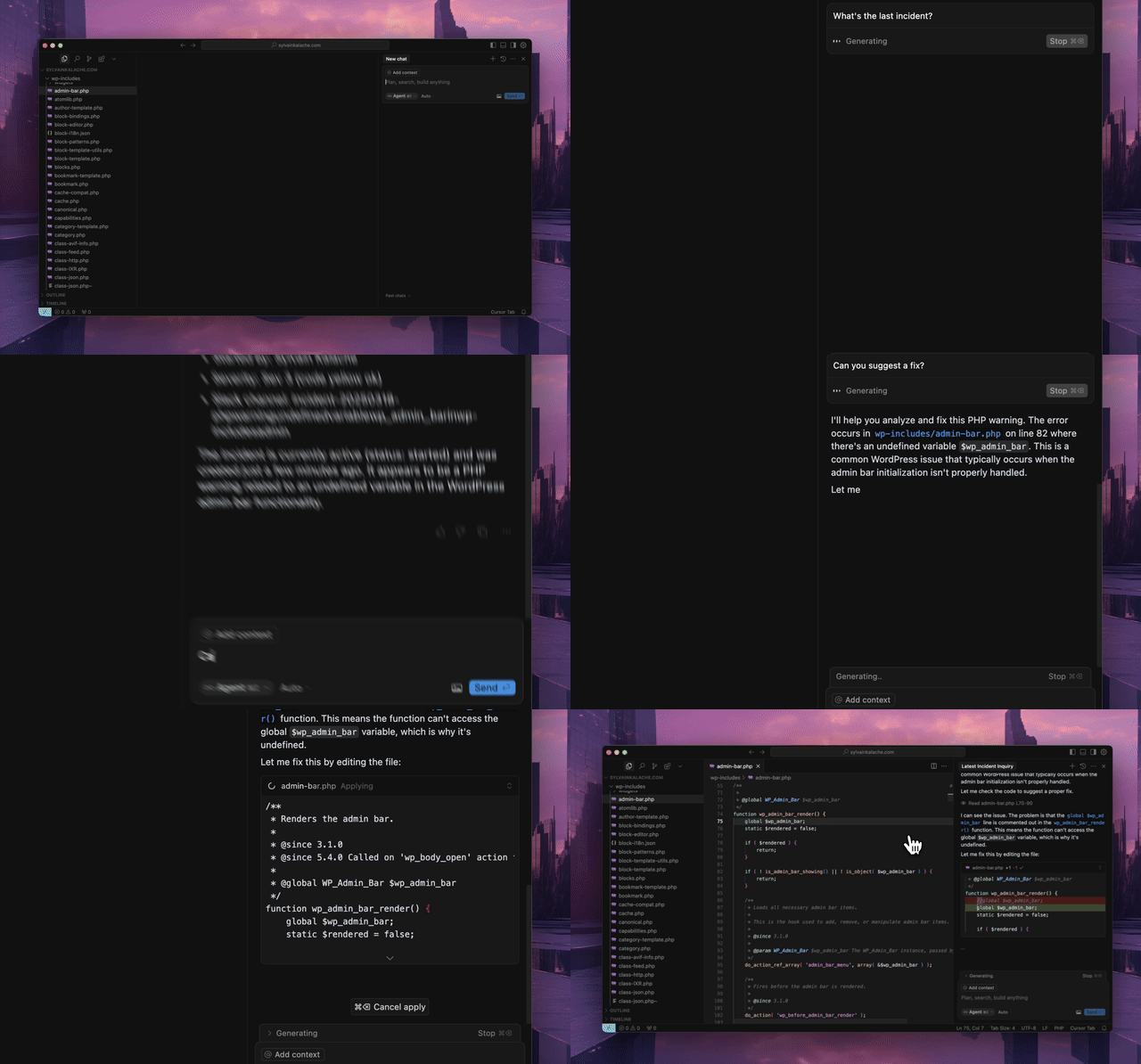
快速开始
使用托管的 MCP 服务。无需本地安装。
托管传输选项
- Streamable HTTP(推荐):
https://mcp.rootly.com/mcp - Code Mode:
https://mcp.rootly.com/mcp-codemode - SSE(已弃用,将于 2026-11-20 后移除):
https://mcp.rootly.com/sse
警告
SSE 已弃用。 托管的
https://mcp.rootly.com/sse端点和自托管的--transport sse选项将在 2026-11-20 后移除。请将客户端切换到 Streamable HTTP(https://mcp.rootly.com/mcp)或 Code Mode(https://mcp.rootly.com/mcp-codemode);对于大多数客户端,这意味着更改 URL,并在客户端配置包含传输设置时将其设为http/streamable-http。SSE 响应现在会携带Deprecation、Sunset和Link: rel="successor-version"标头。
托管工具配置:
- 完整(默认): 直接使用上述 URL
- 精简(约 70 个工具): 在托管 URL 后添加
?tool_profile=slim,例如https://mcp.rootly.com/mcp?tool_profile=slim - 标头替代方式: 发送
X-Rootly-Tool-Profile: slim - 服务级默认值: 设置
ROOTLY_MCP_HOSTED_TOOL_PROFILE=full|slim - 精确自定义覆盖: 设置
ROOTLY_MCP_ENABLED_TOOLS=...
常规远程配置
使用 OAuth2(推荐):
{
  "mcpServers": {
    "rootly": {
      "url": "https://mcp.rootly.com/mcp"
    }
  }
}
MCP 客户端会自动处理 OAuth2 登录——浏览器窗口会打开,供你通过 Rootly 完成身份验证。无需 API 令牌。
使用 API 令牌:
{
  "mcpServers": {
    "rootly": {
      "url": "https://mcp.rootly.com/mcp",
      "headers": {
        "Authorization": "Bearer YOUR_ROOTLY_API_TOKEN"
      }
    }
  }
}
Code Mode:
{
  "mcpServers": {
    "rootly": {
      "url": "https://mcp.rootly.com/mcp-codemode"
    }
  }
}
如果配置仍指向 https://mcp.rootly.com/sse,请在 2026-11-20 前将其替换为 https://mcp.rootly.com/mcp(SSE 已弃用,见上文)。
Agent 配置
Claude Code
使用 OAuth2(推荐):
claude mcp add --transport http rootly https://mcp.rootly.com/mcp

# Code Mode:
claude mcp add --transport http rootly-codemode https://mcp.rootly.com/mcp-codemode
使用 API Token:
claude mcp add --transport http rootly https://mcp.rootly.com/mcp \
  --header "Authorization: Bearer YOUR_ROOTLY_API_TOKEN"
手动配置 — 在项目根目录创建 .mcp.json:
{
  "mcpServers": {
    "rootly": {
      "type": "http",
      "url": "https://mcp.rootly.com/mcp"
    }
  }
}
Gemini CLI
安装扩展:
gemini extensions install https://github.com/rootlyhq/rootly-mcp-server
或者在 ~/.gemini/settings.json 中手动配置:
{
  "mcpServers": {
    "rootly": {
      "command": "uvx",
      "args": ["--from", "rootly-mcp-server", "rootly-mcp-server"],
      "env": {
        "ROOTLY_API_TOKEN": "<YOUR_ROOTLY_API_TOKEN>"
      }
    }
  }
}
Cursor
添加到 .cursor/mcp.json 或 ~/.cursor/mcp.json:
使用 OAuth2(推荐):
{
  "mcpServers": {
    "rootly": {
      "url": "https://mcp.rootly.com/mcp"
    }
  }
}
使用 API Token:
{
  "mcpServers": {
    "rootly": {
      "url": "https://mcp.rootly.com/mcp",
      "headers": {
        "Authorization": "Bearer <YOUR_ROOTLY_API_TOKEN>"
      }
    }
  }
}
Windsurf
添加到 ~/.codeium/windsurf/mcp_config.json:
使用 OAuth2(推荐):
{
  "mcpServers": {
    "rootly": {
      "serverUrl": "https://mcp.rootly.com/mcp"
    }
  }
}
使用 API Token:
{
  "mcpServers": {
    "rootly": {
      "serverUrl": "https://mcp.rootly.com/mcp",
      "headers": {
        "Authorization": "Bearer <YOUR_ROOTLY_API_TOKEN>"
      }
    }
  }
}
Codex
添加到 ~/.codex/config.toml:
使用 OAuth2(推荐):
[mcp_servers.rootly]
url = "https://mcp.rootly.com/mcp"
使用 API Token:
[mcp_servers.rootly]
url = "https://mcp.rootly.com/mcp"
bearer_token_env_var = "ROOTLY_API_TOKEN"
Claude Desktop
使用 OAuth2(推荐):
添加到 claude_desktop_config.json:
{
  "mcpServers": {
    "rootly": {
      "url": "https://mcp.rootly.com/mcp"
    }
  }
}
Claude Desktop 会自动处理 OAuth2 登录。
使用 API Token(通过 mcp-remote):
{
  "mcpServers": {
    "rootly": {
      "command": "npx",
      "args": [
        "-y",
        "mcp-remote",
        "https://mcp.rootly.com/mcp",
        "--transport",
        "http",
        "--header",
        "Authorization: Bearer <YOUR_ROOTLY_API_TOKEN>"
      ]
    }
  }
}
Databricks
在 Unity Gateway 中注册托管服务,以便 Supervisor Agent、AI Playground 和其他 Databricks Agent 使用它:
- 在工作区中,打开 Unity Gateway > MCPs,点击 + MCP,然后选择 Connect an existing MCP server。
- 选择目录和架构,为 MCP 命名,并使用 URL
https://mcp.rootly.com/mcp创建新连接。 - 选择一种身份验证方式:
- 动态客户端注册(推荐): 每位用户使用自己的账号登录 Rootly。
- Bearer Token: 粘贴 Rootly API Token。
- 点击 Create & load tools,如有提示则点击 Login,然后选择要公开的工具。
或者使用 Databricks SDK 创建连接:
from databricks.sdk import WorkspaceClient
from databricks.sdk.service import catalog as c

WorkspaceClient().connections.create(
    name="rootly_connection",
    parent="schemas/main.default",
    connection_type=c.ConnectionType.HTTP,
    options={
        "host": "https://mcp.rootly.com",
        "port": "443",
        "base_path": "/mcp",
        "bearer_token": "<YOUR_ROOTLY_API_TOKEN>",
    },
)
完整配置文件会公开约 250 个工具。使用 Unity Gateway 的工具选择功能,仅公开 Agent 所需的工具。有关 Marketplace 列表详情,请参阅 docs/databricks-marketplace.md。
Rootly CLI
用于事件、警报、服务和 on-call 操作的独立 CLI。
通过 Homebrew 安装:
brew install rootlyhq/tap/rootly-cli
或者通过 Go 安装:
go install github.com/rootlyhq/rootly-cli/cmd/rootly@latest
更多详情请参阅 Rootly CLI 仓库。
其他安装方式(本地)
如果不想使用托管服务,可以在本地运行 MCP 服务。
前置条件
- Python 3.12 或更高版本
uv包管理器curl -LsSf https://astral.sh/uv/install.sh | sh- Rootly API Token
API Token 类型
根据所需的访问权限选择 Token 类型:
- 全局 API Key:可全面访问 Rootly 实例。最适合组织范围内的可见性需求。
- 团队 API Key:仅可访问该团队拥有的实体。
- 个人 API Key:访问权限与创建该 Key 的用户相同。
建议将全局 API Key用于组织范围内的查询和修改数据的操作,尤其是在工作流可能涉及多个团队、值班计划或事件时。
使用 uv
{
  "mcpServers": {
    "rootly": {
      "command": "uv",
      "args": [
        "tool",
        "run",
        "--from",
        "rootly-mcp-server",
        "rootly-mcp-server"
      ],
      "env": {
        "ROOTLY_API_TOKEN": "<YOUR_ROOTLY_API_TOKEN>",
        "ROOTLY_MCP_ENABLE_WRITE_TOOLS": "true"
      }
    }
  }
}
自托管传输选项
每个服务器进程选择一种传输方式:
- Streamable HTTP 端点路径:
/mcp - SSE(已弃用,将于 2026-11-20 后移除) 端点路径:
/sse。--transport sse会在启动时记录弃用警告;请改用--transport streamable-http。 - Code Mode(实验性) 在托管双传输模式下的端点路径:
/mcp-codemode。一次execute调用最多可发起 50 次工具调用;设置ROOTLY_CODE_MODE_MAX_TOOL_CALLS为正整数即可更改该上限。
现在,托管和自托管部署默认都会公开完整的工具集。
- 托管默认配置:完整工具集
- 托管精简配置:通过
?tool_profile=slim启用约 70 个高频工具 - 自托管默认配置:完整工具集
如需将任一部署限制为只读工具,请使用 --no-enable-write-tools 启动服务,或设置 ROOTLY_MCP_ENABLE_WRITE_TOOLS=false。
对于需要使用较小远程配置的托管客户端,请在 MCP URL 后附加 ?tool_profile=slim,或发送 X-Rootly-Tool-Profile: slim。
AgentCat 和 Sentry 遥测
托管部署可以通过设置
ROOTLY_MCPCAT_PROJECT_ID 将 MCP 遥测数据发送到 AgentCat。如需同时将 AgentCat 事件导出到 Sentry,请通过部署的密钥存储提供
SENTRY_DSN。可选项
ENVIRONMENT 默认为 production,SENTRY_RELEASE 默认为已安装的 Rootly MCP Server 版本。配置导出器后,Sentry 性能跟踪会启用。
自由格式的事件文本会经过脱敏,发送到 Sentry 的遥测数据中会省略执行者名称;稳定的内部执行者 ID 仍可用于关联。
AgentCat 的 enable_tool_call_context 和 enable_report_missing 选项已禁用。SDK 不会添加分析用的 context 参数或
get_more_tools 反馈工具。工具调用遥测仍处于启用状态,包括参数、响应、耗时、错误和已配置的身份信息,并遵循现有的脱敏钩子。
遥测运行于 AgentCat v2(MCP 2026-07-28 规范)。会话关联使用 SDK 的钩子模式(resolve_session_id):服务器从请求中推导会话。关联键始终以调用方开头(已认证用户,或令牌的摘要),随后是客户端发送的 Mcp-Session-Id;如果客户端未发送,则使用 UTC 小时。工具架构不会添加 session_id 参数或会话说明。仍在发送 context 或 session_id 的客户端即使持有缓存的工具列表,也能正常处理;验证前会丢弃这些多余参数。SDK 不再发布 initialize 和 tools/list 事件。
如需完全覆盖托管或自托管的默认配置,请设置 ROOTLY_MCP_ENABLED_TOOLS(或传入 --enabled-tools),并提供以逗号分隔的精确工具名称允许列表。设置该变量后,它会完全取代默认选择。
如需在自托管部署中仅公开特定 MCP 工具子集,请设置 ROOTLY_MCP_ENABLED_TOOLS(或传入 --enabled-tools),并提供以逗号分隔的精确工具名称允许列表,例如 list_incidents,get_incident,get_server_version。
PostHog MCP 分析
设置 POSTHOG_PROJECT_TOKEN(以及可选的 POSTHOG_HOST,默认值为
https://us.i.posthog.com)后,会将 $mcp_* 事件发送到 PostHog,并采用与 AgentCat 相同的隐私设置:不注入 context、conversation_id 或 llm_model 参数,发送前清除凭据,托管用户仅使用 Rootly 用户 ID 进行标识。
同时配置 AgentCat 时,两者会并行运行。posthog.mcp 的 MCP SDK
1.x 代码路径无法直接处理 AgentCat 中间件,因此服务器会先用适配器封装中间件。在无状态托管传输中,PostHog 会话通过 initialize 时生成的 Mcp-Session-Id 标头关联起来。AgentCat 的会话解析器也会读取该标头(并限定在已认证的调用方范围内),因此启用 PostHog 后,AgentCat 会按连接而非按小时对这些客户端的调用进行分组。
OpenAI Apps 域名验证
托管部署会公开一个未经身份验证的域名验证端点,供 OpenAI 插件目录使用:
- 端点:
GET /.well-known/openai-apps-challenge - 环境变量:
ROOTLY_OPENAI_APPS_CHALLENGE_TOKEN
将 ROOTLY_OPENAI_APPS_CHALLENGE_TOKEN 设置为在 OpenAI 提交门户中生成的令牌。该端点会以 text/plain 返回该令牌原文(并附带 Cache-Control: no-store);如果变量未设置或为空,则返回 404。令牌会在请求时从环境中读取——切勿将其硬编码或提交到代码库中。双传输(--transport both)和使用配置文件的 Streamable HTTP 托管部署都会提供此路由,且该路由不受 Bearer 身份验证限制。
若要查看当前自托管配置下可用工具的确切名称,请运行:
ROOTLY_API_TOKEN=<YOUR_ROOTLY_API_TOKEN> \
uv run python -m rootly_mcp_server --list-tools
此命令会输出应用当前设置后的有效 MCP 工具名称,包括 ROOTLY_MCP_ENABLE_WRITE_TOOLS 和 ROOTLY_MCP_ENABLED_TOOLS。
对自托管允许列表进行冒烟测试:
ROOTLY_API_TOKEN=<YOUR_ROOTLY_API_TOKEN> \
ROOTLY_MCP_ENABLED_TOOLS=list_incidents,get_incident,get_server_version \
uv run python -m rootly_mcp_server --transport streamable-http --log-level ERROR
然后将 MCP 客户端连接到 http://127.0.0.1:8000/mcp,并验证 tools/list 仅返回:
get_server_version
get_incident
list_incidents
若要在自托管测试中加入特定写入工具,请同时添加写入标志和允许列表:
ROOTLY_API_TOKEN=<YOUR_ROOTLY_API_TOKEN> \
ROOTLY_MCP_ENABLE_WRITE_TOOLS=true \
ROOTLY_MCP_ENABLED_TOOLS=create_incident,create_workflow_task,list_teams \
uv run python -m rootly_mcp_server --transport streamable-http --log-level ERROR
Docker 运行示例(Streamable HTTP):
docker run -p 8000:8000 \
  -e ROOTLY_TRANSPORT=streamable-http \
  -e ROOTLY_API_TOKEN=<YOUR_ROOTLY_API_TOKEN> \
  -e ROOTLY_MCP_ENABLE_WRITE_TOOLS=true \
  rootly-mcp-server
Docker 运行示例(SSE,已弃用:2026-11-20 后移除,请使用上面的 Streamable HTTP):
docker run -p 8000:8000 \
  -e ROOTLY_TRANSPORT=sse \
  -e ROOTLY_API_TOKEN=<YOUR_ROOTLY_API_TOKEN> \
  rootly-mcp-server
Docker 运行示例(双传输 + Code Mode;同时提供的 /sse 端点已弃用):
docker run -p 8000:8000 \
  -e ROOTLY_TRANSPORT=both \
  -e ROOTLY_API_TOKEN=<YOUR_ROOTLY_API_TOKEN> \
  rootly-mcp-server
面向工作流的工具子集
完整的托管和自托管工具集包含 200 多个工具。如果需要更精简、针对特定工作流的子集,请使用 ROOTLY_MCP_ENABLED_TOOLS:
🚨 事件响应(25 个工具)
供应急响应人员和事件指挥官使用的核心工具
ROOTLY_MCP_ENABLED_TOOLS="list_incidents,get_incident,create_incident,update_incident,search_incidents,find_related_incidents,suggest_solutions,create_incident_action_item,list_incident_action_items,update_incident_form_field_selection,list_teams,get_current_user,list_services,list_severities,get_alert,list_alerts,get_alert_by_short_id,list_escalation_policies,get_escalation_policy,list_on_call_roles,list_schedules,get_schedule_shifts,get_oncall_handoff_summary,get_shift_incidents,list_endpoints"
📅 值班管理(33 个工具)
供排班协调员和值班经理使用
ROOTLY_MCP_ENABLED_TOOLS="list_schedules,get_schedule,update_schedule,get_schedule_shifts,list_shifts,create_schedule_rotation,update_schedule_rotation,list_schedule_rotations,get_schedule_rotation,list_schedule_rotation_users,update_schedule_rotation_user,create_on_call_shadow,update_on_call_shadow,list_on_call_shadows,create_override_shift,update_override_shift,list_override_shifts,list_on_call_roles,update_on_call_role,get_oncall_schedule_summary,get_oncall_shift_metrics,check_responder_availability,create_override_recommendation,list_teams,get_team,list_users,get_user,get_current_user,list_escalation_policies,update_escalation_policy,list_escalation_paths,update_escalation_path,list_escalation_levels"
📊 监控与告警(40 个工具)
供负责设置可观测性的团队使用
ROOTLY_MCP_ENABLED_TOOLS="list_alerts,get_alert,get_alert_by_short_id,create_alert_group,update_alert_group,list_alert_groups,create_alert_routing_rule,update_alert_routing_rule,list_alert_routing_rules,list_alert_events,get_alert_event,update_alert_event,create_heartbeat,update_heartbeat,list_heartbeats,get_heartbeat,create_pulse,update_pulse,list_pulses,get_pulse,create_dashboard,update_dashboard,list_dashboards,get_dashboard,create_dashboard_panel,update_dashboard_panel,list_status_pages,get_status_page,update_status_page,list_status_page_templates,get_status_page_template,list_communications_templates,update_communications_template,create_live_call_router,update_live_call_router,list_services,list_teams,get_current_user,list_environments,list_severities,list_endpoints"
📋 事件后分析(30 个工具)
供开展复盘和流程改进的 SRE 使用
ROOTLY_MCP_ENABLED_TOOLS="get_incident,update_incident,find_related_incidents,suggest_solutions,list_incident_action_items,create_incident_action_item,update_incident_form_field_selection,create_post_incident_review,update_post_incident_review,list_post_incident_reviews,get_post_incident_review,create_retrospective_step,update_retrospective_step,list_retrospective_steps,create_retrospective_process,update_retrospective_process,list_retrospective_processes,create_playbook,update_playbook,list_playbooks,get_playbook,create_playbook_task,update_playbook_task,list_causes,get_cause,update_cause,list_incident_types,get_incident_type,update_incident_type,get_current_user"
📈 分析与报告(15 个工具)
供领导层和指标团队使用(侧重只读)
ROOTLY_MCP_ENABLED_TOOLS="list_incidents,search_incidents,collect_incidents,list_teams,list_services,list_schedules,get_oncall_shift_metrics,get_shift_incidents,list_dashboards,get_dashboard,list_alerts,list_heartbeats,list_pulses,get_current_user,list_endpoints"
为不同团队运行多个 MCP 实例
你可以为不同团队运行多个采用不同工具子集的 MCP 实例:
{
  "mcpServers": {
    "rootly-incident-response": {
      "command": "uvx", "args": ["--from", "rootly-mcp-server", "rootly-mcp-server"],
      "env": {
        "ROOTLY_API_TOKEN": "<token>",
        "ROOTLY_MCP_ENABLED_TOOLS": "list_incidents,get_incident,create_incident,find_related_incidents,suggest_solutions..."
      }
    },
    "rootly-oncall-management": {
      "command": "uvx", "args": ["--from", "rootly-mcp-server", "rootly-mcp-server"],
      "env": {
        "ROOTLY_API_TOKEN": "<token>",
        "ROOTLY_MCP_ENABLED_TOOLS": "list_schedules,update_schedule,create_override_shift,get_oncall_shift_metrics..."
      }
    }
  }
}
使用 uvx
{
  "mcpServers": {
    "rootly": {
      "command": "uvx",
      "args": [
        "--from",
        "rootly-mcp-server",
        "rootly-mcp-server"
      ],
      "env": {
        "ROOTLY_API_TOKEN": "<YOUR_ROOTLY_API_TOKEN>"
      }
    }
  }
}
功能
- 动态生成工具:根据 Rootly 的 OpenAPI(Swagger)规范自动创建 MCP 资源
- 智能分页:使用有界分页和精简的事件响应,避免上下文窗口溢出
- API 筛选:限制公开的 API 端点,提升安全性和性能
- 智能事件分析:提供分析历史事件数据的智能工具
find_related_incidents:使用 TF-IDF 相似度分析,查找历史相似事件suggest_solutions:挖掘以往的事件解决方案,推荐可执行的解决办法
- MCP 资源:将事件、团队、值班状态和工作流指南作为结构化资源公开,供 AI 获取上下文
- 智能模式识别:自动识别服务、错误类型和解决模式
- 值班健康状况集成(仅限自托管):检测排班响应人员的工作负荷健康风险
支持的工具
默认工具集取决于部署配置:
- 托管默认配置:约 218 个工具
- 托管精简配置:约 70 个工具
- 自托管默认配置:约 218 个工具
自定义 Agent 工具
check_oncall_health_risk- 仅限可自托管check_responder_availabilitycollect_incidentscreate_incident- 使用一组范围限定的字段创建新事件,适用于 Agent 工作流create_override_recommendationfind_related_incidentsget_incident- 获取单个事件以便直接验证,包括与 PIR 相关的字段get_alert_by_short_idget_oncall_handoff_summaryget_oncall_schedule_summaryget_oncall_shift_metricsget_server_versionget_shift_incidentslist_endpointslist_incidentslist_shiftssearch_incidentssuggest_solutionsupdate_incident- 更新原生事件字段,并验证严重程度;追溯状态更改需要通过 Rootly UI 进行
OpenAPI 生成的工具
工具命名: 所有工具均使用
snake_case。历史上的camelCase名称 (例如getScheduleShifts、listIncidents)不再在tools/list中公布,但仍可通过隐藏别名调用——系统会将其透明地 路由至对应的snake_case规范名称。请将配置和ROOTLY_MCP_ENABLED_TOOLS允许列表更新为snake_case名称;旧版 camelCase 允许列表条目会 自动规范化。
list_workflow_runs
create_incident_action_item
create_incident_form_field_selection
create_workflow_task
get_alert
get_alert_event
get_alert_group
get_alert_routing_rule
get_alert_source
get_alert_urgency
get_catalog
get_catalog_entity
get_catalog_entity_property
get_catalog_property
get_cause
get_current_user
get_custom_form
get_environment
get_escalation_level
get_escalation_path
get_escalation_policy
get_form_field
get_form_field_option
get_functionality
get_functionality_incidents_chart
get_functionality_uptime_chart
get_incident_action_items
get_incident_form_field_selection
get_incident_type
get_on_call_role
get_on_call_shadow
get_override_shift
get_schedule
get_schedule_rotation
get_schedule_shifts
get_service
get_service_incidents_chart
get_service_uptime_chart
get_severity
get_status_page
get_status_page_template
get_team
get_team_incidents_chart
get_user
get_workflow
get_workflow_form_field_condition
get_workflow_group
get_workflow_task
list_alert_events
list_alert_groups
list_alert_routing_rules
list_alert_sources
list_alert_urgencies
list_alerts
list_all_incident_action_items
list_catalog_entities
list_catalog_entity_properties
list_catalog_properties
list_catalogs
list_causes
list_custom_forms
list_environments
list_escalation_levels
list_escalation_levels_paths
list_escalation_paths
list_escalation_policies
list_form_field_options
list_form_fields
list_functionalities
list_incident_action_items
list_incident_alerts
list_incident_form_field_selections
list_incident_types
list_observability_logs
list_observability_patterns
count_observability_logs
list_on_call_roles
list_on_call_shadows
list_override_shifts
list_schedule_rotation_active_days
list_schedule_rotation_users
list_schedule_rotations
list_schedules
list_services
list_severities
list_shifts
list_status_page_templates
list_status_pages
list_teams
list_users
list_workflow_form_field_conditions
list_workflow_groups
list_workflows
list_workflow_tasks
update_environment
update_escalation_level
update_escalation_path
update_escalation_policy
update_functionality
update_incident_type
update_on_call_role
update_on_call_shadow
update_override_shift
update_schedule
update_schedule_rotation
update_service
update_severity
update_team
update_workflow
update_incident_form_field_selection
update_workflow_task
重大扩展:此版本新增了 50 多个端点,涵盖通信、仪表板、操作手册、事件后审查、监控和高级表单管理,同时谨慎排除 API 密钥管理、用户创建/删除、角色管理和 Webhook 配置等安全敏感操作。
默认工具集仍禁用删除操作。
On-Call Health 集成(仅限可自托管)
集成 On-Call Health,用于检测排班响应人员的工作负荷健康风险。
check_oncall_health_risk 在托管 MCP 服务中不可用,包括
完整和精简配置文件、SSE、Streamable HTTP 以及 Code Mode。托管模式下不会
注册该工具,因此无法通过 API 密钥或 ROOTLY_MCP_ENABLED_TOOLS 允许列表
启用该工具。普通的 on-call 排班和事件工具仍可使用。
可自托管部署仍保留此集成。运营者有责任妥善处理员工告知和 部署的数据管理。
设置
设置 ONCALLHEALTH_API_KEY 环境变量:
{
  "mcpServers": {
    "rootly": {
      "command": "uvx",
      "args": ["--from", "rootly-mcp-server", "rootly-mcp-server"],
      "env": {
        "ROOTLY_API_TOKEN": "your_rootly_token",
        "ONCALLHEALTH_API_KEY": "och_live_your_key"
      }
    }
  }
}
用法
check_oncall_health_risk(
    start_date="2026-02-09",
    end_date="2026-02-15"
)
返回处于风险中的排班用户、建议的安全替代人员以及操作摘要。
示例技能
预构建的 Claude Code 技能:
🚨 Rootly 事件响应人员
此技能:
- 分析生产环境事件及其完整背景
- 使用基于 ML 的相似度匹配查找历史相似事件
- 根据过去成功的解决方案提出建议
- 协调跨时区的 on-call 团队
- 将事件与近期代码更改和部署相关联
- 创建行动事项和修复计划
- 提供置信度评分和时间估算
快速入门:
# Copy the skill to your project
mkdir -p .claude/skills
cp examples/skills/rootly-incident-responder.md .claude/skills/

# Then in Claude Code, invoke it:
# @rootly-incident-responder analyze incident #12345
它展示了如何使用 Rootly 工具和 GitHub 上下文执行完整的事件响应工作流。
On-Call 轮班指标
获取任意时间段的 on-call 轮班指标,并按用户、团队或排班分组。包括主/次角色跟踪、轮班次数、时长以及 on-call 天数。
get_oncall_shift_metrics(
    start_date="2025-10-01",
    end_date="2025-10-31",
    group_by="user"
)
On-Call 交接摘要
完整交接:当前/下一位 on-call 人员,以及轮班期间发生的事件。
# All on-call (any timezone)
get_oncall_handoff_summary(
    team_ids="team-1,team-2",
    timezone="America/Los_Angeles"
)

# Regional filter - only show APAC on-call during APAC business hours
get_oncall_handoff_summary(
    timezone="Asia/Tokyo",
    filter_by_region=True
)
区域筛选仅显示指定时区内在工作时间(上午 9 点至下午 5 点)on-call 的人员。
返回:包含 current_oncall、next_oncall 和 shift_incidents 的 schedules
用于上下文的 MCP 资源
AI Agent 可以访问以下资源,以了解情况:
incident://{incident_id}- 特定事件的详细信息team://{team_id}- 团队详情,包括名称、颜色和元数据rootly://incidents- 最近事件列表,便于快速参考rootly://oncall-status- 所有排班的当前值班状态(对事件响应至关重要)rootly://workflow-guide- 常见操作的分步工作流指南
使用示例:“查看当前值班状态” → AI 读取 rootly://oncall-status 资源
轮班事件
特定时间段内的事件,可按严重程度/状态/标签筛选。
get_shift_incidents(
    start_time="2025-10-20T09:00:00Z",
    end_time="2025-10-20T17:00:00Z",
    severity="critical",  # optional
    status="resolved",    # optional
    tags="database,api"   # optional
)
返回:incidents 列表 + summary(数量、平均解决时间、分组)
贡献
开发环境设置和指南请参阅 CONTRIBUTING.md。
在 Postman 中试用

关于 Rootly AI Labs
本项目由 Rootly AI Labs 开发。我们致力于打造系统可靠性和卓越运营的未来。作为一家开源孵化机构,我们分享创意、开展实验,并快速制作原型,为整个社区提供有益的解决方案。

评论
一个开放协议,规定了 AI 应用如何以统一方式连接外部工具与数据源。客户端负责与模型对话,MCP 服务负责提供工具、资源和提示模板,两者通过标准消息通信,同一个服务可以被不同客户端复用。