
关于 blbl147-xhs-mcp
这是一个用于与小红书笔记和评论交互的 MCP 服务,可搜索笔记、获取内容与评论并发表评论;它通过 JS 逆向签名直接请求 HTTP 接口,无须 Playwright。
主要功能
- 01搜索小红书笔记
- 02获取笔记内容
- 03获取笔记评论
- 04发表评论
- 05使用 JS 签名直接请求 HTTP
适用场景
- 01查找特定话题的笔记
- 02查看笔记及其评论
- 03在笔记下发表评论
MCP 相关
向 MCP 客户端提供小红书笔记搜索、获取和评论发布能力。README 要求配置已登录的小红书 Cookie。
配置
远程服务无需本地安装。选择你使用的客户端,复制配置或使用一键安装。
服务地址
https://server.smithery.ai/@blbl147/xhs-mcp/mcp一键复制安装命令
Claude CodeTerminal
claude mcp add --transport http ai-smithery-blbl147-xhs https://server.smithery.ai/@blbl147/xhs-mcp/mcpCursor.cursor/mcp.json
{"mcpServers":{"ai-smithery-blbl147-xhs":{"type":"http","url":"https://server.smithery.ai/@blbl147/xhs-mcp/mcp"}}}在 Cursor 中打开VS Code.vscode/mcp.json
{"servers":{"ai-smithery-blbl147-xhs":{"type":"http","url":"https://server.smithery.ai/@blbl147/xhs-mcp/mcp"}}}在 VS Code 中打开Claude Desktopclaude_desktop_config.json
{"mcpServers":{"ai-smithery-blbl147-xhs":{"type":"http","url":"https://server.smithery.ai/@blbl147/xhs-mcp/mcp"}}}Windsurf~/.codeium/windsurf/mcp_config.json
{"mcpServers":{"ai-smithery-blbl147-xhs":{"serverUrl":"https://server.smithery.ai/@blbl147/xhs-mcp/mcp"}}}命令在终端中运行;JSON 粘贴到对应客户端的 MCP 配置后重启。需要授权的服务会在首次连接时提示登录。
全部服务地址
Streamable HTTP
https://server.smithery.ai/@blbl147/xhs-mcp/mcp需要授权工具
README 原文English
来自项目 READMEREADME 暂无中文译文,以下为英文原文;中文介绍见上方。
小红书MCP服务
特点
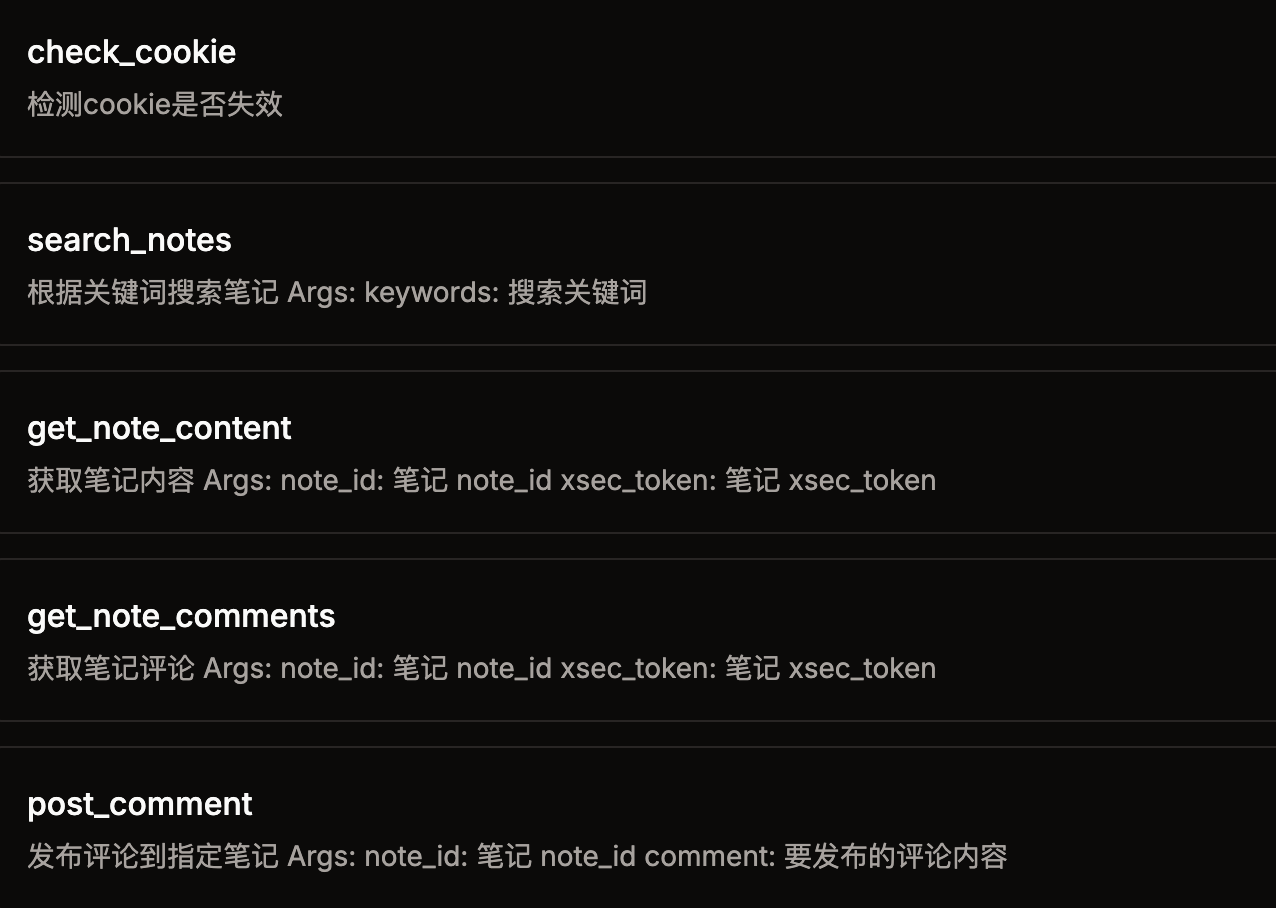
- 采用js逆向出x-s,x-t,直接请求http接口,无须笨重的playwright
- 搜索笔记
- 获取笔记内容
- 获取笔记的评论
- 发表评论
快速开始
1. 环境
- node
- python 3.12
- uv (pip install uv)
2. 安装依赖
git clone [email protected]:jobsonlook/xhs-mcp.git

cd xhs-mcp
uv sync
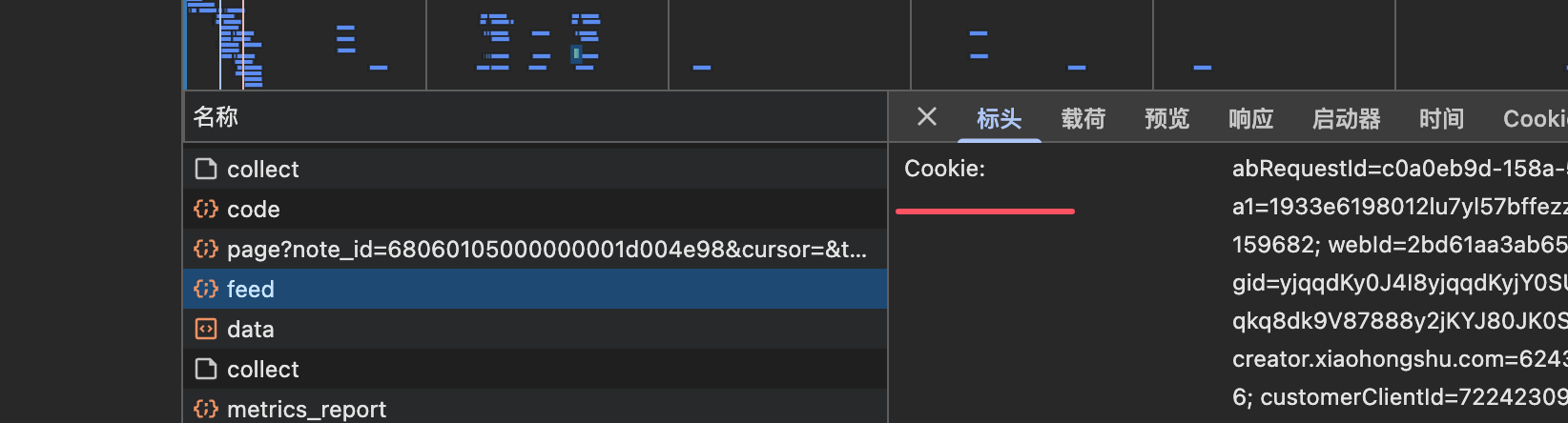
3. 获取小红书的cookie
打开web小红书
登录后,获取cookie,将cookie配置到第4步的 XHS_COOKIE 环境变量中
4. 配置mcp server
{
    "mcpServers": {
        "xhs-mcp": {
            "command": "uv",
            "args": [
                "--directory",
                "/Users/xxx/xhs-mcp",
                "run",
                "main.py"
            ],
            "env": {
                "XHS_COOKIE": "xxxx"
            }
        }
    }
}
免责声明
本项目仅用于学习交流,禁止用于其他用途,任何涉及商业盈利目的均不得使用,否则风险自负。
评论
支持 Markdown
一个开放协议,规定了 AI 应用如何以统一方式连接外部工具与数据源。客户端负责与模型对话,MCP 服务负责提供工具、资源和提示模板,两者通过标准消息通信,同一个服务可以被不同客户端复用。