
关于 psyXe MCP Server
psyXe MCP Server 为 macOS 上的 AI 助手提供 Apple Notes、Reminders、Contacts 和指定文件夹的访问能力。它使用 macOS 原生 API 在本机运行,并可为 Notes 提供 BERT 语义搜索和访问控制。
主要功能
- 01搜索和管理 Apple Notes
- 02BERT 语义搜索 Notes
- 03创建和管理 Reminders
- 04搜索和编辑 Contacts
- 05访问获准文件夹中的文件
- 06按资源类别配置访问权限
适用场景
- 01按主题查找 Apple Notes
- 02管理提醒事项和联系人
- 03限制 AI 可访问的笔记或联系人组
MCP 相关
该 MCP 服务通过 stdio 向 MCP 客户端提供 Notes、Reminders、Contacts 和文件工具,并提供语义搜索等提示词。服务在 macOS 本机调用原生 API。
配置
本地服务的配置在各客户端中通用,复制后粘贴到客户端的 MCP 配置文件即可。
我们还没有获取到这个服务的安装包或远程地址,请按项目 README 中的说明安装。
工具
本地服务需要在你的电脑上运行后才能读取工具,维护者暂未提供工具列表。
详细介绍
psyXe MCP 服务
一个 MCP 服务,让 AI 助手可以访问你的 Apple Notes、Reminders 和 Contacts,并可选择启用 BERT 驱动的语义搜索。
所有工具都通过 macOS 原生 API(AppleScript、EventKit、Contacts 框架)在本地运行。数据不会离开你的 Mac。无需 API 密钥。
刚接触 MCP? 查看 FAQ,了解常见问题的答案,包括这是什么、是否适用于你的配置,以及如何保护你的数据隐私。
视频教程
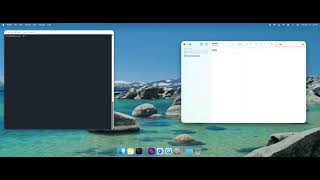 | Apple Notes 与语义搜索 — 将 AI 连接到 Apple Notes,并使用 BERT 驱动的语义搜索 |
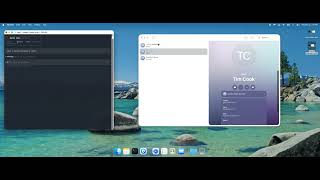 | Apple Contacts — 通过 AI 助手搜索、创建和管理联系人 |
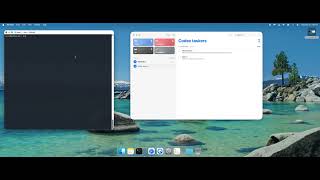 | Apple Reminders — 通过任意 MCP 客户端对提醒事项和列表执行完整的增删改查操作 |
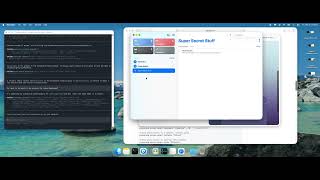 | 访问控制 — 精确配置 AI 可以访问哪些数据 |
可以做什么?
| 类别 | 工具 | 描述 |
|---|---|---|
| Notes | search_notes, list_notes, get_note, open_note, notes_tags, notes_search_by_tag, notes_index | 搜索、浏览和阅读 Apple Notes |
| Notes(语义搜索) | notes_semantic_search, notes_smart_search, notes_rebuild_index, notes_index_stats | 使用 BERT 驱动的语义搜索检索所有笔记 |
| Reminders | list_reminder_lists, search_reminders, list_reminders, get_reminder, create_reminder, create_reminders_batch, complete_reminder, delete_reminder, edit_reminder, edit_reminders_batch, open_reminders, create_reminder_list, delete_reminder_list | 对 Apple Reminders 执行完整的增删改查操作 |
| Contacts | list_contact_groups, search_contacts, list_contacts, get_contact, create_contact, edit_contact, delete_contact | 搜索和管理 Apple Contacts |
| 文件 | file_search, read_file, write_file | 在已授权的文件夹中搜索、读取和写入文件 |
安装
Homebrew(推荐)
brew tap bjenkinsgit/tap
brew install psyxe-mcp
这会安装所有内容——二进制文件、Swift 辅助程序、FFmpeg 和 BERT 模型。无需编译。
从源代码构建
git clone https://github.com/bjenkinsgit/psyxe-mcp.git
cd psyxe-mcp
./build.sh
构建脚本会自动处理所有事项:
- 如果尚未安装,则安装 Homebrew、Rust、FFmpeg 和 pkg-config
- 构建 MCP 服务二进制文件(Rust)
- 构建用于 Reminders 和 Contacts 的 Swift 辅助程序
- 将辅助程序复制到二进制文件旁边
- 预先下载 BERT 模型(约 90 MB),让首次搜索即可快速完成
不使用语义搜索进行构建(跳过 FFmpeg 和 BERT):
./build.sh --no-memvid
要求: macOS 12+(Monterey 或更高版本)。如果尚未安装,系统会提示安装 Xcode Command Line Tools。
二进制文件和辅助程序位于 target/release/。配置 MCP 客户端时请使用完整路径。
安装 Apple Shortcuts(可选)
两个快捷指令可将 Reminders 与文件产物关联起来:
./install-shortcuts.sh
这会在 Shortcuts.app 中打开每个快捷指令,供你确认。
配置 MCP 客户端
如果通过 Homebrew 安装,命令只需使用 psyxe-mcp(它位于 PATH 中)。如果从源代码构建,请使用完整路径:/Users/yourname/src/psyxe-mcp/target/release/psyxe-mcp。
Claude Code(CLI)
claude mcp add psyxe -- psyxe-mcp
或者编辑 ~/.claude/claude_mcp_config.json:
{
  "mcpServers": {
    "psyxe": {
      "command": "psyxe-mcp"
    }
  }
}
Claude Desktop
编辑 ~/Library/Application Support/Claude/claude_desktop_config.json:
{
  "mcpServers": {
    "psyxe": {
      "command": "psyxe-mcp"
    }
  }
}
Cursor
打开 Settings → MCP Servers → Add new server:
{
  "psyxe": {
    "command": "psyxe-mcp"
  }
}
Windsurf
编辑 ~/.codeium/windsurf/mcp_config.json:
{
  "mcpServers": {
    "psyxe": {
      "command": "psyxe-mcp"
    }
  }
}
OpenAI Codex CLI
编辑 ~/.codex/config.toml:
[mcp_servers.psyxe]
command = "psyxe-mcp"
**注意:**如果您是从源代码构建,而不是使用 Homebrew,请将
psyxe-mcp替换为二进制文件的完整路径(例如,/Users/yourname/src/psyxe-mcp/target/release/psyxe-mcp)。
访问控制
默认情况下,MCP 服务可以完全访问您的所有 Notes、Reminders、Contacts 和文件。若要限制 AI 可以查看的内容,请使用内置的访问控制 CLI 创建和管理 ~/.psyxe/access.toml。
无需手动编辑文件——CLI 首次使用时会创建该文件,并设置安全权限(仅所有者可读写)。
快速入门
# 1. See what's available
psyxe-mcp access discover reminders
psyxe-mcp access discover notes

# 2. Grant access to only what the AI should see
psyxe-mcp access grant reminders "Work"
psyxe-mcp access grant notes "Projects"

# 3. Verify your restrictions
psyxe-mcp access list
为某个类别设置任意规则后,该类别中只有明确授权的资源可以访问,其余内容一律拒绝访问。
查看可用内容
# See your reminder lists
psyxe-mcp access discover reminders

# See your contact groups
psyxe-mcp access discover contacts

# See your note folders
psyxe-mcp access discover notes

# See common file locations
psyxe-mcp access discover files
授予 / 撤销访问权限
# Only allow access to specific reminder lists
psyxe-mcp access grant reminders "Work"
psyxe-mcp access grant reminders "Shopping" --rw    # read-write

# Only allow access to a specific contact group
psyxe-mcp access grant contacts "iCloud"

# Only allow access to specific note folders
psyxe-mcp access grant notes "Projects"

# Grant file access to a folder
psyxe-mcp access grant files "/Users/you/Documents" --rw

# Revoke access
psyxe-mcp access revoke reminders "Shopping"

# See current restrictions
psyxe-mcp access list

# Remove all restrictions (restore full access)
psyxe-mcp access reset
访问规则保存在 ~/.psyxe/access.toml 中,权限仅限所有者(chmod 600)。如果配置文件可被组用户或其他用户读取,服务将拒绝加载,以防止其他进程篡改访问权限。
语义搜索
使用 memvid 功能构建时(默认启用),服务会为 Apple Notes 提供由 BERT 驱动的语义搜索。它使用 memvid-rs 将您的笔记编码为可搜索的向量索引。
首次使用
您(或您的 AI 助手)首次运行语义搜索时,服务会为所有笔记建立索引。具体耗时取决于笔记数量,可能需要几分钟。之后的搜索会即时完成。
# Or ask your AI assistant: "search my notes for machine learning concepts"
# It will automatically build the index on first use.
工作原理
- 从 Notes.app 获取所有笔记
- 将每篇笔记拆分为多个片段,并使用 BERT 模型编码(生成 384 维嵌入)
- 将片段存储为 QR 码,写入 ProRes 视频文件(紧凑、持久的归档)
- 使用向量索引(HNSW)即时搜索语义相似内容
- 索引会自动检测笔记变更,并提示重新构建
试用
我们提供了专为展示语义搜索效果设计的示例笔记:
# Load 10 sample notes into Apple Notes
./examples/load-sample-notes.sh

# Then ask your AI assistant to rebuild the index and try queries like:
#   "retirement savings"  → finds Tax Strategy (never mentions "retirement")
#   "Italian cooking"     → finds Carbonara recipe (never says "Italian")
完整的示例查询列表请参阅 examples/sample-notes.md。
选择其他 BERT 模型
默认模型(sentence-transformers/all-MiniLM-L6-v2,384 维)兼顾速度与质量。您可以换用任何 HuggingFace BERT 系列的句子转换器模型。
通过环境变量:
MEMVID_MODEL_NAME=BAAI/bge-small-en-v1.5 target/release/psyxe-mcp warmup
通过配置文件——在仓库根目录或二进制文件所在目录中创建 memvid_config.toml:
[ml]
model_name = "BAAI/bge-small-en-v1.5"
更换模型后,请重新构建索引(让您的 AI 助手执行,或再次运行预热)。
常用替代模型:
| 模型 | 维度 | 优缺点 |
|---|---|---|
sentence-transformers/all-MiniLM-L6-v2 | 384 | 默认模型。速度快,质量好 |
BAAI/bge-small-en-v1.5 | 384 | 针对检索优化,搜索效果略好 |
sentence-transformers/all-mpnet-base-v2 | 768 | 质量更高,速度约慢 2 倍 |
BAAI/bge-base-en-v1.5 | 768 | 检索质量最佳,需要查询前缀 |
对于经过指令微调的模型(如 BGE),请添加查询 / 文档前缀:
[ml]
model_name = "BAAI/bge-small-en-v1.5"
embedding_query_prefix = "Represent this sentence for searching relevant passages: "
embedding_document_prefix = ""
远程嵌入 API
您可以使用任何兼容 OpenAI 的嵌入端点,替代本地 BERT:
[ml]
embedding_provider = "remote"
然后通过环境变量设置端点:
export EMBEDDING_API_URL="http://localhost:11434/v1/embeddings"  # Ollama
export EMBEDDING_API_MODEL="nomic-embed-text"
支持 OpenAI、Ollama、vLLM、LM Studio,以及任何兼容 OpenAI 的端点。
不使用语义搜索
构建时不启用 memvid,即可完全跳过 FFmpeg/BERT 依赖(无需运行 brew install):
cargo build --release --no-default-features
Notes 工具仍可正常使用——它们会改用基于 AppleScript 的文本搜索。其他所有工具(Reminders、Contacts、Files)均不受影响。
macOS 权限
首次使用时,macOS 会提示您授予以下权限:
- Notes — “osascript”想要访问 Notes
- Reminders — “reminders-helper”想要访问 Reminders
- Contacts — “contacts-helper”想要访问 Contacts
请在弹出的对话框中批准这些请求。之后您可以在“系统设置”→“隐私与安全性”中查看或撤销权限。
架构
┌─────────────────┐     stdio (JSON-RPC)     ┌──────────────┐
│  Claude Code /   │ ◄─────────────────────► │  psyxe-mcp   │
│  Claude Desktop  │                          │  (MCP server) │
└─────────────────┘                          └──────┬───────┘
                                                     │
                                    ┌────────────────┼────────────────┐
                                    ▼                ▼                ▼
                             ┌────────────┐  ┌─────────────┐  ┌───────────┐
                             │ AppleScript │  │ Swift Helper│  │  memvid   │
                             │ (Notes)     │  │ (EventKit,  │  │ (BERT +   │
                             │             │  │  Contacts)  │  │  ProRes)  │
                             └──────┬──────┘  └──────┬──────┘  └─────┬─────┘
                                    ▼                ▼               ▼
                             ┌────────────┐  ┌─────────────┐  ┌───────────┐
                             │  Notes.app  │  │   EventKit  │  │ NoteStore │
                             │             │  │   Contacts  │  │  SQLite   │
                             └────────────┘  └─────────────┘  └───────────┘
MCP 服务是一个精简的 stdio 桥接层。所有实际工作都由 psyxe-mcp-core 完成,这是一个可直接访问 macOS 原生 API 的开源库。
配置
语义搜索(memvid)
在工作目录中或二进制文件旁放置一个 memvid_config.toml:
[chunking]
chunk_size = 700
overlap = 100

[ml]
device = "metal"    # auto | cpu | cuda | metal

[qr]
error_correction = "low"
version = 40

[video]
codec = "prores_ks"
prores_profile = "proxy"
library_log_level = "error"
所有配置选项请参阅 memvid-rs。
环境变量
| 变量 | 用途 |
|---|---|
RUST_LOG | 日志级别(默认:info)。日志输出到 stderr。 |
TOOLS_JSON | 自定义 tools.json 的路径(覆盖内嵌版本) |
故障排除
“osascript is not allowed to send keystrokes”
授予辅助功能权限:系统设置 → 隐私与安全性 → 辅助功能
“reminders-helper”想要访问你的提醒事项
点击“允许”。如果之前拒绝过,请在系统设置 → 隐私与安全性 → 提醒事项中重新启用。
首次运行时语义搜索速度较慢
BERT 模型会在首次使用时下载(约 90MB)。后续运行会使用缓存的模型。索引构建速度取决于笔记数量;Metal GPU 加速在 Apple Silicon 上效果显著。
笔记搜索返回过时的结果
服务会监控更改,并提示 AI 助手重建索引。你也可以强制执行:让助手“重建笔记索引”。
许可证
Apache 2.0 — 请参阅 LICENSE。
本项目在运行时仅使用 FFmpeg 进行 ProRes 视频编码(LGPL 编解码器)。未使用任何 GPL 许可的编解码器(x264、x265 等)。
致谢
基于 psyxe-mcp-core,并由 memvid-rs 提供语义搜索支持。
评论
一个开放协议,规定了 AI 应用如何以统一方式连接外部工具与数据源。客户端负责与模型对话,MCP 服务负责提供工具、资源和提示模板,两者通过标准消息通信,同一个服务可以被不同客户端复用。