
关于 Kadal Store
Kadal Store CLI 与 MCP 服务面向创作者及其 Agent,帮助查找数字素材、获取已购文件并生成购买链接。Agent 可搜索和下载,但付款需由账户持有人在商店结账。
主要功能
- 01搜索并查看数字商品
- 02获取结合项目的素材建议
- 03下载已购商品并同步素材库
- 04选择版本并为可处理的 SVG 改色
- 05生成供审核的购买链接
- 06提交商品反馈并查看备注
适用场景
- 01为项目寻找合适的音效或图形
- 02将已购素材放入项目目录
- 03购买前核对许可和价格
- 04报告下载文件中的问题
MCP 相关
提供托管和本地 MCP 服务,包含商品发现、下载和生成购买链接的工具。Agent 不能完成付款;结账在商店页面进行。
配置
远程服务无需本地安装。选择你使用的客户端,复制配置或使用一键安装。
https://store.kadal.cc/mcpclaude mcp add --transport http cc-kadal-store https://store.kadal.cc/mcp{"mcpServers":{"cc-kadal-store":{"type":"http","url":"https://store.kadal.cc/mcp"}}}在 Cursor 中打开{"servers":{"cc-kadal-store":{"type":"http","url":"https://store.kadal.cc/mcp"}}}在 VS Code 中打开{"mcpServers":{"cc-kadal-store":{"type":"http","url":"https://store.kadal.cc/mcp"}}}{"mcpServers":{"cc-kadal-store":{"serverUrl":"https://store.kadal.cc/mcp"}}}命令在终端中运行;JSON 粘贴到对应客户端的 MCP 配置后重启。需要授权的服务会在首次连接时提示登录。
工具
详细介绍
Kadal Store CLI
你的商店资料库,随时可在终端和 AI Agent 中使用。
找到适合当前项目的内容,把你拥有的文件放到该放的位置,并获取购买其他内容的链接。可通过终端,或通过 Claude、ChatGPT、Cursor、VS Code、Codex 或任何 MCP 应用,在你自己的商店账户中使用。你的 Agent 永远不能付款。





Kadal Store 销售数字下载内容:规划本和可打印素材、艺术作品和图标、贴纸、壁纸、图案、音乐、音效、3D 模型、视频特效和着色器。一次付费,文件永久归你所有。@kadal/store 将商店带到你的工作场所。搜索商品、获取针对当前项目的推荐、下载并同步你拥有的内容,还可获取购买其他内容的链接。无论你在终端中使用,还是由你现有的 AI Agent 使用,体验都一样,使用的都是你自己的账户和模型订阅。
Agent 可以查找商品、下载你拥有的内容,并提供链接。它永远不能付款:付款只能在 Paddle 的结账页面完成,也就是商店自己的页面,由你亲自操作。
浏览商店 →
每件商品都会展示其文件、版本,以及每种许可证允许的用途。
开始使用 · 连接你的 Agent · 命令 · 永不付款 · 隐私 · 更新日志
30 秒快速开始
你需要 Node 20 或更高版本。
npx -y @kadal/store login                                   # once: approve on the store's own page
npx -y @kadal/store recommend "ui sounds" --from .          # what fits the project you're in
npx -y @kadal/store download soft-ui-sounds -o assets/sfx   # a product you own, into the project
也可以通过 npm i -g @kadal/store 安装,然后运行 kadal-store <command>。
想让 Agent 帮你操作?将地址 https://store.kadal.cc/mcp 提供给 Claude、ChatGPT、Cursor 或 VS Code。无需安装任何内容:连接你的 Agent。
商店中的商品
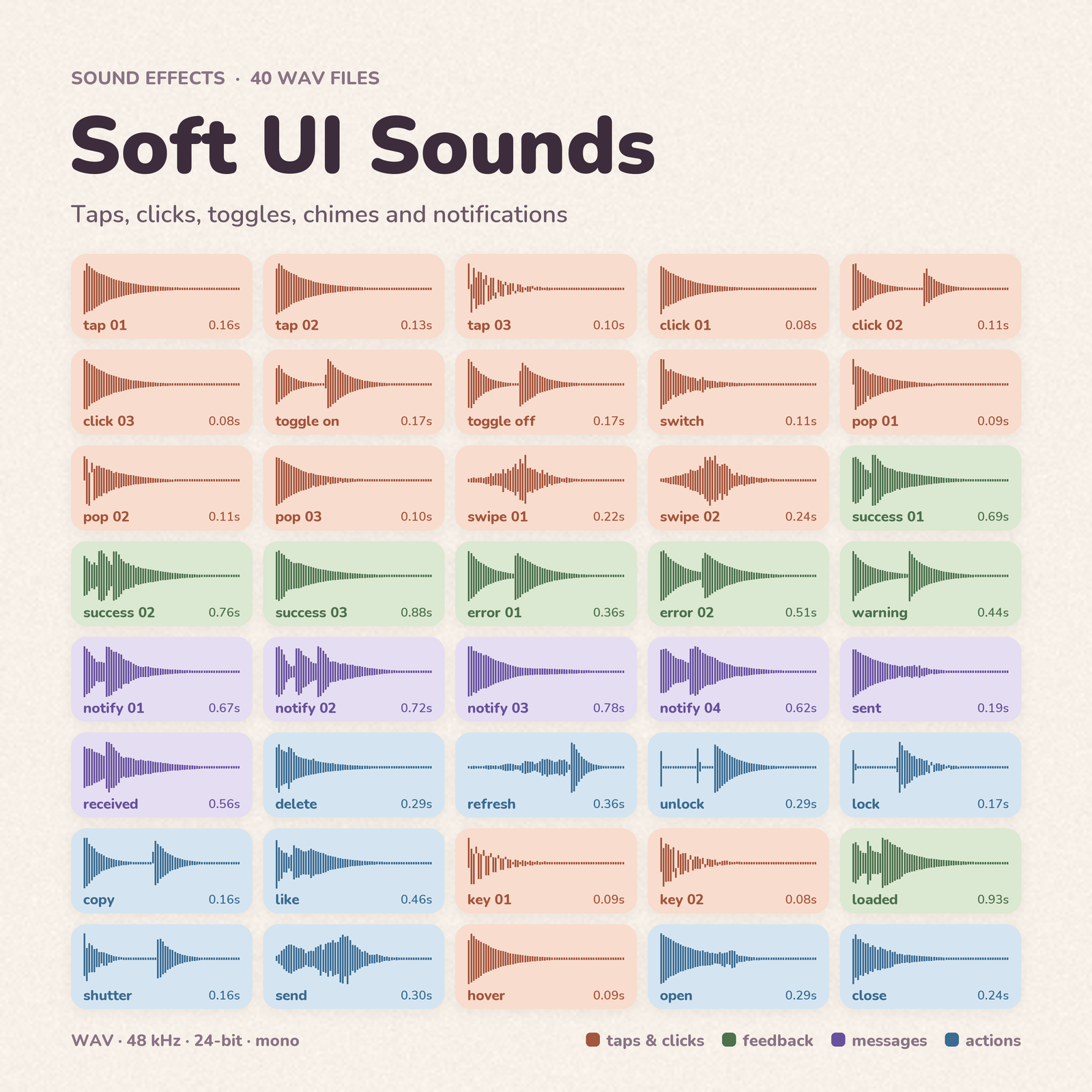 Soft UI Sounds 音效 · soft-ui-sounds | 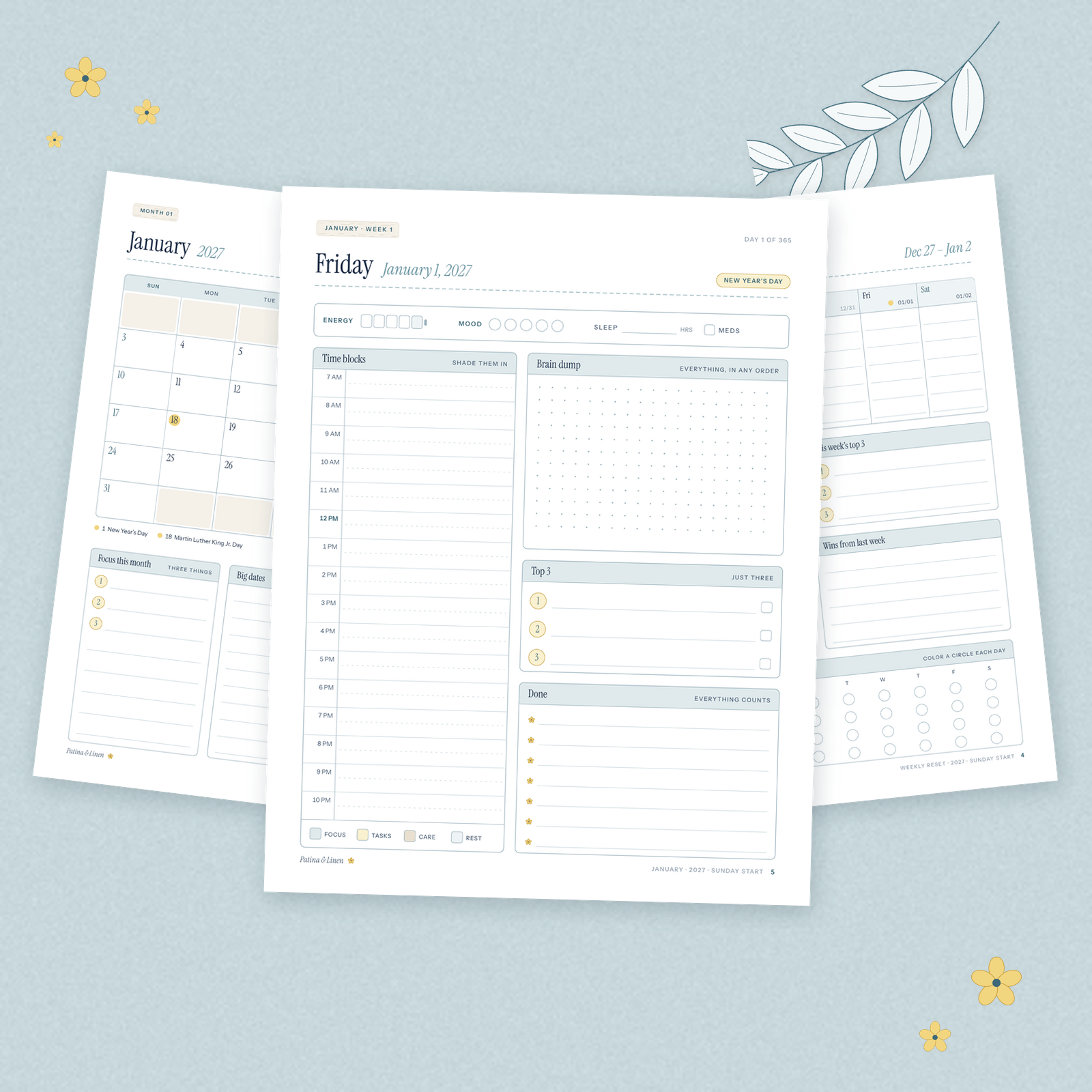 2027 ADHD-Friendly Daily Planner 可打印素材 · adhd-friendly-planner | 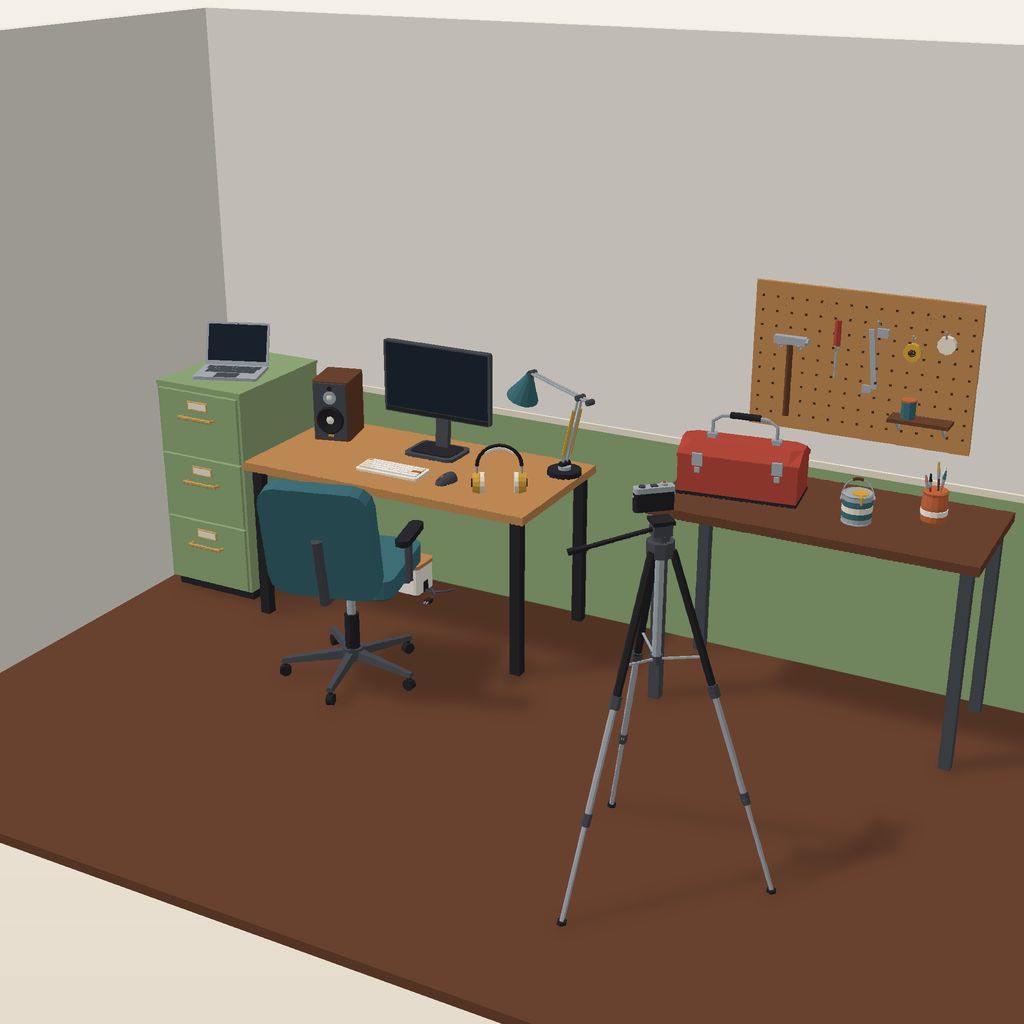 Desk & Workshop Kit 3D · desk-workshop-kit |  Liquid Marble Shader 着色器 · liquid-marble |
 Interface Line Icons 艺术与图标 · interface-line |  Sunset Arcs 图案 · sunset-arcs-cream | 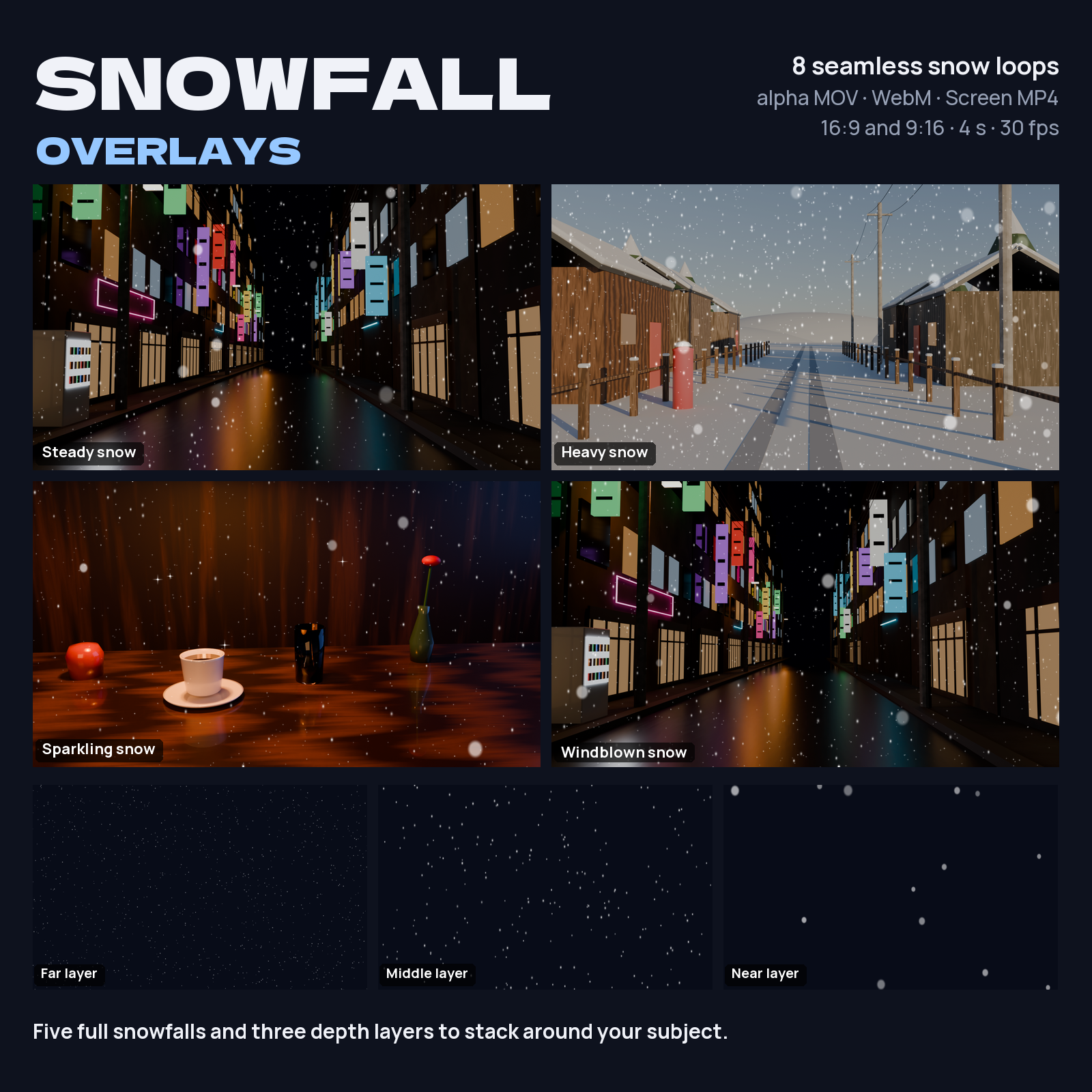 Snowfall Overlays 视频特效 · snowfall-overlays | 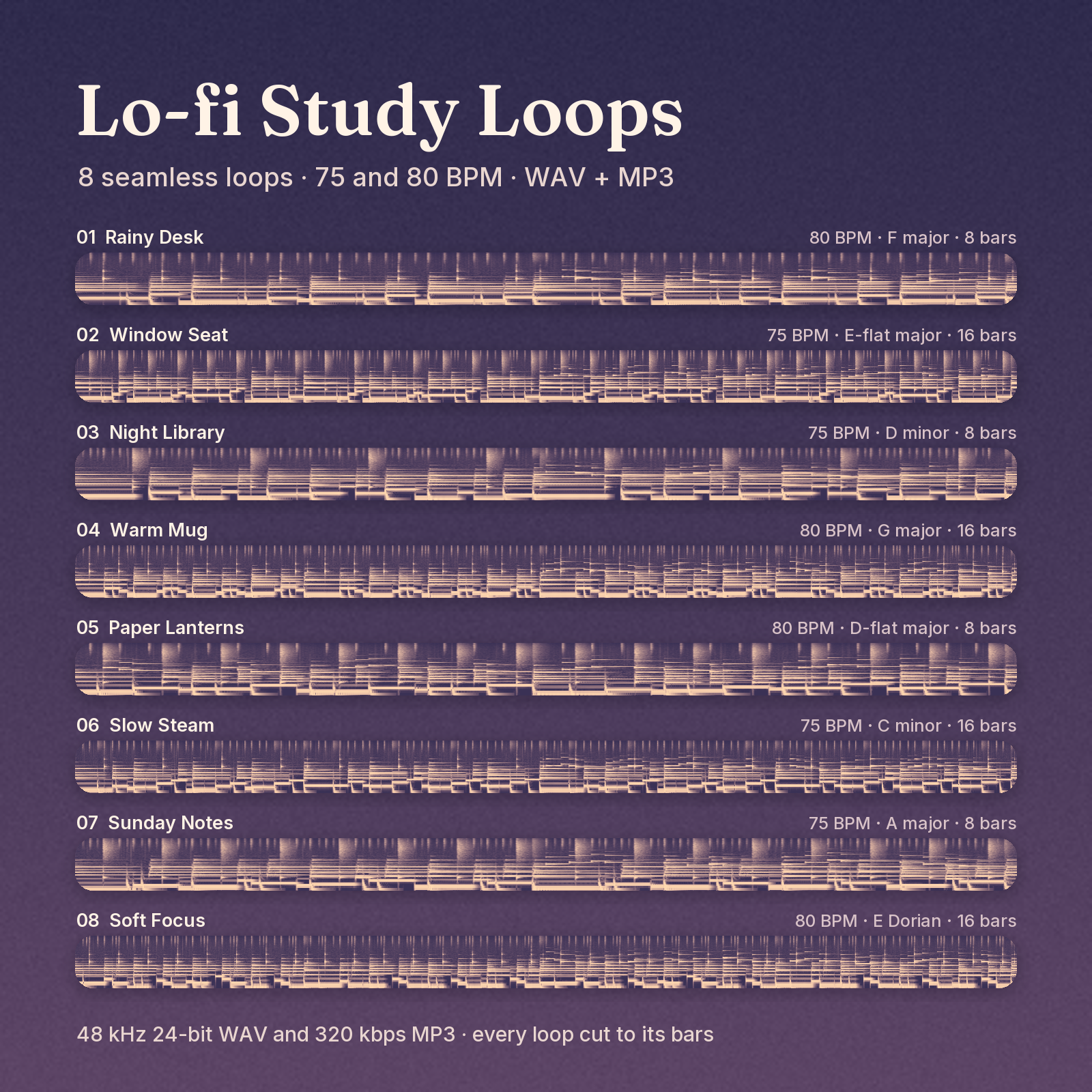 Lo-fi Study Loops 音频 · lofi-study-loops |
每张图片下方的代码是商品的 slug,所有命令都使用它:
kadal-store show liquid-marble 会在终端中显示商品的文件、价格和许可。图片是商店自己的预览,因此会随商店更新而变化。
登录
$ kadal-store login
Opening your browser to sign in to store.kadal.cc. If it does not open, visit:
  https://store.kadal.cc/authorize?response_type=code&client_id=…
Signed in as Ana <[email protected]> on store.kadal.cc. Saved to /home/ana/.config/kadal/store.json
你会在商店自己的页面上登录,因此密码不会经过 CLI。令牌会保存到 ~/.config/kadal/store.json(遵循 $XDG_CONFIG_HOME;Windows 上为 %APPDATA%\kadal\),仅你本人可读取,并会自动续期。在没有浏览器的设备上,使用 --no-open,在任意位置打开该地址,然后将浏览器最终跳转到的地址粘贴回终端。如果商店页面提示不认识此应用,请运行 kadal-store login --register。运行 kadal-store logout 会让此设备退出登录并撤销其访问权限;在 Account → Settings → Connected apps 中移除“Kadal Store CLI”也会达到同样效果。
命令
查找
$ kadal-store search planner --max 10 --limit 5
72 Seasons Weekly Planner         Printables  $9.00               seventy-two-seasons-planner
Kakeibo Budget Planner            Printables  $8.00               kakeibo-budget-planner
2027 Small Business Planner       Printables  $8.00               small-business-planner-2027
2027 ADHD-Friendly Daily Planner  Printables  $8.00               adhd-friendly-planner
Christmas Planner                 Printables  $7.00               christmas-planner

5 of 54. Details: kadal-store show <slug>
More: kadal-store search planner --cursor 5
search <words…>,支持--shelf <slug>、--style、--topic、--format、--kind asset|pack、--max <dollars>、--sort relevance|newest|price、--limit <1-50>(20)、--cursor <next page>。shelves会列出商店的货架及每个货架上的商品数量(将货架的 slug 用于--shelf)。show <slug>:查看每种许可证的价格、允许和不允许的事项、文件及其大小和版本、套装包含的内容,以及更新信息。
为你的项目推荐
$ kadal-store recommend "sounds for a cosy pixel-art farming game" --limit 3
Retro 8-Bit SFX  Sound FX  from $9.00          retro-8bit-sfx
    Matches “sound”, “pixel” and “art” in its tags.
Cute Pops & Sparkles  Sound FX  from $9.00          cute-pops-sparkles
    Matches “sound”, “cosy” and “game” in its tags.
Holiday Creator Kit  Bundles  from $29.00         holiday-creator-kit  (pack of 9)
    Matches “sound”, “art” and “game” in its tags.

Packs that complete what you have:
Sound FX Collection  Sound FX  from $24.00         sfx-collection  (pack of 4)
    Holds 2 of the picks above. You already own 1 of its 4 items. Its 4 items cost $39 one by one; the pack is $24. (you own 1)
…
每项推荐都会说明推荐理由,套装还会说明它能为你省去哪些工作。不会列出你已拥有的商品(使用 --include-owned 可保留)。添加 --from . 后,商店还会读取你当前所在项目的简短摘要;发送前,你可以查看该摘要(包含的内容)。此外还支持 --shelf、--format(均可重复使用)、--max <dollars>、--limit <1-20>(8),以及无需确认即可发送摘要的 --yes。
查看你拥有的内容
$ kadal-store library
Slim Weekly Techo  (standard)  42 files, 19.7 MB  slim-weekly-techo
Soft UI Sounds  (personal)  41 files, 1.8 MB  soft-ui-sounds

Download one: kadal-store download <slug> · everything: kadal-store sync <dir>

$ kadal-store download slim-weekly-techo --year 2027 --lang en --size a6 -o planner
Downloading slim-weekly-techo into planner
  ✓ planner/FONT-LICENCE.txt
  ✓ planner/how-to-print.pdf
  ✓ planner/slim-weekly-techo_2027_en_a6.pdf
Done: 3 downloaded, 0 already here.

$ kadal-store sync Kadal
2 products · 83 files already in Kadal · 0 to download
Done: 0 downloaded, 83 already here.
-
download <slug>会将单个商品的文件放入./<slug>(或-o <dir>)。使用--file <name>(可重复使用)选择文件。按版本销售的商品需要使用--year 2027 --week sun|mon --lang en|ja|en-ja --size a4|a5|letter…选择版本;show <slug>会列出该商品提供的版本。属于所有版本的文件(例如自述文件)也始终会一并下载。使用--zip可将整个商品打包为一个 zip 文件;使用--force可重新下载已存在的文件。 -
sync [dir]会将你拥有的所有内容镜像到dir(默认为./kadal-store),每个商品单独放在一个文件夹中。已存在且 sha256 相同的文件会跳过;不会删除任何内容。支持--product <slug>(可重复使用)、版本选项,以及用于查看将下载哪些内容的--dry-run。 -
可重新着色的插画(
show <slug>会显示“Recolourable”)支持任意颜色:在download或sync中使用--color <hex>,例如--color 2f9e44,会将每个 SVG 保存为该颜色,并命名为<name>-2f9e44.svg;商品的其余内容保持原样。省略#或将其加上引号("#2f9e44"):单独的#在 shell 中会开始注释。每个重新着色的文件都会与商店提供的 sha256 校验,因此下次运行时也会跳过它。sync --color会为支持的商品重新着色,并按原样下载其余商品;不支持着色的商品会被拒绝(退出码为 2)。 -
每个文件都会先与商店提供的 sha256 校验,校验通过后才会保留。下载中断时会留下
.kadal-part文件,下次运行会从中断处继续。下载任务一次并行运行四个(--concurrency <n>)。 -
只会下载你拥有的内容。其他内容会停止下载,并显示商店的答复:
$ kadal-store download retro-8bit-sfx
Downloading retro-8bit-sfx into retro-8bit-sfx
error: You don't own Retro 8-Bit SFX. get_product describes it; create_buy_link makes a link to buy it.
购买
$ kadal-store buy retro-8bit-sfx soft-ui-sounds
Review and pay here:
  https://store.kadal.cc/buy?items=retro-8bit-sfx:personal,soft-ui-sounds:personal&ref=cli

  Retro 8-Bit SFX                           personal    $9.00
  Soft UI Sounds                            personal    $9.00  (you already own this)
  Total                                                 $9.00

Open the link to review and pay. Nothing is charged until you pay on that page, and you can change a licence or remove anything there. Already owned, so not charged: soft-ui-sounds.
buy <slug[:tier]>… 会生成一个页面,展示每件商品、对应的许可证和价格,以及你已拥有的商品;已拥有的商品不会计入总价。不指定等级时,商品会附带当前在售的最便宜许可证;添加等级(personal、standard 或 commercial)即可选择许可证。--open
会在浏览器中打开页面。buy 只负责生成页面:你可以在页面上付款,也可以不付款。
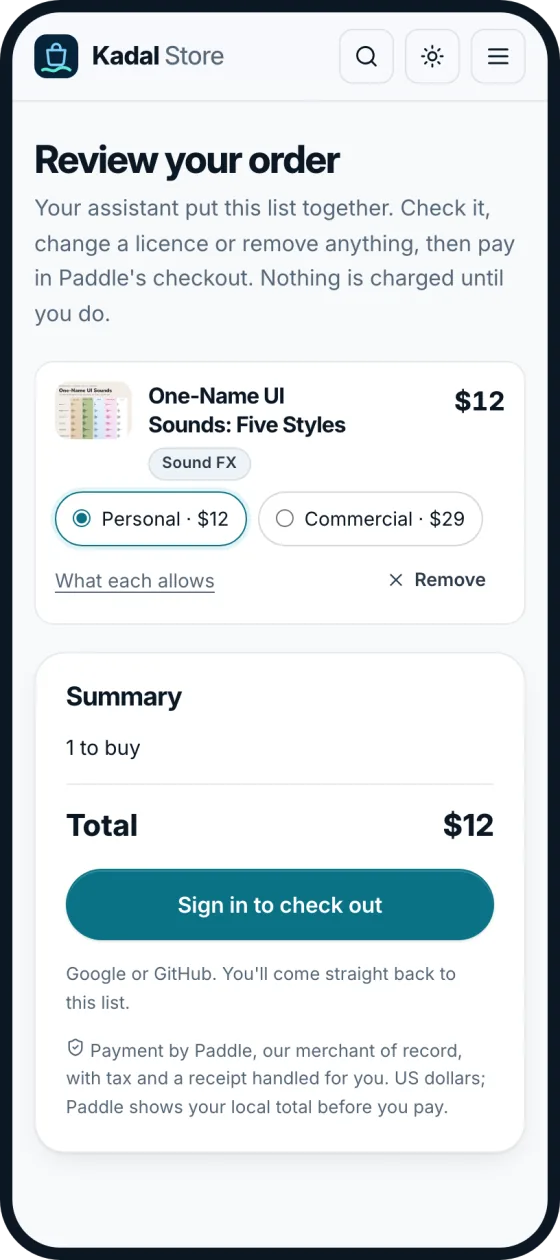
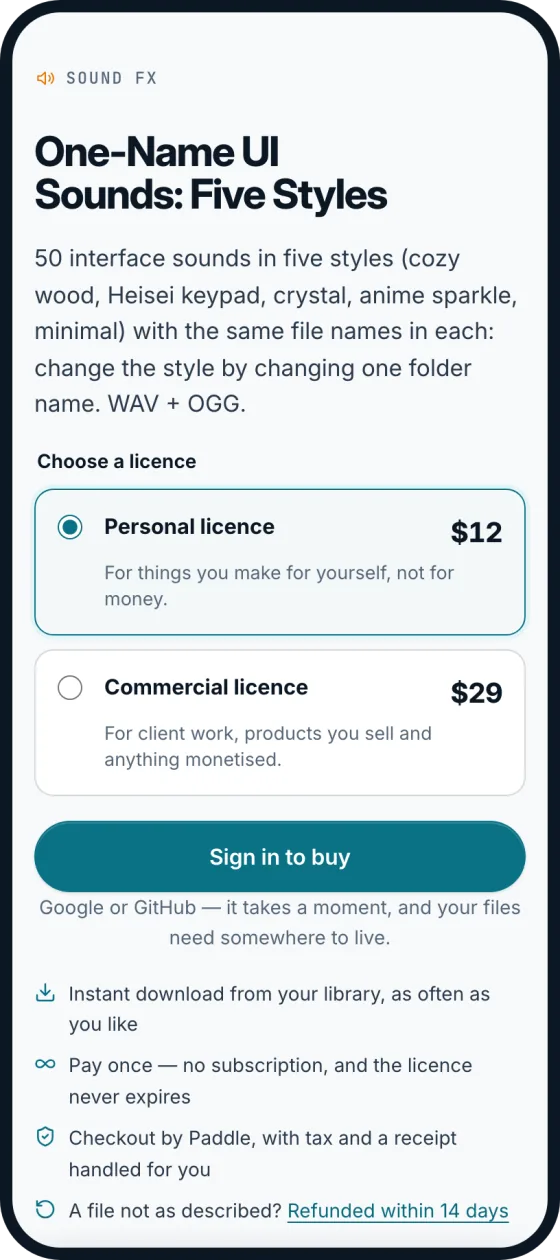
左侧是 buy 和 Agent 的 create_buy_link 打开的页面:供你检查的清单。右侧是商品页面,其中会说明每种许可证。
告诉我们问题
$ kadal-store report slim-weekly-techo --kind question --file slim-weekly-techo_2027_en_a6-on-a4.pdf --page 3 "Do I print this one at 100% for an A6 binder?"
Thanks. Your note is open: https://store.kadal.cc/account/notes#note_…
Only you and Kadal can see it. Replies show up in `kadal-store notes`.

$ kadal-store notes
  Slim Weekly Techo · question · slim-weekly-techo_2027_en_a6-on-a4.pdf  [Waiting for Kadal to read it]  note_…
    Do I print this one at 100% for an A6 binder?
--kind mistake|question|idea;PDF 使用 --page <n>,音频或视频使用 --at <seconds>。用
- 代替文字,即可从 stdin 读取文字。notes --status open|accepted|declined|duplicate|fixed 可缩小列表范围。修复发布后,商品更新会显示在你的资料库中,下次执行 download 或 sync 时即可获取。
其他所有命令
whoami、logout、--help(以及 <command> --help)、--version。
连接你的 Agent
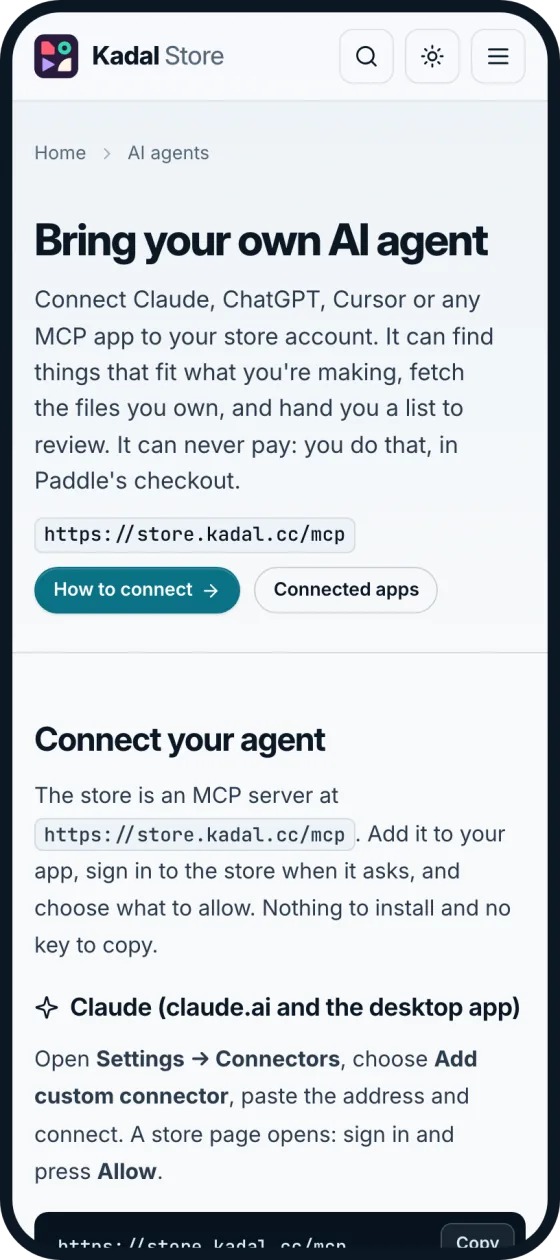
相同步骤,附带复制按钮:store.kadal.cc/agents。
有两个提供相同工具的服务。托管服务 https://store.kadal.cc/mcp 无需安装任何内容:你的应用会通过 OAuth 登录商店,你可以选择允许哪些操作。本地服务 npx -y @kadal/store mcp 使用此计算机上的 kadal-store login,并添加两个可在项目文件夹中使用的工具。两者在官方 MCP 注册表中都使用同一个条目 cc.kadal/store。
Claude(claude.ai 和桌面应用)
打开 Settings → Connectors,选择 Add custom connector,粘贴 https://store.kadal.cc/mcp
并连接。系统会打开商店页面:登录并按下 Allow。
Claude Code
此插件将技能与本地 MCP 服务整合在一起。使用
npx -y @kadal/store login 登录一次,然后:
/plugin marketplace add kadalcc/store-cli
/plugin install kadal-store@kadal-store
或者只添加托管服务,然后在 Claude Code 中运行 /mcp 并选择 kadal-store 登录:
claude mcp add --transport http kadal-store https://store.kadal.cc/mcp
或者只使用本地服务:claude mcp add kadal-store -- npx -y @kadal/store mcp。
ChatGPT
在 设置 → 应用和连接器 中,先在 高级 下开启开发者模式,然后使用地址 https://store.kadal.cc/mcp 和 OAuth 登录方式创建连接器。首次使用时,ChatGPT 会打开商店的登录页面。
Cursor
将其添加到 ~/.cursor/mcp.json:
{ "mcpServers": { "kadal-store": { "url": "https://store.kadal.cc/mcp" } } }
VS Code
将其添加到 .vscode/mcp.json,然后从文件启动:
{ "servers": { "kadal-store": { "type": "http", "url": "https://store.kadal.cc/mcp" } } }
Codex 和仅运行本地服务的应用
使用 npx -y @kadal/store login 登录一次,然后让应用连接到本地服务。在 Codex 中,对应的文件是 ~/.codex/config.toml:
[mcp_servers.kadal-store]
command = "npx"
args = ["-y", "@kadal/store", "mcp"]
Claude Desktop、Cursor 和其他应用也使用相同的本地服务,只是配置格式为 JSON:
{ "mcpServers": { "kadal-store": { "command": "npx", "args": ["-y", "@kadal/store", "mcp"] } } }
技能
对于任何能读取 Agent Skills 的 Agent:运行 npx skills add kadalcc/store-cli(skills/kadal-store)。它会教 Agent 如何为当前项目寻找素材并下载到项目中,绝不擅自购买,并报告在你购买的文件中发现的问题。
工具
| MCP 工具 | |
|---|---|
search_products、get_product、list_shelves、recommend | 商品目录、每件商品的许可,以及根据工作描述提供的建议 |
list_library、get_download_links | 你拥有的内容,以及每个文件的十分钟下载链接(附带 sha256;对于可重新着色的插画,还会提供指定 color 的 SVG 文件) |
create_buy_link | 供你付款的确认页面;不会扣款 |
report_problem、list_my_notes | 关于你拥有的文件的备注,以及 Kadal 的回复 |
whoami | 当前登录的用户及其授权范围 |
project_summary(本地) | recommend --from 会发送的内容:仅描述文件夹,不包含其内容 |
download_to_folder(本地) | 将你拥有的文件下载到项目中,使用 sha256 校验,跳过已存在的文件;对于可重新着色的插画,使用指定的 color;仅限服务器启动时所在的文件夹,除非使用 --allow-outside 启动 |
kadal-store mcp --dir <path> 可将另一个文件夹作为项目提供服务。除 report_problem 需要 store:write 外,所有工具都需要 store:read 范围。商店的服务端卡片会列出所有工具,无需登录。


你的 Agent 绝不会付款
- 没有任何工具可以付款。
create_buy_link和kadal-store buy一样,只会返回 store.kadal.cc 上确认页面的地址。你需要在自己的浏览器中登录商店,然后在 Paddle 的结账页面付款。只有你亲自操作后才会扣款;在此之前,你还可以更改许可或移除任何内容。 - 只能下载你拥有的内容。 下载链接仅为已登录用户生成,且只适用于其许可涵盖的文件,有效期为十分钟。其他文件会显示“你不拥有……”并提供
create_buy_link链接。 - 你可以选择允许它执行的操作。 报告问题需要
store:write;其他所有操作都需要store:read。在 账户 → 设置 → 已连接的应用 中移除应用,即可终止其访问权限。 - 技能也会明确说明。 它会告诉 Agent 绝不购买、绝不声称已购买、绝不代你打开结账页面,并要求你自行登录。
隐私
recommend --from <dir> 和本地服务的 project_summary 会在不读取项目内容的情况下描述项目。它们会读取:
- 从
package.json、pyproject.toml、Cargo.toml或go.mod中读取:名称、描述、关键词和依赖项的名称(绝不读取版本、脚本或其他任何内容); - README 的标题,不读取段落;
- 文件名,用于统计文件类型、识别工具(如
project.godot、.blend文件)以及顶层名称。
不会读取依赖项、构建和隐藏文件夹(node_modules、.git、dist、任何点文件夹……),不会跟踪符号链接,文本上限为 6,000 个字符。你可以准确看到将要发送的内容;只有在你同意后才会发送:
$ kadal-store recommend "ui sounds" --from .
This summary of /home/ana/cosy-farm will be sent to store.kadal.cc:

  Project: cosy-farm — A cosy farming game
  Built with: Phaser, Vite
  Dependencies: phaser, vite
  README sections: Cosy Farm · Art style · Controls
  File types: .png 8, .ts 5, .html 1, .json 1, .md 1
  Top level: assets/, src/, index.html, package.json, README.md

Send it? [y/N]
文件夹路径只会显示给你,不会发送。如果没有可供确认的终端,除非传入 --yes,否则不会发送任何内容。
在商店一侧,发送给 recommend 的文字仅用于生成这一次答复,不会保留。每次连接都会记录应用名称、你允许的操作及时间;下载记录方式与从你的资料库下载相同。详情见商店的隐私政策。在你的设备上,CLI 只保留登录信息,详见登录。
工作原理

CLI 向商店发出的任何请求,都会作为对托管 MCP 服务工具的调用发送(POST https://store.kadal.cc/mcp,Streamable HTTP,使用 PKCE 的 OAuth 2.1)。CLI 本身不包含目录逻辑,因此 CLI、kadal-store mcp 和托管服务上的 Agent 看到的数据都相同。工具说明见 store.kadal.cc/agents 和服务卡片;工具类型定义见
src/types.ts。金额始终以整数美分(美元)表示;URL 均为绝对 URL。示意图对应的文件是
Excalidraw 文件。
脚本用法
- 在任何命令中使用
--json,都会在 stdout 上输出一个 JSON 文档;面向用户的所有内容都会输出到 stderr。对于商店命令,输出内容与商店发送的工具答复完全一致。download输出{slug, dir, files: [{slug, fileId, name, path, bytes, sha256, status, resumed?, error?}], zip, counts},sync输出{dir, dryRun, files, counts},login输出{ok, host, user, scopes, operator, config},logout输出{ok, host, signedOut, revoked},被你拒绝的recommend --from输出{sent: false}。错误格式为{ok: false, error: {code, message, exitCode}}。 - 退出码:
0成功,1失败(消息会说明原因),2用法错误,3尚未登录(或登录已过期:运行kadal-store login),4下载校验和失败(不会保留任何内容)。 --host <url>或KADAL_STORE_HOST可指定其他商店,例如本地 worker(--host http://localhost:8861)。每个 host 都有各自的登录信息。
开发
bun install && bun run build && bun run test
bun test/fake-store.ts 8899 &                      # a fake store, no account needed
node dist/bin.js login --host http://127.0.0.1:8899
请参阅 CONTRIBUTING.md 和
AGENTS.md。本 README 中的图片取自实时页面和 CLI 的实际运行结果;
.github/assets/src/render.mjs
可重新生成这些图片。
许可证
AGPL-3.0-or-later,与 Kadal Deck 引擎采用相同许可证。无论是以命令的形式运行 CLI,还是将其作为 Agent 的 MCP 服务,都不会触发任何要求。如果你将修改后的版本作为网络服务运行,用户必须能够获取你修改后的源代码。
你下载的文件不受 AGPL 约束:每个文件都采用你购买时附带的商店许可证。LICENSING.md 说明了这两种许可证,THIRD_PARTY_NOTICES.md 列出了随附安装的软件包及其许可证。
贡献
提交 Bug 报告时,附上你运行的命令、它的 --json 输出和退出代码,是最有帮助的方式;也欢迎提交拉取请求。CONTRIBUTING.md 介绍了环境配置(Bun 1.3+)和测试。请遵守行为准则,并按照 SECURITY.md 中的说明私下报告安全问题。
赞助商
赞助款用于支持 Kadal 开源工具的开发时间,包括处理问题、编写文档和开发你提出的功能。在 GitHub 上赞助 Kadal。这是与 Kadal Deck 相同的赞助计划:赞助档位见 deck.kadal.cc/sponsor,支持者名单见 BACKERS.md。企业可以通过发票赞助。
在此展示你的徽标: 成为首家赞助 Kadal 开源工作的企业。
由 Kadal 在金奈打造 · Kadal · store.kadal.cc · [email protected]
评论
一个开放协议,规定了 AI 应用如何以统一方式连接外部工具与数据源。客户端负责与模型对话,MCP 服务负责提供工具、资源和提示模板,两者通过标准消息通信,同一个服务可以被不同客户端复用。