
关于 mcp-manimgl
mcp-manimgl 通过 MCP 工具提供 Manim OpenGL 场景创建、动画、音频和渲染功能,面向制作数学动画的用户,也支持带旁白和音乐的视频。
主要功能
- 01创建和配置场景
- 02添加数学对象与 LaTeX
- 03制作对象和变换动画
- 04添加旁白与背景音乐
- 05渲染视频并保存帧
- 06生成场景脚本
适用场景
- 01为数学概念制作动画
- 02制作带旁白的讲解视频
- 03添加基于 MIDI 的背景音乐
- 04保存渲染后的场景帧
MCP 相关
该 MCP 服务提供场景、对象、动画、音频和渲染工具,并提供环境信息资源。
配置
本地服务的配置在各客户端中通用,复制后粘贴到客户端的 MCP 配置文件即可。
工具
58收录的工具列表 · 更新于 2 周前
| 参数 | 类型 | 必填 | 说明 |
|---|---|---|---|
| fps | integer | 否 | 渲染帧率。 |
| resolution | string | 否 | 分辨率字符串,格式如 "WxH",例如 "1920x1080"。 |
| frame_height | number | 否 | 坐标系的高度,以 manim 单位表示。 |
| background_color | string | 否 | 背景的十六进制颜色值或命名颜色。 |
详细介绍
mcp-manimgl — 将 manimgl(Manim OpenGL)数学动画功能作为工具提供给大模型的 MCP 服务。



mcp-name: io.github.daedalus/mcp-manimgl
安装
pip install mcp-manimgl
可选额外依赖:
# For rendering (requires manimgl + system deps)
pip install "mcp-manimgl[render]"

# For audio narration + MIDI music support
pip install "mcp-manimgl[audio]"
系统依赖
| 依赖 | 所需功能 | 安装 |
|---|---|---|
ffmpeg + ffprobe | 音频混合、旁白同步、音乐闪避 | apt install ffmpeg |
libfluidsynth3 | 将 MIDI 文件渲染为音频 | apt install libfluidsynth3 |
SoundFont(.sf2/.sf3) | MIDI 乐器音色 | apt install fluidr3mono-gm-soundfont |
| pangocairo、OpenGL | Manim 渲染引擎 | 请参阅 manimgl 文档 |
服务会在启动时检查非 Python 依赖,并通过 stderr 和 mcp-manimgl://info 资源报告缺失项。
用法
MCP 服务
# Run with stdio transport (default for MCP)
mcp-manimgl
在 Claude Desktop / Cursor / MCP 客户端中
将以下内容添加到 mcp.json:
{
  "mcpServers": {
    "mcp-manimgl": {
      "command": "mcp-manimgl"
    }
  }
}
工具
服务提供以下工具类别:
场景管理
create_scene— 创建/配置新场景clear_scene— 移除所有元素add_wait— 添加等待/暂停set_camera— 配置摄像机set_config— 设置全局渲染配置save_state/restore_state— 状态管理generate_scene_script— 获取生成的 Python 脚本
Mobject 创建
add_circle、add_square、add_rectangle、add_polygonadd_line、add_arrow、add_dotadd_text、add_tex(LaTeX)add_function_graph、add_parametric_curveadd_coordinate_system、add_vectoradd_labeled_point、add_brace、add_number_lineadd_decimal_number、add_matrixadd_3d_object(球体、立方体、圆环、圆锥、圆柱体)
Mobject 操作
move_to、shift、scale、rotateset_color、set_opacitynext_to、align_to
动画
animate_transform、animate_fade_in/out、animate_growanimate_rotate、animate_scale、animate_shiftanimate_indicate、animate_write、animate_set_coloranimate_move_along_path、animate_group
音频
add_narration— 生成在当前时间轴位置播放的 TTS(gTTS)旁白add_background_music— 从音频文件或 MIDI 文件 添加背景音乐(通过 FluidSynth 自动渲染)。支持音量控制、循环播放,以及旁白期间的侧链闪避。
渲染
render_scene— 渲染为视频(自动混合背景音乐和旁白,并进行闪避)save_frame— 保存单帧get_render_status— 检查环境
音频功能
旁白
# TTS narration at current timeline position
add_narration("Shor's algorithm factors large numbers in polynomial time.")
背景音乐
接受音频文件(.mp3、.wav、.ogg)或 MIDI 文件(.mid、.midi)。MIDI 文件会使用 FluidSynth 和系统 SoundFont 渲染为音频。
# From an audio file
add_background_music("/path/to/music.mp3", volume=0.3, loop=True)

# From a MIDI file (auto-rendered)
add_background_music("/path/to/classical.mid", volume=0.2)

# With ducking configuration
add_background_music(
    "bach_chorale.mid",
    volume=0.25,
    loop=True,
    duck_threshold="-20dB",
    duck_ratio=6,
    duck_attack=0.05,
    duck_release=0.3,
)
同时存在背景音乐和旁白时,render_scene 会自动:
- 通过 manimgl 渲染无音频视频
- 按配置的音量放置音乐轨道(必要时循环播放)
- 在时间轴对应位置放置各旁白轨道
- 应用侧链压缩,使旁白期间的音乐音量降低
- 通过 ffmpeg 合成所有内容,生成最终 MP4
示例:Shor 算法
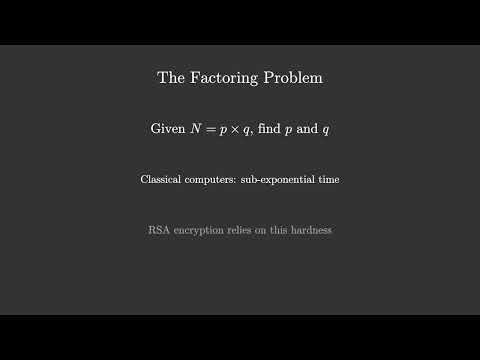
一个讲解 Shor 算法的旁白动画,包含 LaTeX、5 段 TTS 旁白和古典 MIDI 背景音乐。
观看:
MCP 工具调用顺序:
# 1. Configure scene
create_scene(background_color="#0a0a2e", resolution="1920x1080", fps=30)

# 2. Background music (auto-loops to fill video duration)
add_background_music("classical.mid", volume=0.25, loop=True)

# 3. Create mobjects + animate (5 sections)
add_tex("Shor's Algorithm", font_size=72, color="#FFD700")
add_tex("Integer Factorization on Quantum Computers", font_size=36, color="#88CCFF")
animate_fade_in("m_...", run_time=1.5)
# ... more shapes, LaTeX formulas, fade-ins, fade-outs ...

# 4. Narration at specific timeline positions
add_narration("Shor's algorithm factors large numbers...")   # ~3.5s
add_narration("The factoring problem...")                     # ~18.5s
add_narration("Key insight: reduce factoring to period...")   # ~36.1s
add_narration("Quantum period finding uses superposition...") # ~55.4s
add_narration("Summary of Shor's algorithm...")               # ~76.3s

# 5. Render (auto-mixes video + narrations + ducked BGM)
render_scene(output_path="data/Shors_Algorithm.mp4")
请参阅仓库根目录中的 shor_mcp.py,查看完整场景脚本。
MIDI 渲染
MIDI 文件使用 pyfluidsynth 和系统 SoundFont 渲染。在 Debian/Ubuntu 上:
sudo apt install fluidr3mono-gm-soundfont libfluidsynth3
pip install "mcp-manimgl[audio]"
自动发现的 SoundFont 路径:
/usr/share/sounds/sf3/(.sf3)/usr/share/sounds/sf2/(.sf2)/usr/share/fluidr3mono-gm-soundfont/
开发
git clone https://github.com/dclavijo/mcp-manimgl.git
cd mcp-manimgl
pip install -e ".[test]"

# run tests
pytest

# format
ruff format src/ tests/

# lint + type check
prospector --with-tool ruff --with-tool mypy src/

# security scan
semgrep --config=auto --severity=ERROR src/

# find unused code
vulture --min-confidence 90 src/
MCP
mcp-name: io.github.dclavijo/mcp-manimgl
评论
一个开放协议,规定了 AI 应用如何以统一方式连接外部工具与数据源。客户端负责与模型对话,MCP 服务负责提供工具、资源和提示模板,两者通过标准消息通信,同一个服务可以被不同客户端复用。