
关于 Mcp Namecheap Registrar
Mcp Namecheap Registrar 是面向 Cursor 的 Namecheap 域名 MCP 集成,可查询域名可用性和价格,并支持注册及隐私、名称服务器设置;注册可能产生实际费用。
主要功能
- 01查询域名可用性
- 02查看注册、续费和转移价格
- 03通过 Namecheap 注册域名
- 04设置 WhoisGuard 和名称服务器
适用场景
- 01确认候选域名是否可注册
- 02比较 TLD 注册和续费价格
- 03确认详情后注册域名
- 04使用沙盒模式测试注册流程
MCP 相关
通过 MCP 工具向 Cursor 提供 Namecheap 域名可用性、价格和注册操作。默认使用实时 API,注册可能产生费用。
配置
本地服务的配置在各客户端中通用,复制后粘贴到客户端的 MCP 配置文件即可。
我们还没有获取到这个服务的安装包或远程地址,请按项目 README 中的说明安装。
工具
本地服务需要在你的电脑上运行后才能读取工具,维护者暂未提供工具列表。
详细介绍
Namecheap 域名 Cursor 集成
一个用于 Namecheap 域名 API 的 Cursor MCP(Model Context Protocol)集成,可通过 Cursor AI 界面检查域名是否可用、获取价格信息并注册域名。

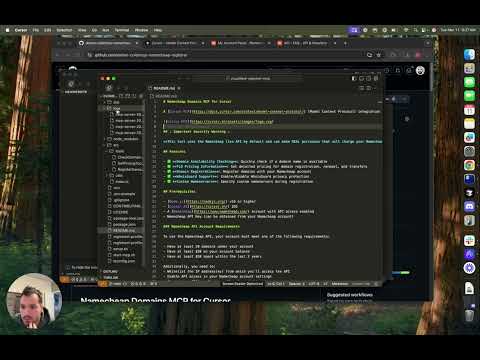
YouTube 演示:
⚠️ 重要安全警告 ⚠️
此工具默认使用 Namecheap 正式 API,可能会进行实际购买,并从你的 Namecheap 账户扣款。确认购买前,请务必仔细检查域名注册命令。
功能
- ✅ 域名可用性检查:快速检查域名是否可用
- ✅ 顶级域名价格信息:获取域名注册、续费和转移的详细价格
- ✅ 域名注册:使用你的 Namecheap 账户注册域名
- ✅ WhoisGuard 支持:启用/禁用 WhoisGuard 隐私保护
- ✅ 自定义名称服务器:注册时指定自定义名称服务器
前提条件
Namecheap API 账户要求
要使用 Namecheap API,你的账户必须满足以下条件之一:
- 账户下至少拥有 20 个域名
- 账户余额至少为 $50
- 过去 2 年内至少消费 $50
此外,你还需要:
- 将用于访问 API 的 IP 地址加入白名单
- 在 Namecheap 账户设置中启用 API 访问权限
- 在 Namecheap 控制面板中生成 API 密钥
详情请参阅 Namecheap API 常见问题。
设置说明
- 克隆仓库
git clone https://github.com/yourusername/namecheap-domains-mcp.git
cd namecheap-domains-mcp
- 安装依赖项
npm install
- 创建环境配置
复制示例环境文件,并填写你的 Namecheap API 凭据:
cp .env.example .env
编辑 .env 文件并添加你的 Namecheap 凭据:
NAMECHEAP_USERNAME=your_username
NAMECHEAP_API_KEY=your_api_key
NODE_ENV=production  # Use 'sandbox' for testing without real purchases
- 创建注册人资料
复制示例注册人资料,并根据你的信息进行自定义:
cp registrant-profile.example.json registrant-profile.json
编辑 registrant-profile.json,填写用于域名注册的联系信息。
- 构建项目
npm run build
将其作为 MCP 服务添加到 Cursor
要在 Cursor 中将其添加为 MCP 服务:
- 打开 Cursor
- 前往设置(左下角的齿轮图标)
- 在设置菜单中选择 MCP
- 点击 New Server
- 选择 Command 选项
- 输入启动 MCP 服务的命令:
(将/path/to/this/repo/start-mcp.sh/path/to/this/repo/替换为你克隆此仓库的实际路径) - 为服务命名(例如,“Namecheap Domains”)
- 点击 Add Server
添加后,你就可以直接在 Cursor AI 界面中使用 MCP 工具。
使用示例
检查域名是否可用
在 Cursor 中使用 check_domain 工具:
示例提示词:
is bingbang1234.com available?
示例响应:
I'll check if bingbang1234.com is available for registration.

...

Good news! The domain bingbang1234.com is available for registration.
Would you like to:
Get pricing information for this domain?
Register this domain?
Check availability of other domains?
Let me know how you'd like to proceed.
获取顶级域名价格
获取特定顶级域名的价格信息:
示例提示词:
What is the price of bingbang1234.com?
示例响应:
I'll check the pricing information for the .com TLD, which will show you how much bingbang1234.com would cost.

...

Here's the pricing information for bingbang1234.com:
Registration Pricing:
1 year: $9.98
2 years: $24.96
3 years: $39.94
4 years: $54.92
5 years: $69.90
6 years: $84.88
7 years: $99.86
8 years: $114.84
9 years: $129.82
10 years: $144.80
Future Renewal:
1 year renewal: $12.98
Transfer:
Transfer cost: $9.98
Would you like to register this domain? I can help you with that process, or if you have any other domains or TLDs you'd like to check, I can assist with that as well.
注册域名
为确保安全,域名注册分为两个步骤:
-
首先,检查域名详情和价格:
-
如果确定要购买,请确认购买:
示例提示词:
register bingbang1234.com
示例响应:
I'll start the domain registration process for bingbang1234.com. This is the first step, which will show you the registration details without actually purchasing the domain yet.

...

Domain bingbang1234.com is available for registration!
Pricing: $9.98 for 1 year
Registration details:
Domain: bingbang1234.com
Period: 1 year
Default nameservers will be used
WhoisGuard Privacy: Enabled
Contact information from your registrant profile:
Name: John Doe
Address: 123 Main St
City: Anytown
State/Province: CA
Postal Code: 12345
Country: US
Phone: +1.5555555555
Email: [email protected]

To complete the registration, you need to confirm the purchase.

⚠️ Important: Your Namecheap account will be charged $9.98 for this purchase if you confirm. ⚠️
Would you like to proceed with the purchase, or would you like to modify any details such as the registration period or nameservers?
可选参数:
nameservers:以逗号分隔的自定义名称服务器列表enableWhoisPrivacy:用于启用/禁用 WhoisGuard 的布尔值(默认值:true)
沙盒模式
如需在不进行真实购买的情况下测试,请在 .env 文件中设置 NODE_ENV=sandbox。这将使用 Namecheap 的沙盒 API 环境。
⚠️ 注意:你需要从 Namecheap 获取单独的沙盒 API 凭据。
测试
运行随附的测试脚本,验证所有功能是否正常:
node test-features.js
故障排除
常见问题
-
API 身份验证失败
- 确认 API 密钥和用户名正确
- 检查你的 IP 地址是否已在 Namecheap 加入白名单
-
未找到注册人资料
- 确认项目根目录中存在
registrant-profile.json - 确保该文件包含有效的 JSON,且包含所有必需字段
- 确认项目根目录中存在
-
域名注册失败
- 检查你的 Namecheap 账户余额
- 确认该域名确实可用
- 确保注册人资料包含所有必需字段
许可证
本项目采用 MIT 许可证授权,详情请参阅 LICENSE 文件。
贡献
欢迎贡献!有关如何为本项目做出贡献的详情,请参阅 CONTRIBUTING.md。
致谢
评论
一个开放协议,规定了 AI 应用如何以统一方式连接外部工具与数据源。客户端负责与模型对话,MCP 服务负责提供工具、资源和提示模板,两者通过标准消息通信,同一个服务可以被不同客户端复用。