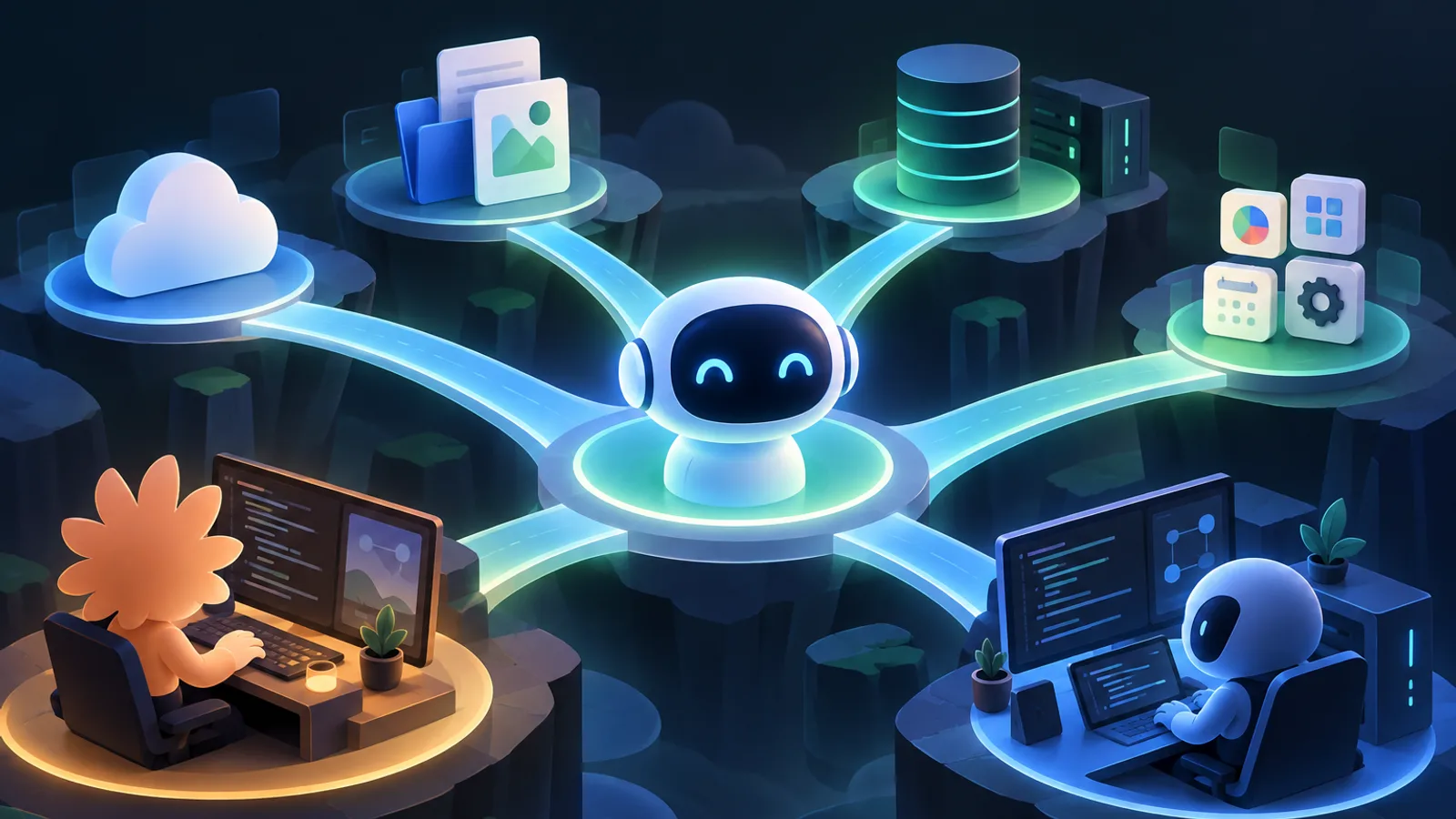
What is MCP: A universal protocol for connecting AI to external tools
Large language models are good at understanding and generating text, but they cannot necessarily read your project files, query databases, work with design files, or call business systems on their own. MCP (Model Context Protocol) provides a shared set of conventions for these connections, allowing AI applications to discover and use external data and tools in a relatively consistent way.
You can think of MCP as a “universal plug” between AI applications and external services. Servers provide capabilities according to the protocol, and clients connect according to the protocol; neither side has to design a separate interface for every tool and every AI application. Note that MCP is a connection mechanism, not a model, and it will not automatically make a model smarter. Whether it can solve a problem still depends on the connected server, permission settings, and the model’s judgment.

MCP servers can provide different types of capabilities, such as tools a model can call, resources it can read, and reusable prompt templates. For example, a code search server can help an agent find relevant implementations in a project; a design tool connector might let an agent read or modify design content. The capabilities actually provided depend on the implementation of the specific server.
Why MCP is needed: From custom integrations to a unified interface
Before protocols like MCP emerged, AI applications typically needed custom integrations for each external tool they connected to. Each connection might have its own configuration method, data format, and permission-handling logic. As the number of tools grew, so did the maintenance costs: servers had to support multiple clients, and clients had to prepare different connection methods for different servers.
MCP’s approach is to standardize some common rules. Once a provider implements an MCP server, compatible clients have the opportunity to connect using a unified protocol instead of having to understand each server’s communication method from scratch. This does not mean that every MCP server works plug-and-play with every client: supported features, deployment methods, and authentication requirements may still vary between clients and servers.
For developers, the main value of a unified interface is composability: services can be replaced or added according to the task, without putting every capability into a single agent. For example, a coding agent can connect to a code search server or other development tools; users, in turn, need to check what permissions each server has been granted.
How MCP works: Clients, servers, and tool calls
A typical MCP interaction involves a host application, an MCP client, and an MCP server. The host application is the AI product users actually interact with; the client communicates with the server according to the MCP protocol; and the server declares the capabilities it provides to the client. A server can run locally or provide services over a network, depending on its implementation and the transport methods supported by the client.
The general process is as follows:
- The client connects to the server and discovers the tools and other capabilities it provides.
- The model determines whether it needs to use a capability to fulfill the user’s request.
- The client sends a call request to the server.
- The server performs the corresponding operation and returns the result.
- The model uses the result to continue answering or make another call.
The protocol makes “how to communicate” more consistent, but it does not eliminate security responsibilities. A tool may read files, access external services, or even perform operations with side effects. When configuring MCP, check the server’s source, permission scope, and specific capabilities; for sensitive operations such as deleting, publishing, or making payments, be sure to retain necessary human confirmation. Do not paste API keys or other credentials directly into untrusted configurations or conversations.
Tip
Review an MCP server as an integration with clearly defined permission boundaries, not as a harmless prompt. Enable only the capabilities needed for the current task.
From Claude to Codex: MCP in coding agents
One important use case that brought MCP to developers’ attention is coding agents: they need to understand codebases and may also need to call tools for search, testing, design, or deployment. Anthropic’s Claude Code is a terminal-based coding tool that supports MCP integration; the directory’s Claude Code Agent also demonstrates how MCP can be used for multi-step engineering tasks.
OpenAI’s Codex CLI and Codex Agent represent another type of terminal-based coding agent. Codex can extend its code generation and repair capabilities through MCP tools. Available features, configuration processes, and permission mechanisms vary by client version and server, so consult the relevant product documentation before use rather than assuming that different clients have identical settings.
For example, Claude Context provides semantic code search, giving coding agents such as Claude Code context from across an entire codebase; TalkToFigma is designed for interactions between AI agents and Figma. These examples show how coding workflows can go beyond text editing to connect with code knowledge and design tools.
It is important to distinguish MCP servers from Skills: the former provide callable capabilities through a protocol, while the latter usually provide task instructions or workflows. For example, ui-taste and anti-ui-slop are Skills for coding agents, not MCP servers. They can work alongside MCP tools, but they should not be treated as the same mechanism just because both can extend an agent’s capabilities.

MCP’s development and the state of its ecosystem
MCP was initially proposed by Anthropic with the goal of establishing an open protocol for connecting model applications to external context and tools. As more clients and servers began supporting this approach, MCP use cases gradually expanded from conversational applications to development tools, automation processes, and other agent workflows. The focus of its development has also shifted from “can it connect?” to capability discovery, permission control, deployment methods, and reliability in real-world tasks.
Entries in ecosystem directories help newcomers see this diversity: in addition to coding tools, Puter lets compatible clients interact with its resources, while claude-flow is geared toward AI orchestration and provides a variety of MCP tools. Client types are not limited to terminal agents either: Repomix can organize a code repository into a single file suitable for AI to read, while E2Easy targets no-code end-to-end testing scenarios.
These examples show that the MCP ecosystem is not a standalone “tool store,” but a network made up of clients, servers, agents, and related workflows. An entry appearing in a directory does not mean every client supports all of its capabilities, nor does it mean the server is suitable for every environment. When choosing, consider whether it fits the task, what permissions it requires, how it runs, and what usage instructions its maintainers provide.
Getting started: choose a client and try an MCP server
You don’t need to connect to many servers all at once. Start by choosing a client you’re familiar with that explicitly supports MCP, such as Claude Code or Codex, then pick a server with a clear purpose and limited permissions. You can try the following steps:
- Define the task. For example, you want an agent to search a codebase or read an external resource.
- Find a suitable server. Read the server description and confirm what it can do, its runtime requirements, and its permission requirements.
- Configure it using the client documentation. Configuration formats and connection methods may vary, so prioritize the instructions provided by the client and server maintainers.
- Check the actual scope of authorization. Confirm what the server can access, and don’t grant unnecessary permissions just for convenience.
- Test with a low-risk task. First ask the agent to query or read information, then test operations that modify data.
If your goal is to help an agent understand a large codebase, you can start by learning about Claude Context; if you’re interested in design collaboration, see TalkToFigma. When choosing, follow the compatibility of your current client and the server documentation. MCP makes capabilities easier to reuse through connections, but developers still need to oversee security, compatibility, and result verification. Starting with a small task, confirming that the entire call chain works as expected, and then expanding gradually is usually the safest approach.