
About VIDEO-TO-CLAUDE
VIDEO-TO-CLAUDE is a client for sending annotated video frames into a Claude Code conversation. Users can scrub a recording, mark frames with drawings or labels, and submit the images as vision input.
Key features
- 01Upload common video formats
- 02Seek to specific frames
- 03Add arrows, boxes, marks, and labels
- 04Send annotated WebP frames to Claude Code
- 05Launch capture flow with `/vtc`
Use cases
- 01Show a coding agent a specific video issue
- 02Mark interface elements for Claude Code to inspect
MCP support
Its MCP server starts capture sessions and waits for submitted frames. The `await_capture` tool returns annotated WebP images as image content blocks to Claude Code.
Details
From the project READMEvideo-to-claude
Drop a screen recording, scrub the timeline, draw annotations on frames, click Send — the annotated WebPs land directly in your Claude Code conversation as vision input.
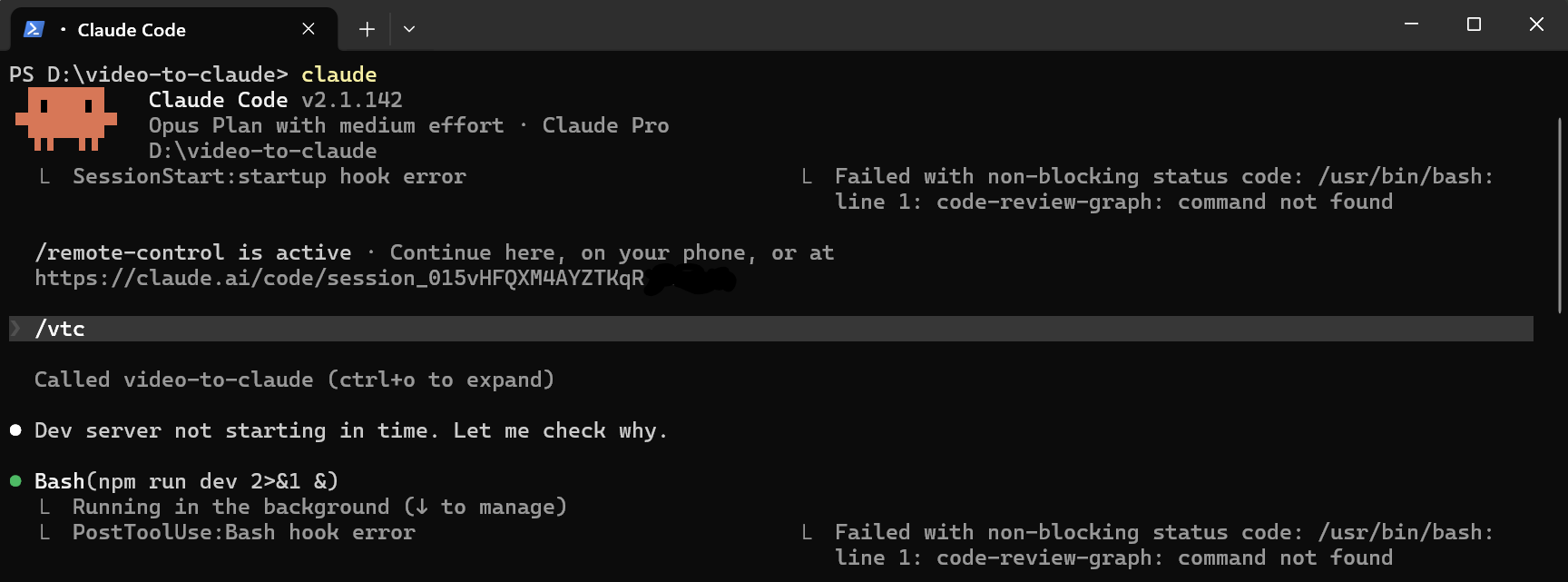 | 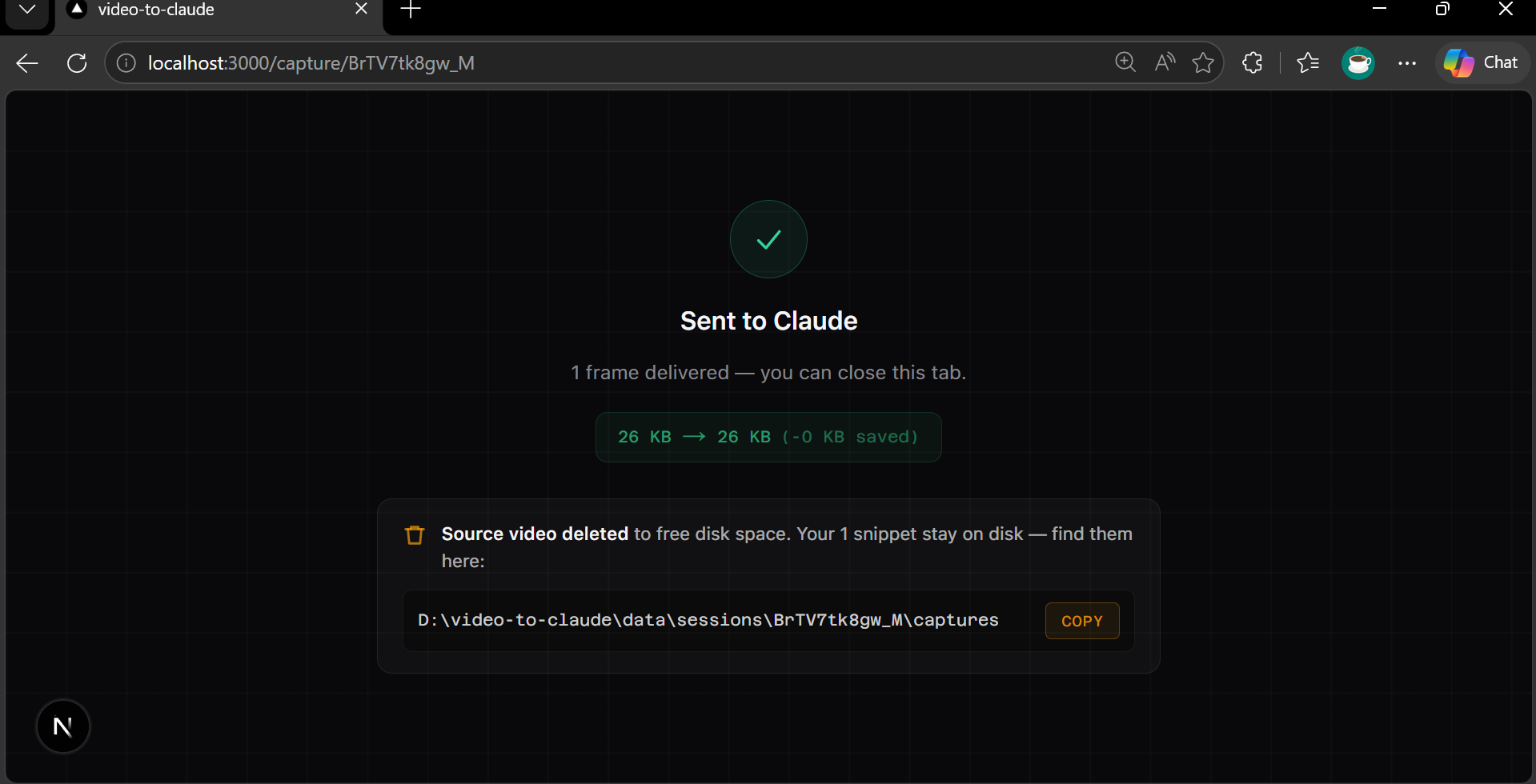 | 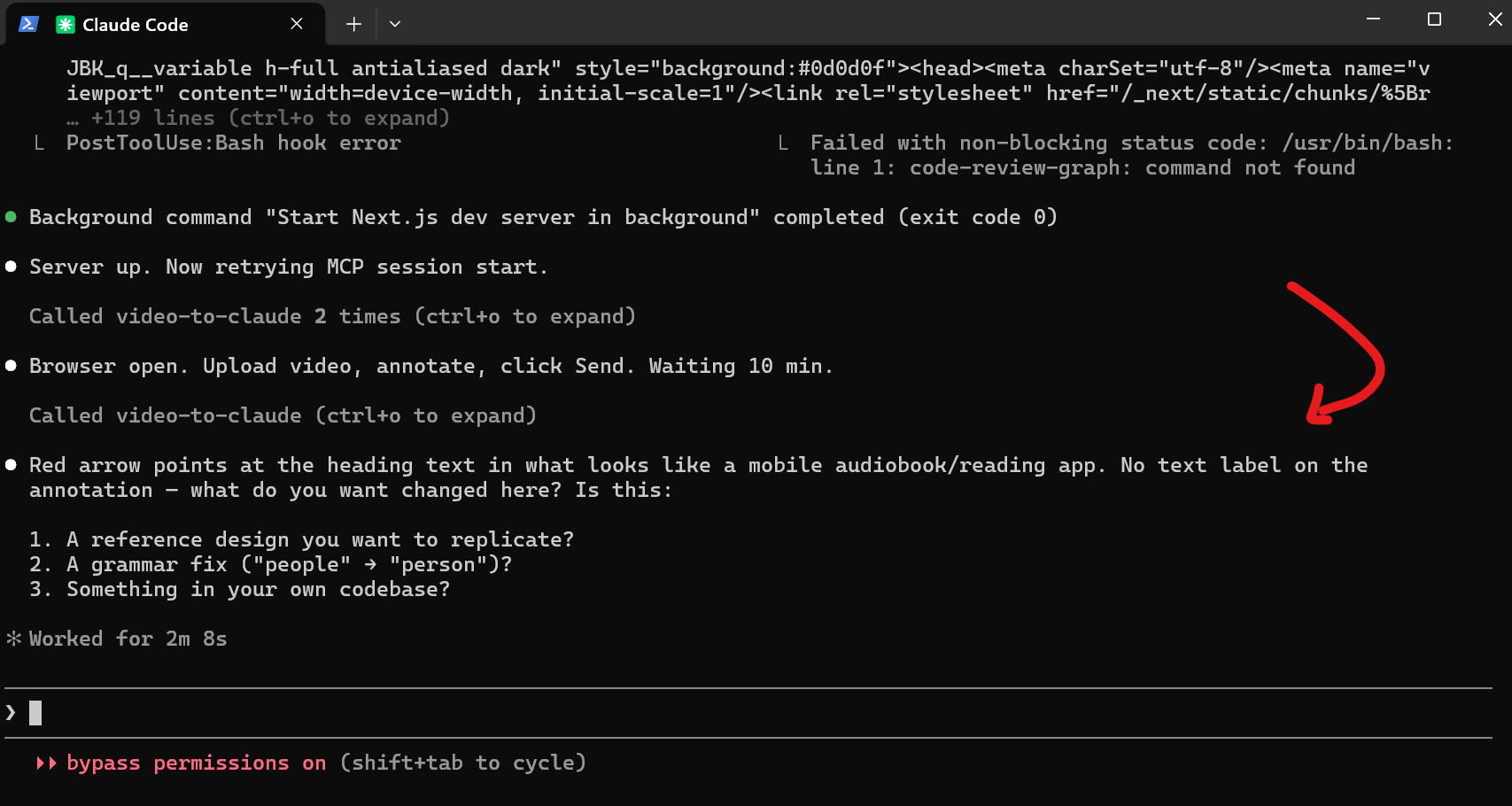 |
Type /vtc in Claude Code | Claude receives your annotated frames | Claude reads the annotation and responds |
How it works
1. Type /vtc in Claude Code
The MCP server starts the dev server if it isn't running, creates a session, and opens http://localhost:3000/capture/{id} in your browser.
2. Drop your video
Drag a .mp4, .mov, .webm, or any common video file onto the upload zone. The file is probed with ffmpeg and the player becomes active.
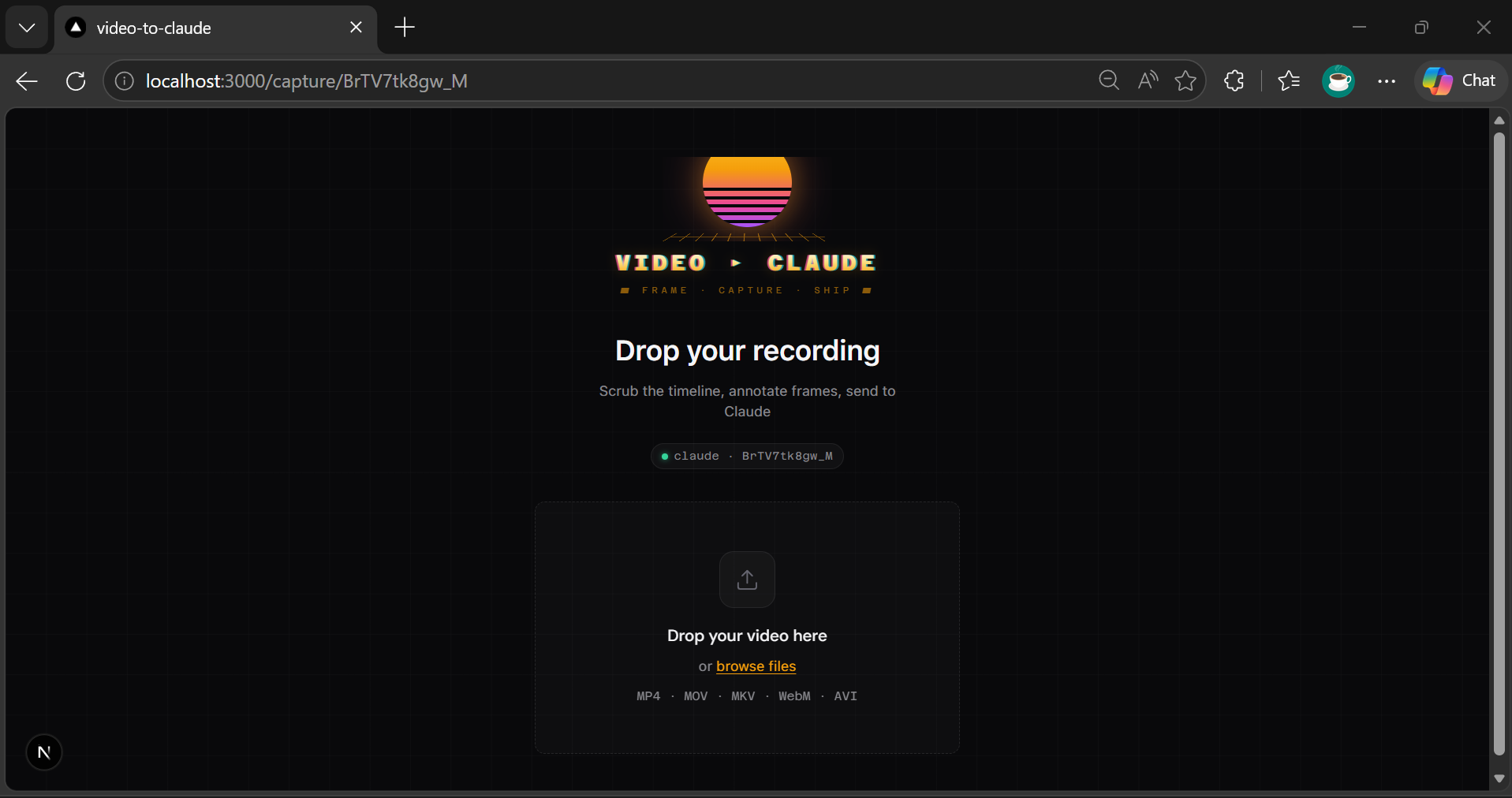
3. Scrub the timeline
Use the scrubber or arrow keys to seek to the moment you want to capture. The canvas overlay sits on top of the video frame.
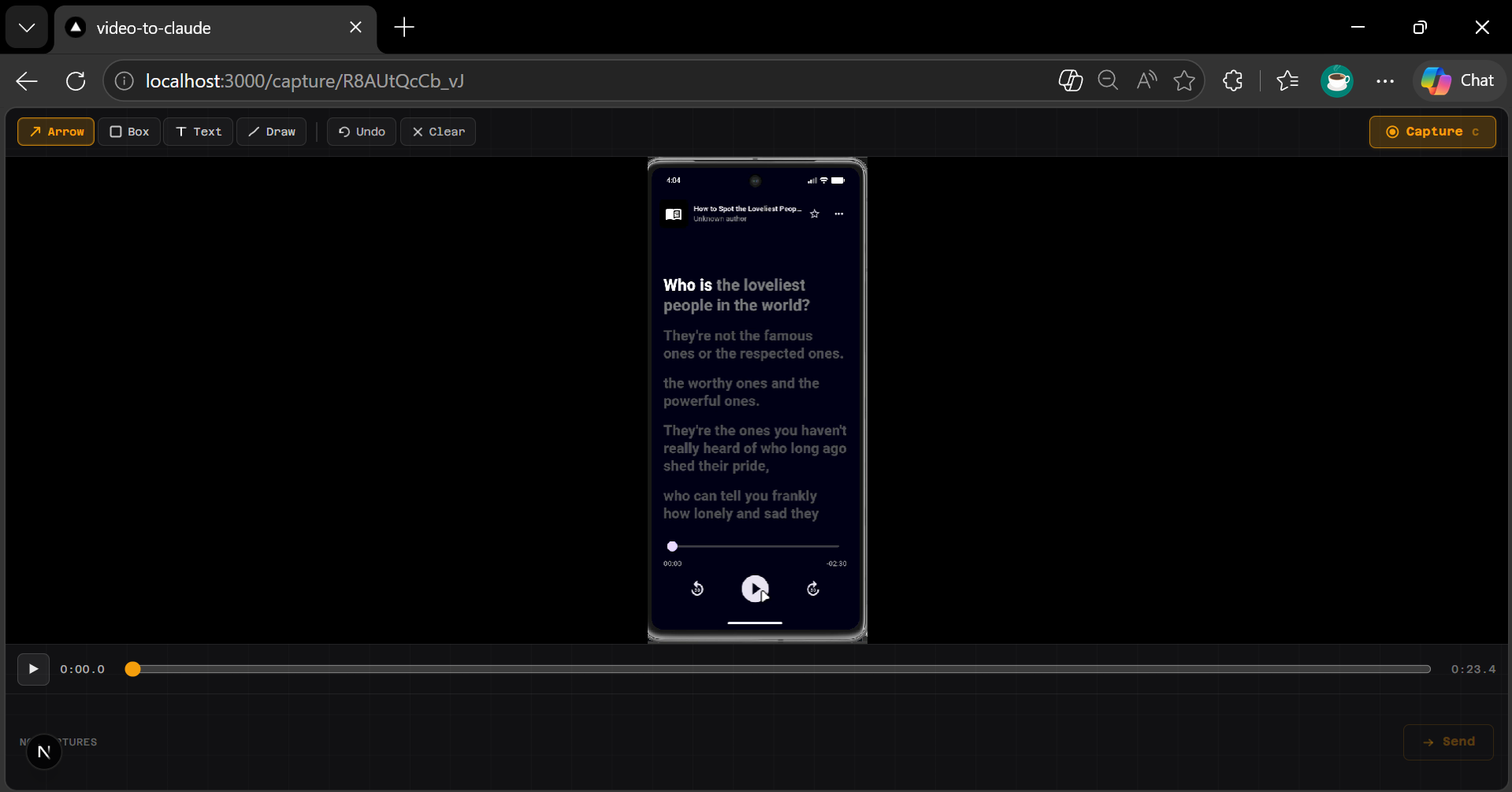
4. Annotate the frame
Draw arrows, boxes, freehand marks, and add text labels in red directly on the canvas. These annotations are baked into the exported WebP — Claude sees exactly what you circled.
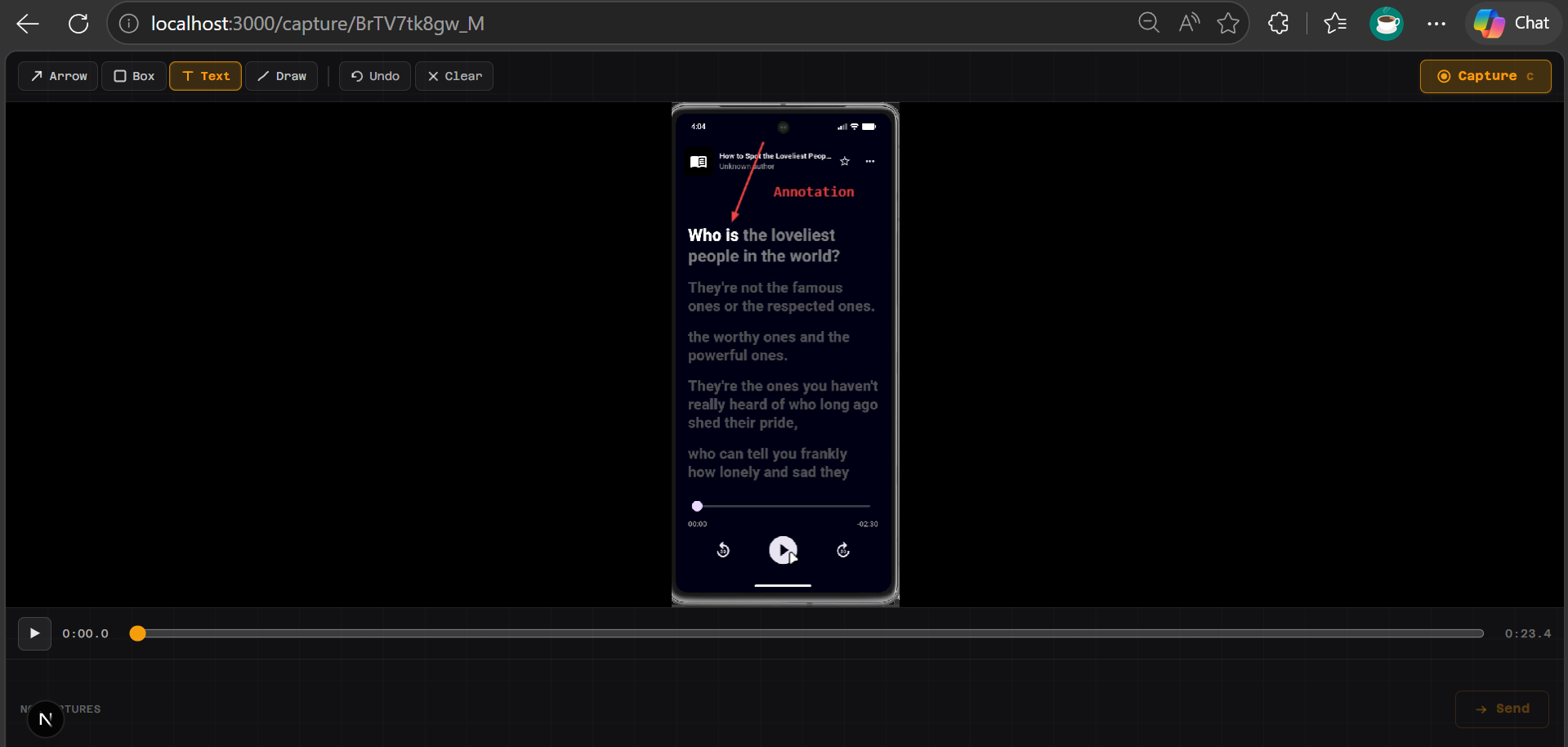
5. Capture + repeat
Click Capture to freeze the annotated frame. Repeat steps 3–4 for as many frames as you need. The capture strip at the bottom shows thumbnails.
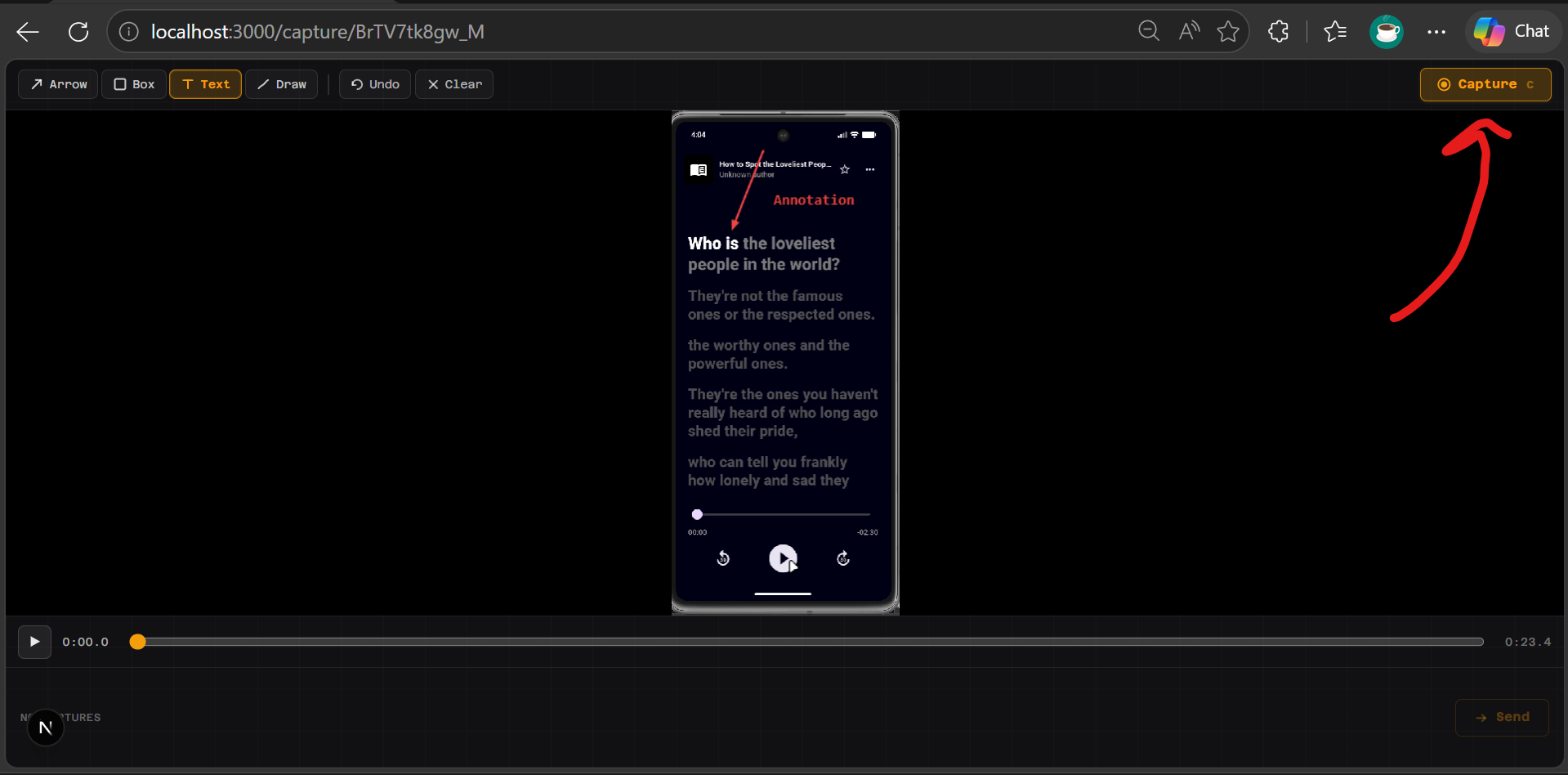
6. Send
Click Send. The MCP await_capture tool returns, delivering all annotated frames as image content blocks into the Claude Code conversation.
7. Claude describes what it sees
Claude reads the annotation — the red arrow, the circled element, or the text label — and responds directly to what you marked. No re-explaining needed.
Prerequisites
- Node.js 20+ (Node 24 recommended)
- Claude Code CLI installed (install guide)
- Windows, macOS, or Linux
- No Python, no ffmpeg in PATH needed — both are bundled
Install
Option A — Claude Code plugin (recommended)
/plugin install github:adityaO5/video-to-claude
This installs the MCP server and /video-to-claude:vtc skill in one step. No separate MCP registration or command copying needed.
Option B — npm (MCP only, no clone needed)
claude mcp add video-to-claude --scope user -- npx video-to-claude-mcp
Or manually add to ~/.claude.json:
{
  "mcpServers": {
    "video-to-claude": {
      "command": "npx",
      "args": ["video-to-claude-mcp"]
    }
  }
}
Then add the /vtc command (see below).
Option C — clone and build
git clone https://github.com/adityaO5/video-to-claude
cd video-to-claude
npm install
npm run mcp:build
Then register:
claude mcp add video-to-claude --scope user -- node /ABSOLUTE/PATH/TO/video-to-claude/dist/mcp/server.js
Replace /ABSOLUTE/PATH/TO/video-to-claude with the real path.
Windows example: C:/Users/you/repos/video-to-claude (forward slashes work in JSON).
Add the /vtc slash command (Options B and C only)
Plugin install (Option A) includes the skill automatically as /video-to-claude:vtc.
For Options B/C, the repo ships .claude/commands/vtc.md. Claude Code loads project-scoped slash commands only when your working directory is inside the cloned repo.
To use /vtc from any directory, copy the command file to your user-level commands folder:
# macOS / Linux
cp .claude/commands/vtc.md ~/.claude/commands/vtc.md

# Windows (PowerShell)
Copy-Item .claude\commands\vtc.md $HOME\.claude\commands\vtc.md
Restart Claude Code after any config change.
Usage
/vtc
That's it. The browser opens, you upload + scrub + annotate + send, and the annotated frames appear in the conversation. Claude reads the red marks and acts on them.
MCP tools
| Tool | Description |
|---|---|
start_capture_session | Start dev server if needed, create session, open browser. Returns sessionId. |
await_capture | Poll until user clicks Send (default 600 s timeout). Returns annotated WebPs as image content blocks. |
The /vtc slash command calls both in sequence automatically.
Vision constraints
- Format: WebP (emitted by the tool)
- Target ≤ 2 MB per frame (hard cap 5 MB); quality retried down from 80 → 50 if needed
- Max width: 960 px
- Practical limit: ~20 frames before auto-downscale; soft cap ~100
Troubleshooting
Dev server didn't open?
Run npm run dev in the repo directory, then retry /vtc.
MCP tools not visible in Claude Code?
Run claude mcp list to confirm registration. Restart Claude Code. If using the cloned repo, confirm dist/mcp/server.js exists (if not, re-run npm run mcp:build).
Port conflict?
The MCP server scans ports 3000–3005 looking for the app. Run npm run dev on an open port or stop whatever else is using 3000.
Upload stalls on large files?
The source is uploaded in 512 KB chunks. Very large files (> 2 GB) may take a moment on slow disks.
Tech stack
- Next.js 16 App Router (Node 24) — UI + REST API
- ffmpeg-static — video probing + single-frame extraction
- sharp — SVG annotation compositing + WebP encode with quality retry
- @modelcontextprotocol/sdk — MCP stdio transport
License
MIT — see LICENSE
Comments
New to MCP?
From what the protocol is to installing your first server, these answers cover most first questions.
An open protocol that defines how AI applications connect to external tools and data in a uniform way. Clients talk to the model; MCP servers provide tools, resources and prompt templates. They exchange standard messages, so one server can be reused by many clients.