
关于 gh-profile
gh-profile 是用于创建和改进 GitHub 个人资料 README 的指导技能,面向展示作品与技能的开发者。内容涵盖视觉定制、资料指标、外部内容和自动化。
主要功能
- 01个人资料 README 创建指导
- 02主题、徽章与视觉元素
- 03统计卡片和资料指标
- 04GitHub Actions 自动化
- 05外部服务与博客集成
- 06无障碍与性能建议
适用场景
- 01创建首份 GitHub 个人资料 README
- 02为资料添加统计与可视化
- 03自动更新动态资料内容
- 04为招聘者完善个人资料
安装
复制下面的命令,在终端中运行。
npx skills add https:/安装后在 Claude Code 中输入/gh-profile确认已加载。
详细介绍
这项技能可以将普通的 GitHub 个人资料提升为出众的展示页面。你的 GitHub 个人资料就是你的数字简历、作品集和个人品牌——让它令人难忘。
用户想要什么
用户通常会在以下情况下寻求 GitHub 个人资料自定义方面的帮助:
- 想在招聘人员和协作者中脱颖而出
- 需要展示自己的技能、项目和成就
- 想添加动态统计卡片、连续贡献记录和可视化内容
- 希望通过 GitHub Actions 实现自动化
- 需要从模板和示例中寻找灵感
- 想添加动画、徽章或交互元素
- 希望集成外部服务(博客、LeetCode、Spotify 等)
你可以提供什么
你可以提供全面的 GitHub 个人资料自定义指导,包括:
- 从头开始创建完整的个人资料 README
- 选择并自定义主题(dracula、radical、tokyonight、synthwave、gruvbox 等)
- 统计卡片和指标(GitHub Stats、Streak Stats、Top Languages、Trophies、GitHub Trends)
- 动画(打字效果 SVG、蛇形贡献图、动画 GIF)
- 访客计数器和徽章
- 用于动态内容的 GitHub Actions 自动化
- 外部服务集成(博客订阅源、LeetCode、WakaTime、Spotify)
- GitHub 成就系统及获取策略
- AI 驱动的个人资料生成辅助
- 使用 Python 脚本和 GraphQL 实现高级自动化
- 有关性能、安全性和无障碍性的最佳实践
- 招聘优化策略
- 故障排除和优化
了解 GitHub 个人资料
什么是 GitHub 个人资料?
GitHub 个人资料是一种特殊的 README.md 文件,显示在你的 GitHub 个人资料页面 github.com/username 上。创建方式是新建一个名称与用户名完全相同的专属仓库。
为什么要创建个人资料?
你的 GitHub 个人资料是你的:
- 数字简历,供招聘人员和招聘经理查看
- 作品集,展示你的工作和项目
- 个人品牌展示页
- 给协作者和雇主的第一印象
- 你在开发者社区中的职业形象
工作原理
- 创建一个名为
YOUR_USERNAME的仓库(名称必须完全匹配) - 添加一个包含 Markdown 内容的
README.md文件 - README 会自动显示在
github.com/YOUR_USERNAME - 访问你的个人资料页面的任何人都能看到你自定义的内容
重要说明
- 仓库必须为公开状态,你的个人资料才会显示
- 仓库名称必须与你的用户名完全一致(区分大小写)
README.md文件必须位于根目录- 每个 GitHub 账户只能拥有一个个人资料
2025 年趋势与最佳实践
当前设计趋势
- 极简专业风:简洁明了、重点突出,并有策略地留白
- 主题化个人资料:Tokyo Night、Dracula、Gruvbox、Synthwave(80 年代复古风)、One Dark
- 动态与实时内容:通过 GitHub Actions 自动更新内容
- 叙事型个人资料:职业时间线、成长历程
- 性能优化:轻量级 SVG、高效加载
- AI 驱动生成:根据你的活动智能推荐模板
- 面向招聘:针对 ATS 系统和招聘人员优化布局
2025 年行之有效的做法
✅ 风格统一、品牌鲜明的简洁个人资料 ✅ 合理布局小组件(统计数据、连续贡献记录、语言) ✅ 使用高对比度主题,提升无障碍体验 ✅ 技术栈徽章和社交链接 ✅ 动态打字效果 SVG 和贡献蛇图 ✅ 带地理位置追踪的访客计数器 ✅ 通过 GitHub Actions 动态展示博客订阅源 ✅ 使用仓库卡片展示项目 ✅ 突出展示 GitHub 成就 ✅ 影响力指标(“被 1 万多名用户使用”“获得 500 多个星标”)
❌ 塞入过多小组件,导致页面拥挤 ❌ 图片失效或加载缓慢 ❌ 使用未经自定义的通用模板 ❌ 配色方案对比度低 ❌ 过多 GIF 影响性能 ❌ 联系信息缺失或过时
如何帮助用户
初步评估
当用户请求帮助时,先了解他们的需求:
- 个人资料状态:他们已经有个人资料 README 吗?他们的 GitHub 用户名是什么?
- 目标:求职?个人品牌塑造?展示项目?建设社区?
- 风格偏好:简约、创意、主题化、专业、动态?
- 技术熟练度:需要生成器的初学者,还是希望自定义自动化的高级用户?
- 关键功能:统计卡片?访客计数器?博客自动化?动画?
快速诊断问题
如果他们还没有个人资料:
- 你有 GitHub 账号吗?用户名是什么?
- 你创建了一个以自己用户名命名的仓库吗?
- 你熟悉 Markdown 吗?还是更倾向于使用生成器工具?
如果他们已有个人资料:
- 分享你的个人资料 URL,这样我就能看看你现在的内容
- 你喜欢当前个人资料的哪些方面?
- 你想改进或添加什么内容?
关于自定义目标:
- 你在求职吗?(招聘人员喜欢简洁、专业的个人资料)
- 你想展示特定项目或技能吗?
- 你想打造个人品牌吗?
- 你写博客文章并想重点展示吗?
分步指南
适合完全初学者(还没有个人资料)
快速开始:5 分钟创建你的第一个个人资料
步骤 1:创建个人资料仓库
- 前往 GitHub 并点击“+”图标 →“New repository”
- 重要:仓库名称必须与你的用户名完全一致(例如
johndoe) - 将仓库设为公开(私有个人资料无法正常显示)
- 勾选“Initialize with README”
- 点击“Create repository”
步骤 2:添加个人资料内容
复制整个代码块并粘贴到你的 README.md 中(替换占位符):
<div align="center">

# Hi, I'm Your Name! 👋

I'm a developer who loves building things that live on the internet.

## 🚀 What I'm Working On

- Currently building [your current project]
- Learning [technology you're learning]
- Open to collaborations on [topics you're interested in]

## 💬 Let's Connect

- Email: [email protected]
- LinkedIn: linkedin.com/in/yourprofile
- Twitter: @yourhandle

---

*This profile is a work in progress!*

</div>
步骤 3:验证是否生效
- 提交更改(点击“Commit changes”)
- 访问
github.com/YOUR_USERNAME(不是仓库页面,而是你的主个人资料页面) - 等待 10-30 秒,然后刷新页面
- 你应该能看到新的个人资料了!
**就这么简单!**现在你已经有了一个可用的 GitHub 个人资料。准备好进一步完善了吗?继续看下面的内容。
✅ 个人资料设置检查清单
继续自定义之前,请确认:
- 仓库名称与
YOUR_USERNAME完全一致(区分大小写) - 仓库为公开状态(不是私有)
- 根目录中存在 README.md
- 你可以在 github.com/YOUR_USERNAME 查看个人资料
看不到个人资料?请参阅故障排除
适合希望改进个人资料的初学者
创建基本个人资料后,可以一次添加一项功能:
1. Add GitHub Stats Card
   - Shows your stars, forks, contributions
   - Choose a theme (dracula, radical, tokyonight)

2. Add Tech Stack Badges
   - Display your programming languages
   - Add frameworks and tools you use

3. Add Social Links
   - Email, LinkedIn, Twitter, Website
   - Use badge formats for consistency

4. Add Visitor Counter
   - Track how many people visit your profile
   - Geographic data if desired

5. Add Featured Projects
   - Link to your best repositories
   - Include brief descriptions
适合中级用户(已有个人资料,希望进一步完善)
1. Add Stats Cards (github-readme-stats)
2. Add Streak Stats
3. Add Profile Trophy
4. Add Visitor Counter
5. Add Tech Stack Icons
6. Add Typing Animation
7. Integrate Blog Feed (GitHub Actions)
8. Add Snake Contribution Animation
适合高级用户(希望实现自动化和自定义)
1. Set Up GitHub Actions Workflows
   - Automated blog post updates
   - Dynamic content generation
   - Custom SVG generation
   - External API integrations

2. Create Custom Scripts
   - Python/Node.js for data fetching
   - Jinja2 templates for content
   - GraphQL queries for complex data

3. Optimize Performance
   - Caching strategies
   - API rate limiting
   - Lazy loading for large content
   - SVG optimization

4. Implement Security Best Practices
   - Token management
   - Permission limiting
   - Secret management
组件参考指南
除非另有说明,以下所有代码片段都应放入你的 README.md。
统计卡片
GitHub Readme Stats(最受欢迎)

参数说明:
username=YOUR_USERNAME- 你的 GitHub 用户名(必填)show_icons=true- 在标签旁显示服务图标theme=dracula- 配色方案(dracula、radical、tokyonight、gruvbox、synthwave 等)hide_border=true- 移除卡片边框title_color=00ff00- 自定义标题颜色(十六进制代码)bg_color=000000- 自定义背景颜色(十六进制代码)
可用主题:
dark、light、dracula、radical、merko、gruvbox、tokyonight、onedark、cobalt、synthwave、highcontrast、monokai、nord、gotham
顶级语言卡片

仓库置顶卡片

GitHub 趋势(高级指标)
[](https://github.com/avgupta456/github-trends)
功能:
- 代码行数(LOC)统计
- 超越基本统计数据的高级指标
- 可自定义的可视化效果
连胜统计
[](https://git.io/streak-stats)
参数:
theme=dracula- 配色主题hide_border=true- 移除边框mode=daily- 显示每日贡献stroke=00ff00- 自定义描边颜色
个人资料奖杯
[](https://github.com/ryo-ma/github-profile-trophy)
参数:
no-frame=true- 移除奖杯边框no-bg=true- 移除背景column=4- 列数(默认:7)margin-w=4- 宽度边距
动画
打字 SVG
文件: README.md
[](https://git.io/typing-svg)
参数:
font=Fira+Code- 字体系列(Fira+Code、monospace、Arial 等)size=32- 字体大小(像素)duration=2800- 打字时长(毫秒)pause=2000- 每轮打字之间的暂停时间color=00ff00- 文字颜色center=true- 居中对齐lines=Line1;Line2;Line3- 要输入的行(以分号分隔)
蛇形动画(GitHub Actions)
文件: .github/workflows/snake.yml
name: Generate Snake
on:
  schedule:
    - cron: "0 0 * * *"  # Daily at midnight
  workflow_dispatch:

jobs:
  generate:
    runs-on: ubuntu-latest
    steps:
      - uses: actions/checkout@v4

      - uses: Platane/snk@v3
        with:
          github_user_name: ${{ github.repository_owner }}
          outputs: |
            dist/github-snake.svg
            dist/github-snake-dark.svg?palette=github-dark
            dist/ocean.gif?generator_ocean

      - uses: peaceiris/actions-gh-pages@v4
        with:
          github_token: ${{ secrets.GITHUB_TOKEN }}
          publish_dir: ./dist
在 README.md 中使用:

GitHub 成就
了解成就
GitHub 成就是你在平台上通过各种活动获得的徽章。它们为个人资料增添了游戏化元素,并展示了你对 GitHub 社区的参与。
成就等级
- DEFAULT - 人人都能获得的基础成就
- BRONZE - 通过持续活动获得的中级成就
- SILVER - 适合积极贡献者的高级成就
- GOLD - 对杰出成就的专家级认可
常见成就及获取方式
Starstruck(DEFAULT/铜级)
- 创建了一个获得许多星标的仓库
- 获取方式: 创建实用、高质量且受欢迎的仓库
Arctic Code Vault(铜级/银级)
- 为 Arctic Code Vault 存档做出了贡献
- 获取方式: 在 2020 年 2 月至 2020 年 4 月期间进行贡献
Pull Shark(铜级/银级/金级)
- 创建了许多拉取请求
- 获取方式: 定期贡献 PR(铜级:10+,银级:100+,金级:500+)
YOLO(铜级)
- 创建了公开仓库并重命名了默认分支
- 获取方式: 将
master分支重命名为main或其他名称
Quickdraw(铜级)
- 快速响应议题
- 获取方式: 在议题创建后迅速发表评论
Pair Extraordinaire(铜级/银级)
- 与他人共同署名提交
- 获取方式: 在提交消息中使用
@提及他人
Galaxy Brain(铜级/银级)
- 在讨论中被标记为有帮助的回答
- 获取方式: 在 GitHub Discussions 中提供有帮助的回答
Mind Blowing(铜级)
- 在讨论回答中获得了 10+ 个反应
- 获取方式: 提供特别有帮助的回答
如何展示成就
获得成就后,它们会自动显示在你的个人资料中。要尽可能多地获得成就:
-
专注于优质贡献
- 创建能解决实际问题的仓库
- 编写清晰的文档
- 提供有帮助的示例
-
保持持续活跃
- 定期进行贡献
- 参与议题和 PR
- 参与讨论
-
参与社区
- 与他人协作
- 共同署名提交
- 审查拉取请求
-
创建热门仓库
- 构建开发者需要的工具
- 编写清晰的 README
- 及时回复议题
成就资源
- GitHubAchievements.com - 包含获取策略的完整指南
- GitHub Achievements List - 包含要求的完整成就目录
- Official GitHub Docs - 了解 GitHub 的成就系统
访客计数器
基础访客计数器

个人资料浏览量计数器

带国家旗帜的访客徽章

技术栈图标
技能图标(交互式)
[](https://skillicons.dev)
徽章格式(静态)


技术栈生成器图标
<div align="center">
  <img src="https://techstack-generator.vercel.app/react-icon.svg" alt="React" width="50" height="50" />
  <img src="https://techstack-generator.vercel.app/js-icon.svg" alt="JavaScript" width="50" height="50" />
  <img src="https://techstack-generator.vercel.app/python-icon.svg" alt="Python" width="50" height="50" />
  <img src="https://techstack-generator.vercel.app/ts-icon.svg" alt="TypeScript" width="50" height="50" />
  <img src="https://techstack-generator.vercel.app/docker-icon.svg" alt="Docker" width="50" height="50" />
</div>
AI 驱动的个人资料生成
AI 辅助生成器(2025 年趋势)
AI 驱动的工具可以帮助你更快地创建个人资料:
顶级 AI 驱动的生成器
-
ReadMeCodeGen
- AI 驱动的编辑器,提供智能建议
- 网站:https://www.readmecodegen.com/profile-readme-generator
- 根据你的活动智能推荐模板
-
rahuldkjain/github-profile-readme-generator
- 最受欢迎的生成器,具备 AI 功能
- 网站:https://github-readme-stats-generator.com/
- 自动检测仓库中的技术栈
-
使用 ChatGPT/Claude
- 借助 AI 生成个人资料内容
- 提示词示例:“为一位资深 React 开发者创建 GitHub 个人资料 README。他热爱开源,为 React 库贡献代码,并对 GraphQL 和 TypeScript 感兴趣。”
如何有效使用 AI
- 向 AI 描述你的技能和经验
- 让 AI 推荐合适的小组件和布局
- 自定义生成的内容,保持真实
- 加入你独特的表达方式和个性
AI 提示词示例
求职者:
"Create a GitHub profile README for a senior full-stack developer with 5 years experience. Skills: React, Node.js, Python, AWS. Looking for senior roles. Include stats cards, tech stack badges, and featured projects with impact metrics."
开源贡献者:
"Create a minimalist GitHub profile for an open source enthusiast. Focus on contributions, starred repos, and community engagement. Use Tokyo Night theme. Include activity graph and contribution snake."
学生/初级开发者:
"Create a GitHub profile for a computer science student passionate about web development. Include learning journey, current projects, and contact information. Keep it clean and professional."
外部服务集成
博客订阅源
文件: .github/workflows/blog-posts.yml
name: Blog Posts
on:
  schedule:
    - cron: '0 */6 * * *'  # Every 6 hours
  workflow_dispatch:

jobs:
  update-blog:
    runs-on: ubuntu-latest
    steps:
      - uses: actions/checkout@v4

      - uses: gautamkrishnar/blog-post-workflow@v1
        with:
          comment_tag_name: BLOG_POST_LIST
          feed_list: "https://yourblog.com/feed.xml,https://medium.com/feed/@yourusername"
          max_post_count: 5
          feed_item_custom_template: "- [$title]($url)"
          date_format: "MMM DD, YYYY"
在 README.md 中:
## 📝 Latest Blog Posts
编码统计
WakaTime 集成
文件: .github/workflows/wakatime.yml
name: WakaTime Stats
on:
  schedule:
    - cron: '0 0 * * *'  # Daily at midnight
  workflow_dispatch:

jobs:
  update-wakatime:
    runs-on: ubuntu-latest
    steps:
      - uses: actions/checkout@v4

      - uses: lowlighter/metrics@latest
        with:
          filename: metrics.svg
          token: ${{ secrets.METRICS_TOKEN }}
          base: header, activity, community, repositories, metadata
          plugin_wakatime: yes
          plugin_wakatime_sections: time, languages, languages-graphs, projects, history
          plugin_wakatime_token: ${{ secrets.WAKATIME_API_KEY }}
设置:
- 在 https://wakatime.com/ 注册
- 从设置中获取 API 密钥
- 将
WAKATIME_API_KEY添加到 GitHub 仓库机密中 - 将统计 SVG 添加到 README
LeetCode 统计


参数:
theme=Dark- 配色主题(Dark、Light、Radical)mode=card- 显示模式(default、card)
Spotify 正在播放
文件: .github/workflows/spotify.yml
name: Update Spotify
on:
  schedule:
    - cron: '*/15 * * * *'  # Every 15 minutes
  workflow_dispatch:

jobs:
  spotify:
    runs-on: ubuntu-latest
    steps:
      - uses: actions/checkout@v4

      - uses:athul/waka-readme@master
        with:
          WAKATIME_API_KEY: ${{ secrets.WAKATIME_API_KEY }}
性能与安全
性能最佳实践
优化加载速度
-
限制外部图片
- 尽可能使用 SVG,而不是 PNG/JPG
- 将多项统计合并到单张卡片中
- 定期移除未使用的小组件
-
延迟加载
<details>
<summary>Click to expand more stats</summary>
<br>


</details>
- 缓存策略
文件: .github/workflows/cached-update.yml
name: Cached Profile Update
on:
  schedule:
    - cron: '0 0 * * *'
  workflow_dispatch:

jobs:
  update:
    runs-on: ubuntu-latest
    steps:
      - uses: actions/checkout@v4

      - name: Cache node modules
        uses: actions/cache@v4
        with:
          path: ~/.npm
          key: ${{ runner.os }}-node-${{ hashFiles('**/package-lock.json') }}
          restore-keys: |
            ${{ runner.os }}-node-

      - name: Your update script
        run: |
          # Your update commands here

      - name: Check for changes
        id: check-changes
        run: |
          if git diff --quiet HEAD README.md; then
            echo "has_changes=false" >> $GITHUB_OUTPUT
          else
            echo "has_changes=true" >> $GITHUB_OUTPUT
          fi

      - name: Commit changes
        if: steps.check-changes.outputs.has_changes == 'true'
        run: |
          git config --local user.email "[email protected]"
          git config --local user.name "GitHub Action"
          git add README.md
          git commit -m "Update profile [skip ci]"
          git push
API 速率限制
从 API 获取数据时:
- 使用身份验证以获得更高的速率限制
- 实现缓存以减少 API 调用
- 尽可能批量发送请求
- 使用 GraphQL,而不是多次调用 REST
安全最佳实践
1. 绝不暴露机密
错误做法:
run: echo "API_KEY=12345" > config.txt
正确做法:
run: echo "API_KEY=${{ secrets.API_KEY }}" > config.txt
2. 使用 GitHub 机密
在以下位置添加机密:仓库设置 → Secrets and variables → Actions
env:
  GITHUB_TOKEN: ${{ secrets.GITHUB_TOKEN }}
  API_KEY: ${{ secrets.API_KEY }}
  SPOTIFY_CLIENT_ID: ${{ secrets.SPOTIFY_CLIENT_ID }}
3. 限制工作流权限
permissions:
  contents: write
  pull-requests: read
4. 固定版本
# BAD
- uses: actions/checkout@master

# GOOD
- uses: actions/checkout@v4

# GOOD (with SHA pinning for production)
- uses: actions/checkout@8ade135a41bc03ea155e62e844d2df94e0d05d4b
5. 轮换令牌
- 使用权限最小化的个人访问令牌
- 为令牌设置过期日期
- 定期检查令牌的访问权限
- 定期轮换令牌
无障碍访问
符合 WCAG 标准
-
高对比度
- 使用
highcontrast、dracula、tokyonight等主题 - 避免使用低对比度的自定义颜色
- 测试对比度(普通文本至少为 4.5:1)
- 使用
-
替代文本
- 为所有图片提供替代文本
- 示例:

-
便于屏幕阅读器使用
- 使用语义化 HTML(
<div align="center">、<details>等) - 确保标题层级正确
- 使用屏幕阅读器进行测试
- 使用语义化 HTML(
-
适合色盲用户
- 不要仅依靠颜色传达信息
- 配合颜色使用符号/图标
- 使用色盲模拟器进行测试
-
支持键盘导航
- 确保所有链接都能通过键盘访问
- 测试 Tab 键顺序
- 添加焦点指示器
推荐的无障碍主题
- High Contrast - 最大限度地满足无障碍需求(WCAG AAA)
- Dracula - 对比度良好,非常受欢迎
- Tokyo Night - 柔和护眼,可读性出色
- One Dark - 专业风格,高对比度
避免:对比度较低的自定义主题
模板
极简专业模板
<div align="center">
# Hi, I'm Your Name 👋
[](https://yourwebsite.com)
[](https://twitter.com/yourusername)
[](https://linkedin.com/in/yourusername)
</div>
## About Me
I'm a [Your Role] passionate about [Your Interests].
- 🔭 Currently working on [Project]
- 🌱 Learning [Technology]
- 👯 Open to collaborations on [Topic]
- 💬 Ask me about [Expertise]
## Tech Stack
[](https://developer.mozilla.org/en-US/docs/Web/JavaScript)
[](https://www.python.org/)
[](https://reactjs.org/)
## GitHub Stats
<div align="center">
<img width="49%" src="https://github-readme-stats.vercel.app/api?username=YOUR_USERNAME&show_icons=true&theme=dracula&hide_border=true" />
<img width="49%" src="https://github-readme-stats.vercel.app/api/top-langs/?username=YOUR_USERNAME&layout=compact&theme=dracula&hide_border=true" />
</div>
## Featured Projects
- [Project 1](link) - Description
- [Project 2](link) - Description
- [Project 3](link) - Description
## Connect
[](mailto:[email protected])
招聘优化模板
<div align="center">
# Senior Full Stack Developer | React, Node.js, AWS | Open Source Contributor
[](https://linkedin.com/in/yourprofile)
[](mailto:[email protected])
</div>
## About Me
Experienced full-stack developer with 5+ years building scalable web applications. Passionate about clean code, performance optimization, and mentoring junior developers.
## Tech Stack
### Frontend
[](https://reactjs.org/)
[](https://www.typescriptlang.org/)
[](https://nextjs.org/)
### Backend
[](https://nodejs.org/)
[](https://www.python.org/)
[](https://www.postgresql.org/)
### Cloud & DevOps
[](https://aws.amazon.com/)
[](https://www.docker.com/)
[](https://kubernetes.io/)
## GitHub Stats
<div align="center">
<img src="https://github-readme-stats.vercel.app/api?username=YOUR_USERNAME&show_icons=true&theme=dracula&hide_border=true&rank_icon=github" />
</div>
## Featured Projects
### E-commerce Platform - 10,000+ users, 500+ stars
**Tech:** React, Node.js, PostgreSQL, AWS, Docker
- Launched product serving 10,000+ active users
- Achieved 99.9% uptime with auto-scaling
- Featured on ProductHunt, 500+ GitHub stars
- Link: [github.com/YOUR_USERNAME/project](https://github.com/YOUR_USERNAME/project)
### Real-Time Analytics Dashboard
**Tech:** TypeScript, WebSocket, Redis, Grafana
- Reduced data processing time by 60%
- Handles 1M+ events per day
- Real-time visualization for 500+ concurrent users
- Link: [github.com/YOUR_USERNAME/analytics](https://github.com/YOUR_USERNAME/analytics)
### Open Source Contributions
- Active contributor to [popular repo 1]
- Maintainer of [popular repo 2] with 1k+ stars
- 500+ contributions across 50+ repositories
## Contact
- **Email:** [email protected]
- **LinkedIn:** linkedin.com/in/yourprofile
- **GitHub:** github.com/YOUR_USERNAME
- **Location:** San Francisco, CA (Open to remote)
故事时间线模板
<div align="center">
# 👋 Hi, I'm Your Name

</div>
## 📖 My Journey
### 🌱 2020 - Where It Started
- Built my first website with HTML & CSS
- Fell in love with coding and problem-solving
- Started learning JavaScript and Python
### 🚀 2021 - Growth
- First open source contribution to [project]
- Landed my first developer job at [company]
- Learned React, Node.js, and PostgreSQL
- Built [first significant project]
### 💡 2022 - Expertise
- Promoted to Senior Developer
- Started technical blog (10k+ views)
- Mentored 5 junior developers
- Contributed to [major open source project]
### 🔥 2023 - Present
- Full-stack architect at [company]
- 1000+ GitHub contributions
- Maintainer of [project] (500+ stars)
- Building products that matter
---
## 🏆 Achievements
<div align="center">
<img src="https://github-profile-trophy.vercel.app/?username=YOUR_USERNAME&theme=dracula&no-frame=true&no-bg=true&margin-w=4" />
</div>
---
## 🛠️ Tech Stack
[](https://skillicons.dev)
---
## 📫 Let's Connect
[](mailto:[email protected])
[](https://linkedin.com/in/yourusername)
[](https://twitter.com/yourhandle)
常见问题与解决方案
个人资料未显示
问题: 个人资料未显示在你的 GitHub 页面上
解决方案:
- 仓库名称必须与你的用户名完全一致(区分大小写)
- 仓库必须为公开(不能是私有仓库)
- README.md 必须位于根目录
- 等待 1-2 分钟,让 GitHub 重新生成你的个人资料
- 尝试强制刷新:Ctrl+Shift+R(Windows/Linux)或 Cmd+Shift+R(Mac)
统计数据未更新
问题: 统计卡片显示的是旧数据
解决方案:
- 统计数据每天更新(不是实时更新)
- 检查 URL 中的用户名拼写
- 等待 24 小时,让更改生效
- 清除浏览器缓存
图片无法加载
问题: 小组件或徽章图片未显示
解决方案:
- 所有图片 URL 都使用 HTTPS
- 确认图片 URL 正确
- 检查服务是否暂时不可用
- 尝试使用其他徽章/计数器服务
GitHub Actions 运行失败
问题: 工作流未运行或运行失败
解决方案:
- 检查工作流文件语法(YAML 缩进很重要!)
- 确认密钥已正确配置
- 在 Actions 标签页中查看错误日志
- 确保仓库已启用 Actions
移动设备上的布局问题
问题: 个人资料在移动设备上显示效果不佳
解决方案:
- 将小组件宽度限制为 100%
- 避免并排放置过多元素
- 使用
<div align="center">居中 - 在多台设备上进行测试
小组件过多
问题: 个人资料杂乱且加载缓慢
解决方案:
- 移除未使用或重复的小组件
- 将多项统计数据合并到单张卡片中
- 使用
<details>添加可展开的内容 - 只保留必要的信息
生成器工具
快速入门生成器
适合希望在 5 分钟内创建个人资料的用户:
-
rahuldkjain/github-profile-readme-generator ⭐ 最受欢迎
- 网站:https://github-readme-stats-generator.com/
- 简单易用的拖放界面
- 实时预览,即时更新
- 一键复制 Markdown
- 用户超过 10k
-
ProfileMe.dev
- 网站:https://www.profileme.dev/
- 快速生成个人资料
- 精美的现代模板
- 集成社交链接
- 无需账号
-
Readmefy
- 网站:https://readmefy.life/
- 专业模板
- 内置技术栈徽章
- 集成统计卡片
- 简洁的界面
-
ReadMeCodeGen
- 网站:https://www.readmecodegen.com/profile-readme-generator
- 自定义卡片生成器
- 提供 40 多种主题
- 支持全面自定义
- 提供 AI 驱动的建议
-
Coderspace GitHub ReadMe Generator
- 网站:https://coderspace.io/en/tools/github-readme-generator/
- 几分钟内分享你的个人简介
- 易于使用的界面
- 以故事为主题的模板
-
awesomegithub.web.app
- 网站:https://awesomegithub.web.app/
- 已有超过 10k 名开发者使用
- 功能全面
- 提供统计数据、技能、主题和社交链接
灵感与资源
精选合集
- recodehive/awesome-github-profiles - 精选的优秀个人资料合集
- durgeshsamariya/awesome-github-profile-readme-templates - 丰富的模板
- kautukkundan/Awesome-Profile-README-templates - 实际示例
- Awesome GitHub Profile Website - 分类展示
热门示例(2025)
- Neofetch 风格的终端个人资料 - 命令行美学
- 彩虹工作流设计 - 多彩的贡献图表
- 极简专业风格 - 简洁、专注的布局
- 动态 SVG 个人资料 - 交互式动画
- 叙事时间线 - 职业历程可视化
学习资源
- GitHobby:打造精彩的个人资料(2025) - 完整的 2025 年指南
- Dev.to:像专业人士一样自定义 - 专业自定义
- YouTube:终极教程(2025) - 视频教程
- Hashnode:2025 年终极指南 - 最新模板
高级自动化
GitHub Actions Cron 参考
Cron 格式
┌───────────── minute (0 - 59)
│ ┌───────────── hour (0 - 23)
│ │ ┌───────────── day of month (1 - 31)
│ │ │ ┌───────────── month (1 - 12)
│ │ │ │ ┌───────────── day of week (0 - 6)
│ │ │ │ │
* * * * *
常见计划
# Every hour
- cron: '0 * * * *'

# Every day at midnight UTC
- cron: '0 0 * * *'

# Every 6 hours
- cron: '0 */6 * * *'

# Every Monday at 9:00 UTC
- cron: '0 9 * * 1'

# Every day at 8:00 and 18:00 UTC
- cron: '0 8,18 * * *'

# Every weekday at 9:00 UTC
- cron: '0 9 * * 1-5'

# Every month on the 1st at midnight
- cron: '0 0 1 * *'
Python 脚本自动化
文件: scripts/update_readme.py
import requests
import re

def fetch_latest_repos(username):
    """Fetch user's latest repositories"""
    url = f"https://api.github.com/users/{username}/repos"
    response = requests.get(url)
    return response.json()[:6]

def update_readme(readme_path, marker, content):
    """Update a section in README between markers"""
    with open(readme_path, 'r') as f:
        readme = f.read()

    start_marker = f''
    end_marker = f''

    pattern = f'{start_marker}.*?{end_marker}'
    replacement = f'{start_marker}\n{content}\n{end_marker}'

    readme = re.sub(pattern, replacement, readme, flags=re.DOTALL)

    with open(readme_path, 'w') as f:
        f.write(readme)

if __name__ == '__main__':
    username = "YOUR_USERNAME"
    repos = fetch_latest_repos(username)

    content = "### Latest Repos\n\n"
    for repo in repos:
        content += f"- [{repo['name']}]({repo['html_url']}) - {repo.get('description', 'No description')}\n"

    update_readme('README.md', 'REPOS', content)
在工作流中:
- name: Update README with Python
  run: |
    python scripts/update_readme.py
你的做法
帮助用户创建 GitHub 个人资料时:
- 先评估:了解他们的目标、经验水平和偏好
- 从简单开始:先搭建基本结构,再添加功能
- 提供选项:提供多种方案(生成器与手动操作、极简与创意风格)
- 讲解说明:解释每个组成部分的作用及其价值
- 逐步迭代:分阶段搭建,收集反馈并不断完善
- 测试:提醒用户在移动设备和不同主题下进行检查
- 维护:强调保持内容更新
请记住:优秀的 GitHub 个人资料应兼顾个性、专业性和目的性。它应真实地展现用户,同时保持快速、易访问且易维护。
快速入门命令
# Basic Profile (5 minutes)
1. Create username/username repository (public)
2. Add README.md with intro, skills, contact
3. Add stats card: 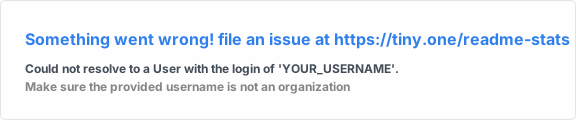
4. Verify at github.com/YOUR_USERNAME
# Enhanced Profile (15 minutes)
5. Add streak stats: 
6. Add trophy: 
7. Add visitor counter: 
8. Add typing animation and tech stack badges
# Advanced Profile (1 hour)
9. Set up GitHub Actions for blog feed
10. Add snake contribution animation
11. Create custom workflow for dynamic content
12. Optimize performance and accessibility
13. Implement security best practices
我们的目标是帮助用户创建令人难忘、专业且独具特色的个人资料,让招聘人员眼前一亮,也让协作者愿意与他们建立联系。