
关于 Headroom
Headroom 是面向 Windows PC 用户的内存与磁盘监控工具,可记录简短历史并生成趋势报告。清理操作仅限允许列表,且 MCP 中的清理等操作只返回计划,不会更改 PC。
主要功能
- 01监控 RAM、提交量、页面文件和磁盘
- 02记录历史并生成趋势报告
- 03仅清理允许列表中的缓存
- 04检查文件、重复项、下载和启动项
- 05本地仪表板与 Roomy 监视器
适用场景
- 01查看当前内存和磁盘可用空间
- 02检查近期磁盘增长与趋势
- 03查找重复文件和启动程序
MCP 相关
它提供本地 stdio MCP 服务,供客户端调用状态、分析、扫描和检查工具。clean、move 和 startup_disable 只返回计划,不会修改 PC。
配置
本地服务的配置在各客户端中通用,复制后粘贴到客户端的 MCP 配置文件即可。
工具
12收录的工具列表 · 更新于 1 天前
此工具无需参数。
详细介绍
Headroom


一款安静监控 Windows PC 内存和磁盘的工具。
Headroom 常驻系统托盘,保留简短历史记录,并显示占用情况。清理范围仅限允许列表。输入 YES 才会删除。输入 MOVE 可将已审核的文件移至回收站或归档文件夹。
Jasdish Singh. MIT,2026 年。
功能
- 监控 RAM、提交量、页面文件和可用空间。
- 记录历史和简短报告(磁盘趋势、可能的内存泄漏、增长的文件夹)。
- 仅清理
user_temp、windows_temp、chrome_cache、edge_cache、firefox_cache、thumbnail_cache和recycle_bin。配置不能添加路径。 - 检查文件、重复副本、旧下载文件和启动程序。
- 在
127.0.0.1提供网页,并提供只读桌面宠物 Roomy。 - 提供本地 MCP 服务。
clean、move和startup_disable会返回计划,不会更改 PC。
安装
命令为 headroom。
Exe。 从 GitHub Releases 下载 headroom-<version>-windows-x64.exe。这是一个便携式单文件程序。将其保存为 headroom.exe,放在一个常用文件夹中。
winget, 清单获批后:
winget install JasdishSingh.Headroom
pip。 PyPI 上的名称是 headroom-pc。需要 Python 3.11 或更高版本。
py -3.12 -m pip install "headroom-pc[tray]"
headroom status
tray 会添加系统托盘图标。MCP 服务始终包含在内。
快速开始
headroom status
headroom top
headroom clean --dry-run
headroom watch
headroom dashboard
headroom watch 会立即采样,此后每 30 秒采样一次(使用电池时频率较低,系统负载较高时频率较高)。headroom install 会在登录时启动。再次运行 watch、dashboard 或 pet 不会启动另一个副本。
headroom dashboard 会打印并打开 http://127.0.0.1:<port>/?token=...。保存第一个采样结果之前,页面会显示实时读数。
命令、默认值和退出代码:docs/commands.md。
Roomy
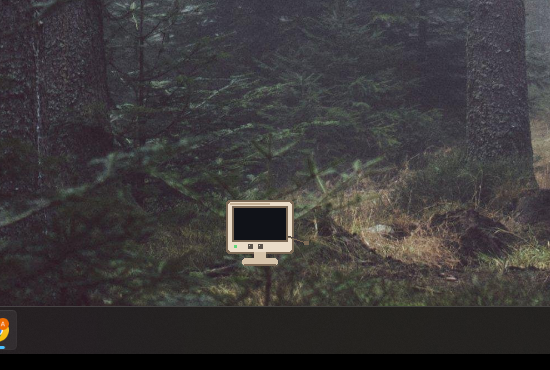
Roomy 是一只米黄色的小监视器。电线是它的尾巴。它会稍微走动,并在对话气泡中显示 PC 的 RAM 使用情况,例如“RAM 已使用 62%”。它不能清理、移动或删除文件。

headroom pet
headroom widget
headroom pet --skin midnight
headroom pet --skin tower --lite
headroom widget 就是同一只桌面宠物。点击可打开 dashboard。拖动后会记住位置。右键菜单:dashboard、报告、静音、隐藏、退出。
Dashboard 提供 Roomy 的开关,可启动或停止桌面宠物,并在重启后记住选择,覆盖 widget.autostart 设置。
皮肤和帧预算:docs/roomy.md。
MCP
headroom mcp 是在此 PC 上运行的 stdio 服务。将客户端指向已安装的 exe:
headroom.exe mcp
Claude Desktop(claude_desktop_config.json):
{
  "mcpServers": {
    "headroom": {
      "command": "headroom.exe",
      "args": ["mcp"]
    }
  }
}
Cursor(.cursor/mcp.json):
{
  "mcpServers": {
    "headroom": {
      "command": "headroom.exe",
      "args": ["mcp"]
    }
  }
}
Codex 和 ChatGPT(config.toml):
[mcp_servers.headroom]
command = "headroom.exe"
args = ["mcp"]
如果 pip 包已在 PATH 中,命令为 headroom,参数仍为 mcp。
mcp-name: io.github.Jasdish-Singh/headroom
使用 AI 快速开始
连接 MCP 服务后,将以下内容粘贴到 Claude、ChatGPT 或 Cursor 中。
You have access to Headroom, a local tool that monitors and protects this PC's RAM and disk.

Start a full health check:
1. Call `status` and tell me current RAM, commit, page file and free disk space in plain English.
2. Call `top` and list the 5 biggest RAM users, saying whether each is normal or worth closing.
3. Call `analyze` and `scan` to find what's taking up disk space, grouped into important, safe to clean, and needs my review.
4. Call `dupes` and `startup_list`, and point out duplicate files and startup apps slowing my PC.
5. Call `changes` and `report` to tell me what changed recently and any trends to watch.

Finish with a short summary: my overall PC health (good / watch / act now), the top 3 things to do, and how much space or RAM each would free.

Rules: only read and explain. If cleanup helps, call `clean`, `move` or `startup_disable` only to show me a plan. Never delete, move or disable anything yourself. I'll approve inside Headroom.
相同文本也见于 docs/ai-starter-prompt.md 和 MCP 提示词 health_check。工具列表:docs/commands.md。
更多内容
评论
一个开放协议,规定了 AI 应用如何以统一方式连接外部工具与数据源。客户端负责与模型对话,MCP 服务负责提供工具、资源和提示模板,两者通过标准消息通信,同一个服务可以被不同客户端复用。