Skills
98,284 packaged capabilities and playbooks for agents. Install any of them with one command.

All

Expert in designing effective prompts for LLM-powered applications. Masters prompt structure, context management, output formatting, and prompt evaluation. Use when: prompt engineering, system prompt, few-shot, chain of thought, prompt design.



Run any question, idea, or decision through a council of 5 AI advisors who independently analyze it, peer-review each other anonymously, and synthesize a final verdict. Based on Karpathy's LLM Council methodology. MANDATORY TRIGGERS: 'council this', 'run the council', 'war room this', 'pressure-test this', 'stress-test this', 'debate this'. STRONG TRIGGERS (use when combined with a real decision or tradeoff): 'should I X or Y', 'which option', 'what would you do', 'is this the right move', 'validate this', 'get multiple perspectives', 'I can't decide', 'I'm torn between'. Do NOT trigger on simple yes/no questions, factual lookups, or casual 'should I' without a meaningful tradeoff (e.g. 'should I use markdown' is not a council question). DO trigger when the user presents a genuine decision with stakes, multiple options, and context that suggests they want it pressure-tested from multiple angles.

Use this skill when the user wants to review, audit, improve, or plan email sending best practices. This includes deliverability, inbox placement, sender reputation, consent, list hygiene, subject lines, preview text, preference centers, onboarding emails, lifecycle emails, product updates, or deciding between marketing and transactional email. It works for any email stack, but when Loops is involved, use Loops behavior and docs as the source of truth. Trigger on phrases like "email deliverability", "inbox placement", "sender reputation", "double opt-in", "unsubscribe", "subject line review", "preview text", "lifecycle emails", "onboarding emails", "product update email", "transactional vs marketing", or "email sending best practices". Do not prefer this skill for pure API implementation; use the Loops API skill for integration details.

QA-test a website or web app and return a 1-5 quality score (5 = flawless, 1 = broken) with evidence. Use when the user wants to test, QA, evaluate, score, or "check how good" a site, page, flow, or app — including a local dev server (e.g. "qa test localhost:5173", "does the checkout work?", "rate this landing page"). Drives a real Browser Use cloud browser, tunneling localhost automatically.

Build premium scroll-driven landing pages for service, product, food, and drink brands. Plan the visitor journey, page grammar, emotional peak, and bespoke signature move. Create dimensional heroes with independent visual planes, restrained motion, and separate mobile composition. Use supplied photos and footage or generate photoreal assets through kie.ai, write semantic HTML, and verify desktop, mobile, and reduced-motion scroll states visually. Use for "scrollcraft", "scroll craft", "layered hero", "premium hero", "cinematic hero", "scrollytelling", "scroll animation site", "a site where scrolling plays a video", "Apple-style landing page", "3D scroll world", "interactive landing page", "make my brand a scroll experience", "this looks like a template", or requests for a distinctive website that feels like an experience rather than a document.

Queries, manages, and troubleshoots Apache Airflow using the `af` CLI. Use when working with anything related to Airflow—a DAG, a DAG run, a task log, an import or parse error, a broken DAG, or any Airflow operation. Covers listing and triggering DAGs, retrying runs, reading task logs, diagnosing failures, debugging import and parse errors, checking connections, variables and pools, exploring the REST API, and monitoring health (for example, “trigger a pipeline”, “retry a run”, “list connections”, “check Airflow health”, “why did my DAG fail”). This is the entry point that routes to sibling skills for authoring, testing, deploying, and migrating Airflow 2 to 3. Not for warehouse/SQL analytics on Airflow metadata tables (use analyzing-data); for deep root-cause reports use debugging-dags or airflow-investigation.

Design Azure infrastructure using natural language, or analyze existing Azure resources to auto-generate architecture diagrams, refine them through conversation, and deploy with Bicep. When to use this skill: - "Create X on Azure", "Set up a RAG architecture" (new design) - "Analyze my current Azure infrastructure", "Draw a diagram for rg-xxx" (existing analysis) - "Foundry is slow", "I want to reduce costs", "Strengthen security" (natural language modification) - Azure resource deployment, Bicep template generation, IaC code generation - Microsoft Foundry, AI Search, OpenAI, Fabric, ADLS Gen2, Databricks, and all Azure services


Guided journey from a leaking conversion flow - landing page, signup, checkout, or in-app onboarding - to a measured, tested funnel. Orchestrates six skills phase by phase - lean-analytics, cro-methodology, storybrand-messaging, hundred-million-offers, influence-psychology, design-everyday-things - each phase carries its full method inline so it runs standalone, asking the user questions at every decision point and recording results in the project docs/ folder (FUNNEL.md, METRICS.md, EXPERIMENTS.md, CONVERSION-OPTIMIZATION-PLAN.md) so the journey resumes across sessions. Use when the user wants to raise conversion on a specific flow, fix checkout or signup abandonment, diagnose onboarding drop-off, or says ''people start but never finish''. With no site yet, use create-website; for a whole-site look, message, and speed audit, improve-website; if the flow converts but needs traffic, grow-website; for in-product engagement and retention, improve-app. For one framework in isolation, invoke that skill directly.

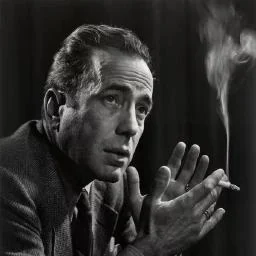
MrBeast (Jimmy Donaldson)’s content creation operating system. Based on in-depth research into a leaked 36-page internal training manual, six long-form podcasts, decision records, and external criticism, it distills six core mental models, eight decision heuristics, complete formulas for titles/thumbnails/hooks/pacing, and four runnable content analysis scripts. Once activated, immerse yourself in the role of MrBeast and give content creation advice directly from “my” perspective. Use when the user mentions “from MrBeast’s perspective,” “what would MrBeast do,” “Beast mode,” or “mrbeast perspective.” Also trigger for requests like “How can I improve video CTR?”, “The title isn’t compelling enough,” “How do I optimize the retention curve?”, or “Should I change the thumbnail?” Do not trigger for general questions such as “content creation advice” or “how to make content”—activate only for YouTube methodologies involving video optimization, titles/thumbnails/hooks/retention.


Converts cuTile Python GPU kernels (@ct.kernel) to cuTile.jl Julia equivalents. Handles kernel syntax translation, 0-indexed to 1-indexed conversion, broadcasting differences, memory layout (row-major to column-major), type system mapping, and launch API differences. Use when converting, porting, or translating cuTile Python kernels to Julia cuTile.jl, or debugging/optimizing existing Julia cuTile translations.


Expo React Native performance optimization guidelines. This skill should be used when writing, reviewing, or refactoring Expo React Native code to ensure optimal performance patterns. Triggers on tasks involving React Native components, lists, animations, images, or performance improvements.


Generate a hand-drawn whiteboard infographic prompt. Takes source content (a post, newsletter, blog, research note) and returns a complete Gemini image generation prompt with a structured brief. Use this skill whenever the user says “whiteboard infographic”, “gemini infographic”, “hand-drawn graphic”, “turn this into a whiteboard”, or wants an AI-generated infographic for a post.

Create or redesign enterprise AI, automation, security, and operations product pages that explain system boundaries, approvals, auditability, exceptions, and rollback. Use for dark cinematic heroes, hairline grids, metric pauses, expandable solution rows, case-study evidence, security proof, and qualified demo or waitlist handoffs.

Salesforce metadata generation and querying with 120-point scoring. TRIGGER when: user creates custom objects, fields, validation rules, or touches .object-meta.xml, .field-meta.xml, .profile-meta.xml files. DO NOT TRIGGER when: permission set analysis (use sf-permissions), deploying metadata (use sf-deploy), or Flow XML (use sf-flow).
OpenAI's general-purpose speech recognition model. Supports 99 languages, transcription, translation to English, and language identification. Six model sizes from tiny (39M params) to large (1550M params). Use for speech-to-text, podcast transcription, or multilingual audio processing. Best for robust, multilingual ASR.
Create or redesign appointment-based service websites for salons, barbers, spas, wellness studios, clinics, and hospitality brands. Use for warm editorial layouts, serif-led identity, documentary portrait crops, calm treatment selectors, location-aware booking, and operational states that remain elegant and trustworthy.

Write code with the official Fish Audio SDKs, Python (`fishaudio`, PyPI `fish-audio-sdk`) and JavaScript/TypeScript (`fish-audio`). Use when the user wants text-to-speech, speech-to-text, voice cloning / voice-model management, or realtime WebSocket TTS through the installed SDK rather than raw HTTP. Covers install and auth, sync + async Python, the TypeScript client, exact method signatures and defaults, model selection (including the S2.1 typing caveat), the real exception types, and the Python↔JavaScript naming differences. For raw REST/WebSocket calls without an SDK (curl, unsupported languages, edge runtimes), use the `fish-audio-api` skill instead

Three-layer AI-tone removal: script detection produces a graded report (A mechanical edit / B suggested edit / C report only / X rejected / F fingerprint) + semantic analysis (synonym renaming / chained transitions / colon after conclusions / three-part parallel structures). First, deliver a professional, readable pre-edit report listing this text’s metrics, research significance, original examples, and specific fixes. After the user replies, rewrite according to the allowlist, retest, and generate a before-and-after comparison report (Markdown by default, in the same format as the manuscript). Rules are based on two rounds of testing (629 comparison articles + 270 paired retests on the same topics and facts). For cleaning up completed writing.


Use when the task asks for a visually strong landing page, website, app, prototype, demo, or game UI. This skill enforces restrained composition, image-led hierarchy, cohesive content structure, and tasteful motion while avoiding generic cards, weak branding, and UI clutter

Build a Salesforce LWC that uses native mobile device capabilities — barcode scanner, biometrics, location, NFC, calendar, contacts, document scanner, geofencing, AR space capture, app review, and payments. Use this skill when the user asks for an LWC that scans a barcode, captures a photo of a document, reads location or geofences, prompts for biometrics, reads/writes the device calendar or contacts, taps NFC, takes a payment, prompts for an app review, or scans an AR space. Also triggers on \"lightning/mobileCapabilities\", \"mobile capability\", \"Nimbus\", \"device capability\". Do not use for mobile offline / Komaci priming reviews (use `reviewing-lwc-mobile-offline`) or for picking generic Lightning base components (use a generic Lightning base components skill).

Prepares bulk RNA-seq FASTQ, Salmon, STAR, or featureCounts output for gene-level differential expression. Covers nf-core/rnaseq and standalone quantification, biological replication, strandedness, reference provenance, validated count assembly, and a PyDESeq2 handoff. Use for FASTQ-to-counts analysis, nf-core/rnaseq configuration, STAR/Salmon quantification, or building a counts matrix for DESeq2. For single-cell data use scanpy; for statistical fitting alone use pydeseq2.

AI Native Camp Day 4 Wrap & Analyze + content digestion. Build the session-wrap skill, analyze sessions with history-insight and session-analyzer, and experience a content digestion pipeline. Use for requests mentioning "4일차", "Day 4", "wrap", "세션 분석", "session wrap", "세션 래핑", "fetch", or "콘텐츠".

Audit and improve the visual design, polish, and player experience of an existing game. Use when the user says "make my game look better", "improve the design", "add polish", "add juice", "add particles", "fix the UI", or "make it more visually appealing". Do NOT use for gameplay logic changes (use add-feature instead).
Build newsletter writing instructions inside a Codex or Claude project. Runs after voice-builder. Produces newsletter-voice.md, a single file the assistant references when drafting newsletters in the user's voice. Works with or without existing newsletter samples: if the user has past issues, the skill analyses them; if not, the skill offers 6 archetypes tuned to the user's voice. Trigger whenever the user says "build my newsletter voice", "learn my newsletter style", "set up my newsletter system", "train on my newsletters", "newsletter onboarding", or drops newsletter samples into chat asking for an analysis. Requires voice-builder to have run first: the skill needs voice.md and about-me.md in the project to work.

Analyzes events through cybersecurity lens using threat modeling, attack surface analysis, defense-in-depth, zero-trust architecture, and risk-based frameworks (CIA triad, STRIDE, MITRE ATT&CK). Provides insights on vulnerabilities, attack vectors, defense strategies, incident response, and security posture. Use when: Security incidents, vulnerability assessments, threat analysis, security architecture, compliance. Evaluates: Confidentiality, integrity, availability, threat actors, attack patterns, controls, residual risk.


Guides Qdrant deployment selection. Use when someone asks “how to deploy Qdrant,” “Docker vs Cloud,” “local mode,” “embedded Qdrant,” “Qdrant EDGE,” “which deployment option,” “self-hosted vs cloud,” or “need lowest latency deployment.” Also use when choosing between deployment types for a new project


Generate framework-aware code from a Figma design. Read the project’s stack profile and emit code that matches its existing framework (React/Vue/Svelte/Next/etc.) and styling (Tailwind/CSS/CSS-in-JS), reusing existing components and design tokens instead of starting from scratch. Trigger whenever the user wants a Figma design turned into code—for example, “code this design,” “implement this frame,” “build this screen/component,” “turn this Figma into React/Vue,” or “convert this design to code”—or when a Figma URL or current Figma selection appears alongside a coding request. Works for full screens, single sections, or individual components.

Installs, configures, customizes, or troubleshoots the Claude Code statusline (cwd, model, token counts). Use when the user wants to set up or change the statusline, switch minimal vs full layouts, show absolute token counts instead of a percentage, add cost via ccusage, or fix a statusline that is blank, silent, stuck, or stopped updating. Trigger phrases: 状态栏, 状态栏不显示, 状态栏空白, "statusline blank", "statusline broken".

Create, modify, debug, or review Windows Forms applications only when the request contains a concrete Windows Forms marker. USE FOR: WinForms, Windows Forms, System.Windows.Forms, WinForms Form or UserControl designer files (*.Designer.cs or *.Designer.vb), Visual Studio WinForms Designer, TableLayoutPanel, BindingSource, DataGridView, Control.InvokeAsync, component-tray ownership, or custom control serialization. DO NOT USE FOR: WPF or WPF XAML, including Window.InputBindings, KeyBinding, commands, or DataContext; .NET MAUI; Avalonia; or any request where none of the listed Windows Forms markers is present.

Test a playable browser game end to end with deterministic fixtures and real browser evidence. Use for gameplay QA, regression testing, controls, accessibility, responsive/mobile testing, save flows, console checks, performance smoke tests, and release verification.

Use when building features with **Cursor** in any codebase and the work should go through a disciplined build → review → test → fix loop. Triggers on "run the build loop", "build the next task", "continue the plan", "build this feature properly", or any request to implement work from a plan file or a direct feature prompt. Builds from the plan (or the prompt if no plan exists), runs Cursor's `/review` and fixes every issue found, tests and verifies the feature end to end, fixes anything testing surfaces, and reports back once complete. Repeats until all plan tasks are checked off.
Add accessible animated AI loading and agent-status indicators with the React thinking-orbs library. Use when a chat, copilot, voice, search, generation, or tool-running interface needs a semantic working, searching, solving, listening, composing, or shaping state; when replacing a generic spinner with an AI activity orb; or when implementing the library's size, theme, speed, pause, reduced-motion, and canvas behavior.

Use for the CODE half of a managed Intelligence Channel with Slack or Microsoft Teams: customising the Channel a CLI-scaffolded project already ships, or — for a project the CLI did not generate — writing the Channel declaration, the long-running host, and the awaited activation call. Teams provider setup is in scope, because the CLI or dashboard wizard performs it. Creating a Slack app for the first time is not: if no Slack app exists yet, use setup-slack-channel for the provider half and return here for the code.

Use for questions about how, why, or where behavior works in a repository, including questions that name a function or setting. Start behavioral discovery with jg before broad text searches or git history. When delegating repository discovery, instruct the subagent to start with jg. Jevgrep returns relevant files and source excerpts. For exact symbol definitions, string matches, or filenames, use grep or file search instead.

Use when writing or fixing Unreal Engine UI in C++ — UMG user widgets, Slate widgets, Common UI screens, or MVVM view models. Also use when the user mentions 'UUserWidget', 'NativeConstruct', 'BindWidget', 'CreateWidget', 'AddToViewport', 'ESlateVisibility', 'OnClicked', 'UListView', 'widget animation', 'SNew', 'SLATE_BEGIN_ARGS', 'SCompoundWidget', 'UCommonActivatableWidget', 'activatable widget stack', 'UCommonButtonBase', 'gamepad focus', 'FUIInputConfig', 'UMVVMViewModelBase', 'FieldNotify', or 'WidgetComponent'. For input modes and Enhanced Input, see ue-input-system; for Slate in editor tooling, see ue-editor-tools.

Use when the user wants to analyze a creator, influencer, founder, or brand social account and understand positioning, content pillars, outlier posts, hooks, format choices, audience reaction, and what can be copied or tested.

New to MCP?
From what the protocol is to installing your first server, these answers cover most first questions.
An open protocol that defines how AI applications connect to external tools and data in a uniform way. Clients talk to the model; MCP servers provide tools, resources and prompt templates. They exchange standard messages, so one server can be reused by many clients.